Posts by mrgmx

    Have a look here buddy, the video is for a solo2 but the basis are the same!


    http://linuxsat-support.com/vu…lo2-any-other-vu-lol.html


    Format USB stick Fat32


    Unzip folder to USB making sure vuplus folder is at the root of USB


    Inside that folder (vuplus) should be duo and in that the files required!


    If all that is correct > eject USB from PC and switch off DUO from the back


    Plug USB into front of Duo and switch ON from the back!


    Led Screen should begin flash and tell you 'flashing USB' on the LED screen (DUO)


    It will tell you to remove and reboot when done!


    Settings wise, make a note/copy of any clines e.t.c just for backup as these will be most important (write down or FTP them to your computer)


    Run a backup from BH (not image backup....settings backup) this should store/backup all settings and lines and will save the backup file to you choice of destination


    FTP this to you computer for safe keeping,


    Run Flash and then when done, copy backup to USB > plug into Duo and reload backup settings using the BH Menu


    Post back if any problems Buddy

    You will need to set the box up as normal mate....wouldnt worry bout the teleline connection.....but sat coax (at least 1) is needed


    Turn box on and leave on a premium channel and entitlements should update after a few hours.....give or take...best to do and leave overnight is the norm

    ok so now i have made a c*#t of the whole thing :angry:


    i went to ftp the said folder into /usr/lib/enigma2/python/Plugins/Extensions and yet again nothing..... so i removed it.
    but now there are a load of option thingy's missing from my plugin menu in the menu on the box......


    niall_b73


    Did you delete the Extensions folder itself????


    If so i think you deleted all the plugins/extensions on your box!


    You may need to re-flash image

    CES 2013: the best and the worst
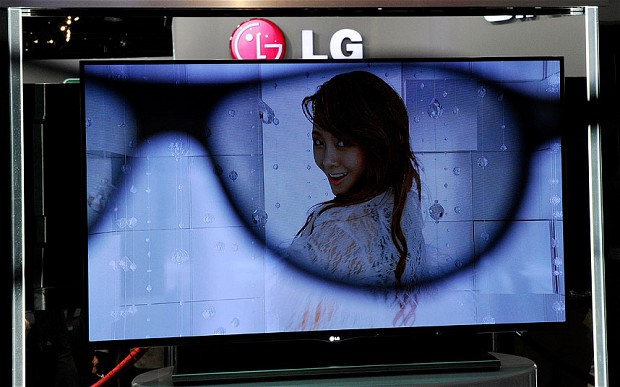


    The gadgets of the near future are laid out every year at the Consumer Electronics Show in Las Vegas - some stand out like revelations, others seem like obvious improvements and some, joyously, are obviously bonkers.
    This year, CES’s inn***tors wanted to connect everything to the internet, so while it worked for TVs, fridges and cameras, in some cases it was less obviously a perfect solution. The fork, for instance. But even the disasters were not perhaps quite as stupid as they might at first seem. The idea of technology improving our eating habits is not exactly new. The iPotty, however, may truly be a step too far.


    The hits:


    Sony Xperia Z
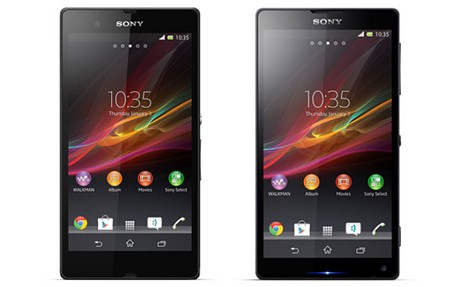


    Availability and price TBC
    Coming later this year, the Xperia Z is the first mobile phone from Sony to look like it deserves a chance of success. Water resistant, it can survive submerged for half an hour, it’s dustproof and also comes with a 13mp screen that’s beautiful and a camera that’s class-leading. Sony faces an uphill struggle to challenge Samsung but it’s never had a better chance. Even the smaller ZL is impressive.


    Panasonic 56” Oled TV


    A prototype rather than a product, this TV won’t be available before 2015 at the earliest. But organic light emitting diode (OLED) TVs offer peerless picture quality and power savings and Panasonic claims finally to be on the road to manufacturing them commercially. That means there’s a real likelihood such gorgeous screens might become the TVs of the future.


    Samsung F8000 TV


    Availability and price TBC
    This is a television that will actually be available this year, and it will feature Samsung’s first serious attempt to redefine how we navigate. That doesn’t so much mean voice or gesture control, although they will both be options. In fact it is much more about how we find what to watch. Five screens will offer personalised suggestions, on demand, apps, social features and user’s own pictures and video. The days of the channel list could soon be over.


    LG Laser TV projector
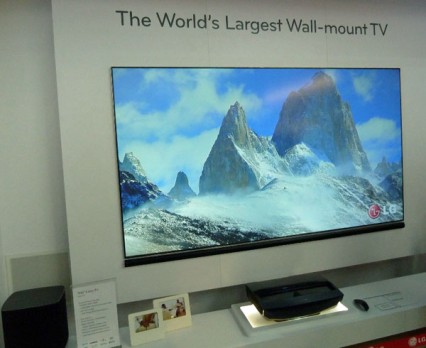


    Availability and price TBC
    More and more viewers want the huge screen size that can come from a projector, but don’t have the space to put one. LG’s attempt to rebrand ‘short throw’ projectors is called Laser TV, “and means you need to put the projector itself just 22” from the wall to get a screen size of 100”. The trend for ever bigger TV - the average size is now nearly 40” - continues at an even faster pace.


    Samsung Youm
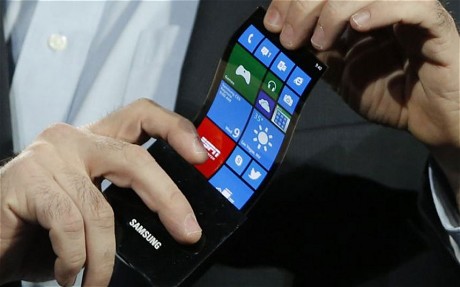


    Some had hoped Samsung’s much-vaunted ‘bendy phone’ might debut at CES. It was always a long-shot, but a prototype, running Windows Phone 8, did emerge. This is a technology that means screens can be wrapped around, say, the edges of a device to show notifications. While it will be held back by the inflexibility of memory and processors, expect massive leaps in the durability of phone screens if plastic takes over from glass.


    Spare One Phone
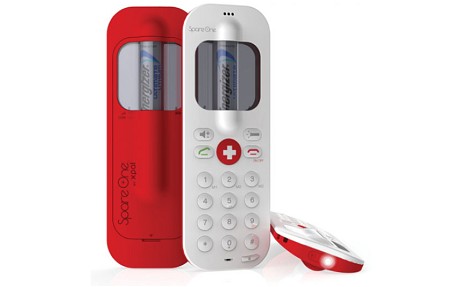


    $49; spareonephone.com
    CES isn’t solely about the expensive and the extraordinary: the SpareOnePhone is a basic and potentially life-saving idea. A single AA battery offers power for up to 15 years and 10 hours talk time. There’s a direct dial for the emergency services and up to nine numbers. Great for hikers and even parents worried about their young children who haven’t yet demanded a smartphone.


    Plastic Logic PaperTab
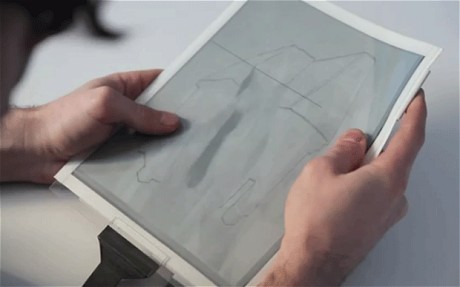


    Another prototype, this is the next evolution of the Kindle-style ereader - paper thin, this flexible 10.7” tablet runs from an Intel processor and can also join together with other tablets to create much larger screens. The moving books and newspapers of Harry Potter could not be so far-fetched after all.


    And the misses:


    iPotty
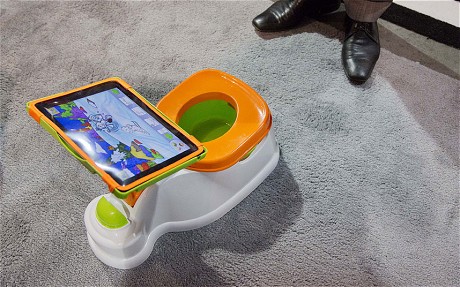


    £25; March
    However were children toilet trained without an iPad? This plastic potty goes one stage further than the existing potty-training apps, and features a slot for the iPad itself above the bowl. Luckily, there’s a cover for each, so one may not fall into the other.


    HapiFork
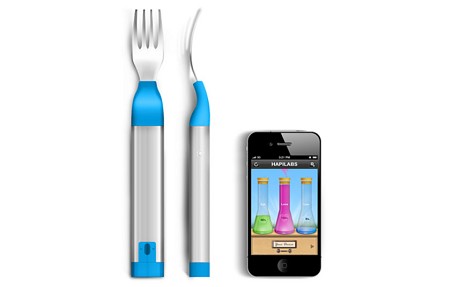


    $99; TBC
    It’s not just eating too much but also eating too quickly that makes people fat, claim some experts. The HapiFork, made in France, vibrates if you put it in your mouth too often. Little matter that it looks like a toy, needs connecting with a USB cable and wouldn’t be acceptable in any decent restaurant...


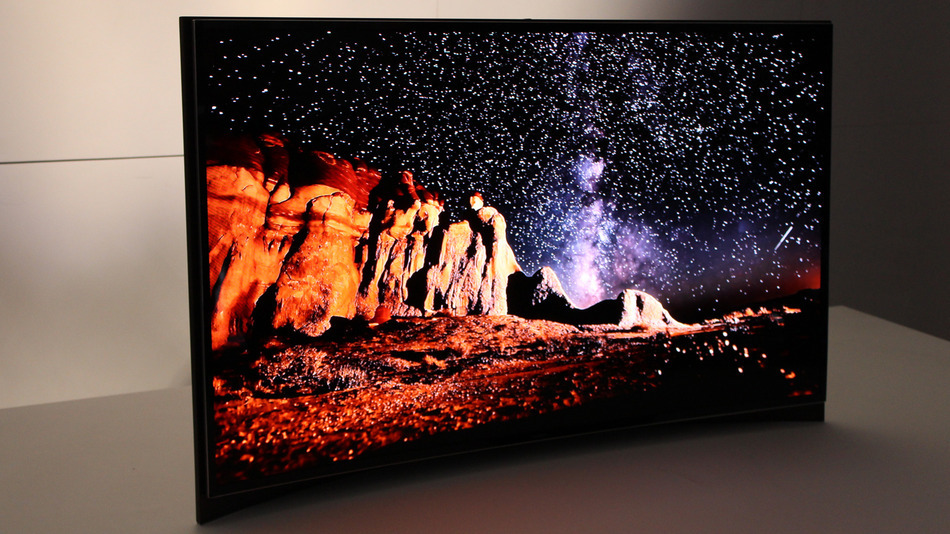
    Curved TV


    Availability and price TBC
    Both Samsung and LG had curved TVs on their stands at CES - and for a while both were claiming they were world firsts. The idea is that by mirroring the curvature of the eye they produce a more immersive experience. Unfortunately, that only works if you’re sitting in the perfect position. Great for lone film-buffs.




    :firework:

    Can you access HDD form box?


    Have you intialised HDD in image?


    Shouldnt need to change image....i dont think box is reading HDD

    Yep :(


    You just get the Channel Title and $ sign for Premium/Pay channels lol


    This is all you get and if you go into channel you will get now and next guide but no 7 day epg!


    They state they will do it but to my knowledge it doesn't work with Sly!


    Just use it as an extra box mate! Good for that lol

    You got to Hopes!


    Bob and No mate!


    Openbox S10 are Closed Linux mate so you can't add images to them as you would DM, Vu e.t.c!


    Unfortunatly you will have to get used to the layout lol!


    I use mine in my Bedroom where the extra functionality isn't required......a kinda WYSWYG box!

    The message changes every once and a while so keep watching lol


    In response to your CCcam Backdoor issue


    Well i use Mgcamd most of the time.....and Cccam for a share or 2 that i switch over to!


    I just done a quick search lol and found that there seems no actual substance/proof behind this BackDoor issue?


    Someone else with more knowledge will comment...but if your unsure use an earlier version!


    I think as with everything its down to TRUST and where you get your SHARES from! Im happy with both issues my end...so unless someone informs me of something i wasn't aware of im happy continuing using 2.3.0 albeit on the odd occasion! But when i do its fine lol

    Sometimes when in a plugin if you press the menu button it will give you some more options,has to be worth a try?


    Sent from my Xperia X10 using Tapatalk 2


    As stated by Balderdash


    If you go into EPG and then press Menu!


    You should have something along the longs of 'Show Bouquets Groups on start' it should be currently set to off/no so change to on/Yes and press Ok/Save and when you go into EPG you should get the Groups 1st!

    Is this the thread you read buddy! Explained for Cam but principle is the same!
    http://linuxsat-support.com/vu…000-et5000.html#post14867


    In short


    > FTP ipk file from location (PC) to box using FTP client (DCC, Filezilla e.t.c)
    (password for the box will be what you set it to...or password from image used.....perhaps try dreambox, linuxsat, vuplus as these are the norm!


    > Using FTP client copy IPK file to /tmp on receiver


    > From box you should be able to/have an option to 'install local extensions' in your Menu


    > You should be able to locate/it will show as default any ipks......and the one you ftp should be there/in list


    > Select IPK file and Install


    > Reboot box and plugin/file should be installed and accessible


    Just to add if you have downloaded the plugin in folder format with files e.t.c


    ftp this folder to


    Un-rar the icefilms rar file then ftp the icefilms folder to /usr/lib/enigma2/python/Plugins/Extensions and restart your box


    (Taken from post next door lol Thanks heike2013)

    I thin kyou can use 1.6 plugins on OE2.0 Images but not the other way lol


    ftp the ipk file to /tmp on you box


    Once the file is in tmp folder (temp file is in volatile/tmp on Pli based images...)


    You should be able to access the local extensions from your box!


    then either through Menu > Install Local Extensions or plugins > software management > install local extension


    You should be able to select the file you want, (may have to choose external or internal HD to locate, but it should find it??)


    Run the extension setup - reboot box and it should be installed mate


    Someone will shout if not possible but i think going up you are ok!


    Failing that look for 2.0 version of plugin if you haven't already...most are out there!

    Depends on Budget Buddy! Much like buying a car lol


    But i think most will say Vu range as a good starting point...well supported and loads of bells and whistles to add to make it more
    enjoyable lol
