
you also changed this right -
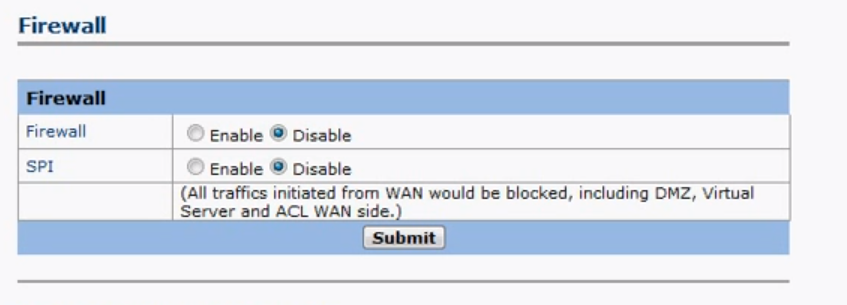
If so try unplugging your router for 30 secs then reboot your box and computer.


you also changed this right -
If so try unplugging your router for 30 secs then reboot your box and computer.

im telling you its pointing in right direction im just not getting anything.
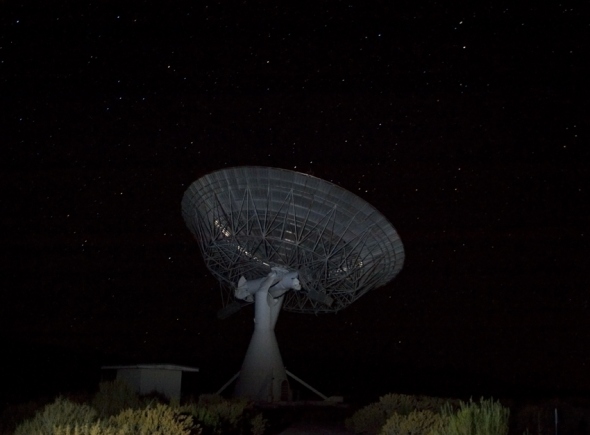
Got a slight signal we will get 3pm footy.

FFS! forgot to plug it in, think i might of misread the tutorial...
Just I read about a lot of problems with ports and talk talk last couple of days.
Which router are you using?
First of all please post an Introduction, i didn't realise you hadn't.
Secondly what is causing you to have to flash your box frequently. If you are using a clone receiver, do not update the software via the menu options.
Hi
First of all please post an Introduction
I don't think you will get a step by step guide, linux can run ccamd, xbmc and tvheadend clearly.
But can xbmc and tv headend process and send requests to camd?
Are you with talk talk by any chance?
Im thinking of selling my duo and getting an uno...
Anyone any thoughts or comments on if this is a good or bad idea?
Turn off dreambox
Power on and keep hold of power switch till display shows
**STOP**
This will in turn change to an ip address
type this address in your browser 192.168.x.x (or something simular)
select the flash option
Done :)
You would be better making a separate thread mate.
Why don't you try the Mg Cam option and yes I know its been around for months but to be able to point people in right direction its logical to start at the beginning.
Issue: How do I install Navi-X?
Explanation:
On XBMC:
1. Go to
and click on "Downloads" then click the button that says "Download Navi-X" and save the file to your computers desktop.
2. Install XBMC on your computer or device if you have not already. You can get the latest "stable" and "unstable" builds at
3. Once XBMC is installed open it and click on System > Addons > Install from Zip file. Select the location on your computer where you saved Navi-X and select the zip file.
4. Exit to the main screen of XBMC and check out "Programs"... Navi-X should be installed there. Make sure you always use the latest version of Navi-X and the latest "stable" version of XBMC, located in the primary download page for XBMC.
To update Navi-X, simply grab the latest copy on our website for XBMC.
On Apple TV, iPad, iPhone and iOS supported devices:
1. Jailbreak your Apple TV (or iOS device) and install XBMC. You can get details on how to do this from Google.
2. Once your Apple TV is jailbroken and has XBMC on it, you need to SSH and upload Navi-X to your iOS device in a folder that can be accessed by XBMC's file explorer. Here is a video detailing how to SSH into your Apple TV (iOS device) and upload files to your device.
Alternatively, you could get an app from Cydia like "iFile" and download the zip directly to your device instead of ssh/ftp'ing. 3. Once the Navi-X.zip file is uploaded to your iOS device, open XBMC on your iOS device and go to System > Addons > Install from Zip file. Browse to the location on your device you uploaded the Navi-X.zip file to and select it to install Navi-X.
4. Exit to the main screen of XBMC and check out "Programs"... Navi-X should be installed there. Make sure you always use the latest version of Navi-X and the latest "stable" version of XBMC, located in the primary download page for XBMC.
To update Navi-X, simply grab the latest copy on our website for XBMC.
Here is a video on YouTube created by dawild1504 on "How to add Navi-X .Zip to AppleTV-2 (5.1) using CyberDuck on Mac OSX MTLion":
First please post an introduction, second your going to have to explain in quite a bit more detail than that if you expect any form of response that will help you.
What version firmware are you running?
Have you upgraded to 2.8?
http://linuxsat-support.com/op…penbox-s16_chn_2-8-a.html
english is selectable after upgrading
Ive read that, but was also thinking software wise, dvbdream, progdvb or something else?
is Acamd the only plugin for sat cards? (doesn't seem too much of a problem really, just wondering whats out there)
I have a cheap satellite tv card in my pc (windows) -
What is the best program/plugin or rather what do people recommend?