Posts by sodex

    i checked the original thread and saw that it was closed with message "end of support", but am not sure if it was closed because the functionality is now in your current regular builds or replaced by something else, or simply because you don't want to maintain this special build anymore :thinking face: thanks in advance for clarification and sorry if it is a stupid question

    yes the Oscam from samur with http/https -Url -emm-support no longer works with https -Urls from pastebin - I had to switch to http-Urls and that still works


    the necessary ingredients are still missing


    boxkey = 0........A

    deskey = 4..............9

    aeskeys = 05..................04

    In the attached zip file is an example config with HD05 in the Easymouse (Raspi) and 1Client - depending on which Oscam version is running, activate the appropriate reader and replace the IP on the proxy reader (client) with that of your Raspi


    Edit: delete Zip File

    Original and VTI images do not support multiboot - an open image that supports multiboot had to be installed in the flash

    qu'est-ce que votre 183E a à voir avec 187D et NUID - CWPK ?

    electron112 ,

    tu as raison - il confond l'OP

    i´ve just flah my vu zero 4k with openvix 6 7 001. But i cant look HD+....what could i do? On VTI Image it runs.

    why do you use CI+ Cam? use softcam like Oscam or GBox for your HD+ (?) card and insert it into the internal card reader of your Vu+ Box

    Try openpli and openatv to see if you have the same problem,

    He will also have the same problem with the Pli image - with his CI+ Cam - except for the VTI image, with other images the CI+Helper must be installed independently

    I don't know how to do can you go with me step by step because when I try to send icam bouquet to client no channel appear in the list

    you also have to enter the services of "userbouquet..." in the "bouquet.tv" file in the folder "etc/enigma2/" e.g.

    what you are trying to do doesn't work like that, you have to copy the ICam Bouquet channel list from the server box to the client box and change the host IP (127.0.0.1) in the services of the ICam bouquet list to the IP of your server box (e.g. 192.168.178.21)


    Server Box

    Client Box

    MfG

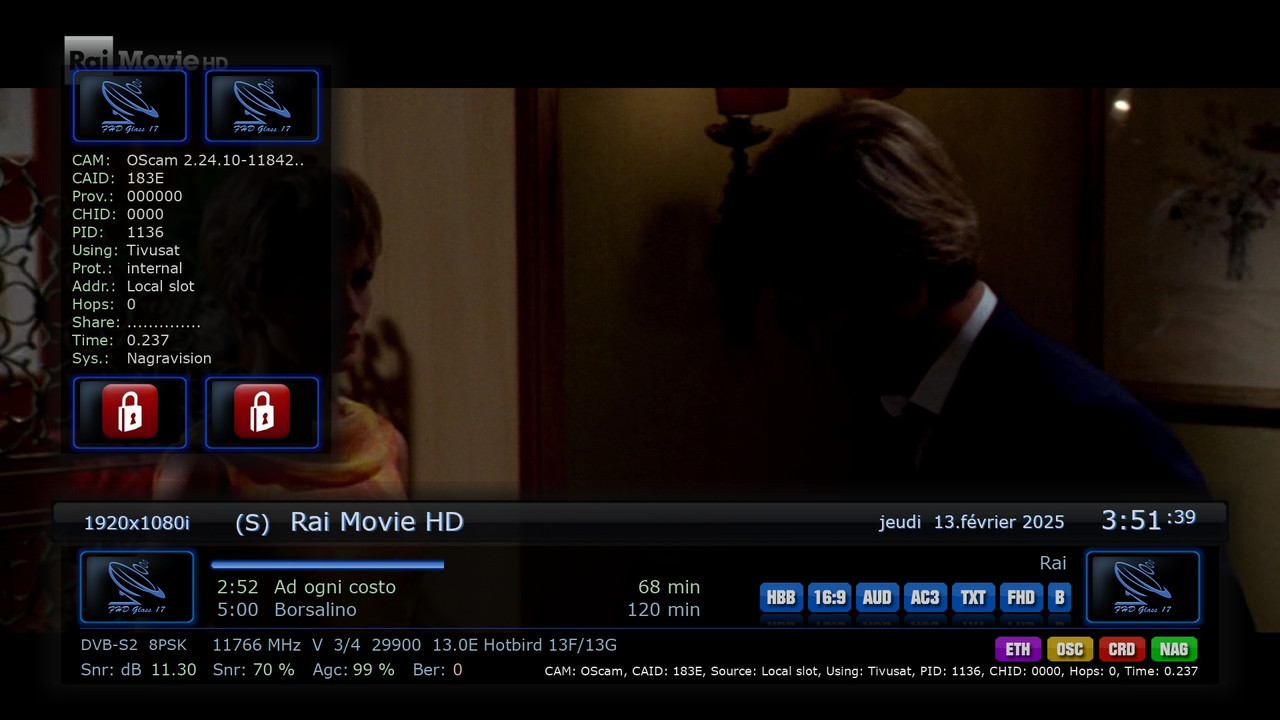
    the situation seems to get worse today in total darkness even by reactivating the card from the tivusat site, the suggested changes had no effect, I don't understand anyway it's a 183e gold hd


    blockemm-s = 1

    blockemm-g = 1

    you don't have to be surprised, the "gold" needs s-emms from time to time, not just the HW_emm to stay bright

    Hello, i feel kinda stupid to ask - but i will still ask. I have installed from post nr.1. The oscam reads the card, but it does not activate. What am i doing wrong ? I copy/past the oscam.reader settings from post 1. I think it might have somehting to do with the URL. I have read up this thread, and found that the link has changed over time. I cannot find the correct link in any post. I hope there is someone what i so kind to share this link with me so i can allso use my tivusat card again. Thanks.

    look at #939 - and add 1+1 together and you have the complete URL


    and - has the penny dropped?

    now its working i put this in usr/lib cmod 755 and restart my box now working OSCam 2.24.10-11845-802

    yes and the zip file is already attached there - why attach it here again ?

    what version is for dreambox one i test it oscam-11845-802.aarch64-libusb coming

    error while loading shared libraries: libssl.so.1.1: cannot open shared object file: No such file or directory


    I don't understand how to upload an Oscam that doesn't work as standard with any box

    not wokring with vu not woking with dreambox what is this

    Unzip the zip file and copy the 5 files to the box in the folder "usr/lib" using an FTP program and set the permissions to 755

    Sorry but in the oscamlog I don't manage to see the entire Exxx......

    May be I've to correct oscam.conf and oscam.server


    Thanks in advance and regards

    I'm sorry but the emm doesn't come in precam, you can only see it and log if you have an original cam decoder support

    buiacco

    I already showed in #988 how and where the HW_emm can be seen in the oscam.log