Posts by Che Guevara
-
-


Can you give the host please
use extplayer3
-

I cannot access the plugin page at all with any image (Open or Dream OS)
-
/usr/bin/OSCam_11945-802: symbol lookup error: undefined symbol: SSL_load_error_strings
This means that the OSCam binary you are running was compiled with a different version of the OpenSSL library than the one installed on your device
Because of this mismatch, the system cannot find the function SSL_load_error_strings.
Possible Causes
The OpenSSL version installed on the device is different from the one used to compile OSCam.
The OSCam binary was built with OpenSSL 1.1 , while the system might have OpenSSL 1.0,
The required libraries libssl or libcrypto are missing or incompatible with the binary.
openatv 7.6 OpenSSL 3.6.0 1
-
-
The plugin works perfectly on Python 2 and Python 3 open-source images — no issues at all.
The common problem appears only on DreamOS images, where it gets stuck on checking proxy.
I tested it on several images and everything works fine except on DreamOS.
-
The plugin previously worked flawlessly on Python 2 and Python 3 with open-source images. It only fails to work on Dreambox Python 2 images. However, some members always seem to complicate things, even though everything has already been explained in the replies.
Sometimes I feel like giving up because of these people. I'm just an amateur trying to help and provide feedback to the developer to improve the plugin. Otherwise, there would be no point in wasting time testing it on multiple images, shutting down the device each time and selecting another image to test especially since it works perfectly for me. -
other skin FHD
enigma2-plugin-skins-Youchie-PLI-FHD-For-OpenPLI_v1.00.ipk
Python
Display MoreTraceback (most recent call last): File "/usr/lib/enigma2/python/Components/PluginComponent.py", line 53, in readPluginList File "/usr/lib/enigma2/python/Tools/Import.py", line 2, in my_import File "/usr/lib/enigma2/python/Plugins/Extensions/WeatherPlugin/plugin.py", line 36, in <module> from Plugins.Extensions.WeatherPlugin.setup import initConfig, MSNWeatherPluginEntriesListConfigScreen File "/usr/lib/enigma2/python/Plugins/Extensions/WeatherPlugin/setup.py", line 38, in <module> from urllib.parse import quote as urllib_quote ImportError: No module named parse Traceback (most recent call last): File "/usr/lib/enigma2/python/StartEnigma.py", line 203, in __init__ p(reason=0, session=self) File "/usr/lib/enigma2/python/Plugins/SystemPlugins/WeatherComponentHandler/plugin.py", line 27, in sessionstart from Components.Sources.MSNWeather import MSNWeather File "/usr/lib/enigma2/python/Components/Sources/MSNWeather.py", line 25, in <module> from Components.WeatherMSN import weathermsn File "/usr/lib/enigma2/python/Components/WeatherMSN.py", line 24, in <module> from Plugins.Extensions.WeatherPlugin.MSNWeather import MSNWeather File "/usr/lib/enigma2/python/Plugins/Extensions/WeatherPlugin/MSNWeather.py", line 32, in <module> from Tools.Directories import resolveFilename, SCOPE_GUISKIN ImportError: cannot import name SCOPE_GUISKIN REMOVE Peer sf8008m REMOVE Peer sf8008m Traceback (most recent call last): File "/usr/lib/enigma2/python/StartEnigma.py", line 223, in processDelay callback(*retval) File "/usr/lib/enigma2/python/Plugins/Extensions/vavoo/plugin.py", line 2386, in install_update closeOnSuccess=False) File "/usr/lib/enigma2/python/StartEnigma.py", line 312, in open dlg = self.current_dialog = self.instantiateDialog(screen, *arguments, **kwargs) File "/usr/lib/enigma2/python/StartEnigma.py", line 255, in instantiateDialog return self.doInstantiateDialog(screen, arguments, kwargs, self.desktop) File "/usr/lib/enigma2/python/StartEnigma.py", line 279, in doInstantiateDialog dlg.applySkin() File "/usr/lib/enigma2/python/Screens/Screen.py", line 240, in applySkin File "/usr/lib/enigma2/python/Screens/Screen.py", line 255, in createGUIScreen File "/usr/lib/enigma2/python/Components/ScrollLabel.py", line 76, in applySkin File "/usr/lib/enigma2/python/Components/ScrollLabel.py", line 98, in setText TypeError: in method 'eLabel_setText', argument 2 of type 'std::string const &' [ePyObject] (CallObject(<bound method Session.processDelay of <__main__.Session instance at 0xb173a120>>,()) failed) -
Code
Display MoreTraceback (most recent call last): File "/usr/lib/enigma2/python/StartEnigma.py", line 223, in processDelay callback(*retval) File "/usr/lib/enigma2/python/Plugins/Extensions/vavoo/plugin.py", line 2384, in install_update closeOnSuccess=False) File "/usr/lib/enigma2/python/StartEnigma.py", line 312, in open dlg = self.current_dialog = self.instantiateDialog(screen, *arguments, **kwargs) File "/usr/lib/enigma2/python/StartEnigma.py", line 255, in instantiateDialog return self.doInstantiateDialog(screen, arguments, kwargs, self.desktop) File "/usr/lib/enigma2/python/StartEnigma.py", line 279, in doInstantiateDialog dlg.applySkin() File "/usr/lib/enigma2/python/Screens/Screen.py", line 240, in applySkin File "/usr/lib/enigma2/python/Screens/Screen.py", line 255, in createGUIScreen File "/usr/lib/enigma2/python/Components/ScrollLabel.py", line 76, in applySkin File "/usr/lib/enigma2/python/Components/ScrollLabel.py", line 98, in setText TypeError: in method 'eLabel_setText', argument 2 of type 'std::string const &' [ePyObject] (CallObject(<bound method Session.processDelay of <__main__.Session instance at 0xb142b490>>,()) failed)You said it... the problem is what I explained, I can't do anything for you... should you change the image scrollbar?
or do I have to apply a change to the skin (skin_apply) for this?
No, I don't think you can do more for each individual error.
Can you install from wget or ipk?
wget -q --no-check-certificate https://raw.githubusercontent.com/Belfagor2005/Vavoo_py2/main/installer.sh -O - | /bin/sh
Codewget -q --no-check-certificate https://raw.githubusercontent.com/Belfagor2005/Vavoo_py2/main/installer.sh -O - | /bin/shCode
Display MoreDownloading vavoo... --2026-03-07 20:50:09-- https://github.com/Belfagor2005/Vavoo_py2/archive/refs/heads/main.tar.gz Resolving github.com... 140.82.121.4 Connecting to github.com|140.82.121.4|:443... connected. HTTP request sent, awaiting response... 302 Found Location: https://codeload.github.com/Belfagor2005/Vavoo_py2/tar.gz/refs/heads/main [following] --2026-03-07 20:50:11-- https://codeload.github.com/Belfagor2005/Vavoo_py2/tar.gz/refs/heads/main Resolving codeload.github.com... 140.82.121.10 Connecting to codeload.github.com|140.82.121.10|:443... connected. HTTP request sent, awaiting response... 200 OK Length: unspecified [application/x-gzip] Saving to: ‘/tmp/Vavoo_py2-main.tar.gz’ /tmp/Vavoo_py2-main [ <=> ] 9.02M 1.42MB/s in 6.4s 2026-03-07 20:50:19 (1.40 MB/s) - ‘/tmp/Vavoo_py2-main.tar.gz’ saved [9457756] Extracting package... Installing plugin files... Copied from standard plugin directory Verifying installation... Plugin directory found and not empty: /usr/lib/enigma2/python/Plugins/Extensions/vavoo Contents: head: invalid option -- '1' BusyBox v1.31.0 (2023-05-25 05:08:48 UTC) multi-call binary. Usage: head [OPTIONS] [FILE]... Print first 10 lines of each FILE (or stdin) to stdout. With more than one FILE, precede each with a filename header. -n N[kbm] Print first N lines N may be suffixed by k (x1024), b (x512), or m (x1024^2). Cleaning up temporary files... ######################################################### # INSTALLED SUCCESSFULLY # # developed by LULULLA # # https://corvoboys.org # ######################################################### # your Device will RESTART Now # ######################################################### ^^^^^^^^^^Debug information: BOX MODEL: sf8008m OS SYSTEM: OE PYTHON: Python 2.7.18 IMAGE NAME: Unknown IMAGE VERSION: Unknown PLUGIN VERSION: 1.50
With this command, everything is OK with the latest version on Python 2 and OpenImageCodewget -q --no-check-certificate https://raw.githubusercontent.com/Belfagor2005/vavoo/main/installer.sh -O - | /bin/shIt crashes when I press the yellow button to update version 1.50 To version 1.53
-
-
The default skin
is the latest version of the image: openatv-6.4-dm920-20221118_mmc.zip
openpli 8.3 11.O2.2026
The default skin
-
and you have crash sure?
Codewget -q --no-check-certificate https://raw.githubusercontent.com/Belfagor2005/Vavoo_py2/main/installer.sh -O - | /bin/sh BOX MODEL: dm920 OS SYSTEM: OE PYTHON: Python 2.7.18 IMAGE NAME: openatv IMAGE VERSION: 6.4 PLUGIN VERSION: 1.50Code
Display Morewget -q --no-check-certificate https://raw.githubusercontent.com/Belfagor2005/vavoo/main/installer.sh -O - | /bin/sh ######################################################### # INSTALLED SUCCESSFULLY # # developed by LULULLA # # https://corvoboys.org # ######################################################### # your Device will RESTART Now # ######################################################### ^^^^^^^^^^Debug information: BOX MODEL: dm920 OS SYSTEM: OE PYTHON: Python 2.7.18 IMAGE NAME: openatv IMAGE VERSION: 6.4 PLUGIN VERSION: 1.53 root@dm920:~#All OK
4097_0_0_0_0_0_0_0_0_0_20260307174055.jpg
I don't know why you're not using the latest version from this link. It works flawlessly with Python 2 and Open images.
-
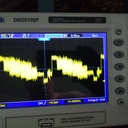
VU and similar devices cannot process the current signal test.
It means it's similar to the Dreambox
-
-

Installed from wich repository ? For me on dreamos images installs only from vavoo_py2, from the other goes on boot loop
-
-
There is no signal in North Africa
-
-

Crash when updating plugin from 1.50 to 1.51
Dm920 + Gamini 4.2 image
use command from telnet console
wget -q --no-check-certificate https://raw.githubusercontent.com/Belfagor2005/vavoo/main/installer.sh -O - | /bin/shUnfortunately, the image is stuck on boot ( It's stuck on a black screen )
dreamos 2.5 images
-
Openatv 7.6
2026-03-01_000316.jpg Screenshot_01_03_2026_13-04_38.jpg
Screenshot_01_03_2026_13-05_10.jpg
Py2 OpenPLi 8.3
Default DNS OK
Cloudflare DNS OK
Quad9 DNS OK
Screenshot_01_03_2026_13-27_04.jpg Screenshot_01_03_2026_13-16_30.jpg
Screenshot_01_03_2026_13-18_54.jpg Screenshot_01_03_2026_13-27_32.jpg
Screenshot_01_03_2026_13-30_19.jpg
OpenPLi 9.2 PY3.9.9
DNS Google OK
Screenshot_01_03_2026_13-38_08.jpg Screenshot_01_03_2026_13-43_43.jpg