


Posts by Sandman

    My Vu+ Ultimo arrived today and while I'm not sad enough to do an unboxing video, I am sad enough to take a few pics and write a few words!


    I ordered mine from one of the UK suppliers - It came well packed and they kindly installed the 3rd S2 tuner for me
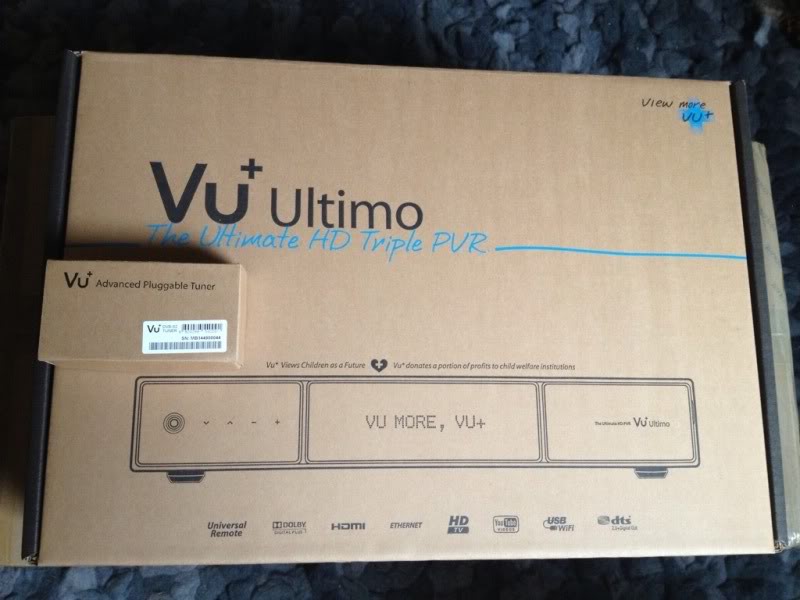
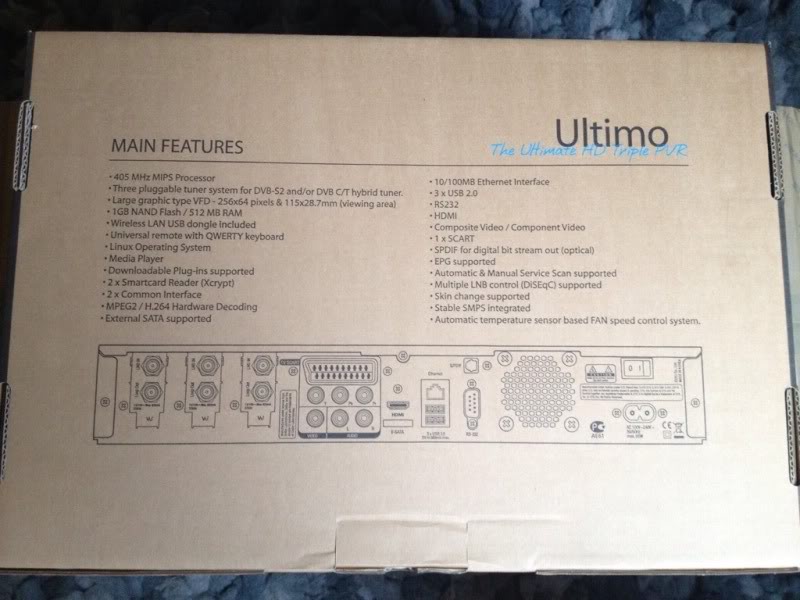


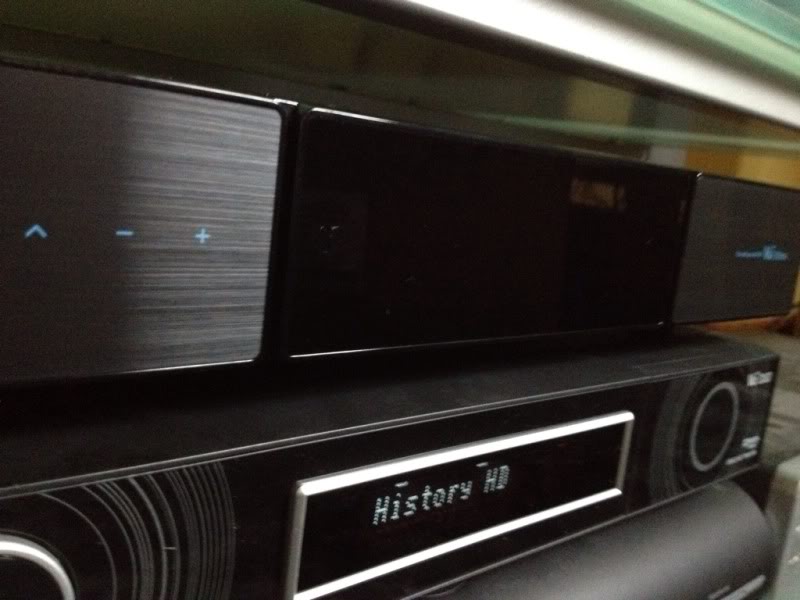
    First thing to note is its very shiny! The finish is a finger print magnet but looks great...it sits under my TV so I don't really see it but it sure looks pretty!


    Accessories are plentiful - SATA cable & anti-vibration & fixing screws for HDD, power cable with UK plug/converter, HDMI cable & USB wireless LAN
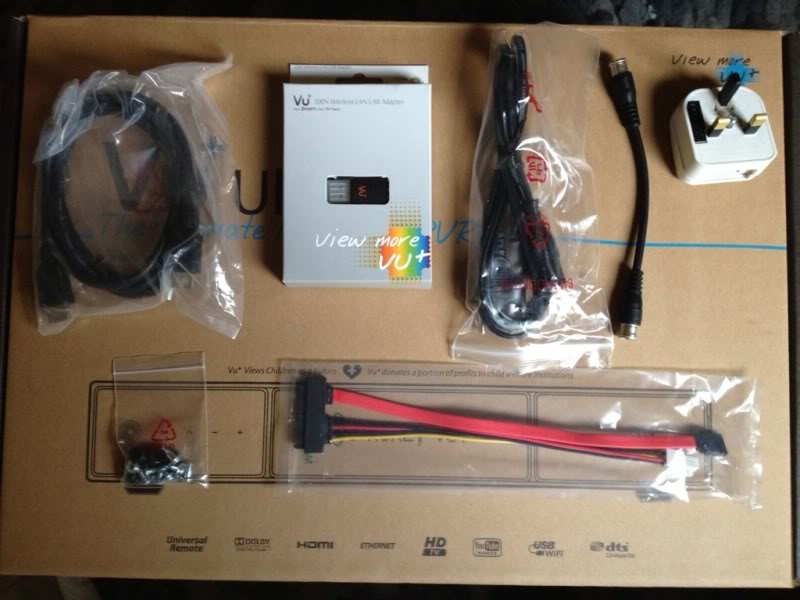


    I decided against the wireless LAN as I've read it transmits and receives a lot of data causing disruption in other areas of your network - How true this is, I don't know but I'm wired for GigE so I've left the card out for the minute


    The remote is a fair bit different to the standard Duo remote...I really don't find it easier to use as the buttons are harder to press. The keyboard on the back will definitely be handy if you use the web browser feature - buttons are enabled by hitting a lock button and are disabled if you press a key on the regular remote side
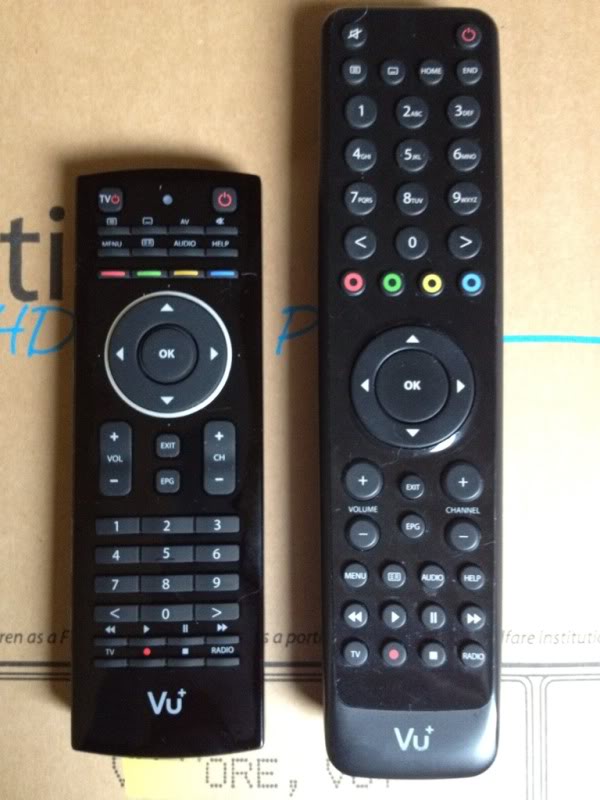
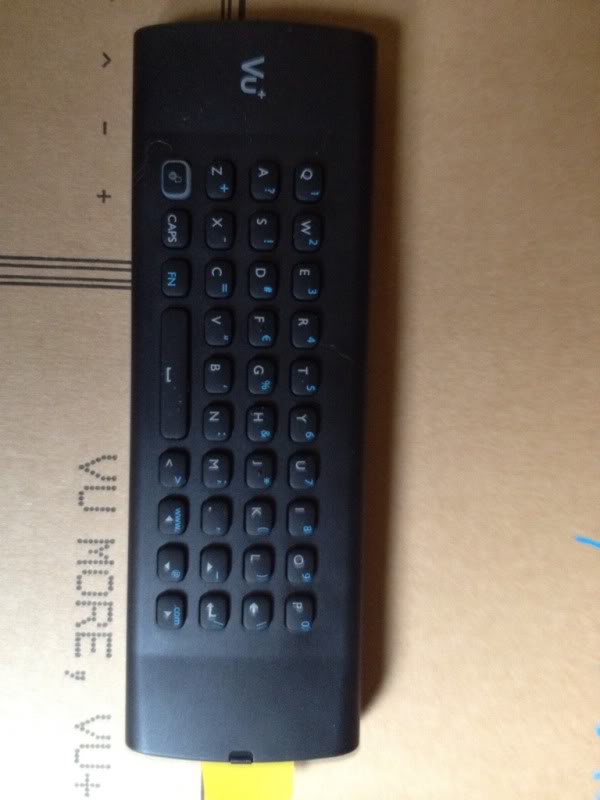


    The HDD is as easy to install as the Duo, theres plenty of space inside so hopefully heat is as well controlled.


    I've loaded BlackHole 1.6.7 Beta 2 on as my image. Obviously its going to be a bit faster and the increased RAM and flash will certainly be a welcome addition! I frequently found my flash and RAM at dangerously high levels on the Duo...even when saving most addons to the HDD so it will be interesting to see how this fairs.


    After uninstalling a few stock addons and installing a few of my own, I'm only using 20% flash and 60% RAM. I have noticed my HDD is running 20 degrees hotter so will have to keep an eye on it. The fan on the Ultimo is automatic and I'm using a non eco drive at the minute so thats likely got something to do with it.
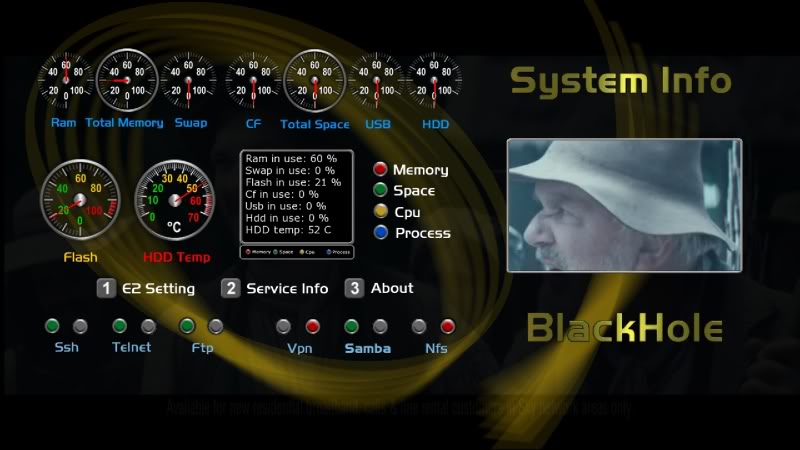


    The rest of the setup is pretty much the same as my Duo...one thing I have noticed is I'm getting a higher Snr on a lot of channels so the quality of the S2 modules may have improved (it may however be related to the latest BH image as I have only just upgraded)


    I'm still playing with the VFD picons and theres some work to do there to ensure the panel isn't swamped with too much info but it looks the part!


    I'll add to this during the week when I get a proper play with network recording and streaming as well as customising the VFD and recording on all 3 tuners at once! (this will be the big test for me as I'm using a NAS to save programs to)


    Overall I'm very happy with the purchase...its exactly what I expected and while its certainly not cheap, it will hopefully handle everything I throw at it - time will tell!!
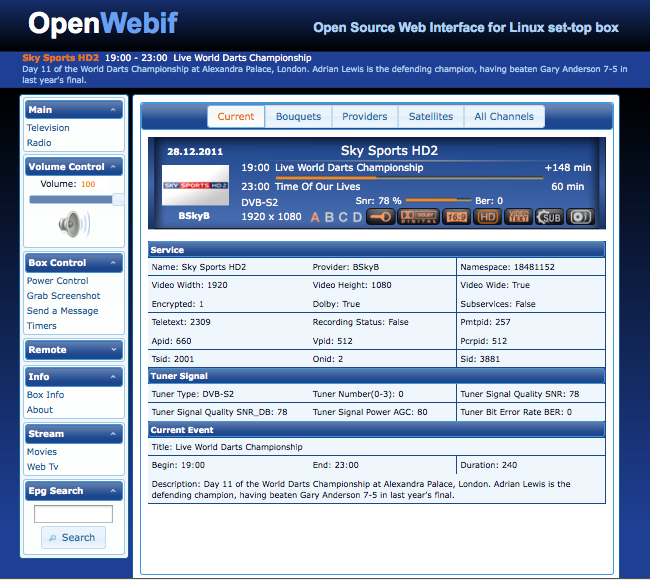

    Hi all I got for Xmas a Acer table running on Android sofwere is there a way I can view the status of my e2 receiver ie shairs ect there's not an app on Android as far as I can see can I do it through my webbrowser?


    what box have you got?


    in your cccam.cfg file there should be a few lines with your webinfo port, username and password! eg. webinfo port is 16001, logon at http://192.168.xxx.xxx:16001 in your browser and you should be able to see your shares etc..

    when you say homeshare do you mean within your local network?


    if so...take out your DNS and put in the local IP address ie.


    C: -------.zapto.org 1200 root ------


    change to -


    C: 192.168.xxx.xxx 1200 username password


    F : username password 2 0 0 { 0:0:2 }


    create a new user as well...best not to login to the box as root!

    New open source web interface for your Vu+ box!


    This is still in beta but seems very stable....nice replacement for Webinterface!


    To install -


    1. copy one of the python add ons to your /tmp folder and install from 'Black Hole Addons Manager' (green --> yellow --> Manual Install Ipk packages)
    2. repeat step 1 for all 3 python add ons
    3. install openwebif tgz from 'Manual Install Bh packages'
    4. reboot box
    5. setup OpenWebif from 'Black Hole Green Panel' (green --> OpenWebif)
    6. If you're replacing Webinterface, make sure you disable Webinterface or it might clash on the same http port! (you can of course set 2 different ports!)


    ah its all easy when you know how!!


    there are a few series link related plugins about but I haven't found one that properly emulates what Sly does tbh!


    Daz,


    check what Setup Mode you're in....


    menu --> setup --> system --> Customize --> Setup mode (change to 'Expert' if you're not already in it)


    Then check to see if the recording paths have appeared...

    Like Gaz says - which line do you see in your cccam info page under 'active clients'? (ie. user 1 where it doesn't tell you the channel name or user 2 where it says 'Crime +1'


    user 1 |xxx.xxx.xxx.xxx |00d 01:34:53|00d 00:00:16|26 (0) |0 (0)|2.1.4 |0963:000000:0006 (nok) | 0.0003s


    user 2 |xxx.xxx.xxx.xxx |00d 01:34:49|00d 00:00:00|1252 (1230)|0 (0)|2.3.0 |SlyUK - Crime +1 [NDS3 0963] (ok) | 0.1137s

    Chill out mate, these chaps is working hard & do have life outside jailbreaking, A5 JB will come


    Lol - I do know but the real money for devs is with A5 devices! I don't JB to nick apps, the functionality once you go JB shows you how crippled iOS is so I'm just keen to get my phone back ;)

    @pod2g is now looking for a way to extend this to A5 devices.


    Much as it pains me, after 5 iPhones I might have to call it a day next year...it doesn't look like they'll be JBing A5 devices any time soon :beated:

    sandman what about VIX images ? £70 upgrade for tripple tune (ok limited channels but still alot better than £599) , people saying it works on the UNO?


    I *think* the drivers for USB tuners are more a kernel 3.1.1 thing so time to pop to the VIX forum and start a 'please support this' thread!


    If you're going to spend money on an external T2, why not upgrade your LNB and run a bit more cable....might as well get the lot with an S2!

    I use the Solwise 200 meg ones. Oh, I can stream hd movies from my nas with no glitches, I suppose it depends on the quality of your network, router, cables etc.


    It depends more on the quality of the HD really...mkv's are fine but try streaming a 40GB ISO rip over homeplugs...totally impossible!

    Couldn't tell you - sure someone somewhere with a vu will know! - in my receiver - which is enigma2, it is under network configurqtion, nas server configuration, then green button for mounts management, and the option is there when adding a new or modifying an existing mountpoint.


    ah I see what you mean...I was using the mount wizard which seems to be entirely different! I'll have a play with that once I move my content off the HDD!


    edit - pressing the PVR button twice allows you to alter the movie path location!


    All sorted now...painless enough!


    Now the fun begins....wonder what happens if my wife sets a recording downstairs and I set the same one upstairs :haha: