
Dream Plex 2.1.0 beta47
Posts by ZYGA
-
-
VU+Plugin FOCUS Version 1.0:RC5

update...
plugins updated to newer versionsTHX kashmir
File Type: ipk enigma2-plugin-extensions-focusonline_1.0rc5_mips32el.ipk (282.2 KB, Download -
1.4
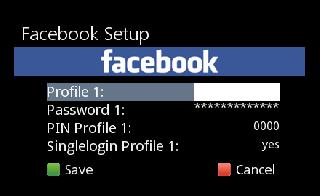
Update: Photos, profiles and mails after changes on the Facebook mobile site
plugins updated to newer versions[COLOR='Red'] THX kashmir
-
VU+Oscam10404+CCcam213_E2_bh
-
VU+Plugin Update AutoShredder 1.3-r2
24.01.2015
- Ordnernamen mit Leerzeichen werden berücksichtigtThx @schomi
Fzip enigma2-plugin-extensions-autoshredder_1.3-20150124-r2_all.zip (11.1 KB, Download
-
BlackHole - How To Use New Version Of MeoBoot
My advice to anyone who has not used the new MeoBoot is to give this a go as you will NOT regret it, all that is required is a usb stick or hdd mounted on your VU+ allowing you to switch to switch between as many images as you choose as fast as your machine takes to reboot. To make things even easier you now install images in usb.zip format meaning install is much quicker, Running an image in meoboot now runs just as well as any installed in flash.
MeoBoot is now included with most images by default and just needs to be enabled, here i am using BlackHole 2.1.4 in flash to add other images on the internal HDD of my Solo2
To Begin open the plugins menu and select MeoBoot

Select your device (usb or hdd) you wish to use then hit the Install button.
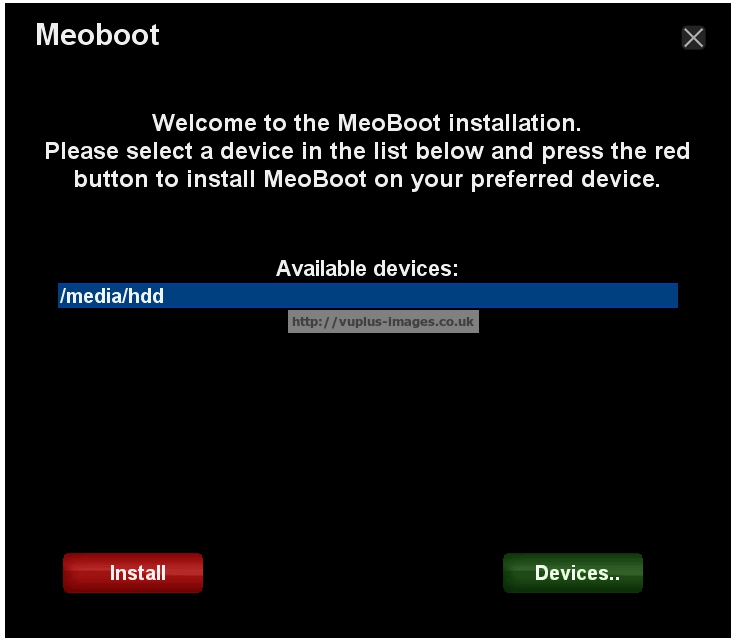
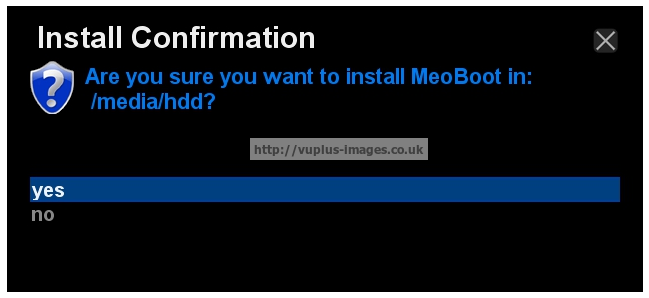
The install takes only seconds, you will then be prompted to restart the plugin as below.
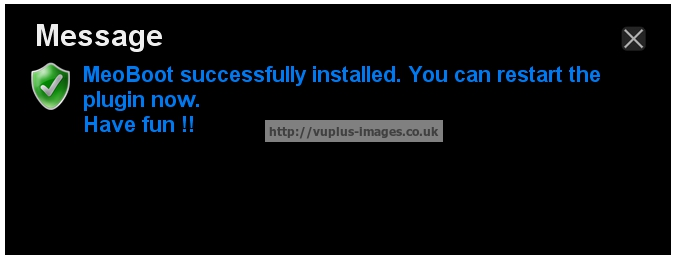
On restarting MeoBoot you will see a screen like below, we are now ready to add a new image.

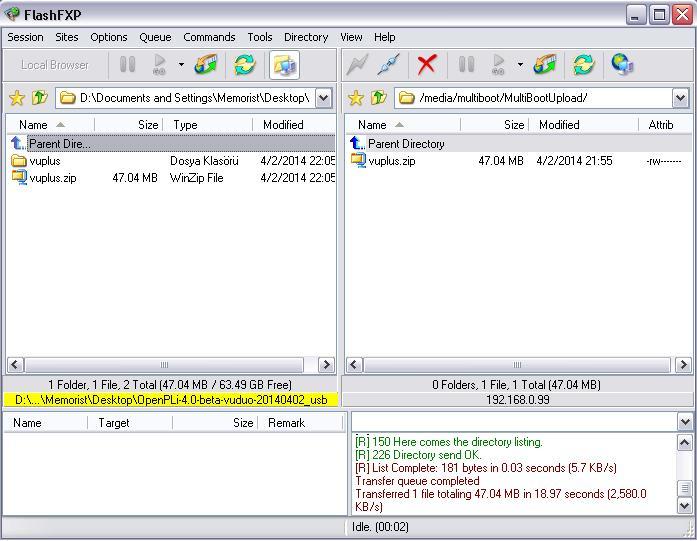
Connect to your VU+ using your favourite ftp software and navigate to your usb stick/hdd where you installed MeoBoot and you will see 2 new folders have been created named MbootM & MbootUpload,
MbootM is where your new image files are installed
MbootUpload is what we are looking for, upload here your usb.zip image as it is (do not extract), in the example below i am using todays OpenPLI release.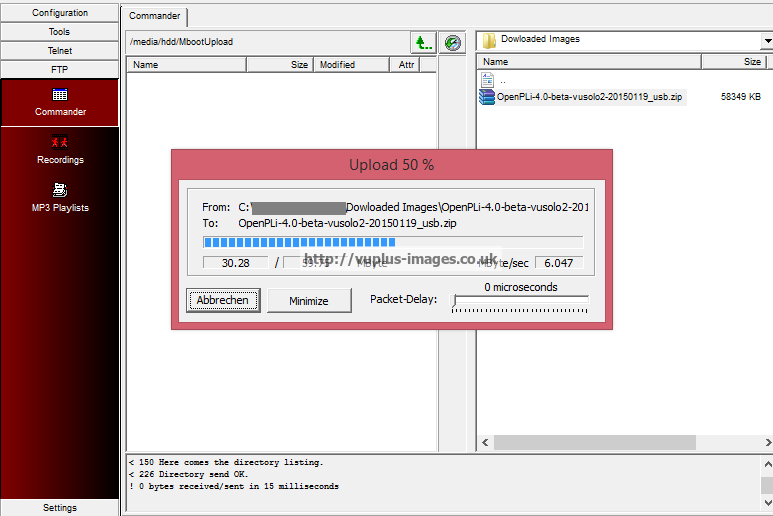

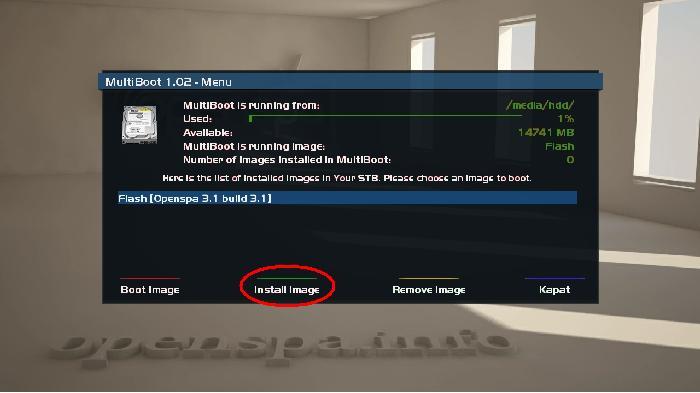
Image uploaded, now press the install button on your remote.
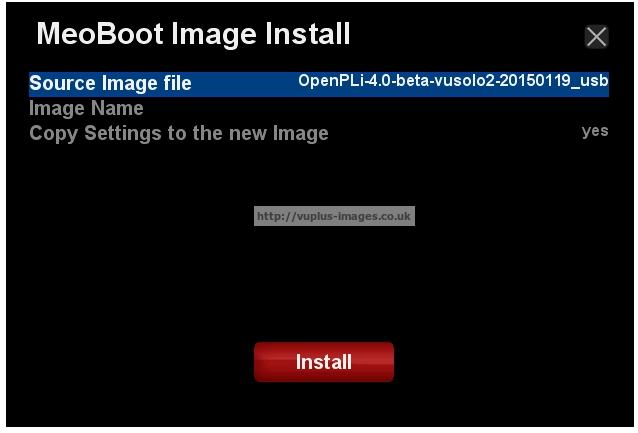
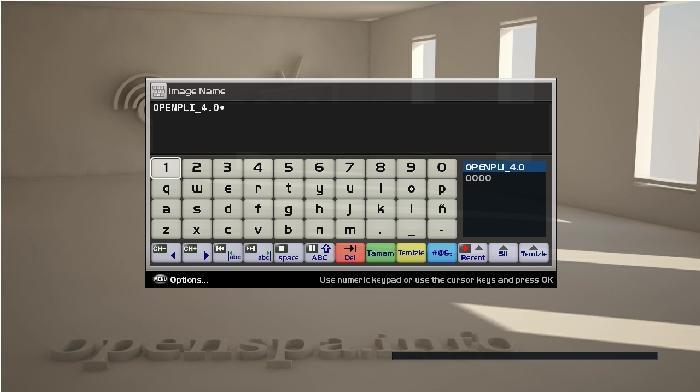
Here you can choose to rename & install the image with the settings you are using in your flash image already loaded, make your choices then press install.

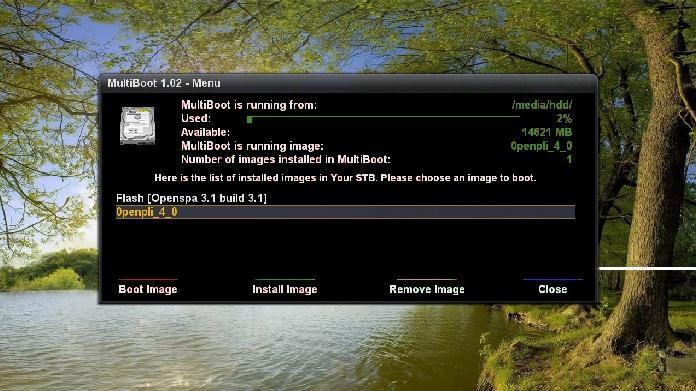
Nearly there, quickly your VU+ will reboot and start your new image with your settings all loaded & ready to go.

To add further images up to a total of 8 simply access MeoBoot from the plugins menu and choose boot from flash then repeat the upload(ftp) and install process.
Note: At the time of posting meoboot is not working on the new BlackHole XBMC beta images.
I originaly wrote this guide using a VU+Solo withBH1.73 & external HDD, updated today using BlackHole 2.1.4 with internal HDD.
-
VU+HOW- OpenSPA Multiboot Guide In Pictures
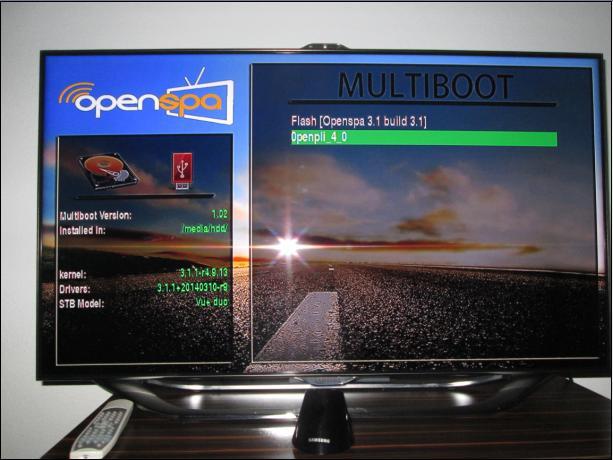
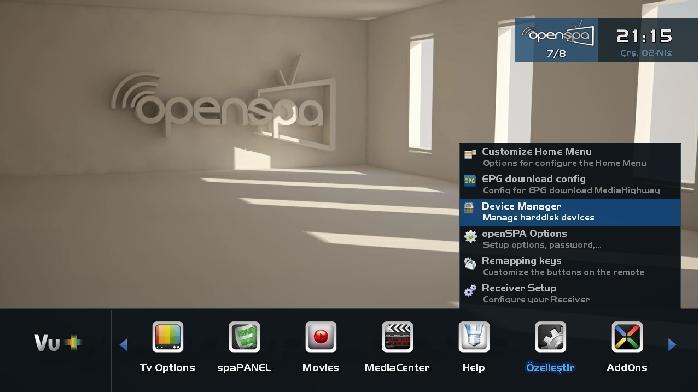
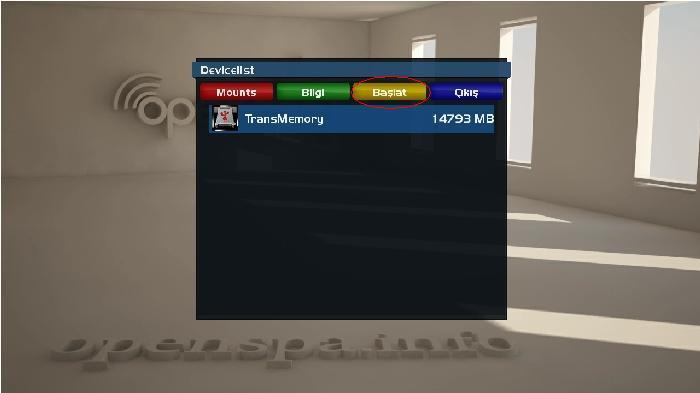
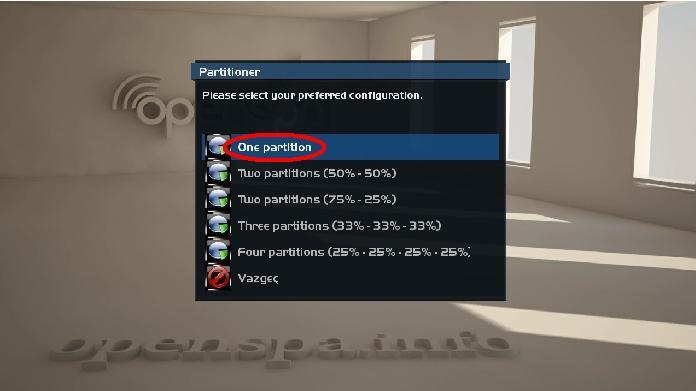
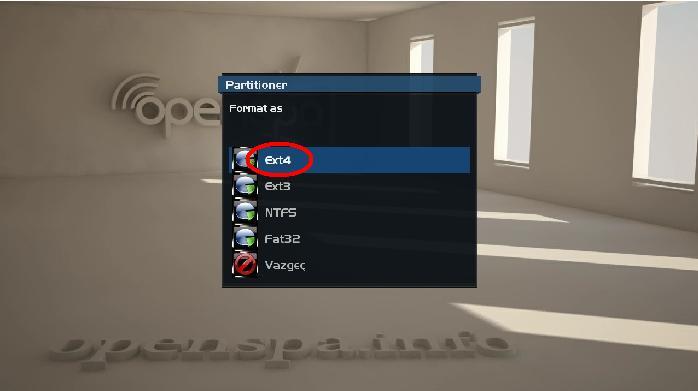
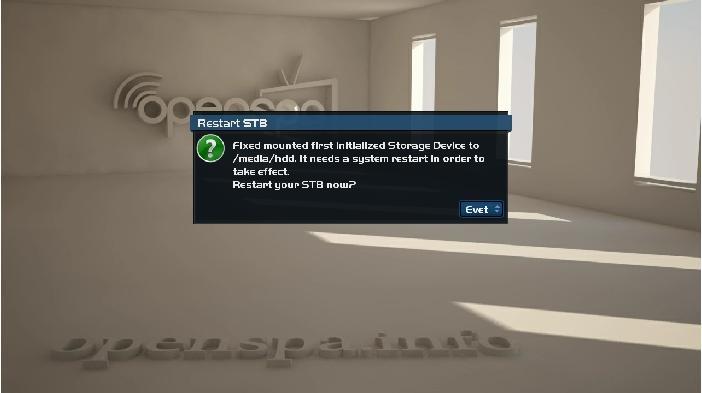
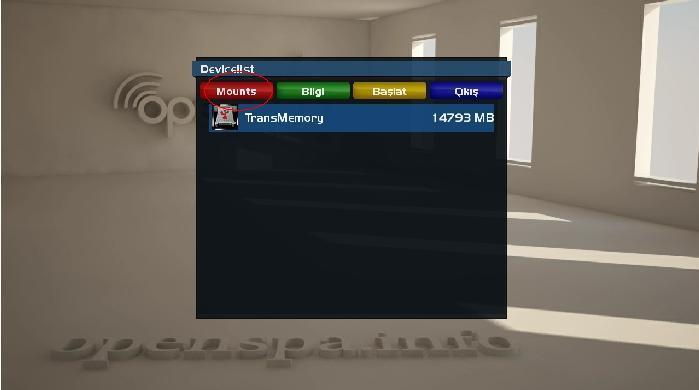
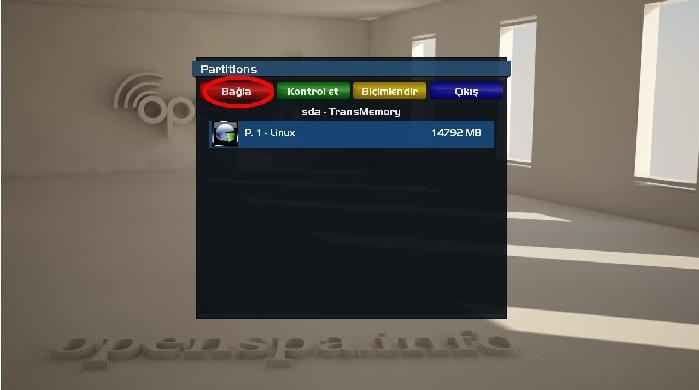
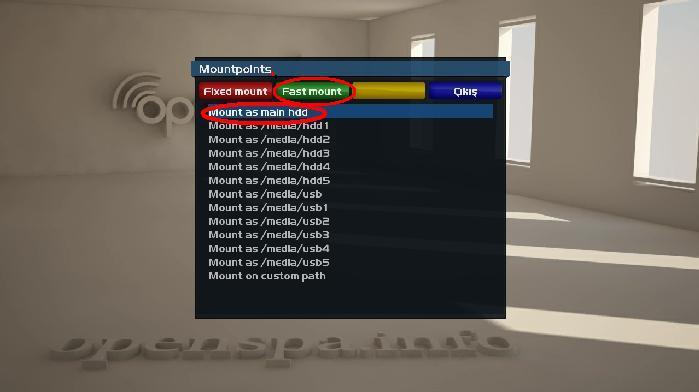
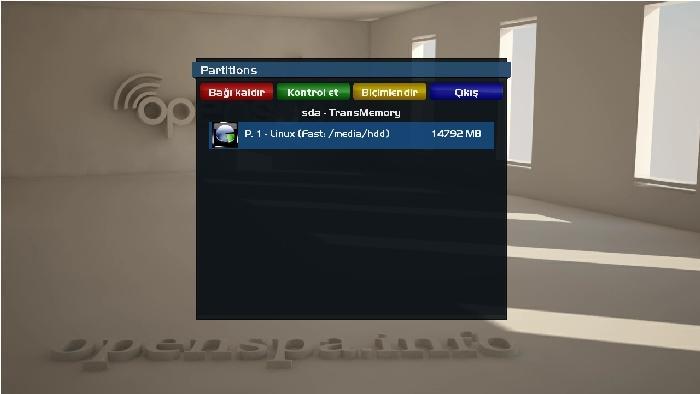
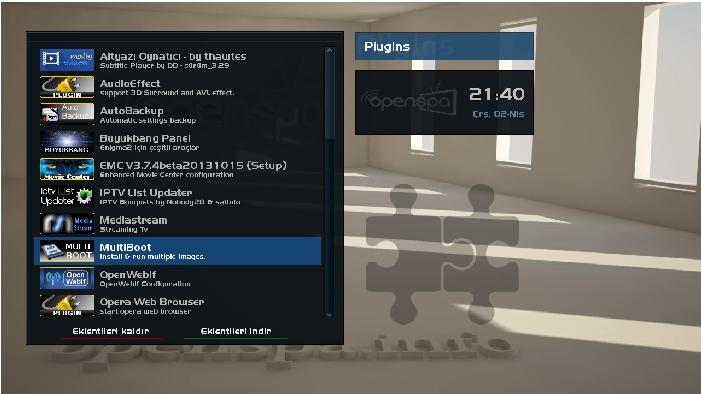
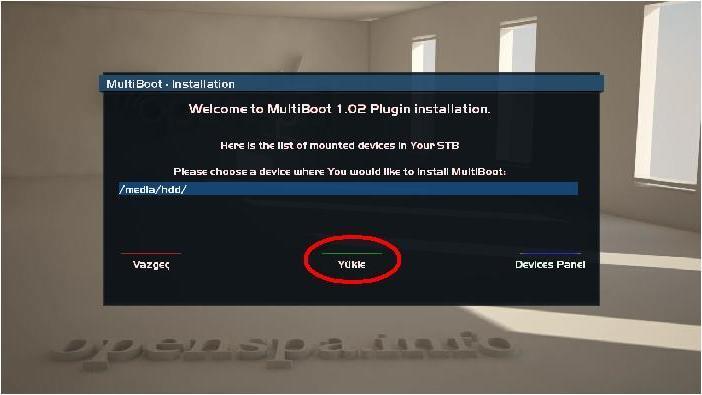
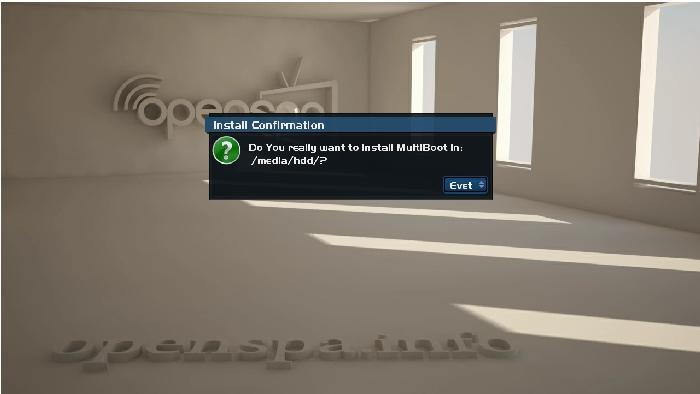
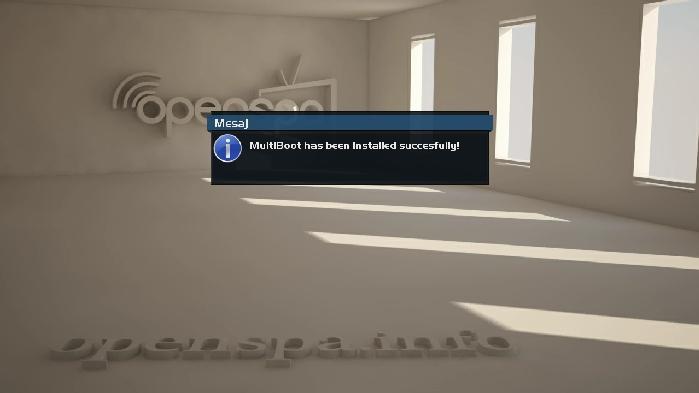
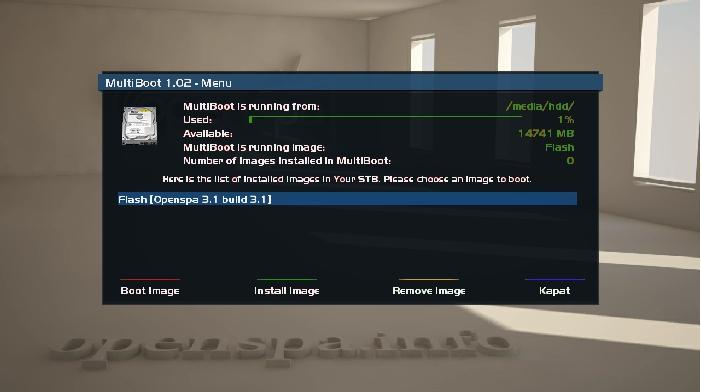
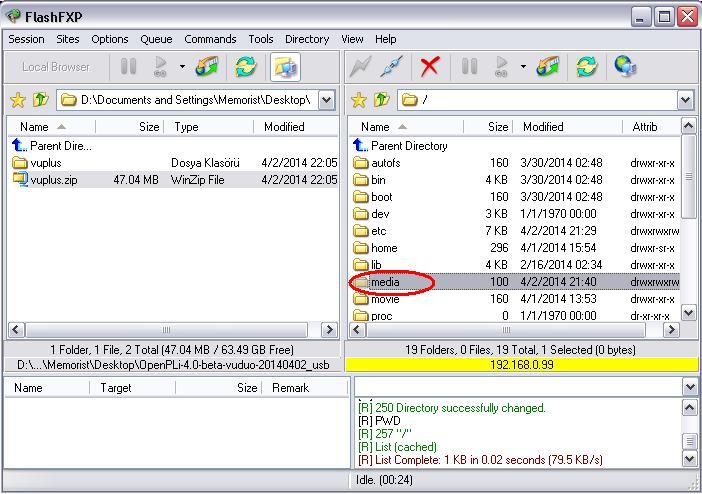
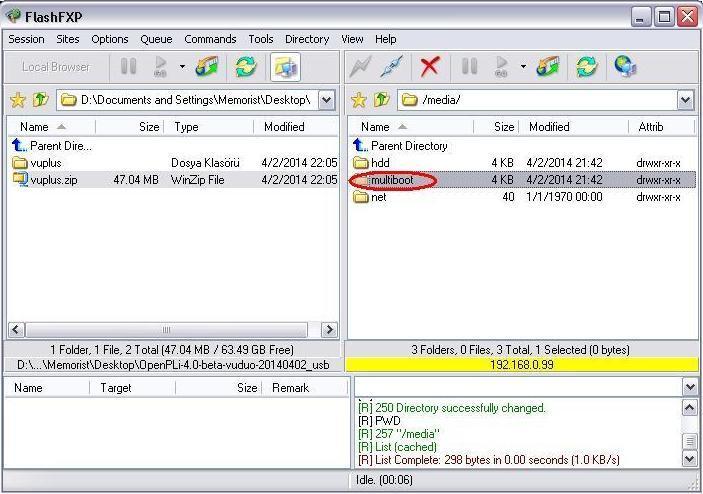
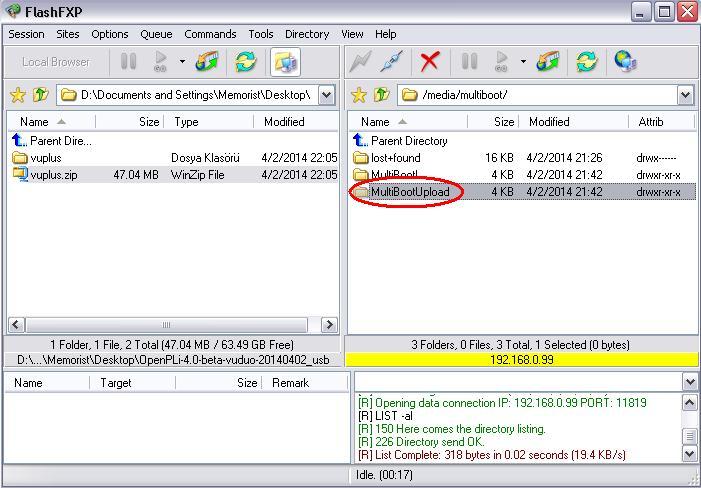
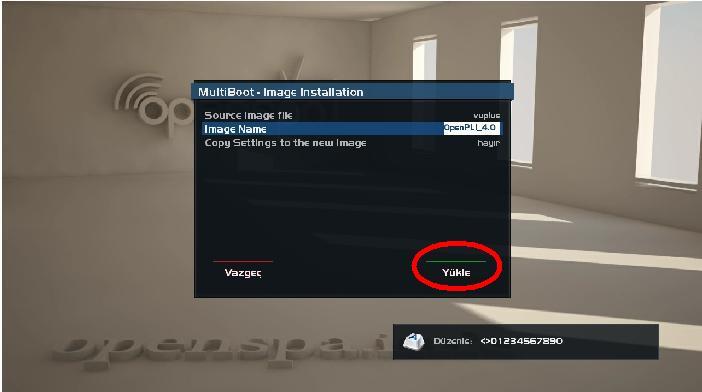
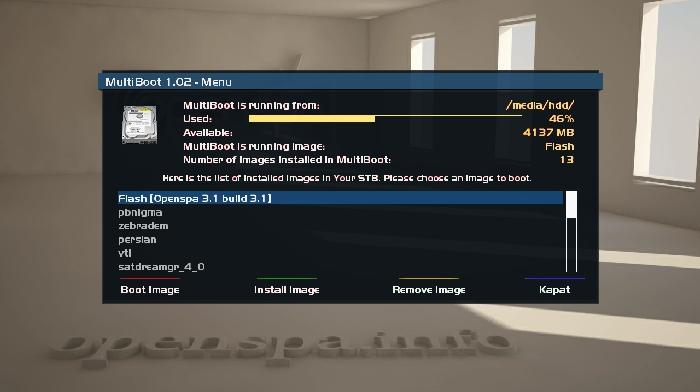
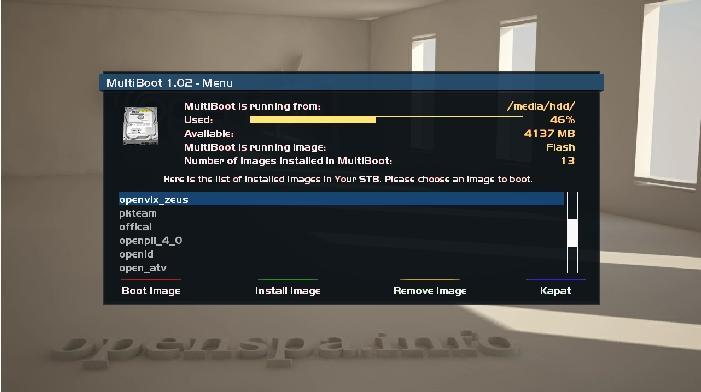
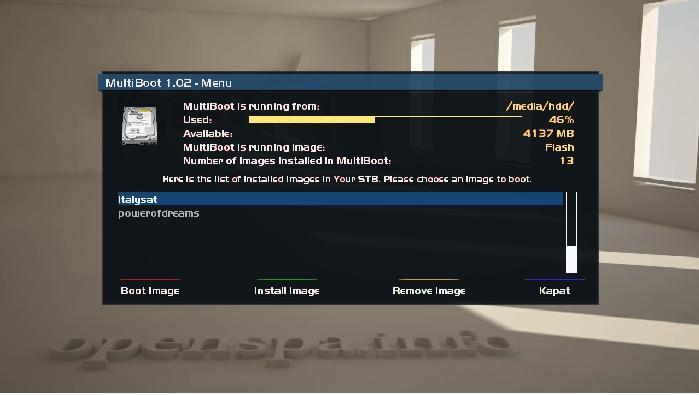
-
VU+Oscam 10142-Emu
Pliki konfiguracji oscam znajdują się w /var/keys (OpenVIX /etc/tuxbox/config)
Black Hole
http://sendfile.pl/pokaz/197211---ng2n.htmlVTi
http://sendfile.pl/pokaz/197214---aq46.htmlopenATV
http://sendfile.pl/pokaz/197218---3ji4.htmlopenVIX
http://sendfile.pl/pokaz/197221---2c4i.htmlOpenSpa
http://sendfile.pl/pokaz/197236---wkmf.html -
VU+Plugin Movie Browser Version 3.5:rc7 Version 3.5:rc7
Update: Erkennung von Serien mit Punkten im Namen, z.B. Navy CIS: L.A.
Update: Datenbank Update beim Start des Plugins deaktiviertThx @kashmir
Fzip enigma2-plugin-extensions-moviebrowser_3.5rc7_mips32el.zip (1.48 MB, Download
-
-
Prismcube Ruby Stable version Last Updated V2.0.2 12/30/2014
[MODIFIED] Booting time optimization in script.mbox
[MODIFIED] XBMC media playback optimization ( including 1080p )
[MODIFIED] Changing network setting during recordings ( Note : Allowed only when your recording path is not a network path )
[MODIFIED] German, Czech, Slovak, Polish and Dutch OSD translation update ( Thanks to Milosh Cagalinec, Adam Nowak, Piotr O and Diderick Oerlemans )
[MODIFIED] Pre-installed XBMC addons update ( Added/Updated : Subtitles, Lyrics, Metadata and Yahoo! Weather. Removed : Wunderground Weather )
[MODIFIED] Archive, EPG and Timer window slide menu
[MODIFIED] EEPROM backup
[FIXED] Error dialog popup in network configuration
[FIXED] Default HDMI-CEC setting after factory reset
[FIXED] Loading JPEG image in XBMC
[FIXED] Updating addon repository bug
[FIXED] Saving previously chosen audio track language
[FIXED] CrossEPG hang up
[FIXED] Reset advanced settings after performing factory reset
[FIXED] Reset XBMC GUI settings after performing XBMC reset
[FIXED] Python subprocess patch
[FIXED] Swapping audio issue on a locked PIP channel
[FIXED] Start recording bug
[FIXED] Timer frequency bug on Edit timer
[FIXED] Restoring HDMI format bug
[FIXED] Channel Update bug
[FIXED] YouTube TV menu is disabled due to Google's policy change
[FIXED] Incorrect recording start and end time info on live plate when pre & post recording time included
[FIXED] Displaying a weekly timer bugKnown Issues
[UNRESOLVED] PIP stability in fast scan fav group and scrambled channels
[UNRESOLVED] Having trouble to connect to hidden wifi network
[UNRESOLVED] Blind scan missing
update_ruby_2.0.2_20141230.zip -
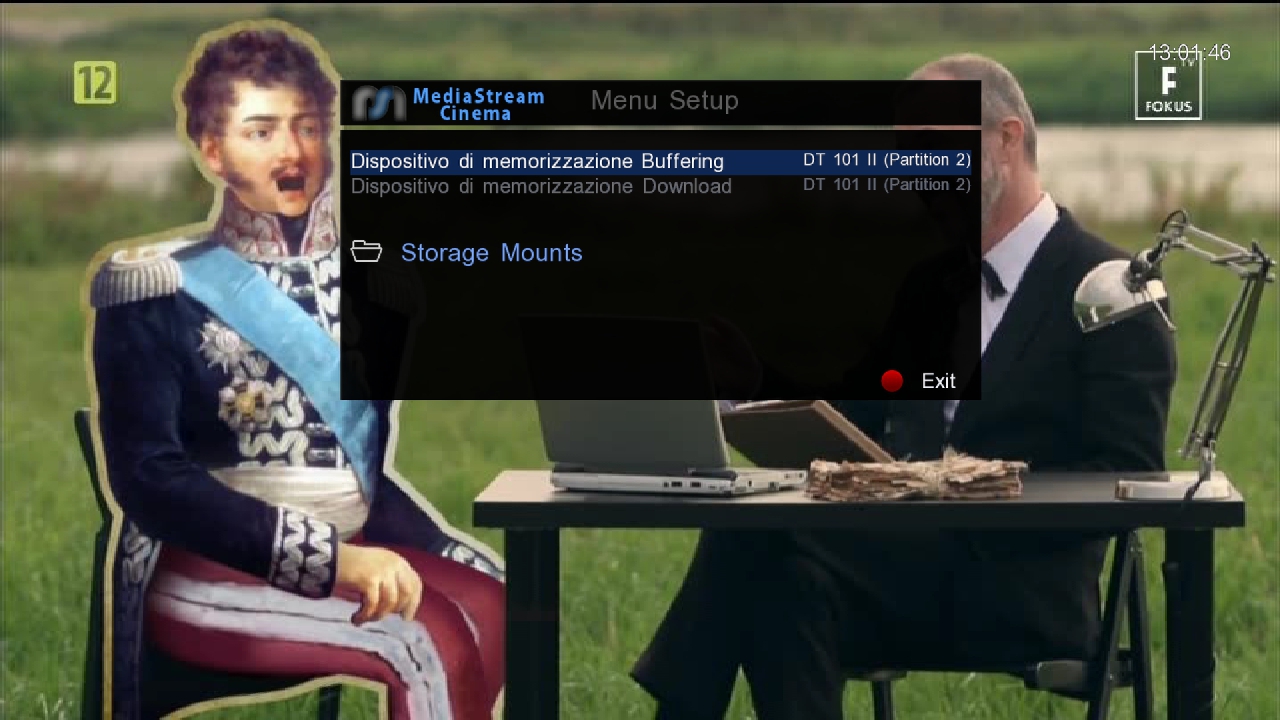
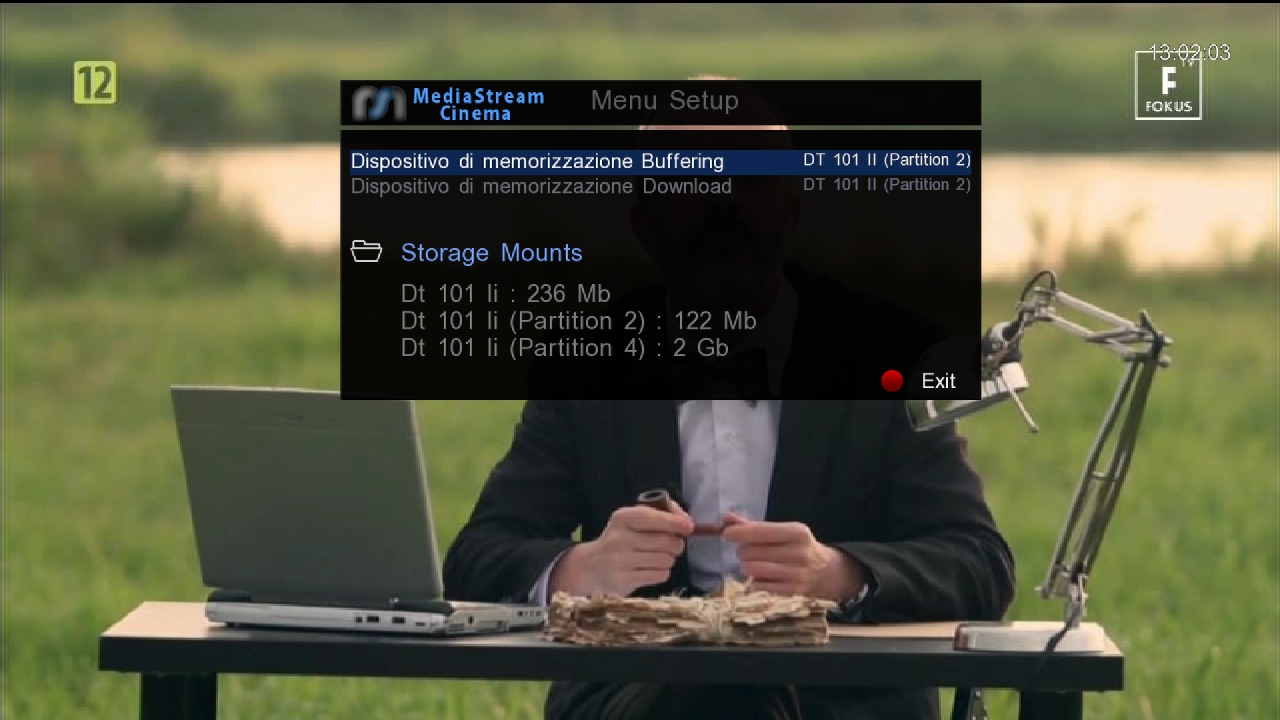
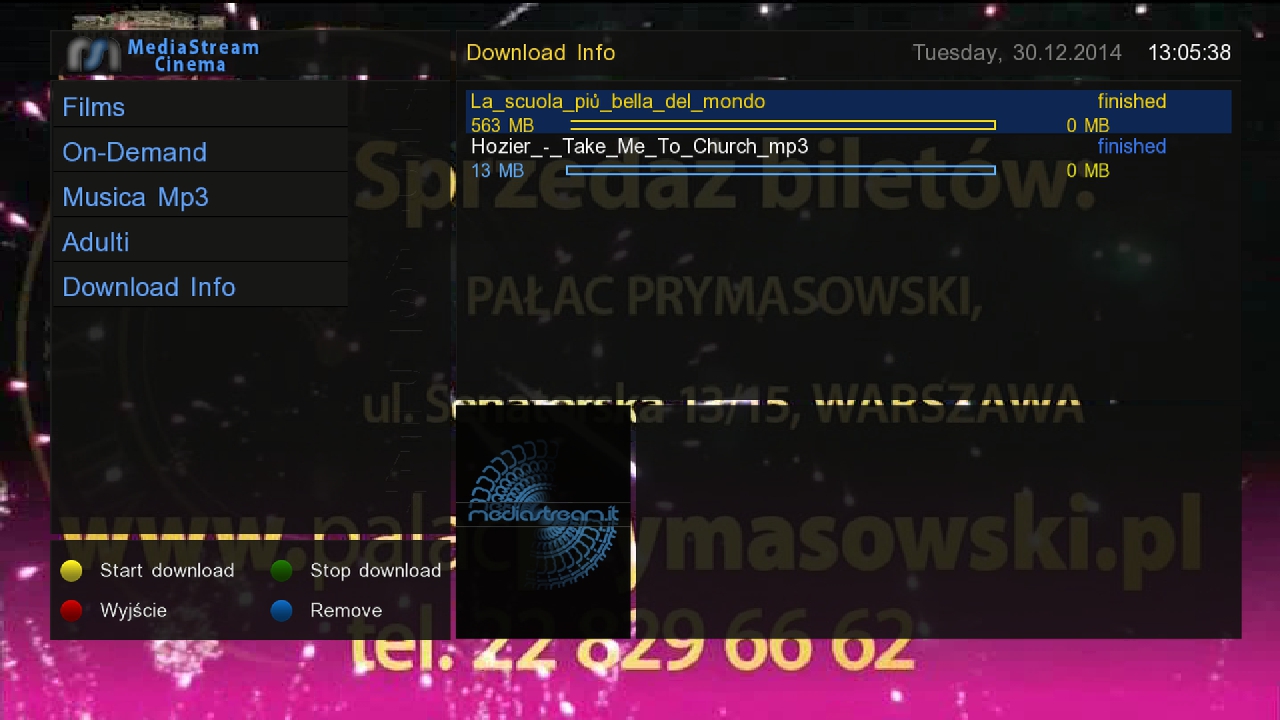
MediaStream 5.0.0 by m43c0 & mmark
Działa na pli 4 OK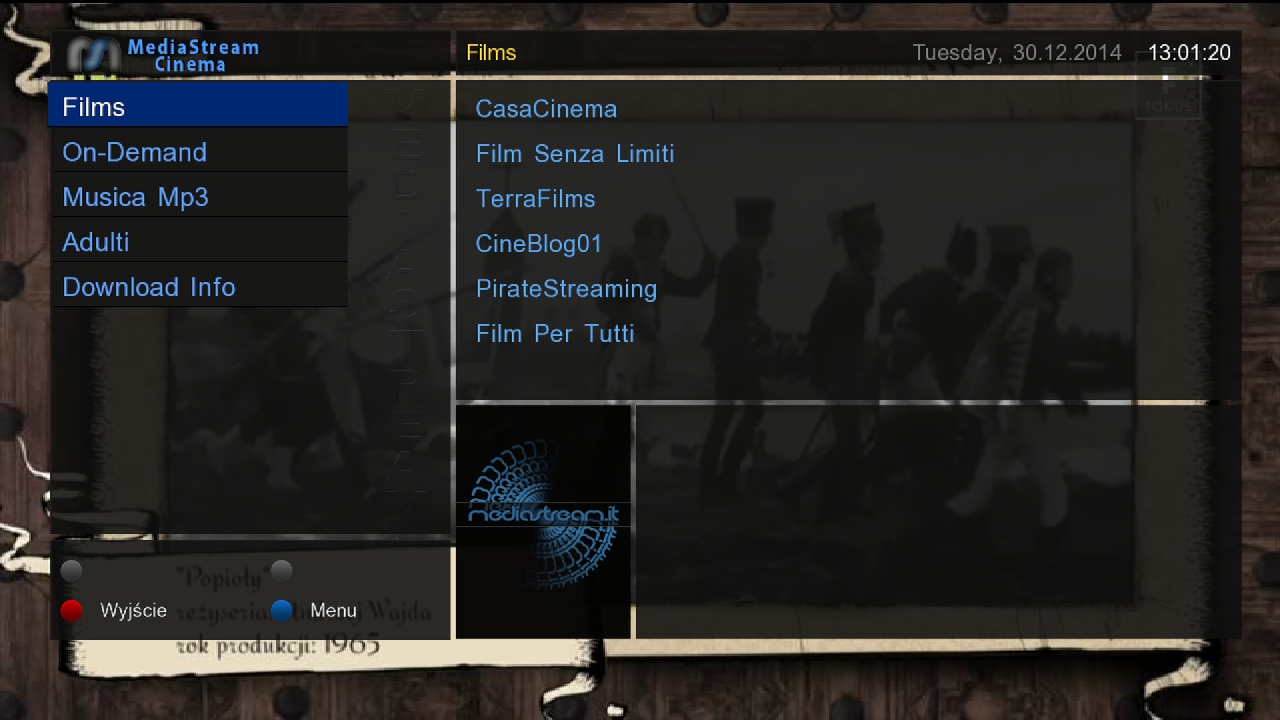
 Code
Code
Display MoreQuote: Questa nuova versione e' stata rifatta completamente da 0 cercando di non cadere nei bug delle precedenti e aggiungendo la funzione di autoupdate (se il plugin trova una nuova versione questo si aggiorna) Le cose da fare sono ancora molte ma il tempo e' minimo, sicuramente con il tempo le funzioni e i portali si aggiungeranno migliorando cosi con il tempo il plugin.. Per adesso ho sviluppato in modo che vada su tutte le macchine ( per le OE1.6 non ho effettuato test e qui non so cosa dire) ma piano piano abbandonero lo sviluppo x macchine "piccole" portando avanti solo quello per le nuove macchine DREAMBOX, la scelta e' stata fatta dalle esperienze con le vecchie versioni e perche' se vogliamo avere un buon mediastream serve processore, mi spiace.. La cosa dove ho cercato di migliorare e' nella parte buffering, tutta fatta da nuovo e con delle migliorie molto importanti, per un buon funzionamento e' necessario uno storage..Adesso se durante la visione il buffering non sara' sufficiente il plugin stoppa il filmato e genera un nuovo buffering cosi facendo non abbiamo mai perdita di visione ma nel peggiore dei casi solo una pausa... Causa i blocchi fatti dai vari gestori telefonici verso i siti di film streaming si necessita di impostare i dns primario con il famoso dns google (8.8.8.8) ma ne esistono anche altri, scegliete quello che preferite.. Il menu configurazioni permette di scegliere due archivi, uno x le registrazioni che andranno in movie e l altro x il buffering... Rilascio il pacchetto .deb x le nuove macchine (OE2.2) e quello .ipk per le (OE2.0) Buona visione... P.s Ungrazie a tutti i betatest e alla dream-elite.... Thx @ m43c0 & mmark Icone allegateCodeThis new version 'was completely redone from 0 trying not to fall in the previous bugs and adding the autoupdate function (if the plugin is a new version that is updated) The things to do are still a lot but the time and 'minimum, surely with time functions and portals will be added over time thus improving the plugin .. For now I have developed so that it goes on all machines (for OE1.6 not I tested here and I do not know what to say) but gradually forsake development x machines "small" carrying on only the one for the new machines DREAMBOX, the choice and 'was made from the experiences with old versions of' cause if we want to have a good MediaStream serves processor, sorry .. The thing where I tried to improve and 'in the buffering, all made from new and with improvements very important for a good functioning and' necessary one if storage..Adesso while watching buffering will not be 'just the plugin stops the movie and generates a new buffering so doing we never vision loss but at worst only a break ... Because the blocks made from various telephone companies to the sites of movie streaming you need to set the primary dns with the famous google dns (8.8.8.8) but there are others, choose the one you prefer .. The configuration menu allows you to choose two archives, one x recordings that will go to another movie el x buffering ... Release the .deb package x new machines (OE2.2) and .ipk for (OE2.0) Enjoy it ... -
PrismCube Official Firmware DEV 2.1.7 20141230
Last Updated 12/30/2014
V2.1.7
[MODIFIED] German and Polish OSD translation update
[FIXED] Loop rebooting bug after updating v2.1.6 image
[FIXED] Error dialog popup in network configuration
[FIXED] Default HDMI-CEC setting after factory resetKnown Issues
[UNRESOLVED] PIP stability in fast scan fav group and scrambled channels
[UNRESOLVED] Having trouble to connect to hidden wifi network
[UNRESOLVED] Blind scan missingDownload -
VU+ PiconManager (new version)
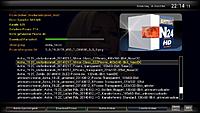
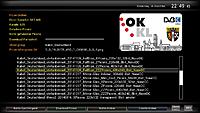
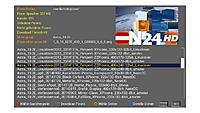
leider war ein kompletter Serverumzug nötig.
Das abrufen der einzelnen Piconpakete gestaltete sich bei anderen Hostern als schwierig, weil dafür Website´s erstellt werden mussten und im Plugin einige Änderungen durchgeführt werden mussten. Nachdem das verändern im Plugin durch @einfall freigegeben wurde, hatte ich mir @shadowrider mit ins Boot geholt, weil ich von der Materie nicht viel bis keine Ahnung habe,@shadowrider hat den gestrigen Tag mit coden verbracht und das Plugin so umgebaut, das es nun die Piconspakete auf dem neuen Server abruft.
Desweiteren hat er folgende Änderungen einfliessen lassen:vereinfachter Umzug auf anderen Server
Piconvorschau wird immer angezeigt, sobald das Picon vom Receiver anzeigbar ist
Druck auf "OK" erzeugt ein neues Picon in der Piconvorschau
Zwischenspeichern der Liste um Traffic einzusparenPlugin updaten:
z.Z. gibt es noch keine IPK, deshalb müsst ihr wie folgt vorgehen.
Angehangene plugin.rar runterladen und entpacken.
Verbindet euch via FTP-Programm auf euren Receiver und ersetzt unter /usr/lib/enigma2/python/Plugins/Extensions/piconmanager/ die plugin.py durch die plugin.py in angehangene Rar-Datei.
Gui-Neustart und der Piconmanager sollte wieder seine Arbeit verrichten.Die Piconpaket liegen nun auf einen neuen Server.
Deshalb müssten sich die Piconuploader bitte bei mir via PN melden zwecks Zugangsdaten für den Upload.Quote:
Update Plugin@shadowrider hat noch 2, wie ich finde, super Features in das Plugin eingebaut.
Zum einem wird euch die Möglichkeit gegeben die angezeigten Piconpakete auf eure Gegebenheiten einzuschränken.
Sprich es kann für die Sat-Positionen/Provider eine Auswahl getroffen werden: Alle , Astra_19,2E ,Astra-23,5E , Astra_28.2E , Kabel_Bw_Goeppingen , Kabel_Deutschalnd usw.
Zum zweiten könnt ihr ein Standardpicon setzen, welches auch angezeigt wird nach Druck auf "OK" um die einzelnen Piconpakete besser vergleichen zu können.Die Funktionen werden wie folgt gesteuert:
- Anzeige einschränken: Auswahl über die Bouqute-Tasten +/- in die verschiedenen Richtungen
- Standard-Picon setzen: Mit der Info-Taste (EPG) kann zum besseren Vergleich ein Picon gesetzt/entfernt werden.....und fast hätte ich es Vergessen, eine dritte Funktion wurde auch eingebaut. Die Help-Funktion wurde eingebaut.
Installation:
Die IPK aus dem Anhang via Boardmittel installieren.
Je nach dem welche Version ihr aktuell installiert habt, kann es sein, das die Installationsart -force overwrite genutzt werden muß.Edit: Auf wünsch Bedankomat aktiviert, aber die Lorberren gehören eigentlich zu 99% an @shadowrider
Thx @ shadowriderDownload -
Prismcube Ruby Development version 2.1.6 12/19/2014
V2.1.6[MODIFIED] German OSD translation update
[MODIFIED] Booting time optimization in script.mbox
[MODIFIED] Pre-installed addons update
[FIXED] Loading JPEG image in XBMC
[FIXED] Updating addon repository bugKnown Issues
[UNRESOLVED] PIP stability in fast scan fav group and scrambled channels
[UNRESOLVED] Having trouble to connect to hidden wifi network
[UNRESOLVED] Blind scan missing -
-
Black Hole Prism 2.1.4

The Black Hole Prism image is based on the experimental development branch of the Prismcube image and for this reason, any bugs that you find in the official or development images, may also be present in the Black Hole Prism image.prismcube new release214.png
Ad by Lollipop | Close
Whats New:[FIXED] Channel Update bug
Known Issues:
[UNRESOLVED] PIP stability in fast scan fav group and scrambled channels
[UNRESOLVED] Having trouble to connect to hidden wifi network
[UNRESOLVED] Blind scan missingWARNING: Press i button on remote control to start update when system boots.
Known bugs:
The import / export e2 settings support is purely experimental.
It may not work with long channel lists ( > 2 satellites) and could also lose the channel crypto system info. Anyway we strongly recommend you perform a new scan after importing a channel list.
We want to thanks Marusys for the continued support to the Team and all the Beta testers (you know who you are)
DISCLAIMER
THE BLACK HOLE PRISM IMAGE IS BASED ON THE OFFICIAL FIRMWARE PUBLISHED BY MARUSYS AND IN ACCORDANCE WITH THE LAW IT CONTAINS ONLY SYSTEM ADDITIONS & GRAPHIC CHANGES.
THE BLACK HOLE PRISM IMAGE DOES NOT CONTAIN ANY EMULATOR, KEYS, SOFTCAMS OR OTHER SYSTEM FOR VIEWING PAY - TV WITH OR WITHOUT A PAID SUBSCRIPTION.
LASTLY, THE BLACK HOLE PRISM IMAGE DOES NOT CONTAIN ANY SYSTEM TO DOWNLOAD PLUGINS OR EMULATORS FROM EXTERNAL SERVERS OR SOFTWARE THAT MAY BE USED FOR ILLEGAL PURPOSES SUCH AS CARD SHARING.
LICENSE
THE BLACK HOLE PRISM IMAGE IS OPEN SOURCE. THE BLACK HOLE SOURCE REPOSITORIES ARE AVAILABLE @ http://git.prismcube-community.net.
This is free hobbyist software and it comes with absolutely no warranty. Use it at your own risk
Attached Files:Download
-
Prismcube Ruby Development version 2.1.4 12/03/2014
V2.1.4
12/03/2014
[FIXED] Channel Update bugKnown Issues
[UNRESOLVED] PIP stability in fast scan fav group and scrambled channels
[UNRESOLVED] Having trouble to connect to hidden wifi network
[UNRESOLVED] Blind scan missingDownload -
Prismcube Ruby Development version V2.1.3-11/26/2014
[NEW] Add "Format USB Stick" menu in configuration ( A fix for those who have trouble with unrecognizable USB stick when updating new firmware )
[MODIFIED] Archive slide menu
[MODIFIED] Polish translation update
[MODIFIED] EEPROM backup
[FIXED] YouTube TV menu is disabled due to Google's policy change
[FIXED] Incorrect recording start and end time info on live plate when pre & post recording time included
[FIXED] Downloading CrossEPG data on power off and active standby mode
[FIXED] Stopping weekly recording
[FIXED] EPG window Python script error
[FIXED] Record path bugs
[FIXED] Displaying a weekly timer bugKnown Issues
[UNRESOLVED] PIP stability in fast scan fav group and scrambled channels
[UNRESOLVED] Having trouble to connect to hidden wifi network
[UNRESOLVED] Blind scan missingDownload -
Today 04.11.14updated Black Hole folder:
with latest images Black Hole 2.1.2 for all Vu+ models
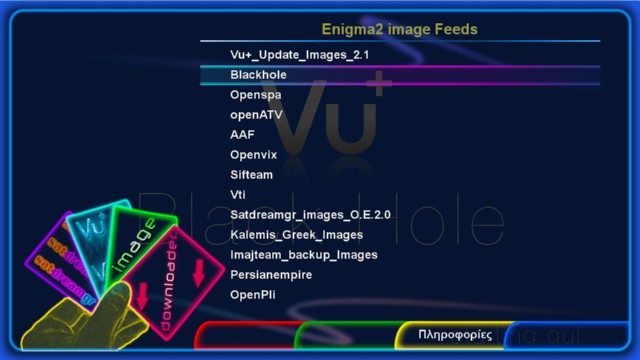
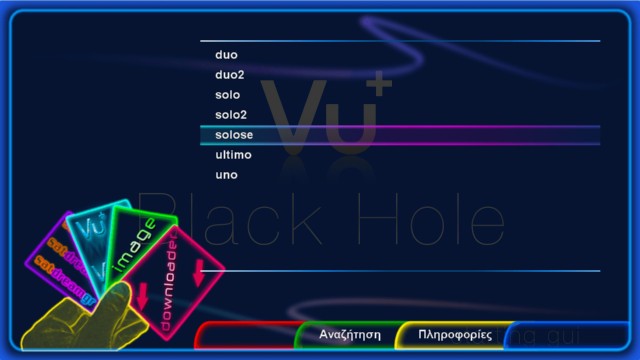

SDG image downloader there is also available for download from Black Hole addons , in New Menu / Downloads/Vu+ and in many other addons servers