
VU+Plugim Mowie Browser Version 3.1:rc6
Neu: Lade letzten Filter beim Plugin Start (Aktivierung im Plugin Setup) / New: Load last filter at plugin start
Thx kashmir
Fzip enigma2-plugin-extensions-moviebrowser_3.1rc6_mips32el.zip (1.40 MB,


VU+Plugim Mowie Browser Version 3.1:rc6
Neu: Lade letzten Filter beim Plugin Start (Aktivierung im Plugin Setup) / New: Load last filter at plugin start
Thx kashmir
Fzip enigma2-plugin-extensions-moviebrowser_3.1rc6_mips32el.zip (1.40 MB,
VU+ Plugin MP3 Browser Version 1.6:rc2
Update: Screen Tastenbelegung / Screen Key Assignment
Neu: Plugin in Hauptmenü / Plugin in Main menu
Thx kashmir
VU+Plugin dFlash 12.4 Release
ipk enigma2-plugin-extensions-dflash_12.4_all.ipk (278.6 KB,
VU+Plugin Auto Shredder Update 01.02.2014
Version 1.0
- Ordnerauswahl geändert
- Papierkorb muss vorher manuell erstellt werden
- Hilfetexte hinzugefügt
Thx @schomi
zip enigma2-plugin-extensions-autoshredder_1.0-20140201-r0_mipsel.zip (12.4 KB,
VU+ Serien Recorder v0.9 (29.01.2014)
update v0.9
- fix typos
- fix crash wenn das log file zu groß ist (das log wird jetzt bei jedem EPG/Autocheck geleert, ich überlege mir später eine sonnvollere lösung evtl. ab einer bestimmten größe erst leeren)
- improve autocheck (start_time, end_time)
- Im 'Serien Marker' können jetzt über die Wunscliste-Suche Serien hinzugefügt werden.
- Es gibt einen neuen check ob Serien bereits existieren. D.h es wird erst geprüft ob die Serie auf der HDD vorhanden ist und zugleich bei jedem timer der erstellt wird kommt ein eintrag in die datei '/usr/lib/enigma2/python/Plugins/Extensions/serienrecorder/added' z.b (Dexter S01E01) und auch hier wird gecheckt ob die Serie bereits existiert. Das sollte jetzt doppelte Timer verhinden !
Thx einfall
zip enigma2-plugin-extensions-serienrecorder_0.9_all.zip (55.5 KB,
Giant Addons Pack for PrismCube Ruby ver. 2.0 to webkurier
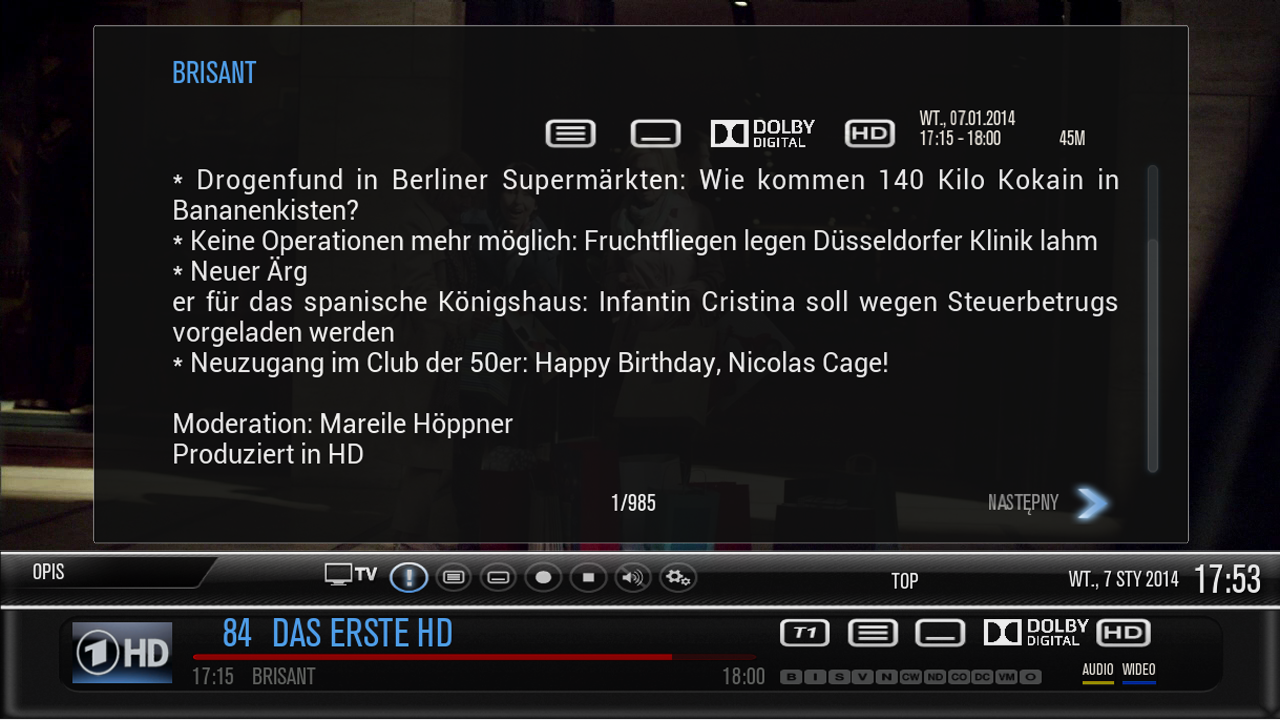
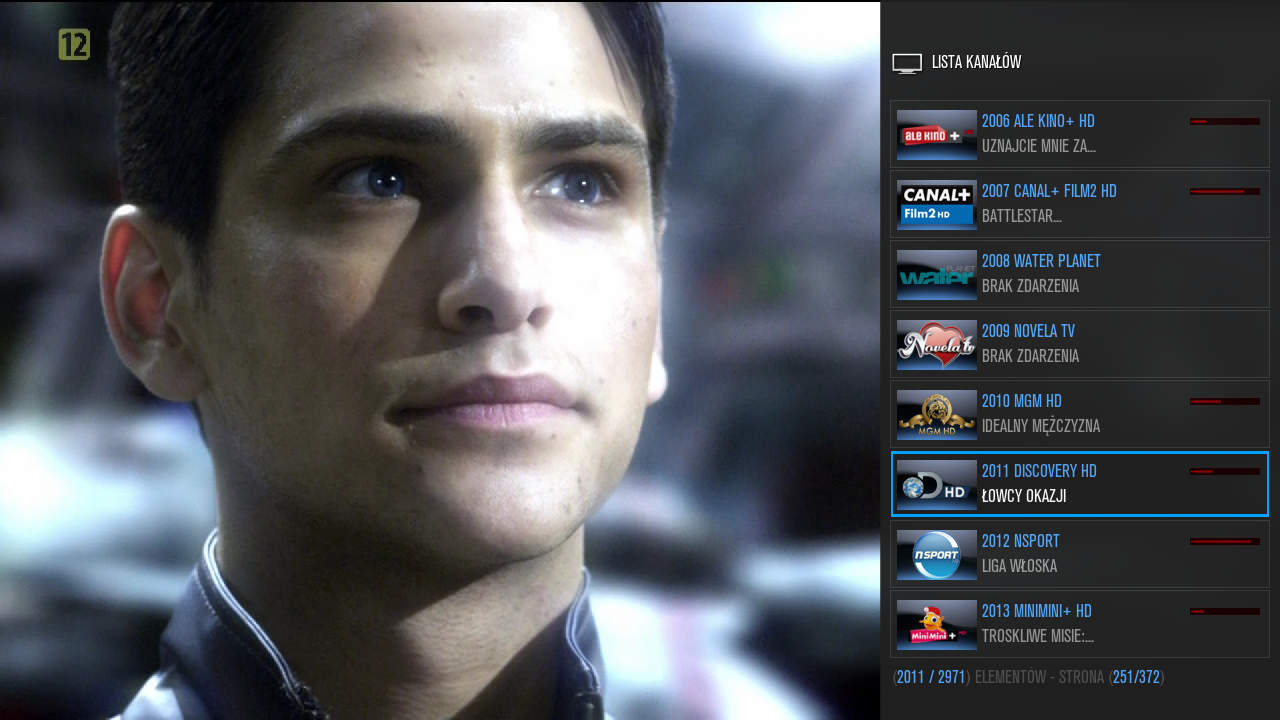
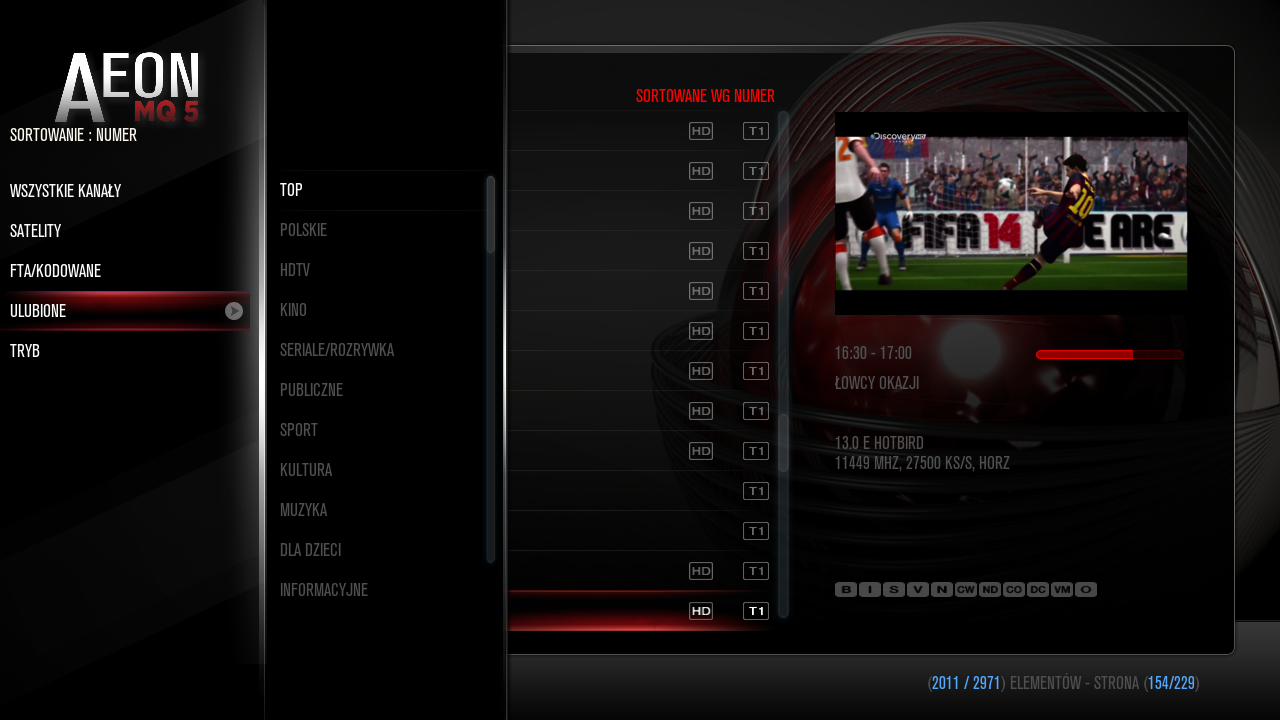

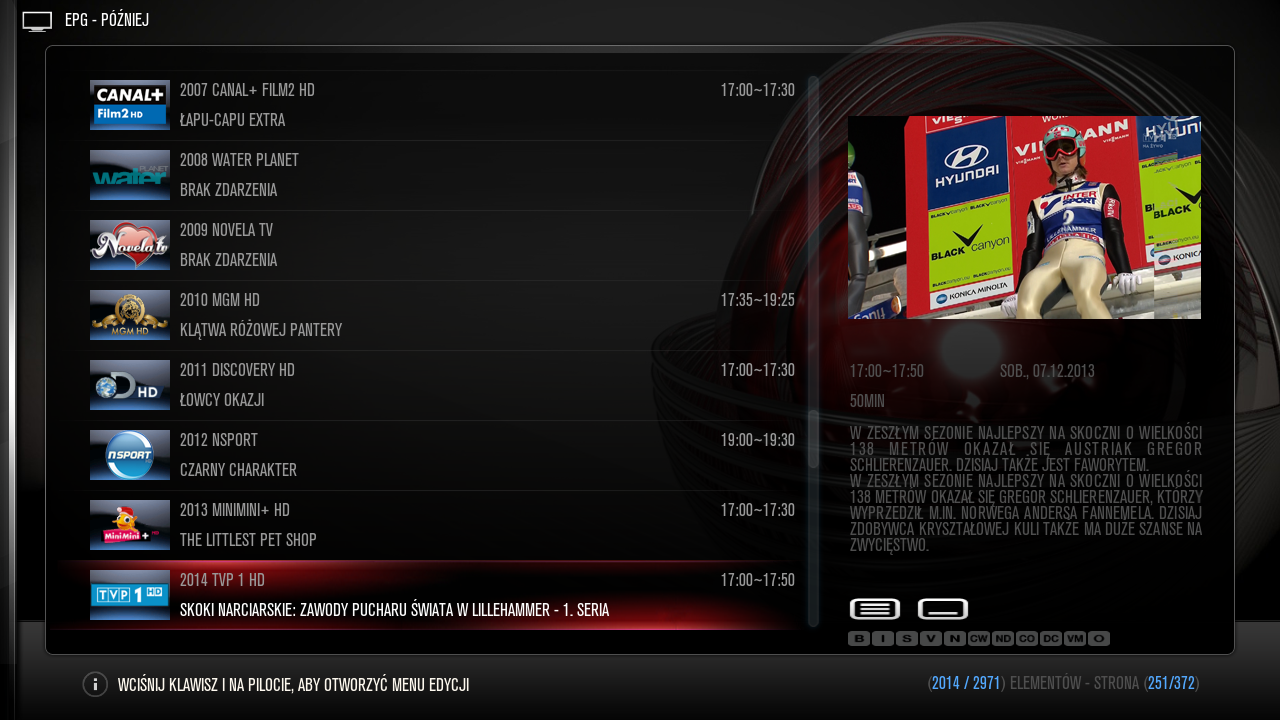
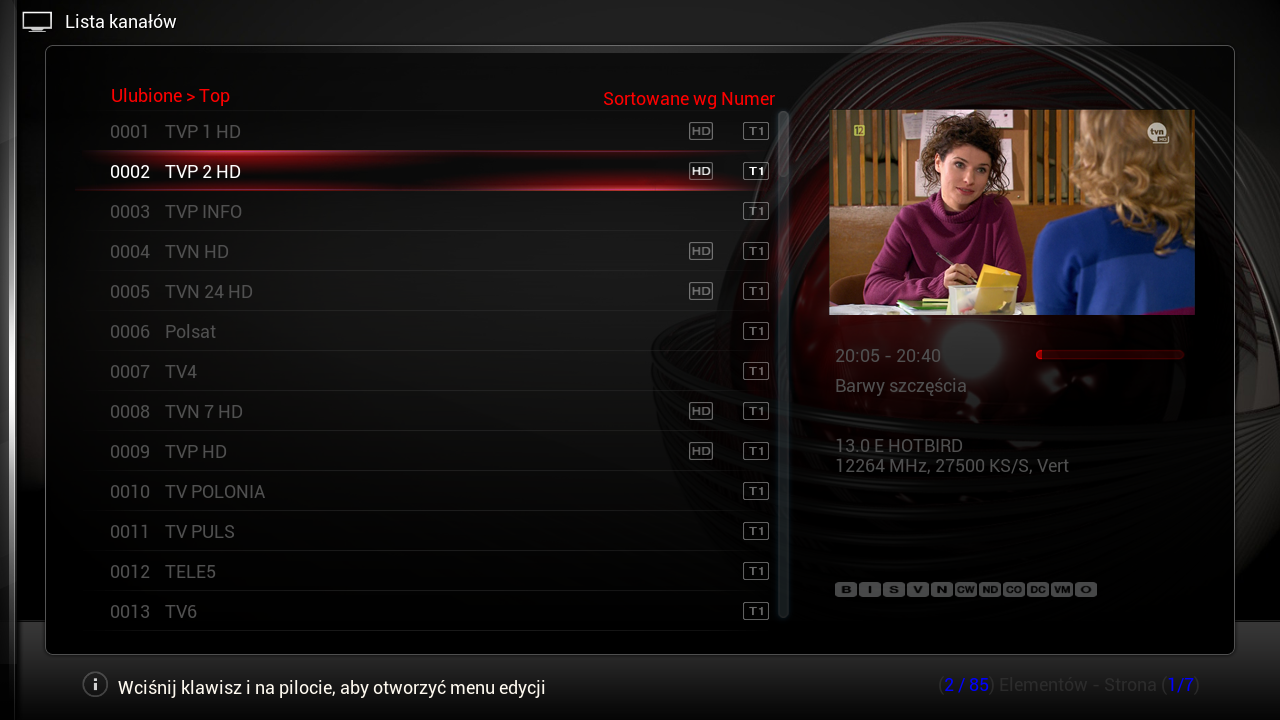
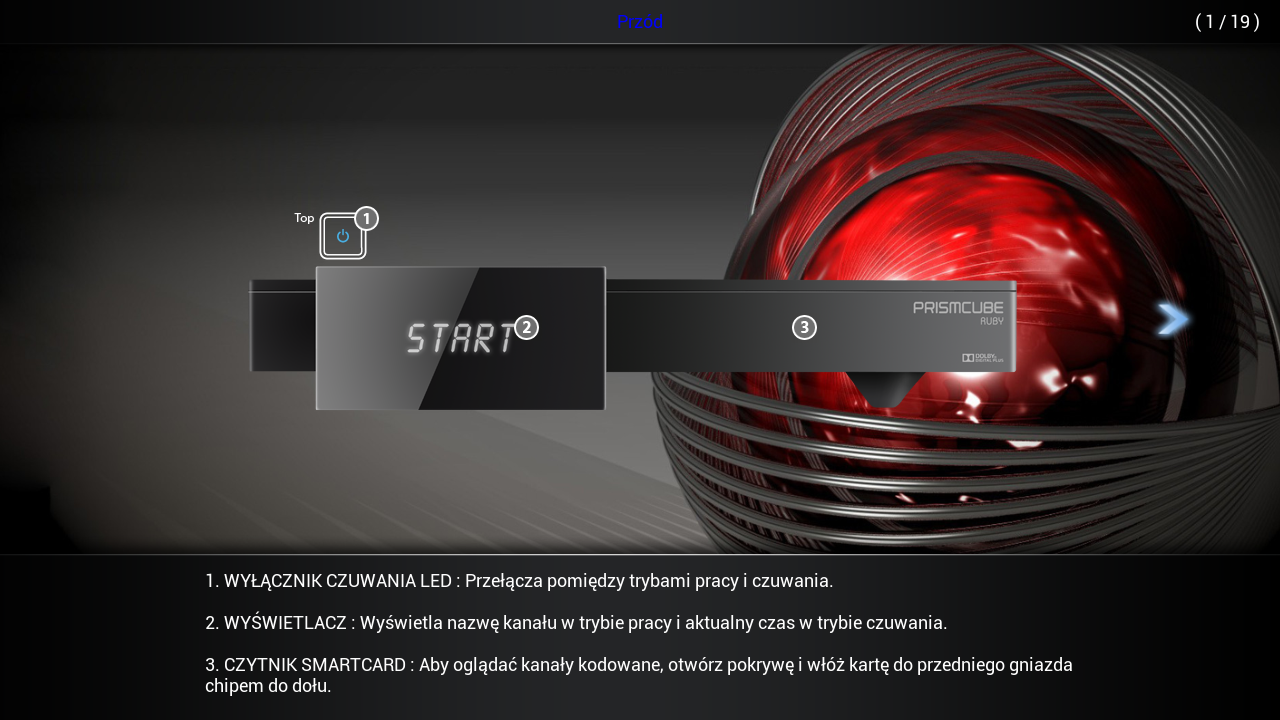

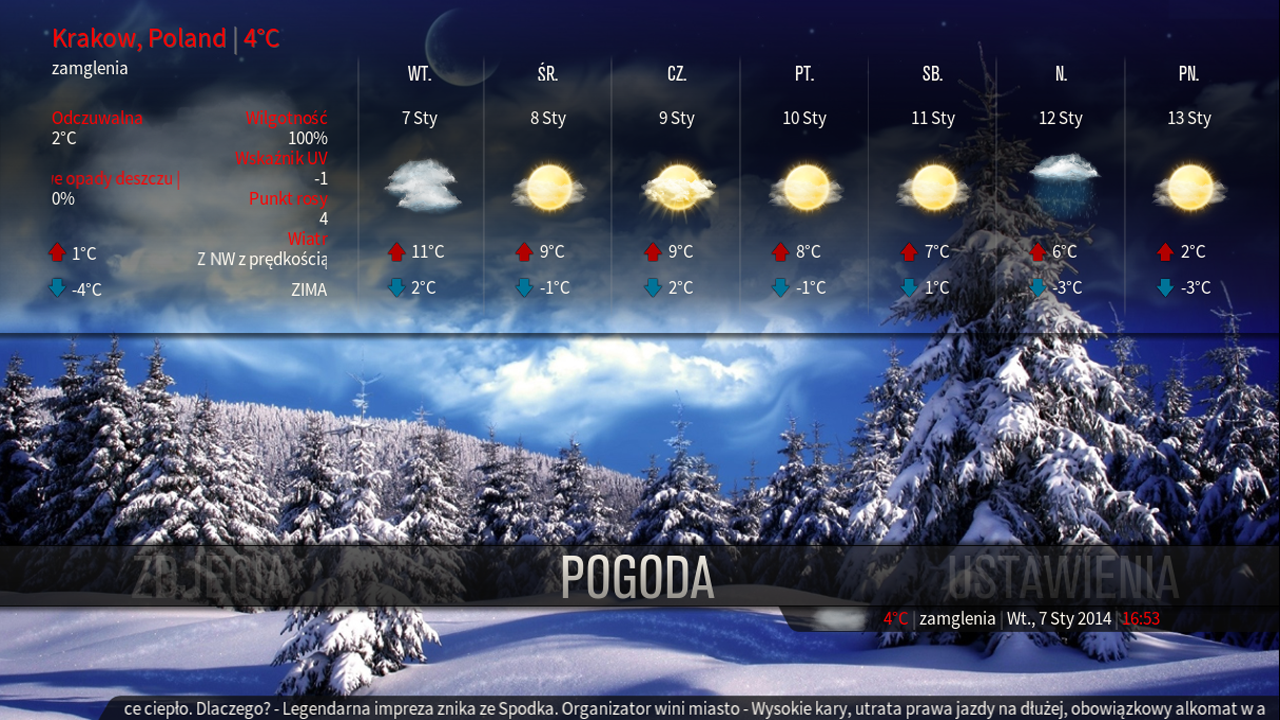
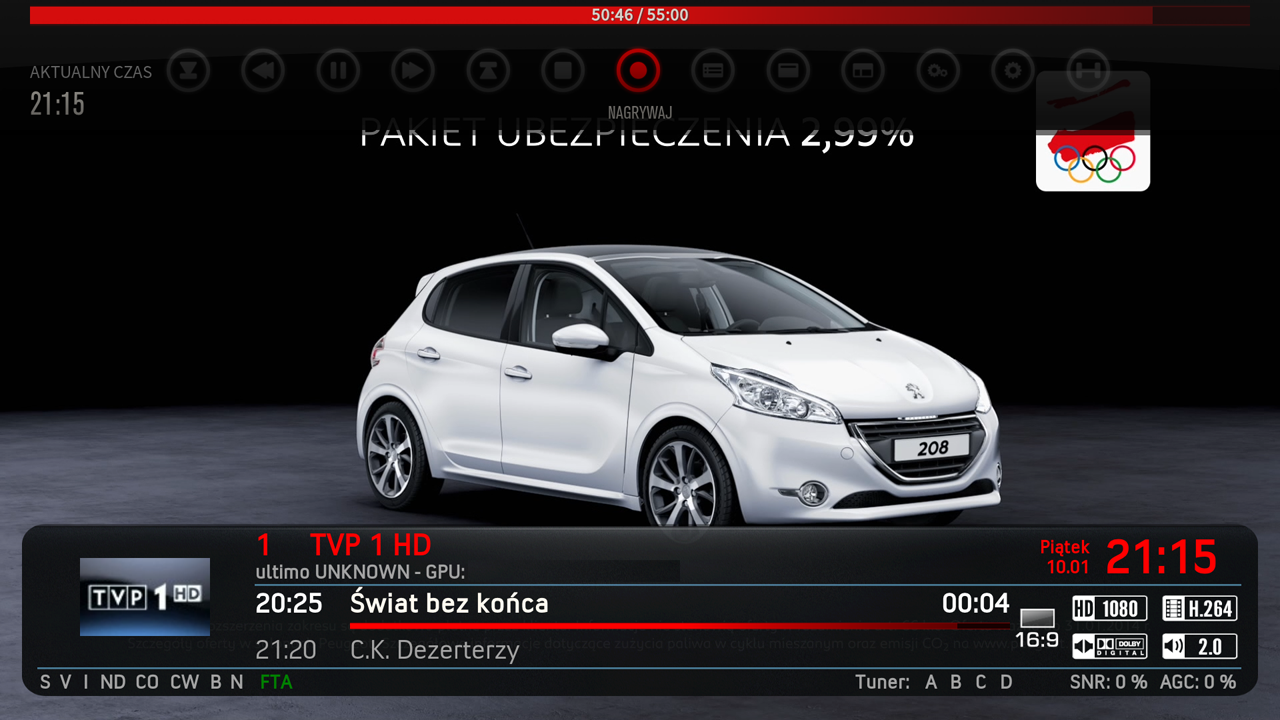
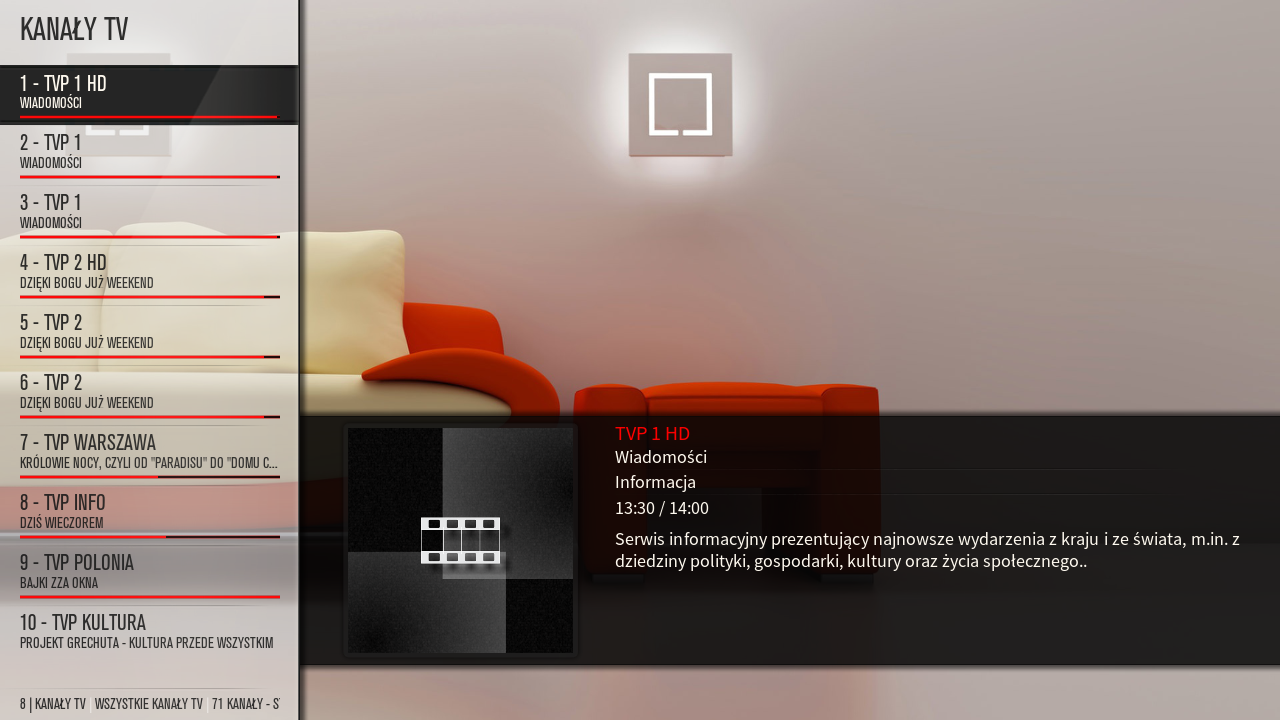
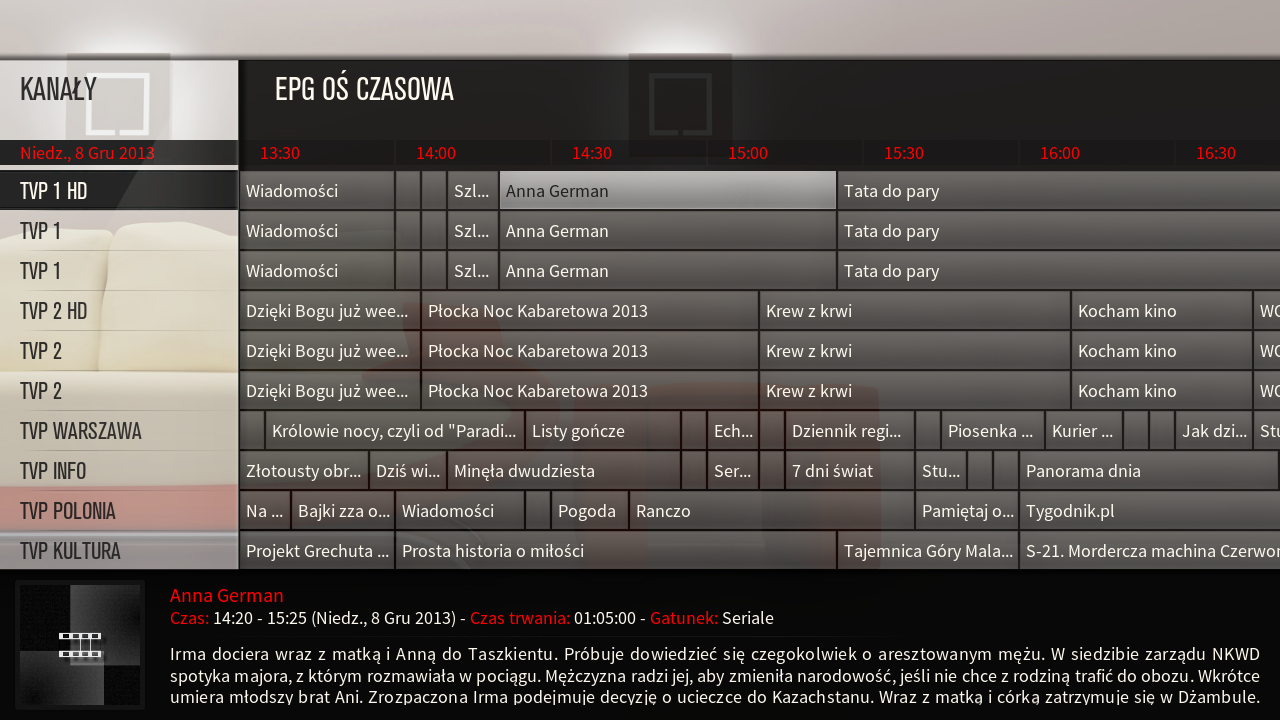
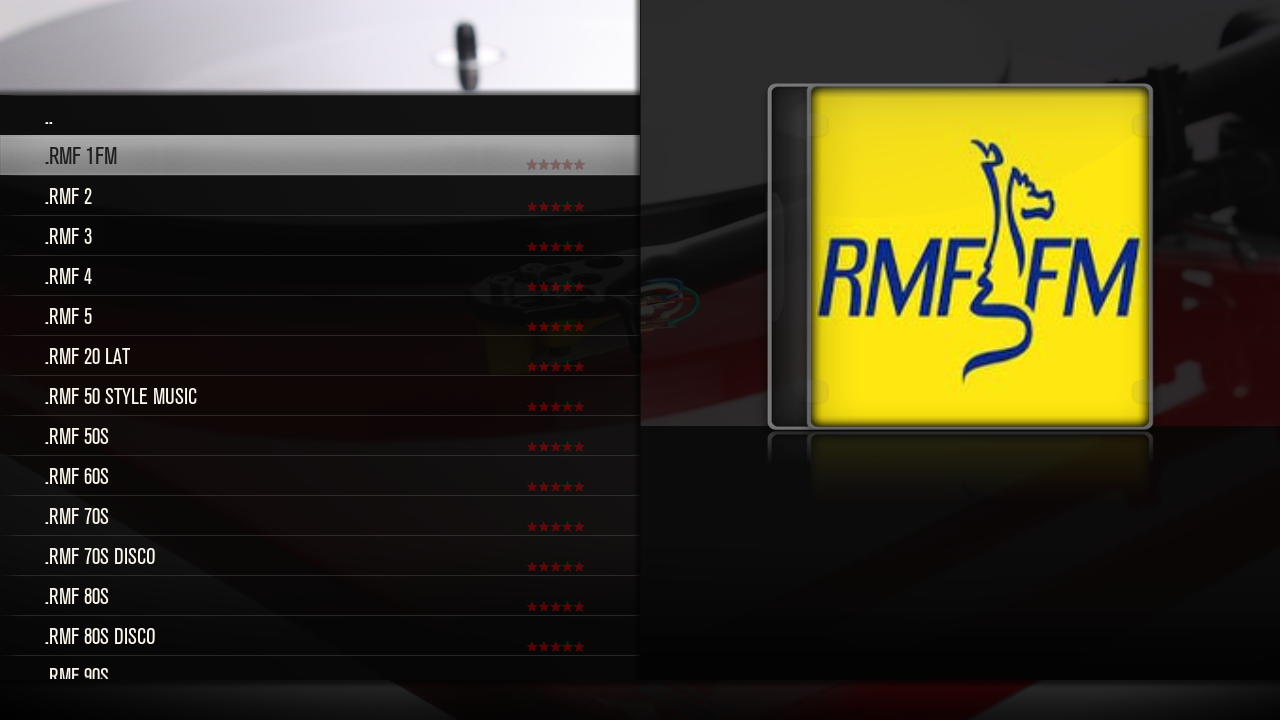


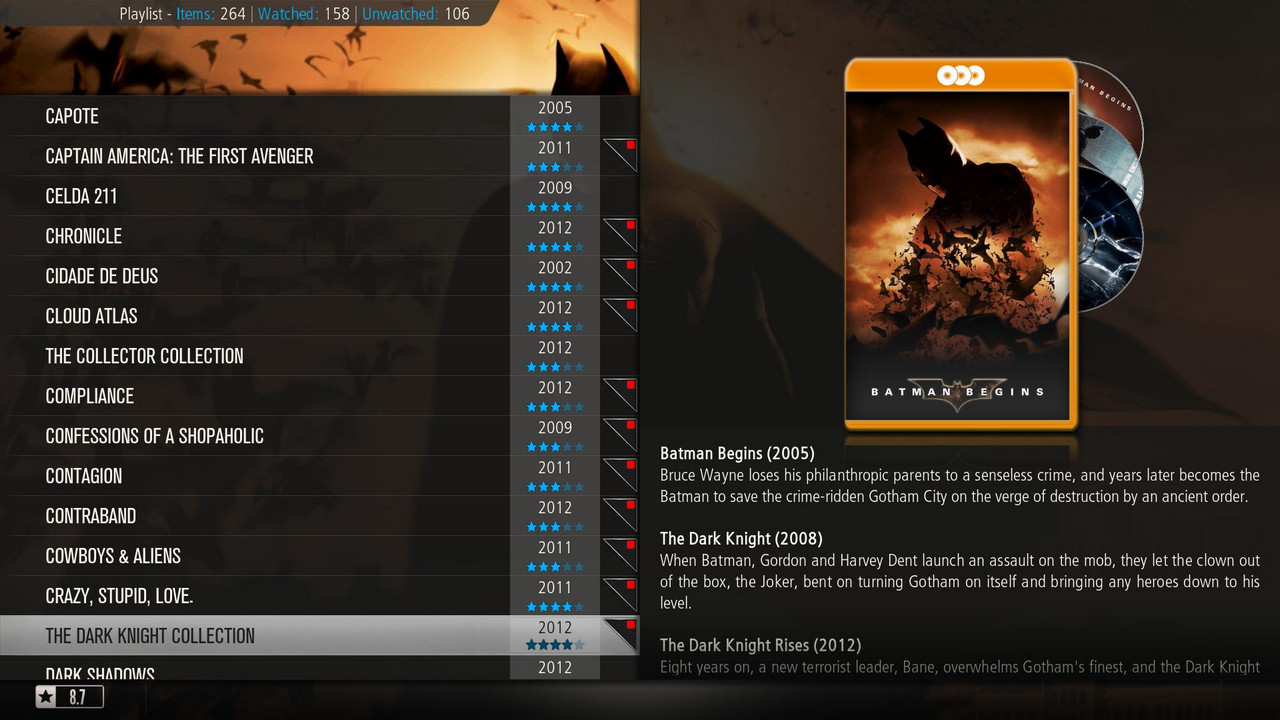
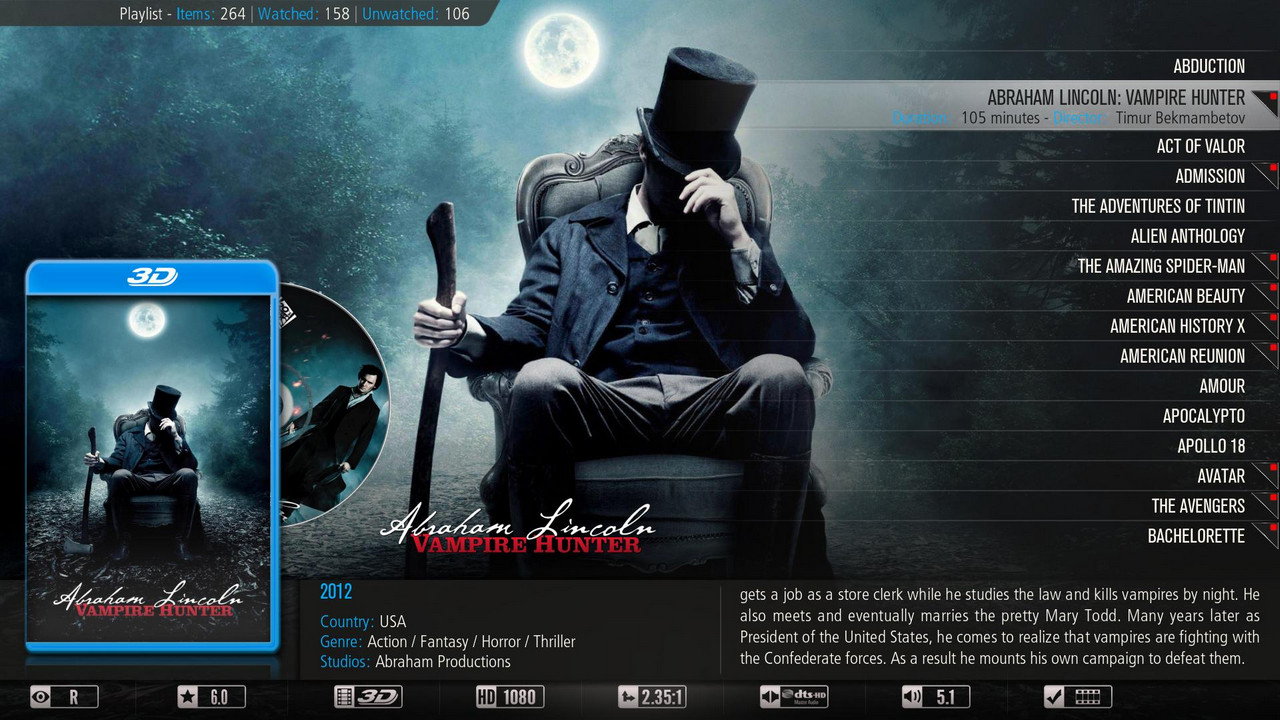


What 's new?
- Added Polish translation for dev version . 1.5.0
- Updated Aeon MQ skin 5_mod dev version . 1.5.0
================================================== ===
NOTE !
Gap does not contain keys or emulators !
After each change of a skin must restart the GUI.
The author is not liable for any damage to the equipment .
==================================================
Installation GAP1 Black Hole
1 File copy it to / tmp and install the Bh Addons , Bhp Install local package .
2 When finished restart the GUI and select the skin Aeon MQ 5_mod
Installing gap in the official software
1 Unpack the archive such as Winrar and copy all the files via ftp in accordance with the location of
2 When you start to change the name of the file / usr/share/xbmc/addons/script.mbox/resources/skins/skin.aeonmq5/720p/SingleRootWindow.xml-official to [ B] SingleRootWindow.xml [/ B] and replace it with the original
3 When finished restart the GUI and select the skin Aeon MQ 5_mod
>> Gap Prismcube Ruby ver. 2.0 <<
>> Gigant settings for Prismcube Ruby 19+13+23+28E 03.01.2014<< Note! Only works with version 1.5.0 in the black hole, and development.
From this version of the file with the Polish translation will be published separately, which will allow for the installation of a gap in the different versions of the software
Current translations will be found >> here
PrismCube SOFTCAM 0.1.24
PrismCube SOFTCAM 0.1.24
VU+ ALL Cam Pack VTI [ + ] enigma2-plugin-cams-oscam-v9449_vti_all >> Download <<
[ + ] enigma2-plugin-cams-oscam-v9449_cccam213_vti_all >> Download <<
[ + ] enigma2-plugin-cams-oscam-v9449_cccam230_vti_all http://speedy.sh/eVqGa/enigma2-plugin-cams-oscam-v9449-cccam230-vti-all.rar "]>> Download <<[/URL]
[ + ] enigma2-plugin-cam-oscam-v9449_mgcamd-v1.3.8c_vti_all>> Download <<
VU+ ALL Cam Pack BlackHole -Nabilo E2
VU+ Mowie Browser Plugin Version 3.1:
Neu: Database Backup und Restore (Plugin Setup: Backup/Restore)
Neu: Auto Update Check
Neu: Cleanup Cache Folder (Plugin Setup)
Update: All Movies, Filter, Database Editor Screen
Fix: TheTVDb Serien mit Bindestrich im Namen
THX kashmir
Giant Addons Pack for PrismCube Ruby ver. 1.9 to webkurier
What 's new?
- Added Polish translation for dev version . 1.4.0
- Updated Aeon MQ skin 5_mod
================================================== ===
NOTE !
Gap does not contain keys or emulators !
After each change of a skin must restart the GUI.
The author is not liable for any damage to the equipment .
================================================== ====
[B ] Installation GAP1 Black Hole [/ B]
1 File copy it to / tmp and install the Bh Addons , Bhp Install local package .
2 When finished restart the GUI and select the skin Aeon MQ 5_mod
[B ] Installing gap in the official software [/ B]
1 Unpack the archive such as Winrar and copy all the files via ftp in accordance with the location of
2 When you start to change the name of the file / usr/share/xbmc/addons/script.mbox/resources/skins/skin.aeonmq5/720p/SingleRootWindow.xml-official to [ B] SingleRootWindow.xml [/ B] and replace it with the original
3 When finished restart the GUI and select the skin Aeon MQ 5_mod>> Gap Prismcube Ruby ver. 1.9 <<
[URL='http://limelinx.com/ev1le']>> Gigant settings for Prismcube Ruby 19+13+23+28E 03.01.2014<<
VU+ ALL Cam Pack VTI
[COLOR='Deep***Blue'] [ + ] enigma2-plugin-cams-oscam-v9387_vti_all
[ + ] enigma2-plugin-cams-oscam-v9387_cccam213_vti_all
[ + ] enigma2-plugin-cams-oscam-v9387_cccam230_vti_all [/COLOR]
VU+ ALL Cam Pack BlackHole -Nabilo E2
[ + ] enigma2-plugin-cams-oscam-v9387_bh_all
[ + ] enigma2-plugin-cams-oscam-v9387_cccam213_bh_all
[ + ] enigma2-plugin-cams-oscam-v9387_cccam230_bh_all
Gigant Addons Pack for PrismCube Ruby ver. 1.8 to webkurier
What 's new?
- Added Polish translation for dev version . 1.3.8
- Updated modified skin Aeon MQ 5
- Updated list of channels 19 13 23 28 E per day 03.01.2014
- Updated pikony
================================================== ===
NOTE !
Gap does not contain keys or emulators !
After each change of a skin must restart the GUI.
The author is not liable for any damage to the equipment .
================================================== ====
Installation gap1.8_prismcube_bhp.tgz Black Hole 1.3.8
1 File copy it to / tmp and install the Bh Addons , Bhp Install local package .
2 When finished restart the GUI and select the skin Aeon MQ 5_mod
Installation gap1.8_prismcube_bhp.tgz in the official software 1.3.8
1 Unpack the archive such as Winrar and copy all the files via ftp in accordance with the location of
2 When you start to change the name of the file / usr/share/xbmc/addons/script.mbox/resources/skins/skin.aeonmq5/720p/SingleRootWindow.xml-official to [ B] SingleRootWindow.xml [/ B] and replace it with the original
3 When finished restart the GUI and select the skin Aeon MQ 5_mod
>> Gap Prismcube Ruby ver. 1.8 <<
>> Gigant settings for Prismcube Ruby 19+13+23+28E 03.01.2014<<
VU+ ALL Cam Pack for VTI image
[ + ] enigma2-plugin-cams-oscam-v9345_vti_all
[ + ] enigma2-plugin-cams-oscam-v9345_cccam213_vti_all
[ + ] enigma2-plugin-cams-oscam-v9345_cccam230_vti_all
VU+ ALL Cam Pack BlackHole
PrismCube Oscam oscam-9271 -oscam-svn9271 11.01.2014
Serwer limelinx -- oscam-9271
Serwer egofiles -- oscam-9271
VU+NEW BOOTSCREEN (Mavericks style) by Usaqmuri