Posts by ZYGA

    enigma2-plugin-extensions-isettinge2-3.1.2-oe2.0-mips32el.rarVU+ Plugin iSettingE2 3.1.2 VU+ Plugin iSettingE2 3.1.2


    zip enigma2-plugin-extensions-isettinge2-3.1.2-oe1.6-mipsel.zip (747.5 KB,
    : zip enigma2-plugin-extensions-isettinge2-3.1.2-oe2.0-mips32el.zip (749.4 KB, >> Download <<

    Gigant Addons Pack for PrismCube Ruby ver. 1.3 by webkurier
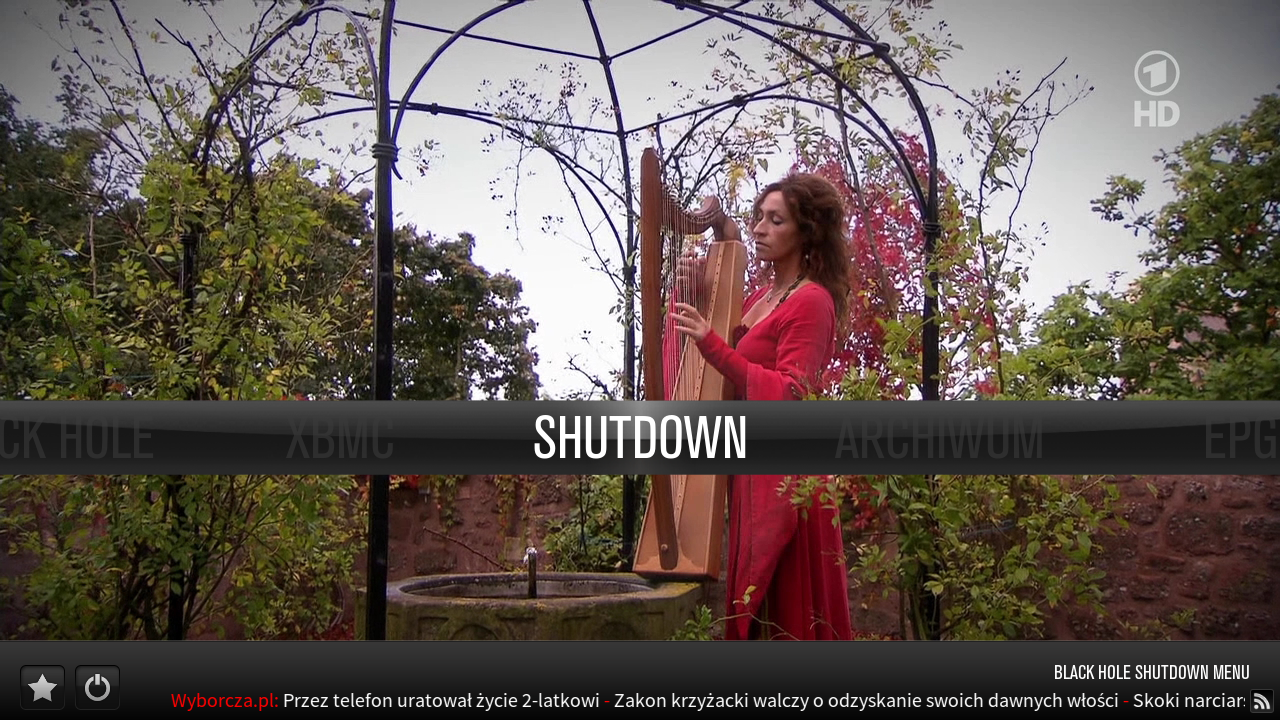
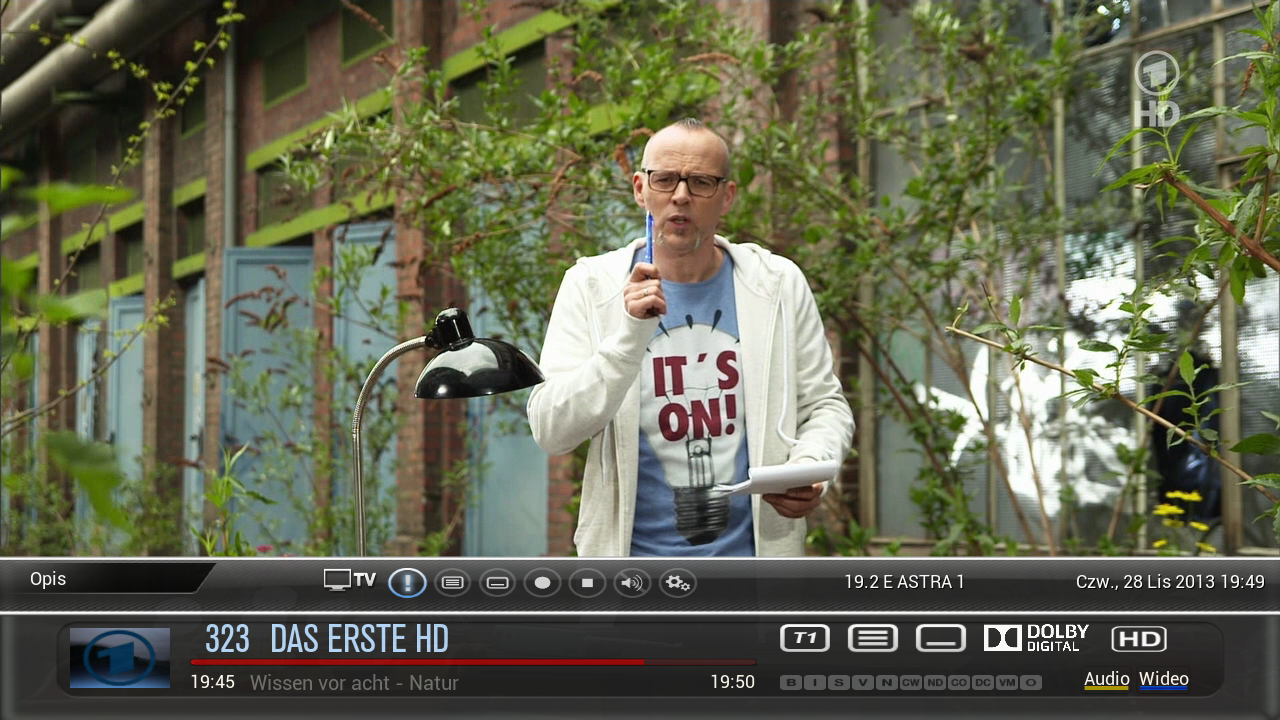
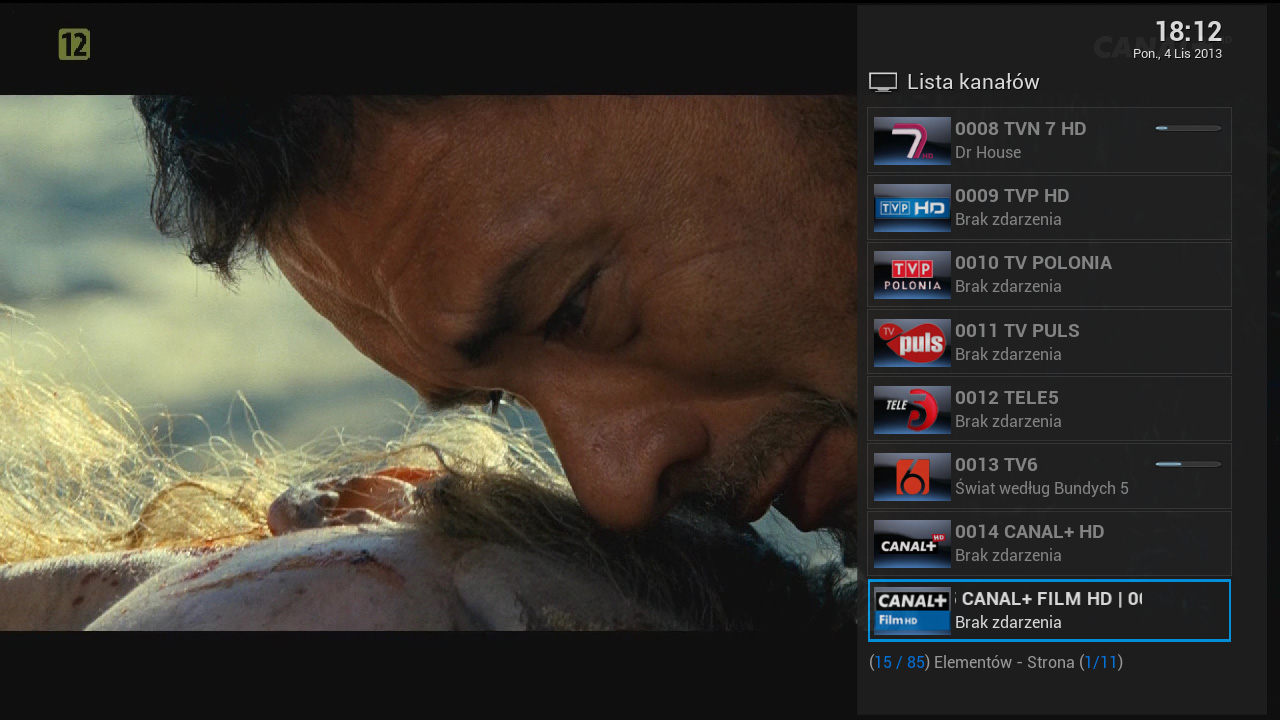
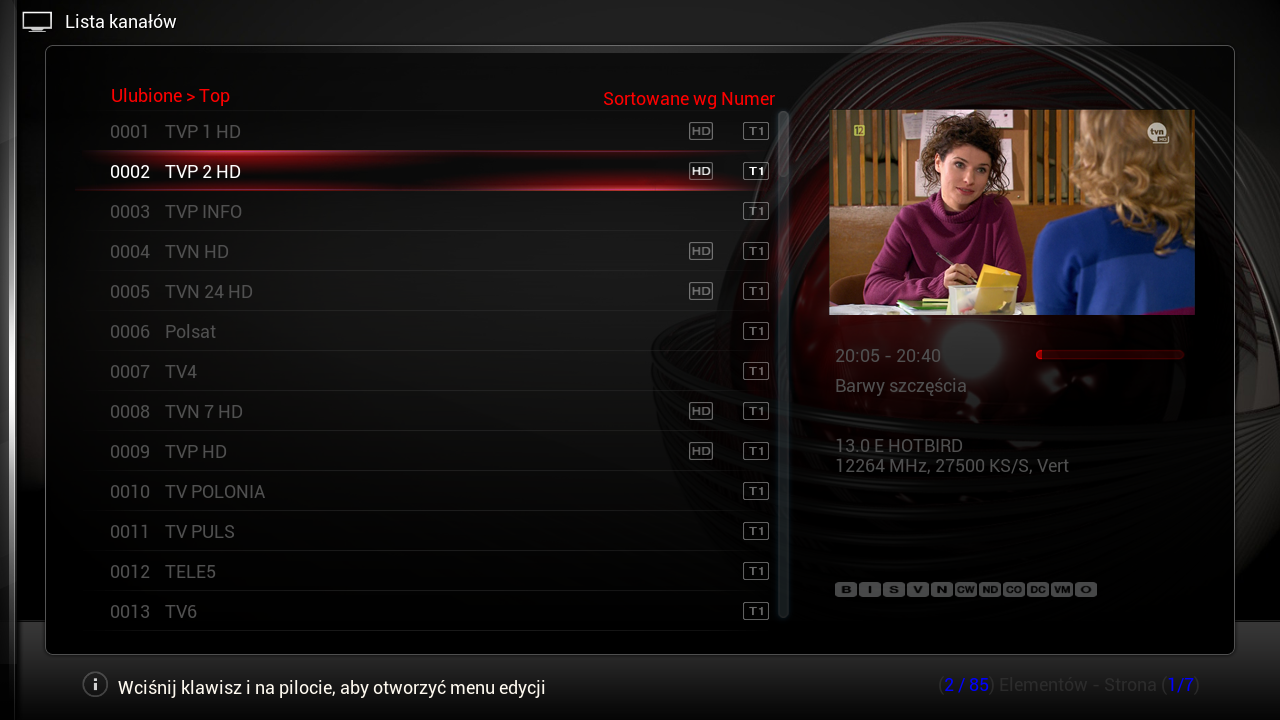
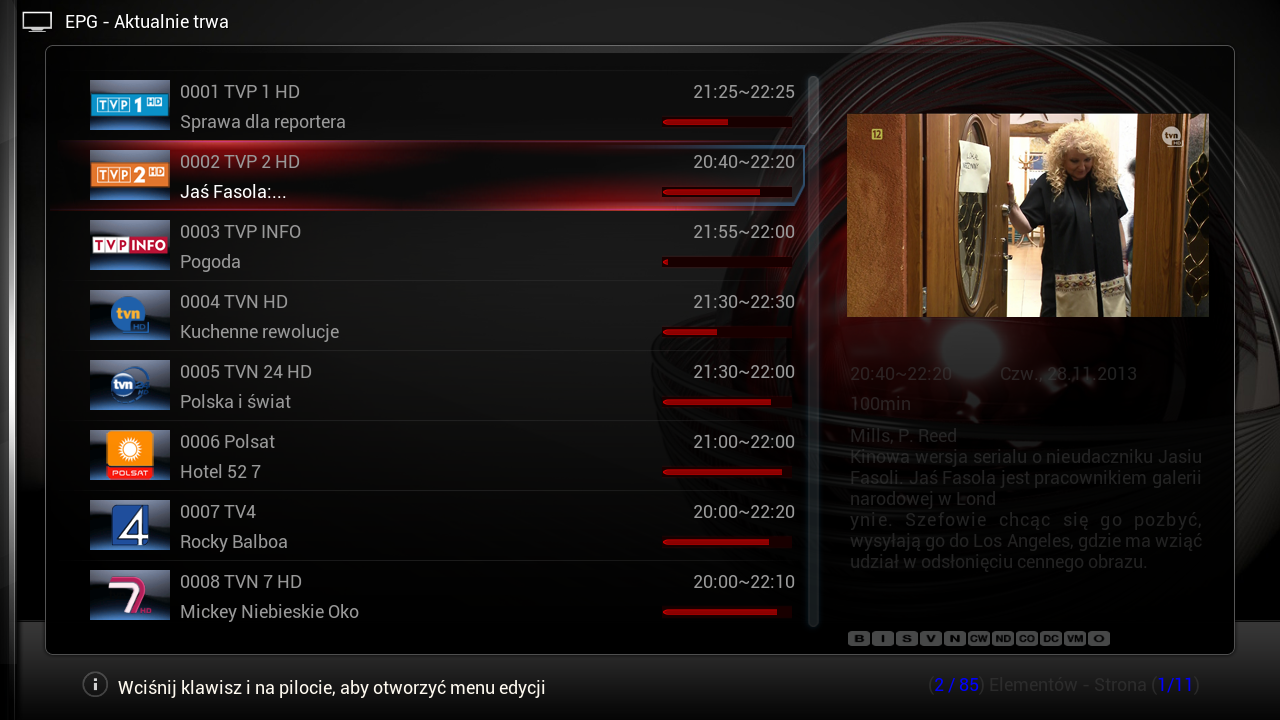
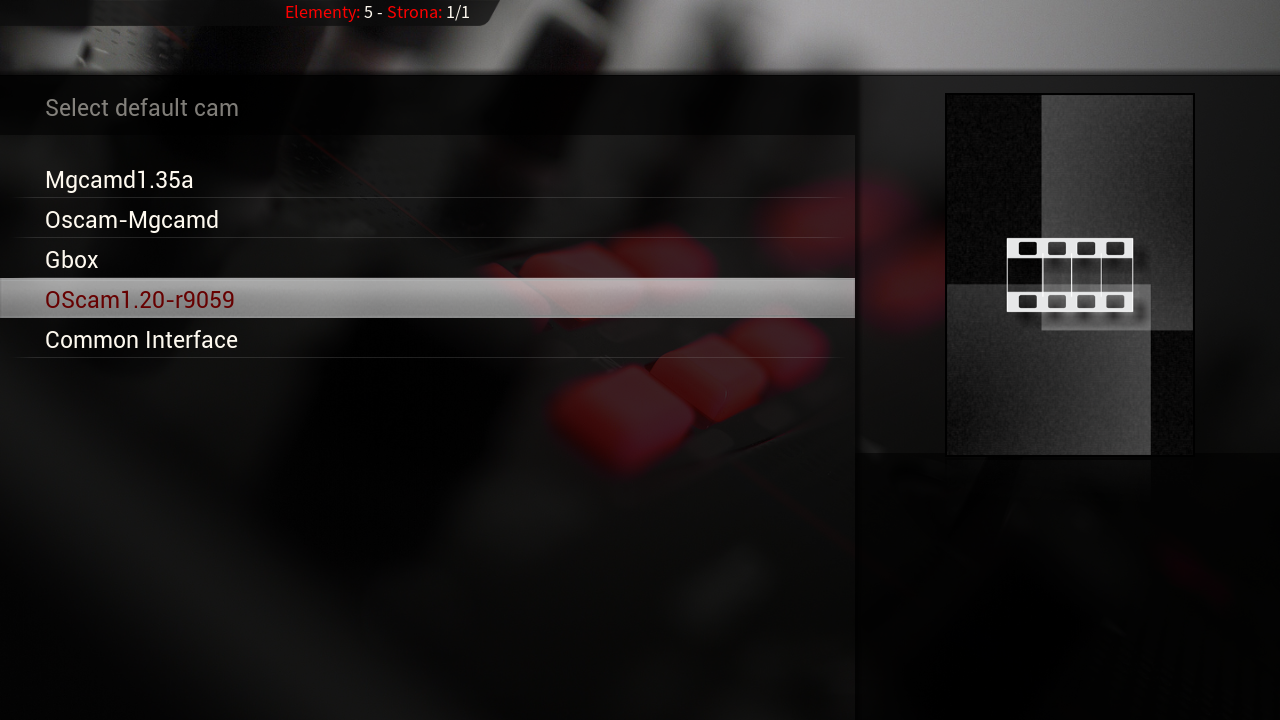
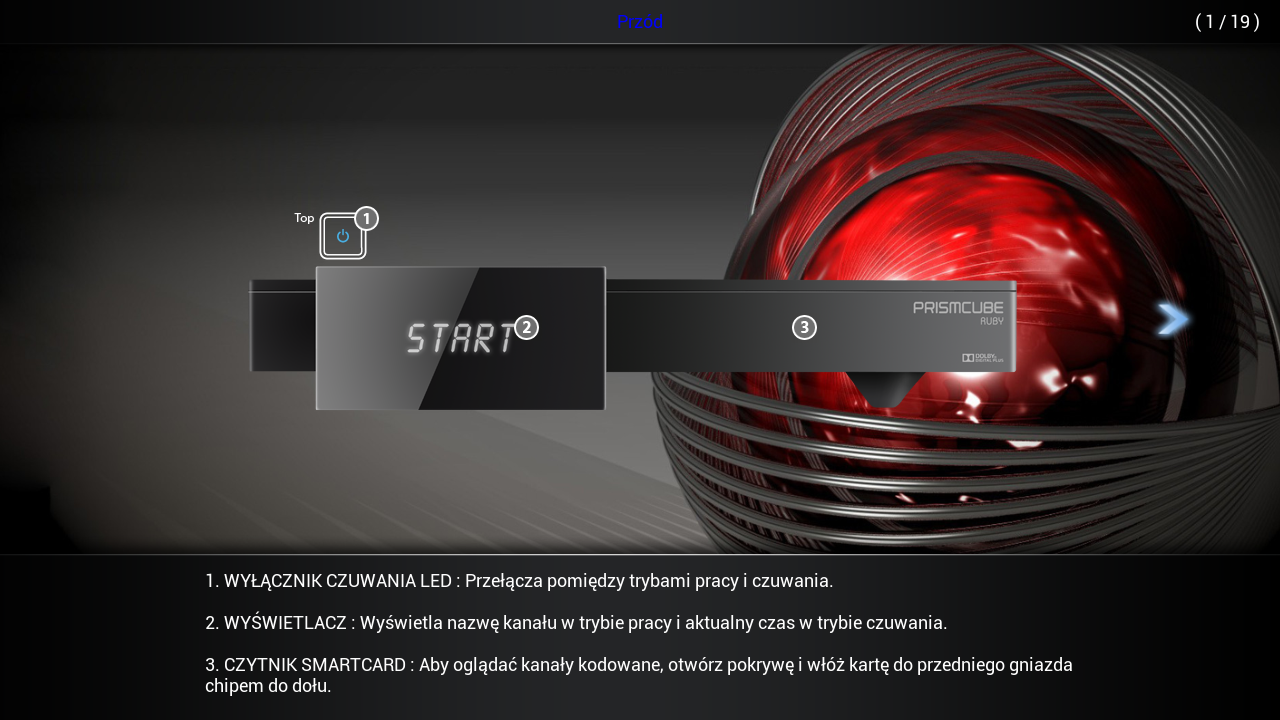
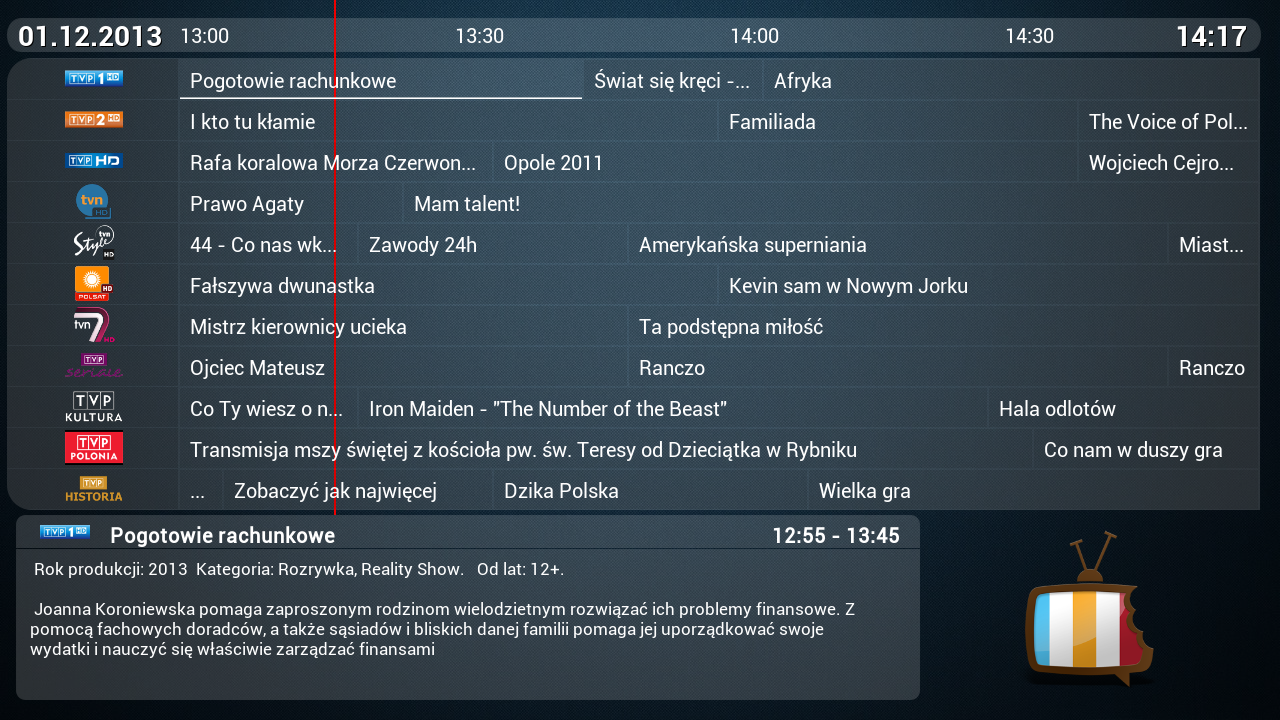


    Giant Addons Pack ( GAP ) is a collection of the most popular unofficial add-ons xbmc to PrismCube Ruby ver. 1.2.2


    By installing the gap receive a full crack dvb section and xbmc , displaying all Polish characters , and to display pikony for Polish channels .


    In addition, you will have access to the following additives xbmc :


    metadata.artists.universal
    metadata.common.allmusic.com
    metadata.common.amazon.de
    metadata.common.fanart.tv
    metadata.common.hdtrailers.net
    metadata.common.htbackdrops.com
    metadata.common.imdb.com
    metadata.common.last.fm
    metadata.common.musicbrainz.org
    metadata.common.theaudiodb.com
    metadata.common.themoviedb.org
    metadata.filmweb.pl
    net.rieter.xot.repository
    plugin.audio.listenliveeu
    plugin.audio.mojepolskieradio.pl
    plugin.audio.open_FM
    plugin.audio.radio_de
    plugin.audio.xbmchubmusic
    plugin.image.flickr
    plugin.image.google
    plugin.image.mypicsdb
    plugin.image.picasa
    plugin.programm.xbmcmail
    plugin.superrepo.org.installer
    plugin.superrepo.org.installer
    plugin.video.1channel
    plugin.video.1 - linkmovies
    plugin.video.69area
    plugin.video.80smusicvideos
    plugin.video.adult -bay
    plugin.video.bmovies
    plugin.video.canada.on.demand
    plugin.video.cartoonworld
    plugin.video.collective
    plugin.video.crackle
    plugin.video.dailyflix
    plugin.video.demand5
    plugin.video.desitvforum
    plugin.video.discovery
    plugin.video.disneyjunior
    plugin.video.empflix
    plugin.video.espn3
    plugin.video.expattv
    plugin.video.fantasticc
    plugin.video.favorites
    plugin.video.filmibynaturex
    plugin.video.filmon
    plugin.video.footballreplays
    plugin.video.fox.sports
    plugin.video.free.cable
    plugin.video.fullmovies
    plugin.video.hornywhores
    plugin.video.hubmaintenance
    plugin.video.hubwizard
    plugin.video.hulu
    plugin.video.icefilms
    plugin.video.ipla.pl
    plugin.video.iplayer
    plugin.video.itv
    plugin.video.iwatchonline
    plugin.video.iwatchonline
    plugin.video.jtv.archives
    plugin.video.live.streams
    plugin.video.losmovies
    plugin.video.lubetube
    plugin.video.lubetube
    plugin.video.MikeysKaraoke
    plugin.video.mmline
    plugin.video.movie105
    plugin.video.movie25
    plugin.video.Movie2k
    plugin.video.moviekingdom
    plugin.video.mrknow
    plugin.video.mtv
    plugin.video.mtvshows
    plugin.video.muchmovies
    plugin.video.muchmovies.hd
    plugin.video.muzu.tv
    plugin.video.naughtyblog
    plugin.video.newvideodevil
    plugin.video.nickelodeon
    plugin.video.NoobRoom
    plugin.video.notfilmon
    plugin.video.OCM
    plugin.video.offside
    plugin.video.oneclickmoviez
    plugin.video.oneclickwatch
    plugin.video.pelisalacarta
    plugin.video.polishtv.live
    plugin.video.popcornflix
    plugin.video.pornorips
    plugin.video.projectfreetv
    plugin.video.putlockertv
    plugin.video.simply.player
    plugin.video.simplymovies
    plugin.video.singlelinkmoviez
    plugin.video.***mediatv
    plugin.video.***tv
    plugin.video.solarmovie.so
    plugin.video.sportsaholic
    plugin.video.SportsDevil
    plugin.video.talkwizard
    plugin.video.teledunet
    plugin.video.tgun
    plugin.video.tube8
    plugin.video.tubeplus
    plugin.video.tvalacarta
    plugin.video.tvlinks
    plugin.video.tvnplayer.pl
    plugin.video.tvondesizonex
    plugin.video.tv -release
    plugin.video.ustvnow
    plugin.video.veetle
    plugin.video.videodevil
    plugin.video.vimeo
    plugin.video.vod.tvp.pl
    plugin.video.watchhistory
    plugin.video.watchseries -online
    plugin.video.weeb.tv
    plugin.video.whatthefurk
    plugin.video.whufclee
    plugin.video.xbmc.tv.inter
    plugin.video.xbmchubmaintenance
    plugin.video.xstream
    plugin.video.you.jizz
    plugin.video.youtube
    plugin.video.zmovies
    repository.bluecop.xbmc -plugins
    repository.bstrdsmkr
    repository.CanadaOnDemand
    repository.carb0s
    repository.Coolwave
    repository.dk - xbmc - repaddon
    repository.dudehere.plugins
    repository.eldorado
    repository.filmweb.pl -lite
    repository.googlecode.anarchintosh -projects
    repository.googlecode.kozz -addons
    repository.googlecode.sparetime
    repository.Jas0npc
    repository.jools
    repository.Kinkin
    repository.mash2k3
    repository.MaxMustermann.xbmc
    repository.mikey1234 - repo
    repository.mortstar.addons
    repository.mrknow.pl
    repository.o9r1sh
    repository.offside
    repository.passion.xbmc.org.frodo
    repository.popeye
    repository.prismcube
    repository.sd - xbmc.org
    repository.smoothstreams
    repository.smuto
    repository.spoyser
    repository.StreamOn
    repository.systems - design.eu
    repository.t0mm0
    repository.The_Silencer
    repository.thehighway
    repository.the -one
    repository.TheYid
    repository.unofficial.polish
    repository.Vinnydude
    repository.voinage
    repository.whufclee
    repository.xbmc.abipbox
    repository.xbmc.tvm
    repository.xbmc -adult
    repository.xbmchub
    repository.xbmcplus.xbmc -plugins
    repository.xstream
    script.artistslideshow
    script.common.plugin.cache
    script.facebook.media
    script.forum.browser
    script.mtvguide
    script.navi - x
    script.pseudotv
    script.randomandlastitems
    script.rssclient
    script.rssclient - standalone
    script.SuperTV
    script.thunder.player
    script.web.viewer
    script.xbmc.pandora
    script.xbmc.subtitles
    script.xbmcbackup
    skin.confluence.custom.mod
    Transmission - XBMC -master


    ... and many , many others


    What 's new?


    - Added a new section of a modified skin for PVR
    - Added new modified skin Aeon MQ 5 - Thanks to MarcosQui
    - Added new Default Logo Tv (by Multik )
    - Added new Default Logo Radio
    - Added a new logo for the radio mode
    - Added pikony for Polish channels
    - Added support pikony for Astra 28 E
    - Fixed the EPG. It displays all Polish characters
    - Fixed displaying subtitles downloaded from portals opensubtitle , napisy24 , and napiprojekt . It displays all Polish characters - the default font : Roboto
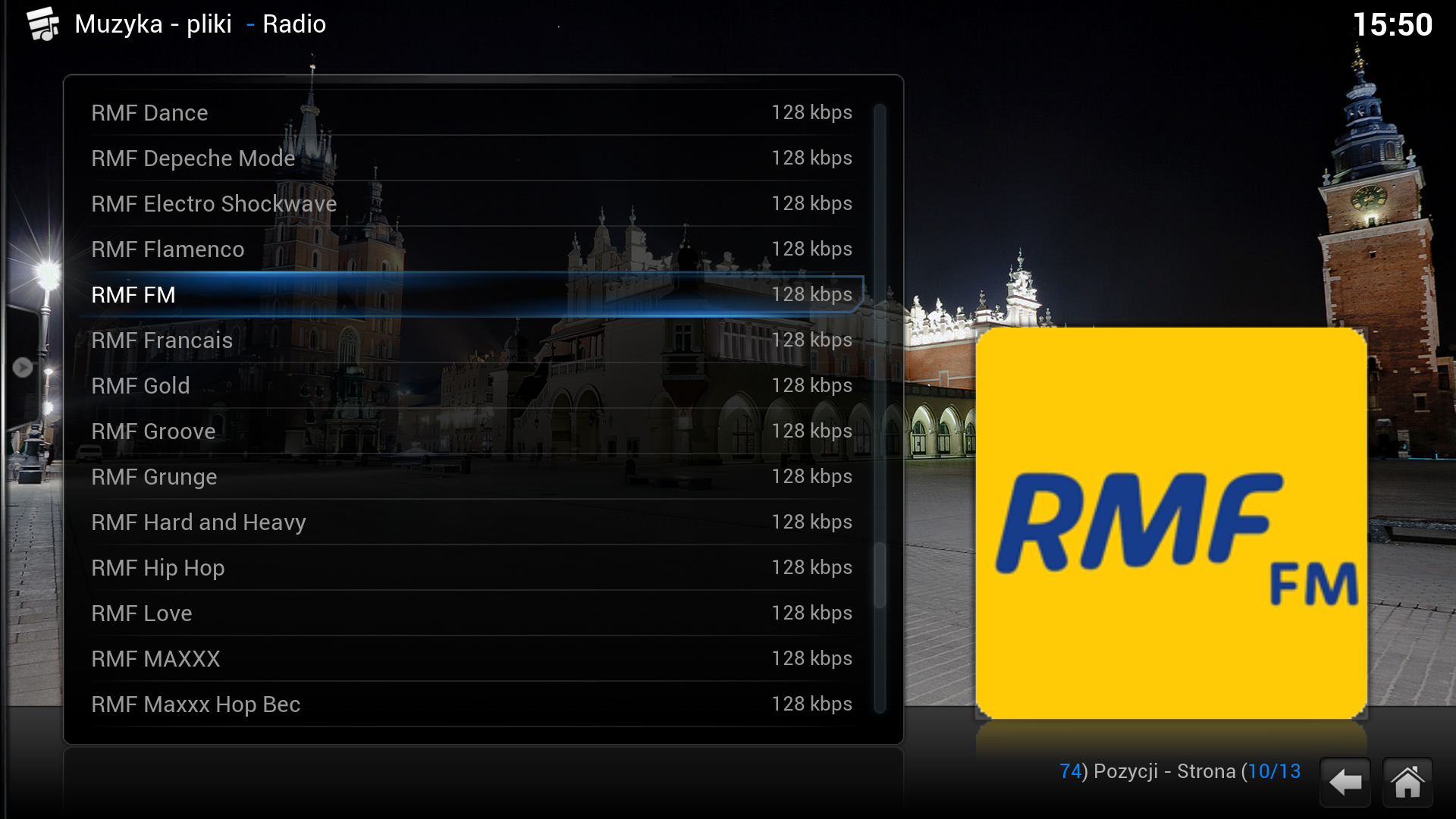
    - Added webradio stations with Polish Menu , Favorites , Radio Poland
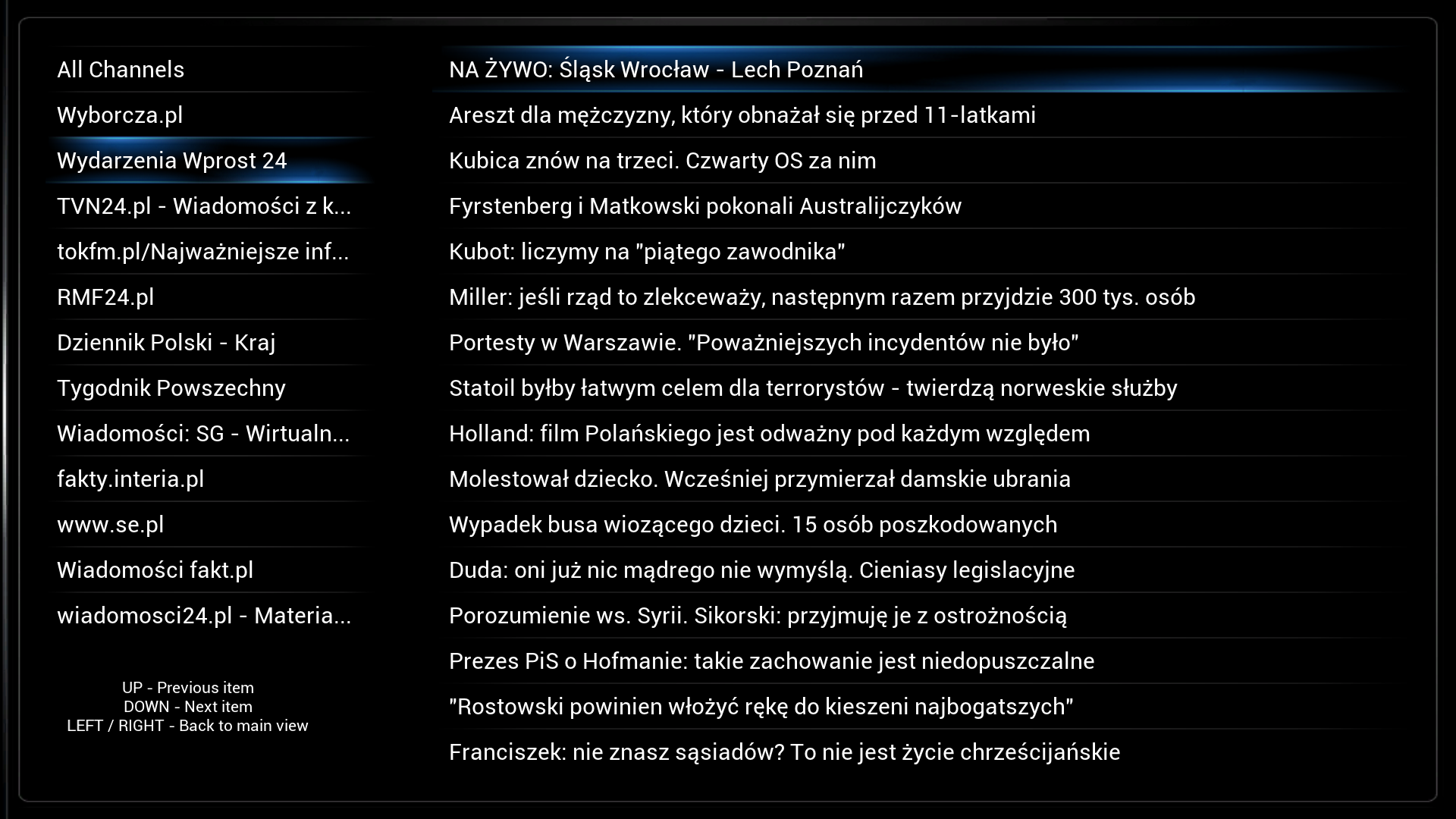
    - Added rss reader , along with the Polish channel list menu , favorites, RSS Client
    - Updated plugins and repositories for xbmc ( on the basis of over 1,000 different additives )


    =====================================
    NOTE !
    Gap does not contain keys or emulators !
    Before installing the new version , switch to a standard skin and remove all the extras xbmc ! Run the XBMC plugin Fresh Start , which you can find under this section, or manually delete the entire contents of the directory / mnt/hdd0/program/.xbmc
    When you first start gap , there may be some messages about incompatibilities with the current version of the plug- xbmc - ignore them .
    When you first start a skin Aeon MQ 5_mod select the standard font for xbmc in the settings , skin settings , fonts
    Installing gap at your own risk . The author is not liable for any damage to the equipment .
    =====================================


    Set includes two files:


    - Gap1.3_prismcube_bhp.tgz , designed for PVR section Prismcube
    - Gap1.3_xbmc.tar.gz intended for section xbmc


    I. Installing gap1.3_prismcube_bhp.tgz in the Black Hole :


    File copy it to / tmp and install the Bh Addons , Bhp Install local package . After completion of the restart gui and select the appropriate skin


    II. Installing xbmc gap1.3_xbmc.tar.gz additives in Prismcube


    Due to lack of space in flash , the file can be installed only with stick


    1 File copy to a FAT32 formatted USB stick
    2 USB Flash Drive USB into the slot , connect the power supply and wait until a full restart of the receiver
    3 Open the console PuTTY >> here the connection type : SSH host name - IP address Prismcube port - 22 and press enter


    Click here to view the original image of 615x548px .


    4 After logging - user : root , password 0000 , enter the following command (copy - paste) and press enter :


    cd / media/sdb1
    tar- xzvf / media/sdb1 / *. tar.gz -C /
    cd / media/sdb1
    tar- xzvf / media/sdb1 / *. tar.gz -C /


    Click here to view the original image of 835x526px .


    5 After installation, briefly remove and re-insert the plug.
    6 To optimally use the skins , you must xbmc , system settings , appearance, skin confluence , settings, magnification ( zoom ) set to -4 %.


    III. Installation gap1.3_prismcube_bhp.tgz in the official software :


    1 Change the file extension to tar.gz
    2 Perform all steps for 2 - 6 in section II


    IV. Installing xbmc gap_xbmc_1.2.tar.gz additives in Windows XP, 7, 8


    1 Tar.gz file, unpack it with eg Winrar
    2 Press Start , Search, and type in the search box the following command:
    % appdata % \ XBMC \
    3 This opens the directory to the location of xbmc add-ons , which we copy the following folders from the unpacked archive gap : home \ root \. Xbmc \ addons , and userdata
    4 When you run configure xbmc , and a skin . Logos clocks and backgrounds are located in addons \ skin.confluence \ media
    5 At the end of the plug- in settings , select a location for saving downloaded files


    V. Installation additives xbmc gap_xbmc_1.2.tar.gz in iOS (Apple ATV2 , iPhone , iPad )


    1 We connect through sftp with ATV2 - user : root , password : mobile
    2 Go to the directory / private / var / mobile / Library / Preferences / XBMC / to which we copy the following folders from the unpacked archive : home \ root \. Xbmc \ addons , and userdata
    3 When you run configure xbmc , and a skin . Logos clocks and backgrounds are located in addons \ skin.confluence \ media
    4 At the end of the plug- in settings , select a location for the downloaded file


    VII. Installing xbmc gap_xbmc_1.2.tar.gz additives in Android


    1 We combine in August with the device , usually xbmc is installed on the memory card location : Android / data / org.xbmc.xbmc / files / .xbmc / userdata / and copy it to the following folders from the unpacked archive : home \ root \. Xbmc \ addons and userdata
    2 When you run configure xbmc , and a skin . Logos clocks and backgrounds are located in addons \ skin.confluence \ media
    3 At the end of the plug- in settings , select a location for the downloaded file


    VI. Installing xbmc gap_xbmc_1.2.tar.gz additives in Linux


    1 We are searching the directory of xbmc . Default : ~ / . Xbmc
    2 Copy to the following folders from the unpacked archive : home \ root \. Xbmc \ addons , and userdata
    3 When you run configure xbmc , and a skin . Logos clocks and backgrounds are located in addons \ skin.confluence \ media
    4 At the end of the plug- in settings , select a location for the downloaded file


    VI. Installing xbmc gap_xbmc_1.2.tar.gz additives in Mac OS X


    1 We function as Linux . Default directory : / Users / <your_user_name> / Library / Application Support / XBMC


    VII. Installing xbmc gap1.3_xbmc.tar.gz additives in OpenELEC


    1 We function as Linux . Default directory : / storage / .xbmc /


    Tested on xbmc 12.2 Frodo , which can be downloaded here>> here[COLOR='Deep***Blue'][/COLOR]


    HOW PrismCube MiniTool Windows PC> D / L of web MiniTool Partition Wizard> can use some SATA USB adapter
    MiniTool is able to manage Linux partitions formatted HDD Ruby.

    Softcam 0.1.23


    For sw ver. 1.2.0 and higher


    Code
    [COLOR='DarkOrange']Softcam 0.1.23 - for sw ver. 1.2.0 and higherPostby matis ť Fri 29. Nov 2013 14:31:36For Software ver. 1.2.0 and higher.Changelog:- added display which emu is working- after sw update possibility restore last known configuration (your sh**ing config file will not be lost)You must uninstall old version of softcam first!1. stop "softcam_0.1.21"2. press ok button on softcam 0.1.21 and press remove3. press "i" button on softcam 0.1.21 and choose "Add-on information"4. than choose uninstall5. copy "plugin.program.softcam_0.1.23.zip" or other file to root on USB6. connect USB to Prismcube7. go to XBMC part to System - Addons - Install addons from zip archive8. than go to Programs - softcam 0.1.23, press ok and choose "Set default configuration"9. Set up sh**ing function of your favourite config file.That´s it. From now after next sw update you will see this window after press ok button on softcam 0.1.23:10. Choose "Last known configuration", than choose your last used config file and sh**ing function will be restored.Config files you can find via FTP connection:- for oscam in /config/tuxbox/config/ and in /usr/local/etc/- for mgcamd in /config/keys/ [/COLOR]

    HOW You can share the hdd and files of your Personal Computer and other Vu+ box's with your PrismCube via samba.

    1) Make sure that samba is up and running in your Vu+ box and your Personal Computer
    2) Goto Xbmc -> System -> File manager
    3) Click on Add source
    4) Click on Browse
    5) Select Windows Network (SMB)
    6) Select the group the device and the folder you want to mount
    7) Optionally change the name with your favorite chosen name
    8) Click ok


    All done.


    If you would like to have your devices under the section Video and Movies too you will need to repeat these steps in:
    1) Xbmc -> Videos -> Files -> Add Videos
    2) Xbmc -> Music -> Files -> Add source.

    HOW PrismCube Mediatheque XBMC


    1} To add a description , and download the appropriate images to a library of movies we have to look at the standards of XBMC .
    All video files should be placed in the root directory called Movies . Files can be placed together or in separate subdirectories.

    1.JPG
    1.1 } names must be written in the original language [ English is best when XBMC is looking for English scrapers ] from the formula : Title (year). extension . e.g.


    Example movie :


    Code
    [COLOR='Magenta']Hugo ( 2011) . mkv[/COLOR]


    Example Music: { 2}
    2.JPG
    1.2 } If the movie has several parts , each file is added to the CD number , part number and year of manufacture, eg


    Example movie :


    Code
    [COLOR='Magenta']Hugo ( 2011) - cd1.avi
    Hugo ( 2011) - cd2.avi
    [/COLOR]


    1.3 } If you want to put all the elements in a subdirectory of this directory will be named " Hugo ( 2011)" and the folder should look like this:
    Example movie :


    Code
    [COLOR='Magenta']tus - cd1.avi
    tus - cd2.avi[/COLOR]


    1.4 } DVD movie should be called " Hugo ( 2011)" and in the name of the file VIDEO_TS.IFO


    2.0} Do the same with the TV series , the default root directory should have the name of television programs.


    In this folder [TV ] subdirectory with the name of the series " Breaking Bad " .
    In this section prosimyodcinek should be listed as the Name.season.episode :


    Code
    [COLOR='Magenta']Provides Bad.s01.e02.mpg
    Provides Bad.s01.e03.mpg
    ..............
    Provides Bad.s01.e14.mpg[/COLOR]


    3.0} Do the same with music, painting ..... etc.
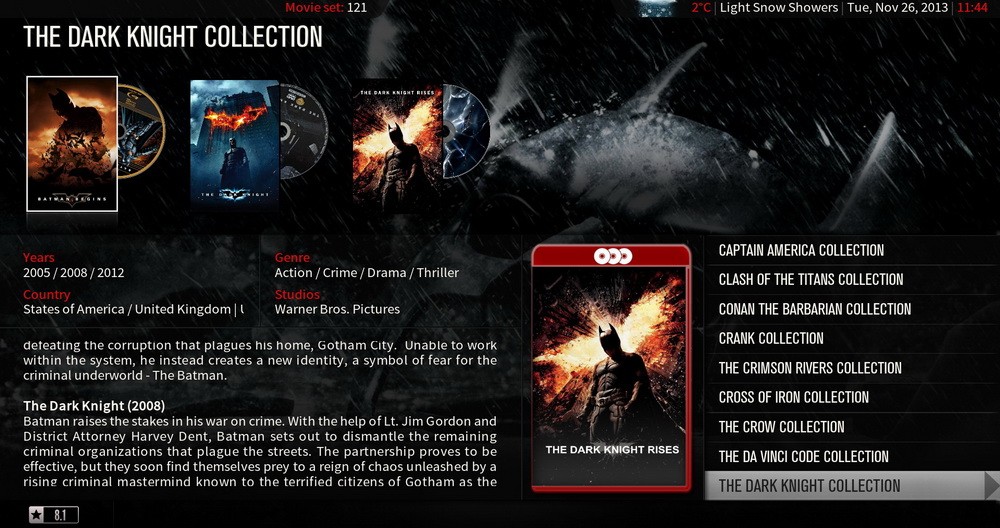
    And if you did it correctly, when you're done it should look something like this on TV

    5.JPG 6.jpg
    And when you want to upload videos tomenu will look like


    7.jpg

    iSettingE2-3.1.1
    The ChangeLog :


    * Fixed bug with downloading of settings Vhannibal .


    * Support modular plugin.
    Eliminating the modules are disabled options.
    Modules that can be removed :
    - Setting_Auth.pyX -> Enable authentication SettingMan .
    - Setting_Backup.pyX -> Enable the functionality of the rescue or recovery .
    - Setting_Proxy.pyX -> Enable Proxy Client functionality .
    - Setting_Lcn.pyX -> Enable the scanning functionality of the LCN .


    - Setting_Scan.pyX -> Linked to module " Setting_Lcn " - Enable the scanning functionality of DTT .
    - Setting_ScanSetup.pyX -> Enable the scanning functionality of DTT / SAT / CABLE .
    - / Conf / mips / LcnDr -> Linked to module " Setting_Lcn " - Enables the functionality of scan LCN .
    - / Conf/sh4/LcnQb -> Linked to module " Setting_Lcn " - Enables the functionality of scan LCN .
    - Setting_Selection.pyX -> Enable the function of the choice of Satellites .
    - Setting_Maintain.pyX -> Enable the capability of maintaining custom list ( favorites ) .
    - Setting_Dgtv.pyX -> Enable the function of maintaining the DTT / CABLE .


    * Resize Plugin below 2MB ;
    * Notification of updates to video ( MiniBox ) , without blocking user interaction ;
    * Integration Images ItalySat ;
    * Added check the ' invisible flag ' when creating the bouquet of channels Earthlings. This option works only on images that support it. ( eg SifTeam , ItalySat , OE -Alliance ... ) ;
    * Fixed the problem of maintaining the list of favorite channels via cable ( DVB-C) ;
    * Changed the method of identification of DVB- T, DVB -T2 and DVB-C ;
    * Fixed a problem that occurs sporadically in the creation of the Backup folder ;
    * Fixed the method of identification of ' Frontend ' during the scan LCN ;
    * Added a control code to the module LCN , during the acquisition of the transponder ;
    * Fixed the problem of blocking the functionality of the plugin , which appeared during the opening of the


    ChangeLog , after a new installation ;


    * Enabled the cursor functionality for fast moving UP / DOWN in the list;
    Always Thx Diamondear


    [ enigma2-plugin-extensions-isettinge2-3.1.1-oe1.6-mipsel.tar.gz (752.4 KB, 5 >> Download <<
    gz enigma2-plugin-extensions-isettinge2-3.1.1-oe2.0-mips32el.tar.gz (754.7 KB, >> Download <<
    Frar enigma2-plugin-extensions-isettinge2-3.1.1-oe1.6-mipsel.rar (751.5 KB, >> Download <<
    rar enigma2-plugin-extensions-isettinge2-3.1.1-oe2.0-mips32el.rar (753.6 KB, >> Download <<

    The latest news from wird kommen openATV 4.0 ....

    Wir arbeiten an einer neuen Version unsere Build Umgebung
    Schritt ist diese Wichtig für Kommende ARM Boxen und XBMC Basierte
    auch know Kommende mipsel Boxen auf Basis Kernel 3.10.x


    Was wird der User davon haben bzw. anders sein wird you an den Images.


    Für den User wird es nicht erst mal sehen zu viel Neues geben , da der Unterbau Komplett
    erneuert wurde , aber der muss sein User Image für den Umstieg auf 4.0 Komplett neu installieren .


    You bedeutet Kompletter Unterbau .


    Die openATV 3.0 Images werden mit gebaut Bitbake Version 1.15.1 und der OE- CORE Umgebung von März.2012
    diese Tools erstellen und die Images Kompilieren auch die ganzen libs , Programme die man im Image wieder findet .
    Mit der neuen Umgebung gehen wir auf die gleich Neust Version von und auch die Bitbake OE- Core surrounding areas .


    Das Bauen Unterliegt nun der neuen Qualitätssicherung und auch von Bitbake die neuen Funktionen Beschleunigen erstellen der das Images
    um 25 % was auch unseren Bau Server entlastet , er werden nicht weniger I Boxen .


    Hier eine kleine Übersicht der neuen Umgebung in Zahlen .


    Bitbake Version : 1.21.1
    OE- Core : ende November 2013
    Busybox 1.21.1
    eglib : 2.18
    gcc : 4.8.1
    über neue Tools 350
    Updates an über 1000 Bitebake recipes
    Die Liste libs tools und ist und kann riesig so gegeben werden wieder nichts
    auch die Change Logs commit logs und von oe -core Seiten sind div lang .


    The Fertigen Image kann man eine leichte Geschwindigkeit Verbesserung bemerken
    unsere so liegt bei Schätzung 5%.


    Ist das openpli 4.0:


    Nein openpli Build die Umgebung von unseren weicht ab
    openPli verwendet eine andere mit Umgebung Bitbake 1.19.1 und OE- Core von März 2013 .


    Wann wird kommen openATV :


    Im Bereich wird schon Beta kraftig getestet , durch die Menge der Boxen und wird es auch Images noch etwas dauern bis
    Images Public gehen die , das wir auch versuchen Exotische DM800HD wie die Boxen und die Azboxen werden können weiter gebaut ,
    noch nicht Aktuell you klappt .


    Wird es openATV 3.0 und 4.0 Parallel gegen .


    Wir versuchen am Anfang beide Images Parallel zu bauen , wenn das 4.0 Image zufrieden Funktioniert , werden die 3.0 Images eingestellt .


    Es wird ein Beta 4.0 Image vorab geben .


    Wenn wir die Probleme im Griff Groben haben kann mir Their vorstellen das wir den Beta Test Ausweiten , da wir nicht alle Boxen und haben diese nicht selber Testen da sind wir können dann auf die mit Hilfe der User den Boxen entsprechenden angewiesen .


    Da Their Aktuell zu 100% mit den openATV 4.0 Ausgelastet bin nicht wundern das nicht immer Their sofort auf ein Problem 3.0 Reagiere them .
    Their Arbeit am 4.0 in meiner Freizeit Kompletten .
    Also bitte hier schon mal Their um Geduld dass es bei einer Antwort manchmal etwas länger dauerte .


    Neues Images kommen auch für neue Boxen hier mal ne hen Übersicht


    Xtrend ET10000 , E2BMC , neue Gigablue Quad plus , MK- Digital E2BMC , Stratos Ultima E2BMC
    Songo 8800HD , Sesame Marvel Miraclebox mini HD Octagon 1.3 GHz , XP, 1000 Nachfolger , 7424 und weitere 7356 1.3 GHZ Boxen ...


    Captain und sein Team

    HOW PrismCube Picon Installation
    Configuration is in the file / usr / share / xbmc / addons / script.mbox / resources / channellogo / ChannelLogo.xml


    Pikony should be set according to the formula:


    <logo id= "192_7104"> tvp_polonia.png </ logo>
    where:

    Longitude is 192 - satellite position from the file list of channels, channel 7104 is sid
    tvp_polonia.png any name Picon in png format

    Example for TVP 1 HD giant list:


    <logo id= "130_15037"> tvp1_hd.png </ logo>

    HOW PrismCube softcam_0.1.21.zip Installation and Oscam Mgcamd1 Copy the file "plugin.program.softcam_0.1.21.zip" on the flash drive and insert it into the usb Prismcube
    2 Start xbmc and select system settings, plugins, install the zip file - select the removable device sdb1
    3 then go to programs, select plugin softcam and run: to choose mgcamd, or oscam
    4 At the end of the samba or filezilla (via ssh), configure your settings:


    - For oscam: / usr / local / tuxbox / config and / usr / local / etc
    - For mgcamd / var / keys

    Update_ruby_1.2.2

    Code
    [COLOR='DarkOrange']- Fixed minor channel list bugs- Fixed channel zapping bug- Fixed current channel number bug on live plate- Fixed EPG UI display to be updated immediately when starting a recording- Fixed "Send to PVR" in PVR manager- Fixed channel list to update satellite info immediately- Fixed focus issues on FTI window and Antenna Setup window- Fixed focus issues on main menu in media center- Fixed addon repository update notification bug- Added Multi-feed icon on live plate and timeshift plate- Added a dialog for recoverying broken DB- Added active standby and deep standby menu in main menu- Added "No Service" in channel status- Deleted 1 pixel dot at top left corner of OSD- Updated German, French, Czech and Slovak translation- Updated Prismcube addons- Fixed sort button not to available in favorite group- Fixed move menu only available in "All channel" mode and favorite group- Fixed channel list to display only tunable sub channels in recording- Fixed multiple left key input issue on timeshift- Fixed play icon bug on timeshift- Fixed recording bug on standby mode- Added Fast Scan icon- Added move and delete menu in Fast Scan group- Fixed bug on timer record when active standby state.- Fixed Latin character display on front VFD [/COLOR]


    >> Download <<

    HOW-PrismCube Media Library in xbmc by webkurier


    To add a description , and download the appropriate images to a library of movies we have to strictly follow the standards of the xbmc


    All video files should be placed in the root directory called Movies
    Allowed files are placed together , or in separate subdirectories.


    Names must be entered in the original language as follows: Title ( year ) . Extension , eg


    Code
    [COLOR='Magenta']Avatar ( 2009) . Mkv
    If the movie is made up of several parts, each file add members cd- numerczęści the year of production , eg
    [/COLOR]


    Code
    [COLOR='Magenta']vatar (2009 ) - cd1.avi
    Avatar ( 2009) - cd2.avi
    If you want to put all the parts in a subdirectory , then place them in a directory called Avatar ( 2009)
    [/COLOR]


    Code
    [COLOR='Magenta']tus - cd1.avi
    tus - cd2.avi
    Image of DVD movie should be named Avatar (2009 ), and it VIDEO_TS.IFO file[/COLOR]


    Do the same with serials . The default root directory should be named TV Shows


    In this place the sub- directory with the name of the series such as Breaking Bad . In the sections and insert the formula Nazwa.sezon.epizod :
    Quote :
    Breaking bad.s01.e02.mkv

    WiCard 1.16 celerity


    + Core Support receivers based STiH237 (Cardiff) PTI5
    * Core SH4 bug Unaligned userspace access
    * STAPI fix decoding PiP, if the same ECM PID
    + Core Support receivers PrismCube
    + Core Support DRE4/Exset
    * Core rewritten implementation of the queue reader is vastly improved performance
    * Reader corrected algorithm query latency ecm_delay
    * Balancer same requests sent to the queue reader, in which the request is first received
    * Balancer corrected balancing algorithm takes into account only the number of unique requests in the queue reader
    + Reader added undecoded query cache
    + Filter added condition privdata (DVB private data)
    * Emucworks fixes in support of nano 8060
    - Options ecm_queue_size, pending_ecm_cache_size, emm_process_delay not used

    wicardd-1.16_celerity.rar >> Download <<

    WiCard 1.16 celerity


    + Core Support receivers based STiH237 (Cardiff) PTI5
    * Core SH4 bug Unaligned userspace access
    * STAPI fix decoding PiP, if the same ECM PID
    + Core Support receivers PrismCube
    + Core Support DRE4/Exset
    * Core rewritten implementation of the queue reader is vastly improved performance
    * Reader corrected algorithm query latency ecm_delay
    * Balancer same requests sent to the queue reader, in which the request is first received
    * Balancer corrected balancing algorithm takes into account only the number of unique requests in the queue reader
    + Reader added undecoded query cache
    + Filter added condition privdata (DVB private data)
    * Emucworks fixes in support of nano 8060
    - Options ecm_queue_size, pending_ecm_cache_size, emm_process_delay not used

    [COLOR='Deep***Blue']wicardd-1.16_celerity.rar >> Download << [/COLOR]

    Black Hole Prism 1.2.1B


    What is new ?


    Added uldr.bin.uartboot
    Added OpenVpn
    Added Services Panel
    Added Standby option in Shutdown Menu
    Added NFS connection panel


    The Black Hole Nfs panel allows you to connect your PrismCube to your Nas or your Vu+ boxes very easily. The new mount point will be immediately available in all Xbmc resouces menus: pictures, video, music, programs and system.
    You can also stream tv channels from your Vu+ box via Nfs connections.
    Of course your Vu+ box will need to have the Black Hole image installed and the Nfs server and Tuner Server features active.


    Here is a little tutorial to explain how to connect a Nas or a Vu+ box via Nfs with the New Black Hole Prism 1.2.1B.


    1) 1st make sure that your Nas is active, using the Nfs protocol and that your Vu+ box with Black Hole image has the Nfs Server feature (blue -> blue -> Nfs server) active.


    2) Install the new Black Hole Prism 1.2.1B image in your PrismCube and go into the new panel menu -> Black Hole -> Bh Nfs Mount


    >> Download <<

    How to create your own media library in xbmc Prismcube by webkurier


    1 We create the / mnt/hdd0/media various folders named Movies , TV Shows , Music , Concerts , Music and uploading stuff your media files such as videos to your collection of movies with subtitles , the music your empetrójki . Are allowed, for example, sub- title album


    2 Then select xbmc , go to the section Videos , Files , removable devices (media ) and mark our new directory is created videos .


    3 Press info on the remote control and select Define content . For kaalogu DVD set Movies , Music set to music , for music videos - music videos , etc.


    4 If you installed gap1.2 , in the right-hand side you should see scrabbery , ie plugins that draw their descriptive content of the database. If you're not curious , you have to install them.


    5 The end result :