


When I upload a file, I usually put a description of what it does or what it is for. Most of the files I find have something describing the function. You won't find full instructions on how to use these files, because mostly they are self explanatory. Once you get used to using E2 receivers, then using the addons will become second nature. I don't think that many people would read the instructions on how to use a file for your PC you have downloaded, because in using the PC over time, it becomes second nature. Best thing to do, is take your time, appreciate that you won't learn everything straight away, and try things out. What is the worst that can happen?:haha:
Posts by musogeek
-
-
flines follow the following format
F: <username> <password> <uphops> <shareemus> <allowemm> ( { caid:id(:downhops), caid:id(:downhops), ... } { caid:id:sid, caid:id:sid, ... } { begintime-endtime, ... } ) hostname/ip address
to block out a channel you can do this on the fline simple enough.
CodeF: username password 2 0 0 { 0:0:2 } { 0963:000000:[COLOR='#FF0000']C5CB[/COLOR], 0963:000000:[COLOR='#FF0000']C7A9[/COLOR] }The above would block out boxnation and premier sports, and the format above would be used for an external share, however the same principle can be applied for internal shares. The red coloured hex codes above refer to the channels you are blocking (sid) - which is preceded by the caid:id
the same technique can be applied to any channel you like, just change the sid, (coloured red)
Of course you can get more help about creating flines here.
internal share
http://linuxsat-support.com/ca…cam-basic-guide-only.html
basic
http://linuxsat-support.com/ca…nes-clines-beginners.html
advanced
http://linuxsat-support.com/ca…e-advanced-step-step.html -
Yes it is possible. I would like to help, but firstly could you please explain in what situation and context are you wanting or needing to apply these restrictions?
-
Can you advise a bit more about your setup? Is this on a receiver using the card slot, or on a server using a smargo for example? the card you are using? - I know you have posted before about gigablue and TnK card but just want to make sure. I have had a similar message with a triple smargo on an oscam debian server. Have you tried a different version?
-
the files i got from the dude who provides me services, gave me newcamd.list + mg_cfg to put in the var/keys and there are similar files in usr/keys..
which file do i amend, var/keys or usr/keys?
ta
'The dude who provides you services' what do you mean by this? Do you have your own local subscription card? I ask this because you mention you are cardsharing, so just not sure if you are sharing a card, or if you have a 'provider' - which as far as I am concerned are two different things. -
hi - moved your post to another thread because not entirely the same issue - anyway, recently someone else had a similar issue and it was to do with the reader entry for the card in oscam.server
have a read of this thread see if you can relate it to your issue;
-
yep my bad - i misread that - I was talking about the config file but rossi was referring to the binary!
-
Not sure about where the CCcam.cfg should be on your receiver/image, common places are /var/etc, or /etc, but could be somewhere else - but two things - the filename is case sensitive so needs to be 'CCcam.cfg' - note the two capital C's and the rest are lower case - also the attributes need to be right as just pointed out - however, my CCcam config on my receiver is 644 - which gives owner read and write access and group and others write access and works fine, but any created file would default to 644 anyway from what I can see, so I doubt your issue is to do with attributes.
also when rikjaard talks of the web interface, he means can you access the CCcam info, and get an idea if it is running or not. The CCcam info page can be accessed by default on port 16001 - so if you type in the IP of your receiver and the 16001 in a web browser on a PC in the same netowrk as your receiver, you should be able to access it, so long as this isn't disabled or amended in your CCcam.cfg - example
Replace the 192.168.0.100 with the ip of your receiver. If CCcam is working, then you should be able to access this.
Might help if you post your CCcam.cfg here (editing any sensitive stuff such as boxkeys, ports and clines etc)
-
Don't know about everyone else, but I would just download it, whack it on my Vu+ and use it to watch a bit of telly. I might spend about 5 minutes admiring how nice it is, but all I really care about is if it works and if it is stable. Of course I am grateful that people in the know and with the time, create and test all of this out, and any hype they stir up is down to them, but at the end of the day, I will wait until it is released, and then I might try it out. I might like it, and if I do, I might stick with it. Thats all. When you think about it though, the genius of the way it is being hyped up cannot be denied, just take this thread for instance, it is still active, and there has been some strong debating on it. I am more concerned about when the latest ViX will be here. But that is just me...
-
or just install older version and update from the panel
Might seem a silly suggestion on the face of it, but I have done this several times, after reflashing an image, I have used the one I already downloaded before, installed it and then updated with TS Panel.
But to be honest it is probably quicker to download the latest version and install this, unless you already have an older one installed:still_dreaming:
-
Remember - Oscam is just your card reader - if the scripts and configs that Ten Below posted are working, then you only need to worry about CCcam on the server, speaking to CCcam on the client. You don't need to do anything more with Oscam.
-
in your CCcam.cfg in debian server you need to create an fline, and you should also define the server listen port if it isn't already.
change the listen port to something other than 12000 if you intend to share outside your own network, might as well do it now rather than later.
the fline can be as follows
On the client (receiver) CCcam.cfg you need to use a cline that corresponds with 4 things - the internal IP address of your server (which should be static), the listen port of the server (as noted above) the username and password- for example
change the above to match your own server ip, listen port and fline.
-
you were missing something! - the download link is on that thread - you just need to look beyond the latest posts, as this thread includes update announcements.
But to make it easier for you... Link to TSpanel 4.9
TSpanel 4.9updates:
-fixed crash with opepli
-added transponder edit to satellite manager and improve satellite.xml update
-added more options to control the screenshots in screengrabberinstallation:
from update button from previous versionssend ipk file to tmp and by telnet
restart enigma
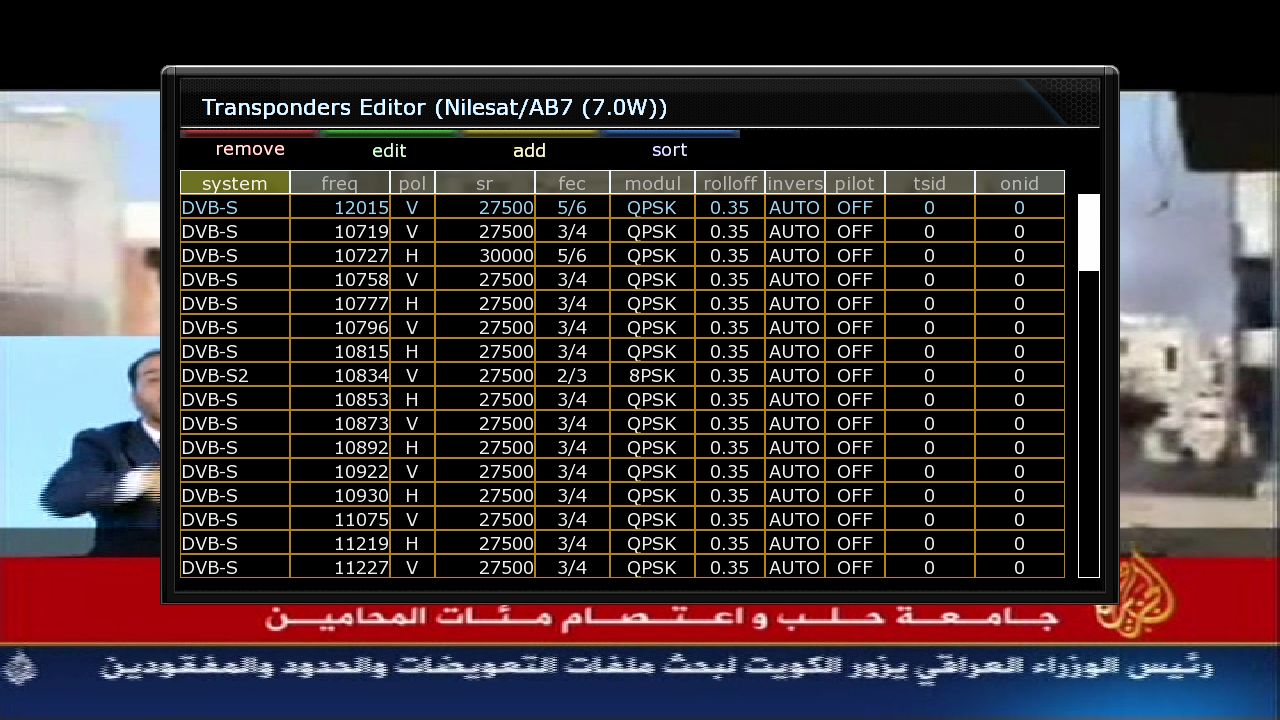


-
-
Display More
No problem mate your welcome!! to be perfectly ohnest tho i have have completely scrapped what i was using recently and i am now building my own personal ecm whitelist for the specific package that i have and currently/atm using only 10 ecm legnths for my package at present and a i have full sly/uk/eire...
I will now only add what ecm length i have too if and when i have for instance ppv etc and then remove it!!! Although that ecm whitelist will work that i posted its well worth looking into designing your own.
Ecm whitelists will differ for everyone depending what package and added extras(tiers) you have,and including ecm lengths on reshare cards if you do that is completely pointless too as you will obviously have no controll of this reshared card...
romman
If you are looking to build your own lists like romman, then there is a guide on how to do this - it is fairly simple.
-
I think you understand the pros and cons already, and yes you would be needing more shares if you ran CCcam on the server. I am assuming that at the moment you are using Oscam as the server, and you are sharing your card with Oscam and your shares go straight in the receiver? An advantage would be for your peers, as you will be able to share more with them. There are many ways you can have this set up, but so long as you understand the pros and cons of each, then you can make your own mind up! I live with losing the hop because it means I can mess with my receivers without shutting off my server, but I miss that hop and it is always tempting to go back to how I had it. The choice is yours!
-
Yes and to add Martin, I know you have been a member for a few months now, but like most forums it is courteous to post a quick introduction before you begin your journey in taking part.....
Have fun and I hope you find what you need!
-
I just flashed TeamRed on my receiver to try to help out! glad you fixed it already though, I will keep the image on for a couple of days so if you have any more issues let me know while I am in a good position to have a look for you...
-
All the channel lists are here.
E2 Channel Lists -
Might be an idea to change httpport to something other than 8888 and set a strong username and password. 8888 is the most common webif port and would be one of the first things someone would try if trying to access your server.



