But after you have done the pain in the a..... work and typed in your epg url. The sources are cerated in epgimport folder??
kari hejsan på dej også :)


But after you have done the pain in the a..... work and typed in your epg url. The sources are cerated in epgimport folder??
kari hejsan på dej også :)
That was a strange issue I never have stumble on in any of my many many testings.
Then the short answer is no you have to type it in. But have you checked that there is no epg source in folder /etc/epgimport
Source have the jmx prefix pluss your provider in xml format. There are 2, One for source and one for channels
There is no url info at all but you can see the box and type into it?
Maybe explain abit better and allways nice to now what box and image you are using.
Is the line for EPG showing but hold no information?
Do you get a separate epg source line from your provider?
Do Jedi create any source for you in folder /etc/epgimport ?
msatter Can I suggest that you change your settings for location of your epg.db
It's strongly not recommended to store the epg.db on an external storage device and special not the sd card on older Dreamboxes like yours.
You have plenty of space in the flash and /data folder to store the epg.db.
Move it to /etc/enigma2 and check if your problem improves.
And there is no reason to allways reset the epg.db before you run your epg update. This is only needed if you have corruped epg data.
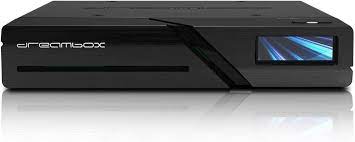
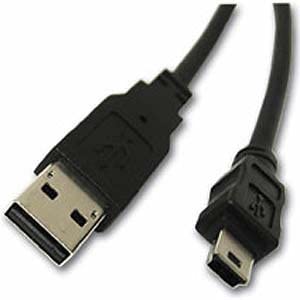
Should not but you should use the service cable that is shipped with your Dreambox
Follow the instructions in post nr 1 of this thread
msatter If you got a crash sending Enigma2 into a restart you have proper crashlog in your folder /media/hdd/
Also logging in a DreamOS image is also done with journalctl and not the old style suggested here.
I have to dig into the Peter pan archive but i think we have some old Enigma 1 images
Try another skin on your Dreambox One to see if you get the same problem?
Seems like there is an problem with Zombie Flat skin.
I have tested the plugin with My Dreambox One and Peter Pan Image and all seems OK
If you get a crash then you have a crashlog in folder /media/hdd
It's very helpfull if you also post that log
Here is the Swedish translation :)
I just named as the pot file. And also left the .po file in case some one else when the skin is released want to change something for the Norwegian language. So you should provide both the .mo and .po
--- no
-------- LC_MESSAGES
----------------------oZsetup.mo
no = Norwegian
I will send you the Swedish translation later tonight
sv = Swedish
--- sv
-------- LC_MESSAGES
----------------------oZsetup.mo
Here is the Norwegian Translation :)
Then it should work. Maybe abu baniaz can give some better information how to activate fcc on ATV Images
When you open the box you might have loosen the Tuner so check that is correct in it's slot
Also check that the lcd has not come loose if you removed the front of the box
If you have HDD inside remove it
Firm redlight = HW Error
In the regular settings. Before you just hade to enter a city name and press yellow button and the plugin found the weather code for you
Now you have to enter all the information manual
Open Plugin and press Menu button to open your settings.
Plugin is slowley dying due to the fact that the api used is not maintained any longer.
Actually according to Microsoft they stopped maintain the api back in 2016
You can still get some weather info if you enter all the codes manual.
But again it does not work for all
Codes can be found here: https://weather.codes/
Important is to enter it correct.
City name, Country
wc:Code
Example:
Karlstad, Sweden
wc:SWXX0060
Totally agree.. Jedi is probably used by 99% of all users as a clean Live bouquets maker
And as many before me has written.
For series and vod I go to Xstreamity for the comfort use.
And All Live TV I watch from boquets made with Jedi.