


..:: WebCamE2PrenjSF ::..
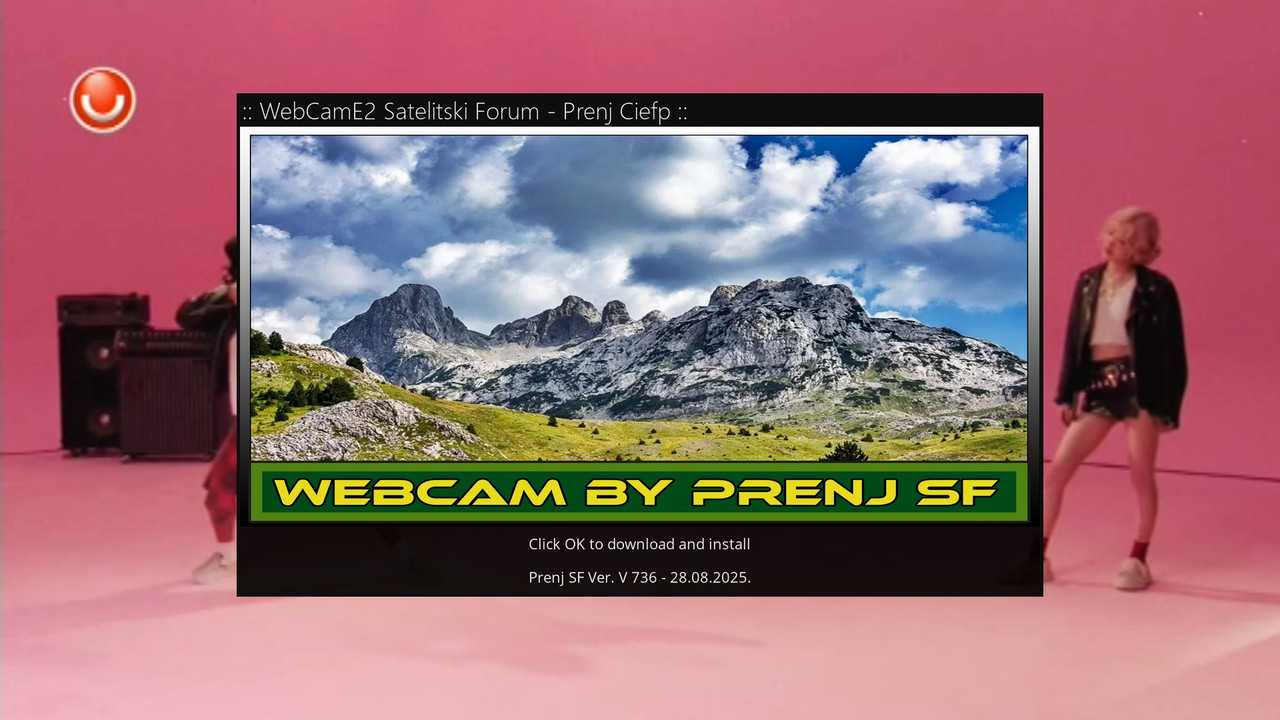
WebCamE2PrenjSF is a simple Enigma2 plugin that allows quick download
and installation of the latest userbouquet with webcams directly from the GitHub repository.
- Automatically checks the bouquet version and downloads the latest one if there is a newer one than the installed one.
- The installed bouquet is stored in /etc/enigma2/ and registered in bouquets.tv.
- After installation, it offers an option to automatically reload the channel list.
- It is very easy to use – run the plugin and press OK.
The plugin is intended for everyone who wants to always have an updated list of webcams
on their Enigma2 receiver without manually copying files.
The plugin was made with the joint efforts of Prenj and Ciefp Satellite Forum ( SF )
..:: CiefpSettings ::..


-
Version 1.1
- ciefp
- 10.56 kB
- 41 Downloads
...:: WebCamE2PrenjSF v1.1 ::...
📦 What's new in version 1.1
🎥 WebCam Player
WebCam mode - automatic switching between cameras with adjustable time (15-90 seconds)
Mini Skin - elegant display of current and next camera at the bottom of the screen
Single play - playing a single camera
Playlist mode - playing all cameras in a row
Play from here - playing from a selected camera
📺 Support for various formats
m3u8 streams - direct play (HLS)
YouTube links - via yt-dlp extraction (YT-DLP:// format)
Support for 4097, 5001, 5002 servicetype
⚙️ Settings
Video Quality - Best, 4K, Full HD, HD Ready
Mini Skin Opacity - 0% to 100% transparency
Media Player Type - GStreamer, DVB Player, Exteplayer3, MoviePlayer
Webcam Auto-Switch Timeout - 15 to 90 seconds
🔍 Log Viewer
Broken Links Log - view all broken links
Scrolling - arrows to navigate through the log
Clear log - green button to clear
Automatic logging of all broken links (m3u8 and YouTube)
📁 Interface improvements
Better menu with markers and cameras
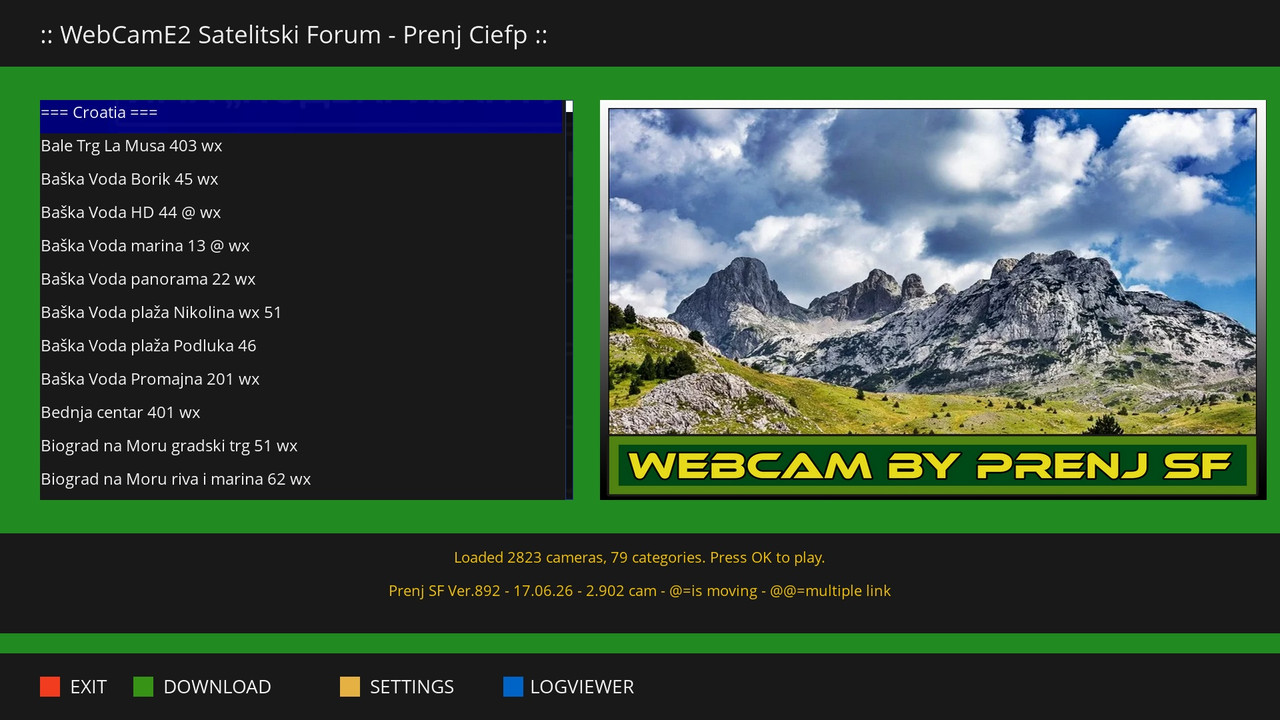
Show bouquet version in the main window
Logo support
🛠️ Technical features
Enigma2 Plugin - compatible with all Enigma2 devices
Python3 support - works on all versions
JSON settings - easy configuration
Threading - does not block the UI during loading
eTimer - precise time for auto-switch
📋 Usage
DOWNLOAD - downloads and installs the latest bouquet from GitHub
SETTINGS - adjust quality, player and timeout
LOGVIEWER - view broken links
OK - select camera and playback mode
Version 1.0 → only download lists from GitHub
Version 1.1 → complete WebCam player with all functionalities
📋 System requirements
Minimum requirements
Enigma2 based receiver (OpenPLi, OpenATV, OpenVision, VTi, etc.)
Python 2.7 or Python 3.x
RAM: Minimum 128 MB (256 MB recommended)
Free space: ~10 MB for plugin and dependencies
Recommended requirements
RAM: 512 MB or more (for large playlists of 2800+ cameras)
Processor: 600 MHz or faster (for faster loading and yt-dlp processing)
Internal memory: 50 MB free space
📦 Dependencies
Dependencies Description
Python 3.x (built-in to Enigma2)
enigma2 Core framework (built-in)
json For settings (built-in)
subprocess For running external tools (built-in)
threading For background operations (built-in)
urllib/urllib2 For downloading from GitHub (built-in)
Optional dependencies (needed for YouTube support)
Dependency Version Description
yt-dlp 2023.11.16 or later For extracting YouTube streams
ffmpeg 4.0 or later For processing video/audio streams
Installing optional dependencies
bash
# Via opkg (OpenATV, OpenPLi, etc.)
opkg update
opkg install yt-dlp ffmpeg
# Or manually via pip
pip install yt-dlp
# Verify installation
yt-dlp --version
ffmpeg -version
NOTE: Without yt-dlp and ffmpeg, YouTube links WILL NOT work. m3u8 streams work without them.
📡 Supported stream formats
Format Support Note
m3u8 (HLS) ✅ Full Direct play via Enigma2 player
YouTube ✅ Full Requires yt-dlp
RTMP ⚠️ Partial Depends on player
MP4 ✅ Full Direct play
TS ✅ Full Direct play
🎮 Supported players
Player Servicetype Support Note
GStreamer 4097 ✅ Full Recommended
DVB Player 5002 ✅ Full Original Enigma2 player
Exteplayer3 5001 ✅ Full Requires ServiceApp
MoviePlayer 4097 ✅ Full Single play only
📊 Performance
Scenario Loading time RAM usage
Small bouquet (< 50 cameras) < 1 second ~20 MB
Medium bouquet (50-500 cameras) 1-3 seconds ~30 MB
Large bouquet (> 500 cameras) 3-10 seconds ~50 MB
YouTube extraction 5-30 seconds ~30 MB (temporary)
Auto-switch < 1 second Minimum
🔧 Recommended settings
For best performance:
Video Quality: 720p or 1080p (depending on device power)
Mini Skin Opacity: 30-50% (for better visibility)
Media Player Type: 4097 (GStreamer)
Webcam Timeout: 20-30 seconds
For older/weaker devices:
Video Quality: 720p
Mini Skin Opacity: 0% (completely transparent)
Media Player Type: 5002 (DVB Player)
Webcam Timeout: 30+ seconds
..:: CiefpSettings ::..
-
Version 1.0.0
- ciefp
- 2.13 kB
- 155 Downloads
