


..:: CiefpOpenDirectories ::..
is an Enigma2 plugin for browsing open directories (Open Directories) on the web.
### Enables: ####
Loading URLs from the opendirectories.txt file.
Folder navigation and media file selection (video: MP4, MKV, AVI, TS; audio: MP3, FLAC).
Creating M3U playlists for Media Player.
Generating Enigma2 userbouquets with correct SERVICE types (4097:0:1 for video, 4097:0:2 for audio with radio poster).
HTTPS/HTTP support, timeout protection and automatic bouquet reloading.
Ideal for quickly creating IPTV mixes from open dir content. Version 1.0 – simple, fast and reliable! 🚀2.2sFastHow can Grok help?
### How to use ###
- Run the plugin, select an address
- Green button or OK navigation through folders
- navigation up and down with arrows
- selecting a file with ok
- yellow button creating an m3u or userbouquet file
- blue button selecting all files from a folder
From one address it is possible to combine multiple folders
into one final m3u or userbouquet file
when you finish adding files
yellow button to create an m3u or userbouquet file
by clicking on the yellow button a virtual keyboard appears
here you have the option to change the name or
if you want to leave the generated file name
by clicking on the green button the selected file is created
m3u files are saved in /tmp/CiefpOpenDirectories
userbuket are installed in etc/enigma2 no restart is required
..:: CiefpSettings ::..

-
Version 1.2
- ciefp
- 6.51 kB
- 61 Downloads
# CiefpOpenDirectories v1.2
**Open Directories Browser & Playlist Creator**
*Enigma2 Plugin – Browse, Scrape & Generate M3U/Bouquet*
## Description
**CiefpOpenDirectories** is a powerful Enigma2 plugin for:
- **Browsing Open Directory** servers (HTTP-based file listings)
- **Recursive scraping** to user-defined depth
- **Selecting files and folders**
- **Creating M3U playlists** or **Enigma2 bouquets**
> Perfect for IPTV, movies, series, music – all from public open directories!
---
## What's New in v1.2 (vs v1.1)
| Feature | Description |
|--------|-------------|
| **Larger UI** | 1800x800 – modern, spacious layout |
| **4 Color Buttons** | Red (Exit), Green (Add URL), Yellow (Settings), Blue (Scrape) |
| **Settings Panel** | Default name, date/time, scrape depth, file filter |
| **Scrape Screen** | Progress bar, current folder, stats, depth info |
| **ContentScreen** | Fast, stable, recursive folder selection |
| **Create Screen** | Edit name, OK/Blue = Create |
| **Auto-Update** | With backup of `opendirectories.txt` |
| **Config File** | `/etc/enigma2/ciefp_opendirectories.cfg` |
---
## How to Use
### 1. **Main Menu**
| Button | Action |
|-------|--------|
| **OK** | Open selected directory |
| **Red** | Exit plugin |
| **Green** | Add URL (Virtual Keyboard) |
| **Yellow** | Settings |
| **Blue** | **Scrape** (auto-scan) |
---
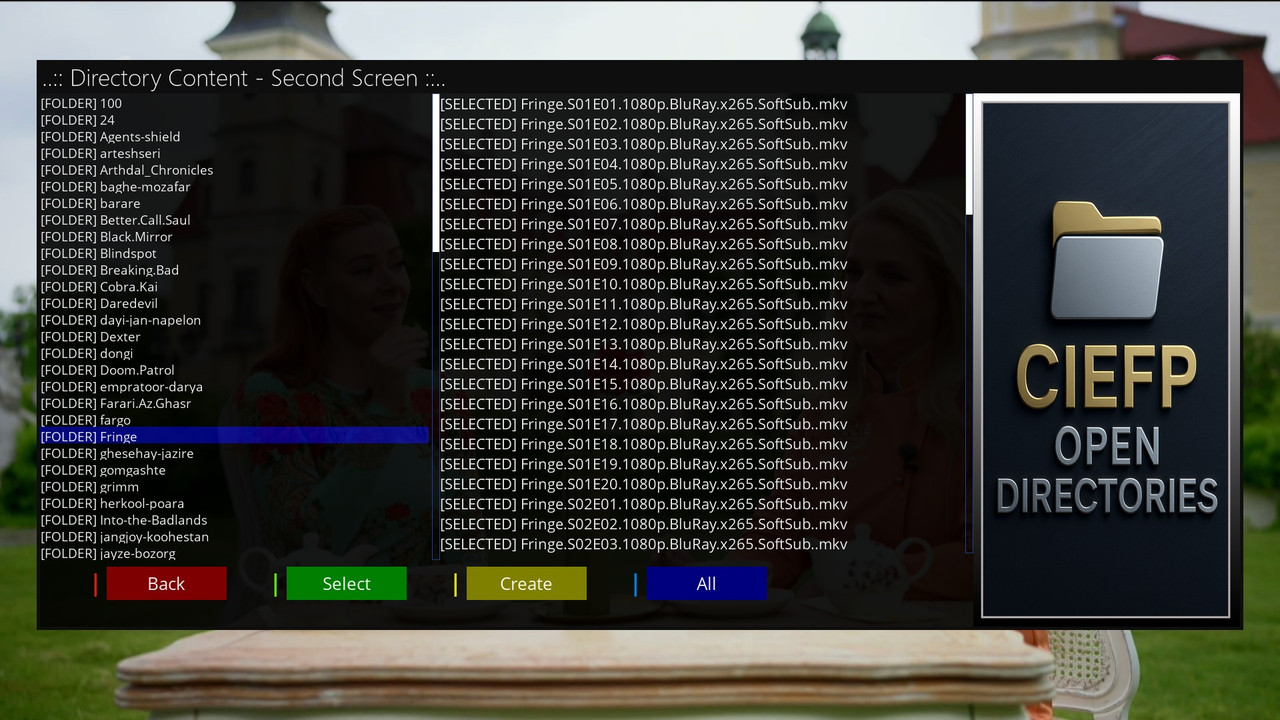
### 2. **Directory Browser (ContentScreen)**
| Button | Action |
|-------|--------|
| **OK** | Enter folder / select file |
| **Red** | Go back |
| **Green** | Select **entire folder** (recursive) |
| **Yellow** | **Create** M3U/Bouquet |
| **Blue** | Select **all files** in current folder |
> Selected files appear in the right column `[SELECTED]`
---
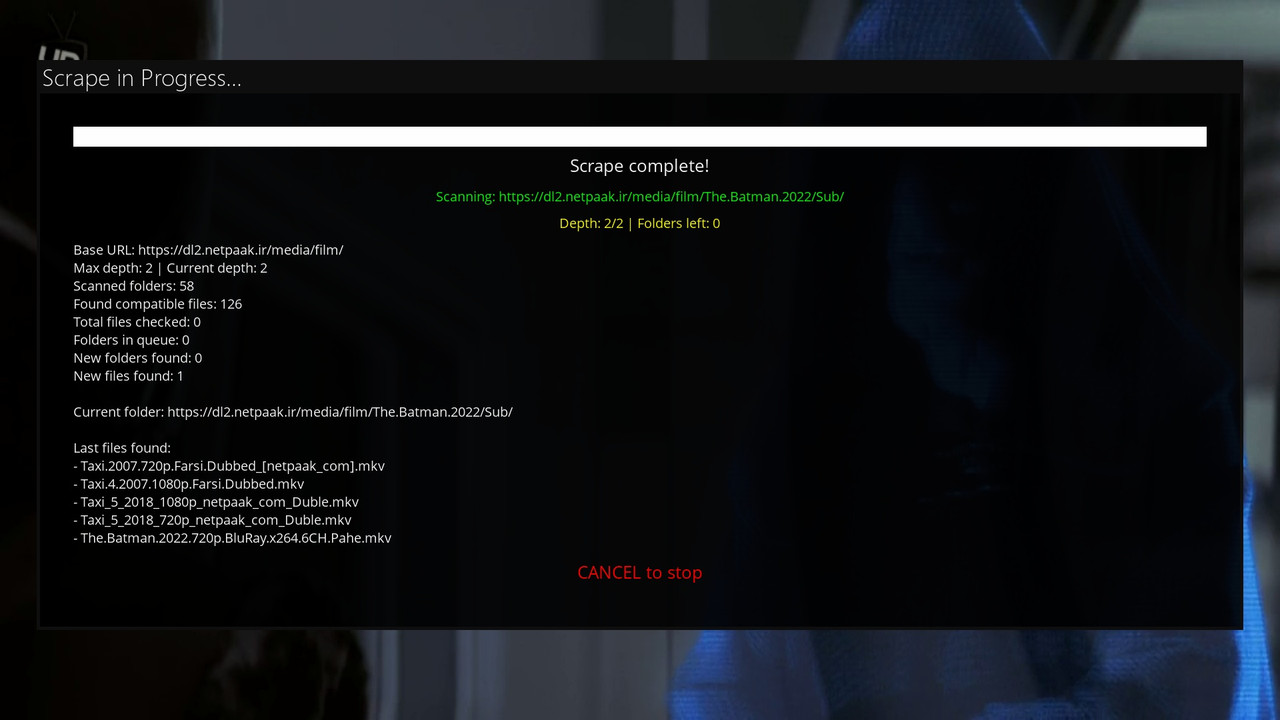
### 3. **Scrape Screen**
- Displays:
- Current folder
- Depth level
- Found files
- Progress bar
- **CANCEL** → stop scan
- At the end → **"Create playlist?"**
---
### 4. **Create Playlist**
| Button | Action |
|-------|--------|
| **OK / Blue** | Choose M3U or Bouquet |
| **Green** | **Edit name** |
| **Red** | Cancel |
---
## Files & Locations
| File | Location | Purpose |
|------|----------|--------|
| `plugin.py` | `/usr/lib/enigma2/python/Plugins/Extensions/CiefpOpenDirectories/` | Main code |
| `plugin.png` | same | Menu icon |
| `background.png` | same | Background image |
| `settings.png` | same | (optional) |
| `opendirectories.txt` | same | URL list |
| `*.m3u` | `/tmp/CiefpOpenDirectories/` | Generated M3U files |
| `userbouquet.*.tv` | `/etc/enigma2/` | Generated bouquets |
| `ciefp_opendirectories.cfg` | `/etc/enigma2/` | Settings |
---
## Installation
```bash
# 1. Copy folder to:
scp -r CiefpOpenDirectories/ root@box:/usr/lib/enigma2/python/Plugins/Extensions/
# 2. Add icons:
# plugin.png, background.png, settings.png (optional)
# 3. Restart Enigma2
reboot
..:: CiefpSettings ::..
-
Version 1.1
- ciefp
- 5.38 kB
- 11 Downloads
..:: CiefpOpenDirectories v1.1 ::..
- Added automatic version check and upgrade
- improved page parsing
- green button selection of the entire folder and its subfolders
- to navigate through folders you can use the OK button on the remote
- blue button does not change the function and still selects all files within the folder
- improved creation of bouquet names
By pressing the yellow button create, a virtual keyboard opens.
IPTV OPD I predefine the name, the ability to add or change the name.
When creating, the date and time are also automatically added.
Possible folder selection automatically selects all files in that folder.
For example, if you select a folder from the Fringe series,
all subfolders of the season and all files will be automatically selected.
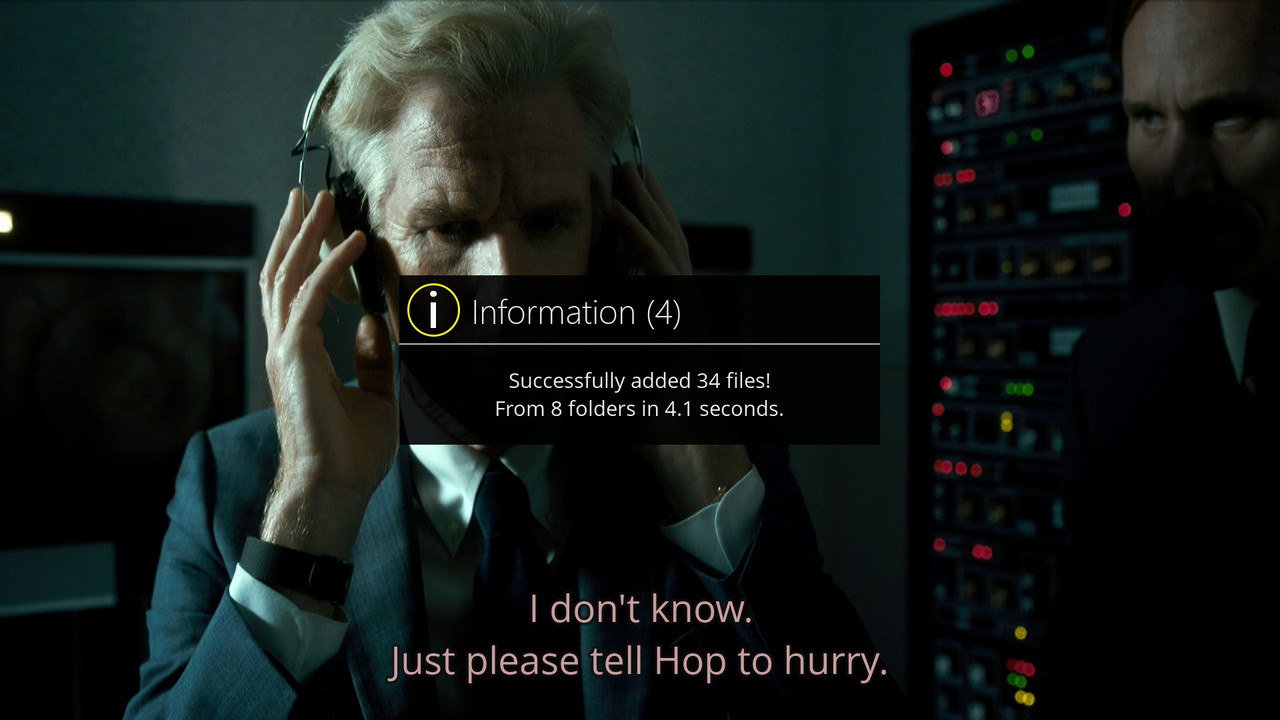
After the folder is parsed, the status is displayed,
how many files were parsed from how many folders and the parsing time.
..:: CiefpSettings ::..
-
Version 1.0
- ciefp
- 3.58 kB
- 23 Downloads
