


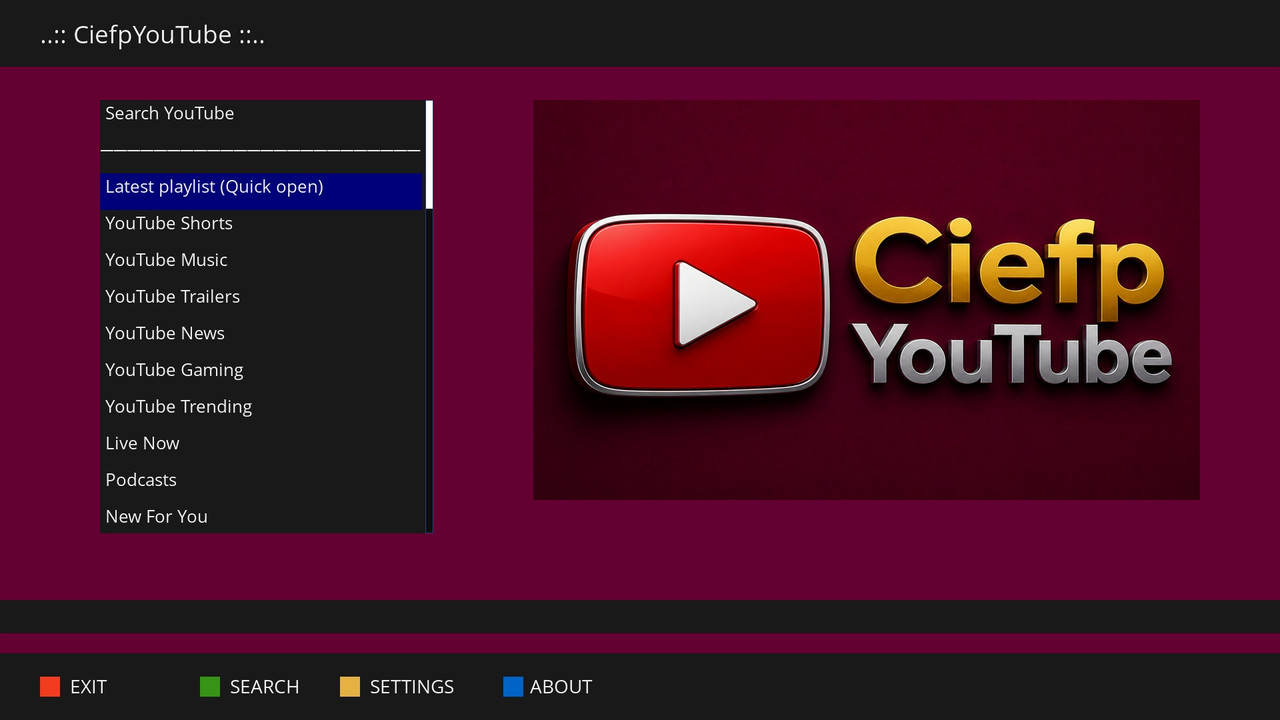
🎵 CiefpYouTube v1.0 – YouTube Jukebox Player
CiefpYouTube is an advanced Enigma2 plugin created to elevate YouTube music and video streaming to a true,
automated jukebox experience. Unlike heavy and slow players, this plugin is maximally optimized for fast response,
stability and uninterrupted multimedia enjoyment without the need for constant use of the remote control.
🚀 Main Features
Automatic Jukebox Switching: Play the entire playlist in a row!
The plugin uses an intelligent stream length tracking system (customized for exteplayer3 / Service 5002)
which switches to the next song in a second when the previous one ends.
Local Playlist History (Smart Cache):
Every time you open a channel or search, the plugin silently caches the video list in the local memory of the receiver in the background.
The next time you want to listen to the same list, it opens instantly and without any waiting, dramatically reducing startup time.
Dynamic ChoiceBox Manager:
By selecting the last playlist option, the plugin recognizes all saved channels on your receiver
and offers you an elegant window for selecting previously saved mixes.
Custom Mini-Skin:
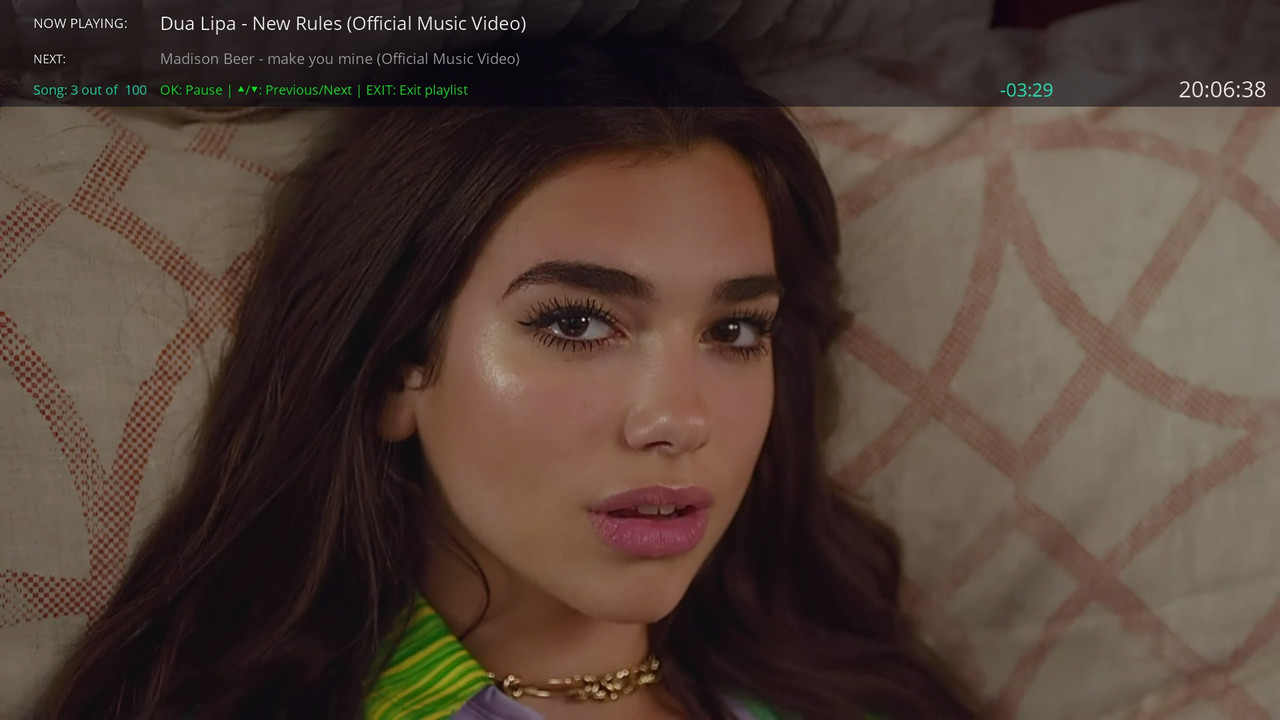
During playback of the entire list, a discreet, semi-transparent top panel (Mini Skin) rises on the screen
which clearly shows you at all times what is currently playing, what is next and the status of the current position in the list.
Smart file system filtering:
The code is fully crash-proof – it automatically cleans channel names of emojis,
special characters and long URL links when saving to the receiver's disk.
🛠️ How to use it?
Loading and creating a list: Choose one of the predefined music categories,
start a search or enter your favorite YouTube channel. Wait a few seconds for yt-dlp to pull a list of 30 videos in the background.
Selecting playback mode:
When you click OK on any video in the list, a menu with two options will open:
Play only this video – Classic playback of a single file.
Run the entire playlist in a row (Mini Skin) – Starts a continuous Jukebox mode from that position to the end of the list.
Quick launch of saved mixes:
The next time you run the plugin, simply select the "Latest playlist" item:
If you only have one saved playlist, it will load in a split second.
If you have multiple saved channels, a window will open where you can choose which exact saved mix you want to listen to.
Controls during playback (Mini Skin):
OK – Pause / Resume the video.
▲ (Up) / ▼ (Down) – Manually switch to the previous or next song in the list.
EXIT – Stop playback and return to the plugin's main menu.
Tested:
OpenAtv 7.6
OpenPLi Scarthgap
Pure2 7.6
...:: CiefpSettings ::...


-
Version 1.8
- ciefp
- 21.62 kB
- 43 Downloads
🎉 CiefpYouTube v1.8 - Final Release
📋 Version Description
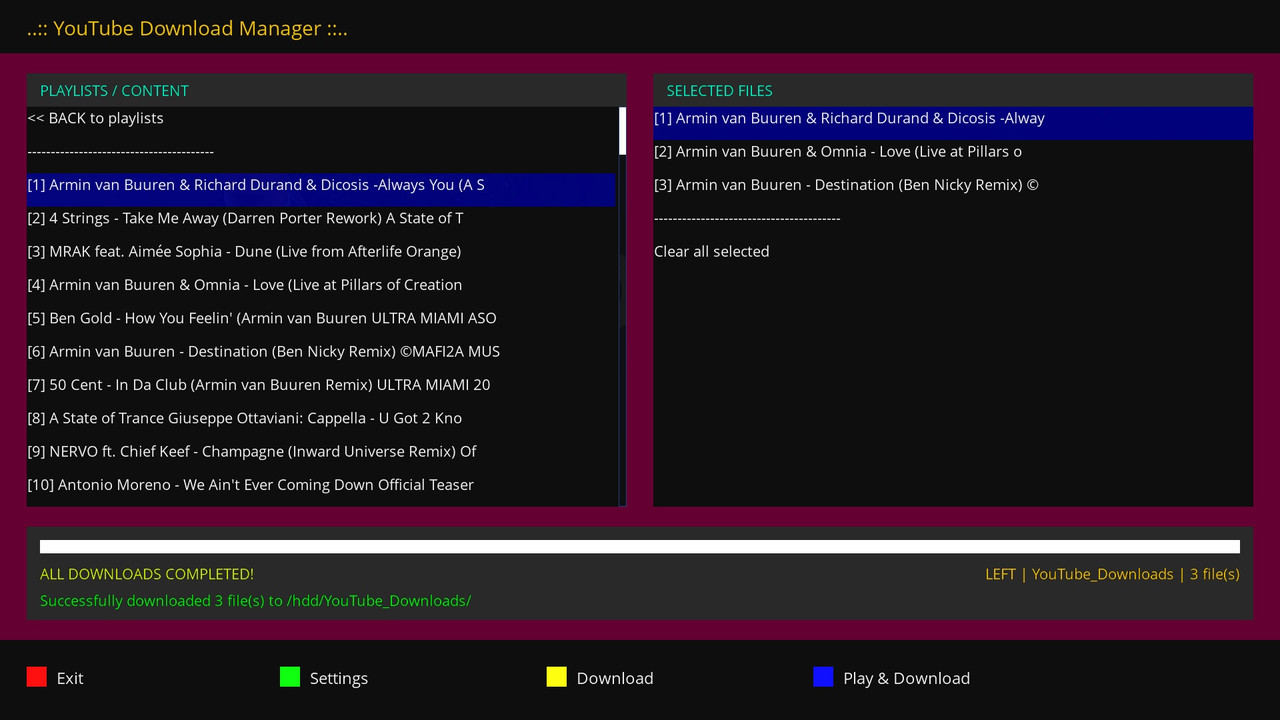
CiefpYouTube v1.8 is a fully functional YouTube video browser and download manager for Enigma2 devices.
This version brings a stable and fully integrated Download Manager that allows easy downloading of YouTube content directly to your HDD or USB device.
🆕 Major new functionality - Download Manager
📥 YouTube Download Manager (ytdownloader.py)
A completely new module for managing YouTube content downloads with the following capabilities:
🎯 Main features:
Double panel:
- Left panel shows playlists,
- Right panel shows selected files
File selection:
- With the OK button (not green) - files are moved to the right panel
Download formats:
- MP4 (video)
- MP3 (audio) is downloaded as m4a
🎵 Audio formats: MP3 vs M4A
M4A (MPEG-4 Audio)
A more modern format (Apple's AAC)
Smaller file size for the same quality
Better quality at the same bitrate
Supported on all modern devices (smartphones, TV, PC)
YouTube native format - downloads directly, no quality loss
MP3 (MPEG-1 Audio Layer 3)
Older, but standard format (since 1993)
Larger file size for the same quality
Compatible with absolutely all devices
Older car stereos must support it
Progress bar.......Graphical display of download progress with percentages
Queue system.......Orderly download of multiple files with progress display
Play & Download....Simultaneous playback of the first video and download of all selected
Custom path.....Setting the download path through Settings
🎮 Controls in Download Manager:
Button Function
OK................................Selects file (left panel) / Removes file (right panel)
LEFT/RIGHT...........Switch focus between left and right panels
UP/DOWN..............Navigate through lists
RED (EXIT)..........Exit from Download Manager
GREEN (SETTINGS).....Setting the download path
YELLOW (DOWNLOAD)......Download selected files
BLUE (PLAY+DOWNLOAD).Play + download
📂 Download location:
Default: /hdd/movie/YouTube_Downloads/
Options in Settings:
/hdd/movie/YouTube_Downloads/
/hdd/YouTube_Downloads/
/usb/movie/YouTube_Downloads/
/media/hdd/YouTube_Downloads/
Custom path (via the yellow button in Settings)
opens the virtual keyboard
Maybe in the next version I will add conversion from m4a to mp3
..:: CiefpSettings ::..
-
Version 1.3
- ciefp
- 16.78 kB
- 80 Downloads
CiefpYouTube v1.3
What's new:
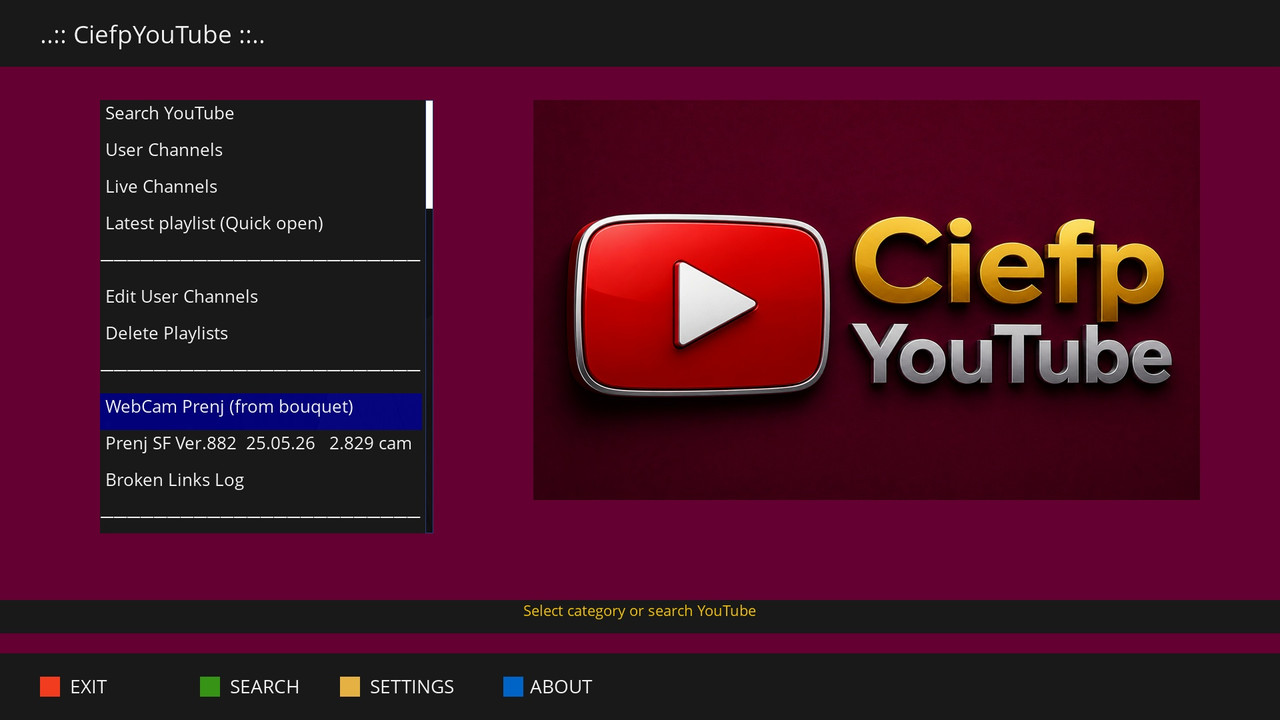
🎥 WebCam Player
Added a special player for monitoring webcams from the userbouquet file
Auto-switch camera - automatically switches to the next camera after a set time (15, 20, 25, 30, 45 or 60 seconds)
Countdown - visual display of the remaining seconds until the next camera
Loop mode - automatically returns to the first camera after the last
Pause/Resume - the ability to pause auto-switch
Bouquet version display - information about the WebCam bouquet version on the screen
🎬 Movie Player (Single Play Only)
Added MoviePlayer as an option for playing individual videos
Ideal for longer videos (1-2 hours) due to additional controls
Playback controls:
1 - Play/Pause
3 - Stop
4 - Rewind
6 - Fast forward
7 - Previous chapter
9 - Next chapter
0 - Info
Playlists still use the stable DVB Player - no risk of jams
⚙️ Settings
New option in Settings: Webcam Auto-Switch Timeout (15-60 seconds)
New option in Settings: Media Player Type with clear description of which player is for what
🛠️ Bugs and improvements
Fixed display of remaining time for music playlists
Removed duplicate functions for more stable operation
Improved switching between songs in a playlist
Better detection of the end of a video
Requirements:
Python 3.x
yt-dlp installed (opkg install yt-dlp or pip install yt-dlp)
(Optional) ServiceApp for Exteplayer3 support
CiefpYouTube v1.3 - YouTube Video Browser for Enigma2
© 2026 Ciefp
-
Version 1.2
- ciefp
- 13.72 kB
- 39 Downloads
...:: CiefpYouTube v1.2 ::...
Update FHD support
FHD playback Full HD 1080p videos
Component........................Status
Search and categories............✅ Working
Single video (FHD)...............✅ Working
Playlist with mini skin..........✅ Working
Countdown........................✅ Working
Loading next song message........✅ Working
JSON playlist saving.............✅ Working
User/Live Channels...............✅ Working
WebCam bouquet...................✅ Working
Broken links log.................✅ Working
🚀 Plans for version 1.3 (future)
4K via official YouTube plugin - only for playing a single file
FHD remains for playlists and mini skin
Official plugin does not support playlists
Webcam only works manually when playlist is started
Currently does not work automatic switching from camera to other camera
Improved stability
Additional search options
-
Version 1.1
- ciefp
- 11.88 kB
- 35 Downloads
....:: CiefpYouTube v1.1 ::....
📌 What's New in v1.1
🎨 Mini Skin Transparency
Added configurable opacity for the Mini Skin (0% - 100%)
Settings can be adjusted via the Settings menu (Yellow button)
Default opacity: 50% for optimal visibility
🗑️ Playlist Management
Delete All – Remove all saved playlists at once
Delete Select – Choose and delete individual playlists
Access these options from the Settings screen
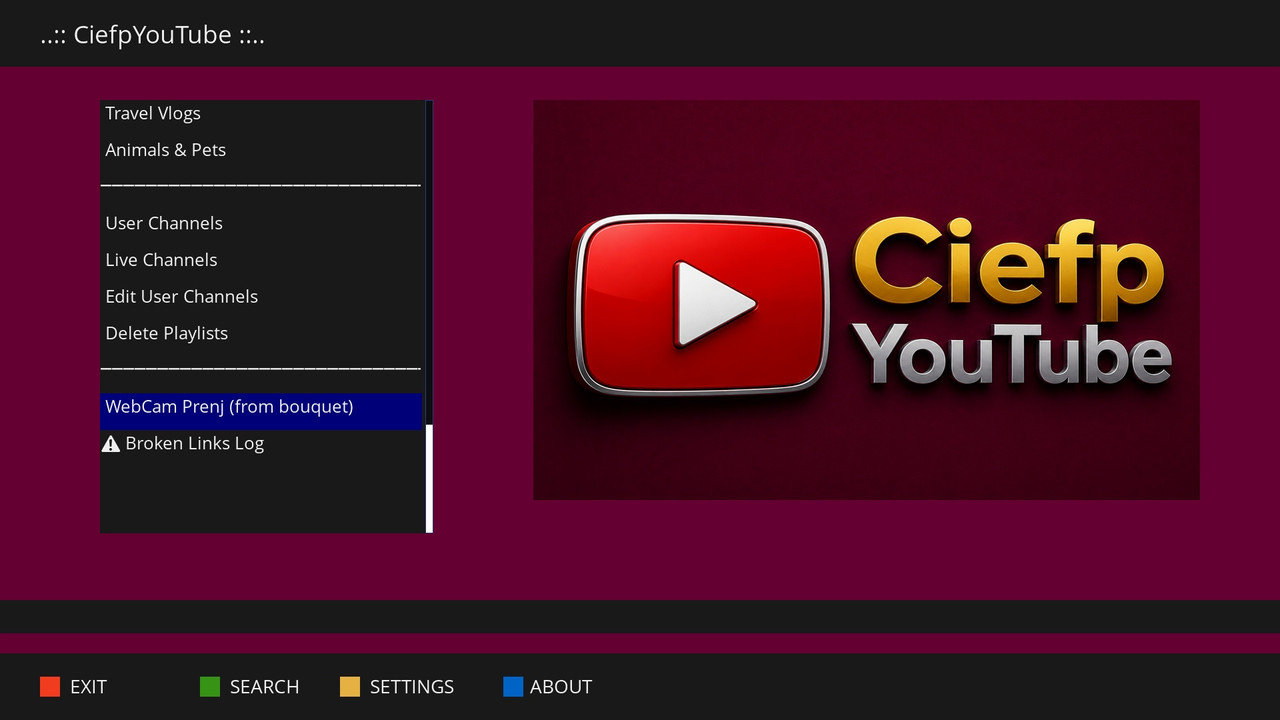
📺 WebCam Prenj Bouquet Support
Load YouTube streams directly from /etc/enigma2/userbouquet.web_cam____prenj___.tv
Automatically parses and extracts YouTube links from the bouquet
Saves as a playlist for quick access
Shows error message if bouquet file is missing
⚠️ Broken Links Logger
Automatically logs failed YouTube streams to /tmp/ciefp_youtube_broken_links.log
Includes timestamp, video title, URL, and error message
View, clear, or check log location from the main menu
🕐 Mini Skin Time Display
Real-time clock display in the Mini Skin (HH:MM:SS)
Helps track time while watching playlists
✨ Existing Features
YouTube Search – Search any video on YouTube
Categories – Shorts, Music, Trailers, News, Gaming, Trending, Live, Podcasts, New
Entertainment – Comedy, Movie Reviews
Educational – Educational, Science & Tech, Documentaries, Programming, Math & Physics
Sports – Sports Highlights, NBA/Basketball, Football/Soccer
Lifestyle – Fitness, Art, DIY, Cooking
Reviews & Travel – Tech Reviews, Car Reviews, Travel Vlogs, Animals & Pets
User Channels – Save and manage your favorite YouTube channels
Live Channels – Save and manage live streams
Saved Playlists – Automatically saves search results as playlists
🔧 Technical Details
Version: 1.1
Python 3 only (OpenATV, Pure2, OpenSPA, OpenPLi)
Requires: yt-dlp, python3-requests, python3-json
Settings saved: /usr/lib/enigma2/python/Plugins/Extensions/CiefpYouTube/settings.json
Playlists saved: /usr/lib/enigma2/python/Plugins/Extensions/CiefpYouTube/playlists/
📝 How to Use
Search – Press Green button, enter search term
Settings – Press Yellow button to adjust quality, results, or opacity
WebCam Prenj – Select from main menu to load YouTube streams from bouquet
Playlist – Choose "Play entire playlist" for Mini Skin with opacity settings
Delete Playlists – Use Settings → Delete All or Delete Sel
🐛 Known Issues
Single video playback may leave the selection window open (will be fixed in future version)
👨💻 Author
Ciefp
© 2026
🙏 Special Thanks
Community for testing
Gemini AI for development support
-
Version 1.0
- ciefp
- 6.19 kB
- 74 Downloads
