


I`ve moved your request to a new thread because you are going off topic, thread closed..
Posts by master G
-
-
EasyAndroid v0.3 HOT!
This is a little GUI which makes live easier for newbies.
Inspired by the HD2 NAND Toolkit i created some StepByStep solution for
new NANDroid user. I think this is a bit more neatly arranged for newbies than the HD2 Toolkit.The tool contains the most needed stuff to install Android on your phone
(no WinMo-Base Rom / no Android Rom).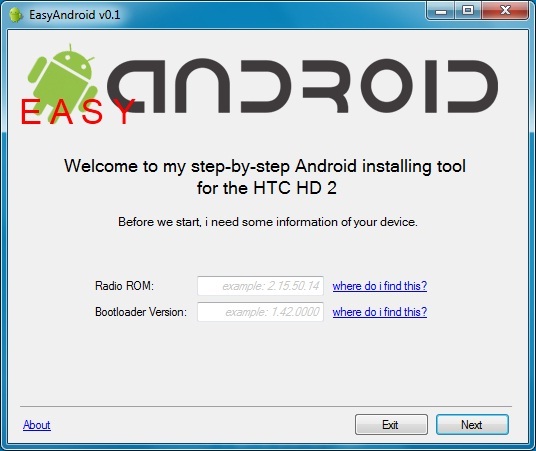


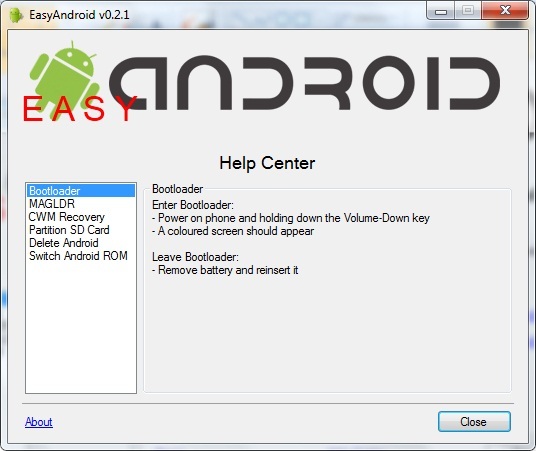 Code
Code
Display MoreChangelog 0.3 - Updater added 0.2.2 - fix CWM Layout issue 0.2.1 - insert Help Center - insert All-in-One Expert Mode - Setup available 0.1.3 - Design fix - added EasyAndroid ROM Downloader*Update 0.3*
-
GSU Full ver. 3.44
devices manager:
- fix if partition table of the device is incorrect
- added partition table fix option, if partition table is incorrect -
This tool will create configs for the following.
CCcam server & client
NewCS Server & CCcam client.
NewCS server & Mgcand client.All you will need to change is the reader paths, Look in the oscam section & you will fing the correct configs for your card if you choose to use oscam.
-
Whats New ?
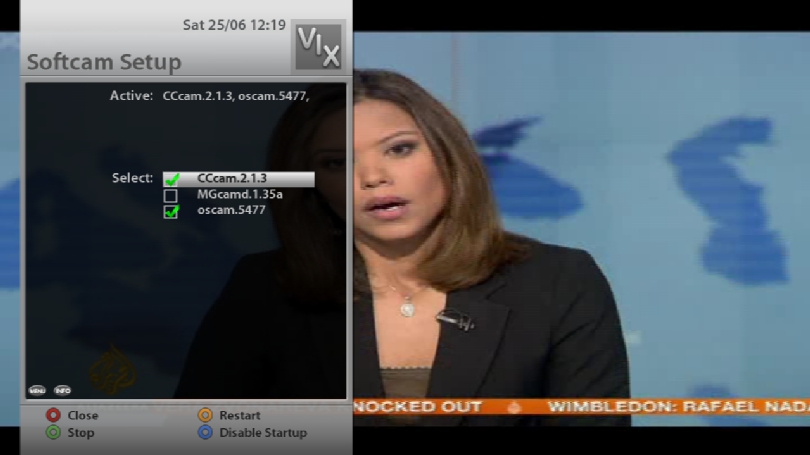
This image is sly uk ready with Oscam and N line in CCcam.cfg.
mgcamd 1.35a
CCcam 2.1.3
Oscam 5477
CCcam Providers update to 25.06.2011
CCcam Channel Info update to 25.06.2011
Catseye E2 Settings file 75 East-58 West 24.06.2011
Nephilim HD Picons 28.2E Astra (usr/share/enigma2)
Cooltvguide Coolman V4.0.0
TSpanel-v3.0
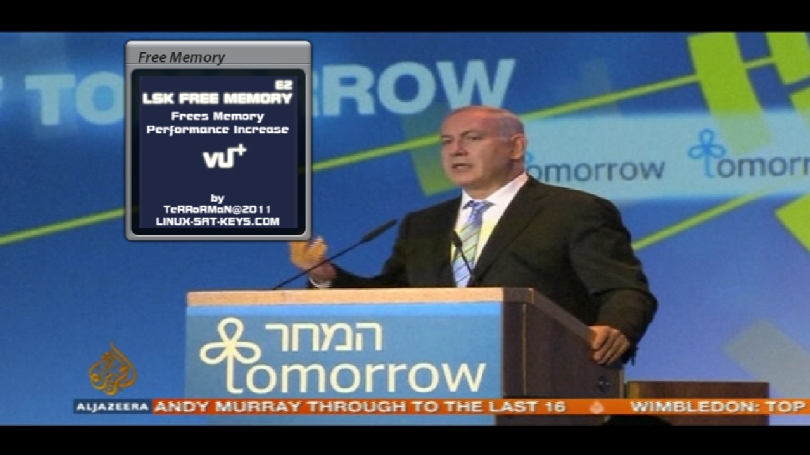
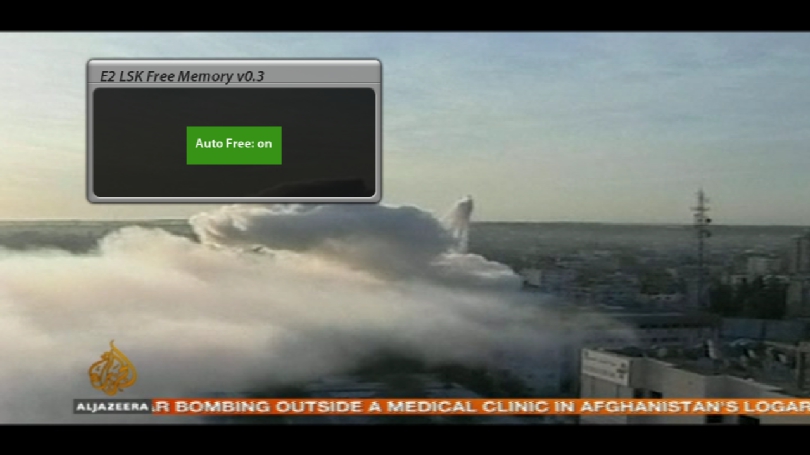
enigma2-lsk-free-memory-v0.3.-.by.TRRMAN
Screenshots

PASSWORD:
vuplus -
The usb slot isnt just for flashing, you can connect an external HDD or USB stick for recording, swap file and picons etc..
-
Bootlogo.mvi files go into folder /usr/share/, you must choose an image with 1280 x 720 resolution, and have chmod 755 or it wont show during bootup.
I use dream logo generator it will convert the image then ftp to the correct folder. Let us know how you get on buddy... -
-
If you are installing a new one you downloaded this is usually an ipk package so ftp it to /tmp then do manual install via remote.
If you want to edit what you are already using the location is usually /boot but can differ depending on image especially open pli.
Ask if you need more info. -
Why would you need to open the box?
-
I am pretty sure you will find this in the packages option of your image. Failing that Google is a great tool.
-
-
ith the digital switch over process completed for the Black Hill transmitter group, serving central Scotland including parts of Glasgow and Edinburgh, all terrestrial TV is now fully digital throughout Scotland. Fourteen main transmitter groups including 186 relay stations form a complex network reaching out to the Western Isles and the Shetlands.
In the UK as a whole, eight out of the 15 TV regions have now fully switched, including all of Wales and now Scotland, as part of the five-year £700 million DSO project. Arqiva has completed about two-thirds of the engineering work which has included five new tall masts (including Black Hill) and many replacement antenna systems. A total of 39 main stations and 709 relays have already been switched over.
Peter Heslop, DSO project director at Arqiva, the company that is implementing the switchover, said in a statement: “Completing DSO in Scotland is another major milestone in the switchover programme and a proud moment for Arqiva. Scotland in particular has presented many challenges in terms of geography and weather, but these have all been successfully overcome. UK-wide infrastructure projects on this scale are rare and I’m delighted to report that everything is going to plan and we’re well on the way to delivering this huge project on time and within budget.”
All six digital TV multiplexes are now being transmitted at high power from the main station at Black Hill, while the three public-service multiplexes are being transmitted for the first time from 40 dependent relay sites.
Following switch-off of the BBC Two analogue signal on 8 June 2011, the remaining analogue signals for BBC One, STV, Channel 4 and Channel 5 were switched off by 00:30 on Wednesday 22 June. The digital signals for the D3&4, SDN, BBC B, Arqiva A and Arqiva B multiplexes entered official service at Black Hill at 04:45, with the very last relay in Scotland completed at Kirkfieldbank near Lanark by 15:00.
As transmission provider for all terrestrial TV and most radio services in the UK, Arqiva owns much of the infrastructure behind broadcast services and wireless communications in the UK, also operating an international satellite broadcast and communications business.
-
As with 2.2.0 no 64 bit version available. Use the last 64bit version very little if anything has changed.
-
DM800 clone has been known to fry certain nds card because they get so hot. I would recommend using an external usb card reader like smargo. Rescan may be needed for those missing channels or try adding enigma2 channel lists from HERE.
-
Glad you got it sorted buddy, thread closed..
-
Best place to have picons is on a USB drive, the problem with having them on HDD is the drive needs to be constantly spinning for the picons to show, whereas the usb drive doesnt so they will always show.
Create a folder in the root of the USB stick called picon then telnet into the DM500HD: -
If you want to use picons on HDD then create a folder in the root of the HDD called picon and telnet into the DM500HD: -
Restart Enigma2 and picons should now be showing, let us know how you get on buddy.. -
Enhanced Movie Center (EMC) V.2.0.2 by Coolman & Swiss-MAD
FeatureList V.2.0.2
Many file types are listed and played with appropriate hardware:
Video: [,,,,,,,,, '' ts. '' Avi '.' Divx '.' F4v. '' Flv '.' Img '.' Iso '.' M2ts '.' M4v '.. mkv ','. mov ','. mp4 ','. mpeg ','. mpg ','. mts ','. vob ']
Audio: [. 'Ac3'. 'Dts'. 'Flac'. 'M4a'. 'Mp2'. 'Mp3'. 'Ogg'. 'Wav',,,,,,,]
EMC has its own player frontend "EMCMediaCenter" with all the formats that your Dreambox, can also be played.
For the back end of the E2 movie player, the GStreamer plugin and the DVD player plugin can be used.
(So must be installed for DVD formats, the DVD Player plugin also.)
(Of course, the "EMCMediaCenter" fully skinned, it will only own converter were used, it can be integrated into an existing skin.)
The various formats will be marked with corresponding icons.
Symlinks are displayed and marked with a special icon. (Not on when the target exists, the symlink is not displayed.)
It can be used in EMC's new symlinks are created.
EMC can create your own bookmarks
The date display can be setup in the switch on / off. (It is used dd.mm.yyyy)
File order can be switched by date or name. In the setup, the sort order can be reversed.
For all types of files, there is a status / progress bar. The setup can be set between "progressbar", "% display" or "OFF".
Movie icon and progress bar can take four colors: Not seen [white] alluded to, [blue], ready seen [green], even during the recording [red]
The setup can be adjusted from vieviel percent of the progressbar and the icon will change color.
The colors of ProgressBar you can turn off if you adjust the setup to 0% and 100%, or will each have only one at the end of any color change (eg 5% and 100%, or 0% and 90%.)
The film status may now be running in three states [radio button]. Not seen, played, seen finished.
If the state "played" out of switch (set to "Not Seen" or "pre-seen"), the last position (last played) is converted into a marker.
Thus appears from the status "not seen" or "pre-seen" No confirmation will be continued if the last position. Can while still enjoying the "<" and ">" button takes you to the last position as a marker was placed here.
On the menu, all markers are removed "Remove all film-markers". This is also useful if you change to the status of the "Last Played" and each one gets everything back markers will be going on.
The switch status of the [radio button] can also be selected with a list of film (more than one movie at a time) to be made (ONLY on status "not viewed" and "Seen Done").
For all the listed video and audio formats is a "cuts" file created (E2 compliant), as well as for making recordings in E2 *. ts one point stopped, continued to "resume" is possible, and markers can be set.
NOT even for *. ts files can e.g. can EITitor with a *. *. ince or are created in the meta description can be stored.
Current recordings are shown and labeled specifically.
With the [video / PVR] or [TEXT] key entries can be highlighted. Thus, all selected entries are deleted simultaneously / moved / played sequentially / or status change.
With the [TEXT] key to start from the position right away everything in between are marked with the cursor.
The [Bouquet] keys to scroll can be the beginning or the end of the list. With the [cursor left / right] side manner.
LONG with [video / PVR], all marks are removed.
DVD folders (VIDEO_TS VOB), are shown with the directory name and can be played directly without having to navigate to the VIDEO_TS directory to have.
"Play All": The [Play] button (the old remote with [Shift] - [green] = play) will play all files in the current directory starting at the cursor at the end and start again from scratch.
If the cursor is on a directory, all files are played in the directory.
(Even in very large media collection is no delay at the start, because the playlist is determined dynamically.
With [long info] of titles in the IMDb (The Internet Movie Database) to be queried. (IMDb plugin must be installed for that.)
When you can play with EMC in the [green] between pillarbox, panscan, and just scale switch.
If EMC is finished, put back on the presetting E2.
Automatic Trash:
The Recycle Bin is emptied at the designated time, or at the start of E 2, if no recording is in progress, pending or within 10 minutes of a recording.
In operation, the trash is not emptied when a recording is being made or is pending within 10 minutes of recording.
Could result from upcoming recordings or recordings are not deleted is checked every 30 minutes until no longer being recorded, and no record is present within 10 minutes .... then is deleted.
Nearest deletion happens again the next day after the set time.Of course, ONLY delete the files that linger even longer in the Recycle Bin as set in the setup.
This set per day 24 hours residence time required and not simply looked at the date.
(Because otherwise it could happen so close to midnight what I delete, and delete is set to 01:00 clock recording only a little over 1 hour in the trash was.)
All this runs independently from EMC in the background, it must be to not be called EMC to the Recycle Bin is emptied.
Setup item "list is skinable film":
YES = values from the widget name = "list" are used from the skin.
NO = default values from the plugin to be used for widget name = "list".
Thus the possibility exists two different views of the setup switch (or the default skin), if the skin is present.
(Anyone still supports used a skin of the old version of EMC, can also be placed in the setup to NO.)
The E2 timers list can be accessed by pressing the [TV long] out directly from EMC.
Currently available languages are: English, German, Dutch, Polish, Slovak, and Italian (thanks to Bschaar, ni_hao, jkkk, Spaeleus and kosmacz for the translation).Special thanks naturally Coolman, cmikula, and concrete mixers, Olli42, AndyMt because they have a lot of code written by and nights-programmed!
Thanks also to salzrat, zombi, Erim, and for the translations to Bschaar, ni_hao, jkkk, Spaeleus and kosmacz.
Many thanks to all beta testersKeys from EMC and its function:
Code
Display MoreFeatures in the film list: - TAX CROSS: navigation list in the film (<and> keys scroll whole pages) - BOUQUET: Scrolls to the beginning or the end of the list - Press "<": a directory layer - Press ">": back to the previous directory. (Only the last directory will be noted.) - INFO: Default Enigma2 EPG info (EventView) - Long INFO: Query title in the IMDb (The Internet Movie Database). (IMDb plugin must be installed for that.) - MENU: EMC function menu (EMC functions) and movie menu plugin (plugins like moviecut film, etc.) - Long MENU: movie menu plugin (plugins like moviecut film, etc.) - AUDIO: Film menu plugin (plugins like moviecut film, etc.) - RADIO: toggles between seen and unseen alluded - TV: Load current directory new - TV time: Gets the timer list of E2. (Eg if virtually a repeat of the timer is active is to be stopped, because that is not directly in EMC.) - VIDEO (PVR): Movie deselect / for multiple selection (To delete multiple movies simultaneously move / / game status change, or play in the selected order). - VIDEO (PVR) long: Remove all markings - TEXT: Multiple selection / demarcation of -> UP position (mode is switched back and forth (toggle)). (To delete multiple movies simultaneously move / / game status change, or play in the selected order). - OK: Plays from current cursor position / Plays all selected films in order from labeled (playlist)). - PLAY: (Old Remote Control [Shift] - [green] = play) "Play All" plays all files from current cursor position after starting the series, and starts all over again from the end. If the cursor is on a directory whose contents will be played in sequence, starting from the end and over again. - RED: Delete current cursor position / Delete all selected files (Deletes directly if the setup is "whereabouts of the files in the Recycle Bin (days)" to 0) Stop the recording when the recording is still active. (Not for repeat timers, then TV took advantage long into the timer list go to E2.) - GREEN: toggle between sorting by alphabet / date - YELLOW: displacement current cursor position (LocationBox opens for destination entry) (If anything marks can also be moved without LocationBox when the cursor is on the destination). - BLUE: go to "home movie" or play "last film" From (In the setup function which adjustable) - Press "0", "home movie" go after. (Eg practice, if [BLUE] button is configured to "last film".) - BLUE long: call EMC bookmarks. - HELP: List of key assignment While playing a recording: - RADIO: ext. Plugin menu (as with E2 or blue button when BluePanel exisitiert in long blue.) - DIRECTIONAL PAD UP / DOWN: Call of EMC - INFO: See description EPG recording. - TEXT: teletext picture is displayed. - GREEN: Switching between pillarbox, panscan, and "just scale". While playing a DVD: - MENU: DVD-menu - CHANNEL: next / previous chapter - CHANNEL long: next / previous track - BOUQUET: Go to the next chapter - BOUQUET long: Go to the next track. - AUDIO: Audio Track menu - AUDIO long: audio menu of the DVD - RADIO: Switch audio track - Long RADIO: DVD-Audio menu - TEXT: toggle subtitles on /. - TEXT: toggle subtitles on / - VIDEO (PVR): Next perspective In the menu "Bookmarks window" - RED: Delete BookmarksCreate symlink with EMC:
With the "<" button (next to zero) to the extent that it reaches back to the target directory (you can go to root, from there, usually on the disks under / media or / autofs).
With the cursor on the directory or file you want to go for creating a symlink.
(eg / ev autofs/sdb1 and film since the directory on the disk.)
[MENU - [create symlink] then navigate right where the symlink will be created then. Most probably in / media / hdd / movie / [OK]
With [Movie Home] back to / media / hdd / movie / or via bookmark, and though the directory does not reload, do it with [TV].To add a symlink from e.g. an ext. To make the internal drive back to exactly the same as picking the reverse path. So you can easily jump from two plates back and forth.
The symlink name begins with "-" He is right at the beginning before "A" and "1".Recordings in the current directory of hotels.
Movie search plugin - Search Movies in the film list has been adapted to EMC.
The plugin is found on the experimental feeds,
or installed directly from an experimental image from the feed.
Call from EMC with the [AUDIO] or [MENU] or [MENU long].
After a search from the search results can still be restricted by a further search.EMC install the GP3 from Blue Panel (new version if available):
BP -> Settings -> General:
"Use extra plugins? TO
saveReturn to Addons:
Plugins (extensions) 97
in there, then "Update" button BlueAfter that the "enigma2-plugin-extensions-enhancedmoviecenter" be seen and can be installed.
Plugin List Movie Preview
There is the plugin Preview Movie List an extra on EMC adapted version of the Coolman & zombi - can be found -> HERE <<.
With this you can create thumbnails for the recordings.get_imdb_poster for EMC
dirtylion a small shell script is created that looks at the imdb automatically after the covers of your movies.
These are then to discard and thus appears with Movie Preview List. ---> Get_imdb_poster for EMC (Movie Preview List)
__________________________________________________ ___
E2 bookmarks set when EMC is installed.
Since this issue surfaced again and again, I did this once ---> HERE <--- described.
__________________________________________________ ___
Video Review of ***watcher
There already is a video review of the ***watcher showing some capabilities of EMC.
Enhanced Movie Review by ***watcher Center v2.0.0Information for Skinner
Code
Display MoreValues for the film list (listbox) in <widget name = "list": (Some settings are only used if the Setup "movie list is skinable" is turned on) (Skin templates are in / usr/lib/enigma2/python/Plugins/Extensions/EnhancedMovieCenter/CoolSkin /) cool font = "Regular, 20": font and size of the movie list cool selectfont = "Regular, 20": font and size of the marker points [video] key (Thus, with a wide font for the movie list is a narrow font used for labeling so that the marker does not fail to be wider than the icon. Most fonts can be used but the same as in cool font =.) cool folder size = "500" width directory names CoolMoviePos = "95" position movie name cool movie size = "450" width Movie Name cool date font = "Regular, 20": font and size for dates CoolDatePos = "495": positons Date cool date width = "110" width Date CoolBarPos = "30": position of progressbar CoolBarHPos = "8" height position progressbar CoolBarSize = "55.10": width and height of the progressbar CoolBarSizeSa = "110.16" width and height of the progressbar if in the setup "movie list is skinable" ("listbox is skin able") is set to YES. CoolProgressPos = "1000": position of the progress indicator in% (Sol only the progressbar or the% display are presented, simply slide the unnecessary display outside the visible range.) cool date color = "0": "0" = the date that is always white, "1" = the date that is as colorful as the Progress Indicator default color = "# FFFFFF": color of progressbar if the colors were deactivated in the setup (% 0 and 100) UnwatchedColor = "# FFFFFF": color of progressbar "status unseen" watching color = "# 3486F4": color of progressbar "status alluded" FinishedColor = "# 46D93A" color progressbar "status seen Done" recording color = "# 9F1313" color for progress bar "while shooting or cutting process with moviecut plugin" BackColorSel = "# 000000": background color for the cursor Converter "EMCMediaCenter" (movie player skin) ------------------------------------------------- If EMCClockToText = used for the presentation of the film length and the date, time EMCEventName = Sets. Ince or. Meta movie information in form EMCServicePosition = Represents the Cutlist marker for non-TS movies EMCServiceTime = Calculates the length film, if possible, not for TS movies -
LSK Plugin Free Memory v0.3 All Enigma2 Images
Clears the memory and improves overall performance
-
Sorry my mistake, In oscam web info click readers then the small blue icon with a key under actions. Entitlements are there.

