


sean1798- you´ll find that coming from dreambox e1 to vu e2 is a nice big step ;)
But with our addons (all tested + tried including made by linuxsat team + users) ) are the most up-to-date workings that do the job perfectly
to suit/cover just about all needs!!
whichever the image you choose to stay with ,don´t be shy to try out others!!
reading is the hard part ,testing is the easy part and learning is the fun part!!!!
Enjoy it with us!!
caz ;)
Posts by cazuela
-
-
working 100% ONLINE:
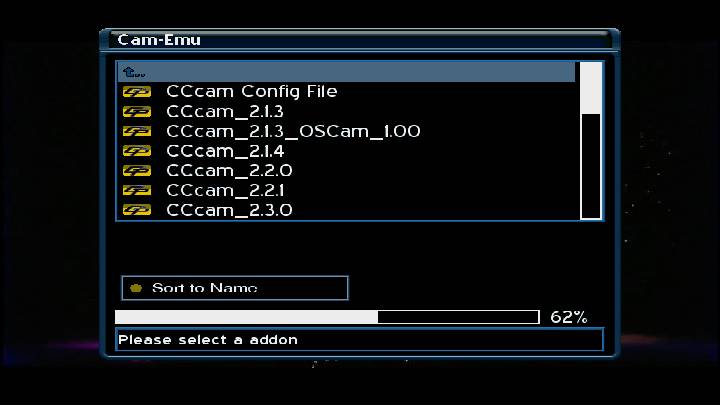
Both our addons working 100%:
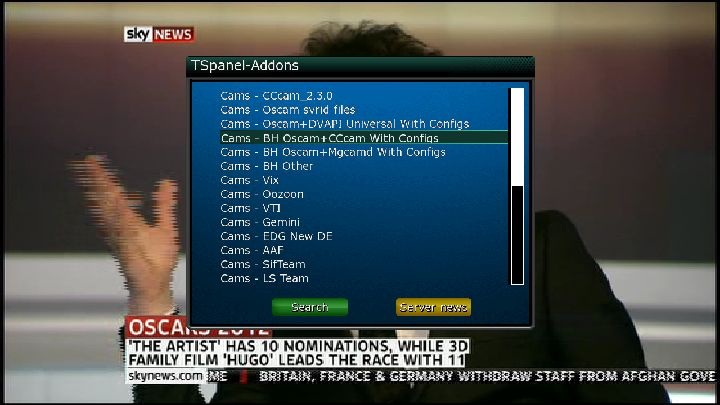
-
ftp to your temp file then look im your local extensions to install IPk.. then reboot after.. once restarted you will see it..
-
Another option would be to get all your setups from our addons panel in TS_panel ?? all the essentials from cams to settings ,picons,,just about all plugins,etc,,, http://linuxsat-support.com/en…ou-need-your-image-3.html
-
again -if it is E2, check which version of e2 is ticked/checked on either dreamset or dreamboxedit..
this is an example of dreamset :
In BH image on Vu+ the .xml file is in /etc/tuxbox ..maybe you couold take a look and manually load a .xml set
Although images vary,,its worth a look into ;) -
C+Football only Spanish comms i guess another one bites the dust
This is not correct--I am watching Cardiff- Liverpool + listening to English audio now on C+ futbol HD -
for epl matches they usually do,,
-
no mention HERE or at least I cant see it..
-
Not sure of the vix settings on a dm800,,,but normally you Ftp the ipk to your /tmp file then install local package then reboot/restart.
-
These are the commands I found to format an external penstick USB or HDD to Fat Ext3 through Linux.
I have used a USB stick as an example. But you can replace usb for hdd
Note : anything on the USB/HDD will be eliminated.
Unmount the unit.
Format the unit in Ext3 through linux.
Mount the usb/hdd.
Create a folder called Movie for the recordings.
Chmod to 777 for the recordings ,etc.
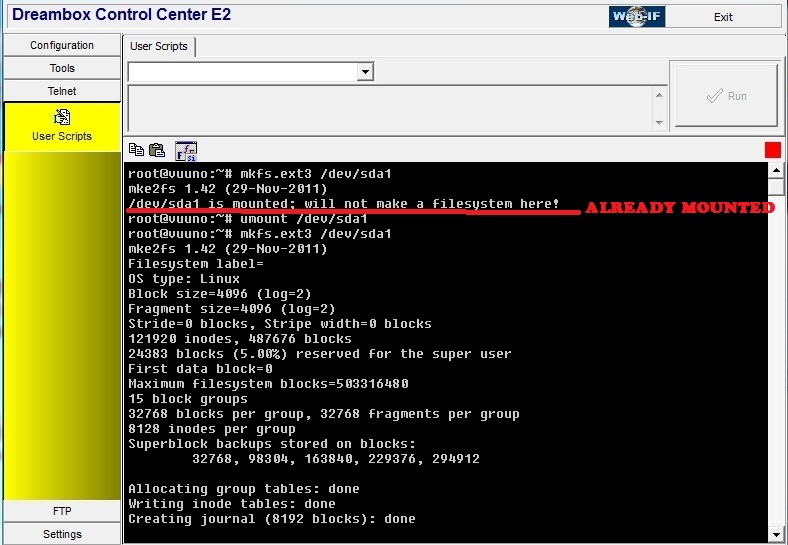
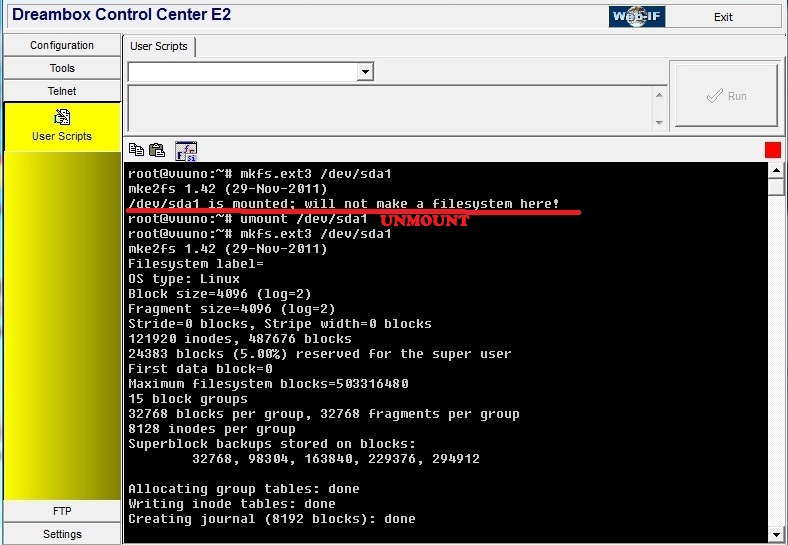
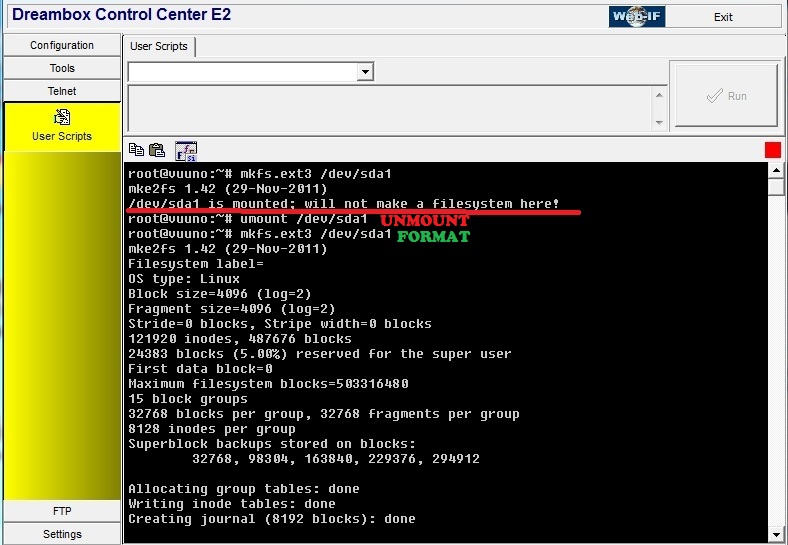
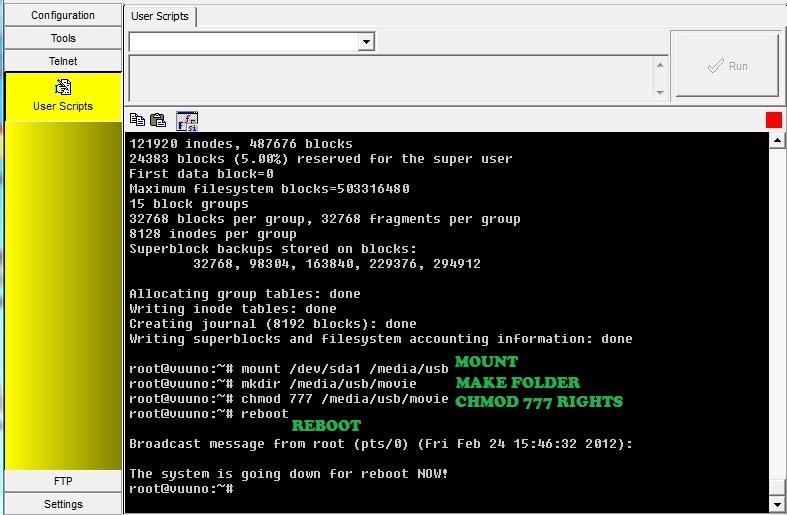
Hope it helps someone as it helped me!
-
you got/made a backup on a usb/hdd ???? ¿got flashexpander on? ¿using a Full backup from another user? these are what come to mind .
Although the image should be in your flash!! give more info, answer those questions for example ,otherwise it´s impossible to help you.. -
try the webinfo ( if you have it ) duoIP:8088
-
-
¿ Are you saving after downloading then closing with the correct colours? Not the OK button..
-
QuoteDisplay More
You can freely choose the two methods that we will describe below.
Update via USB flash drive using USB
Extract the downloaded file to a folder on our computer.
Inside the compressed archive will be present the following three files:1.root_cfe_auto.jffs2
2.kernel_cfe_auto.bin
3.boot_cfe_auto.jffs2
The USB key must create a specific directory:The files go in a vuplus/duo/ directory from the root of the USB stick. You then put the USB stick in the front USB port on the vu+ duo, then turn on mains power and you should get:
Vu + read automatically at startup on the three files in the USB device and will immediately begin the upgrade process.
From this moment, we can see the progress of the display of the decoder.
At the end of the upgrade, we will report an end of the process and will be asked to reboot the machine after removing the USB device.
We extract the pen from the entrance forntale USB and power cycle the decoder, to enjoy the updates made.
PC Update
To update the computer-Vu +, we need a software for Windows, called VU + Util (clik to download)
Before you run the program, make sure that your decoder is connected to the computer via serial cable or port with both wired Ethernet network port.
1.We open the program Vu + Util
2. We select the COM port to use
3. Click on "Connect"
We can now read the message "Serial port open success. Please turn on your box. "(Serial Port opened successfully. Please turn on the decoder)
If instead we read "Serial port open failure", we see that there are other software that uses the COM port and that is the correct port.4. After turning on the decoder, you can see the next screen.
If you want to disconnect the COM port, click the "Disconnect".
Local IP: The IP address of PC
Remote IP: IP address of VuplusSet the IP addresses accordingly, and press the Set IP
If you want to set the remote IP address using DHCP, select DHCP before clicking on "Set IP"4a. If the IP address setting is successful, you will see the next screen.
5. click "Open"
you will have a new dialog where you can select an image file (*. NFI)
The X button is used to remove the file has been selected
At this point you just have to click on "Flash" and wait until the end of the transaction.
try a clean image from HERE
see if it loads properly then load up whichever image you like after.
if you get a negative result ,then maybe check see if its still under guarantee -
I wonder if you are installing with correct procedure? download image-> unRAR it to a usb stick,in usb stick you will see a folder named vuplus-> inside the vuplus folder you will see another folder named vuo duo.
Another point is when the iamge has been read + programmed the box ,you should unplug the usb stick then switch off at mains then switch back on ,give it a few seconds and it will say starting as it loads the image. -
Thats your prob scouse buddy!! its your motor/ dish alignment not locking in ...
you can either go in and change the way you did today OR go to linuxsat addons in TSpanel + download the catseye again,this will get rid of older versions(messups etc) to undo any changes you made today..
as far as locking in sats,,on an FTA channel,you can go in manually with remote : system/service searching-positioner setup->positioner fine movement -> green(step west) yellow(step east) until she locks on to the strongest signal -
caz only started today,been freezing on channels as well if been in menu and stuff,dish does need aligning,only thing updated was catseye and sat xml file
¿which catseye did you update to? the latest http://linuxsat-support.com/e2…e-e2-settings-file-4.html is already on the image!!
¿why/what did you "update" the .xml file to????????? Me thinks thats your problem!!!!!
you´ve created a conflict !!
this is how I capture screenshots : http://linuxsat-support.com/pc…ng-your-screen-share.html -
I still have this bh 1.7.2 running without a hint of a problem..
is it soft freezing ( greenscreen) or channel freezing???
channel freezing could be need for : settings update, card, lan connection,dish not properly aligned(high winds,weather) etc....
¿has it been ongoing or just since today?
¿what changes did you make today? ¿added extra peers,updating /adding software?this is mine right now :
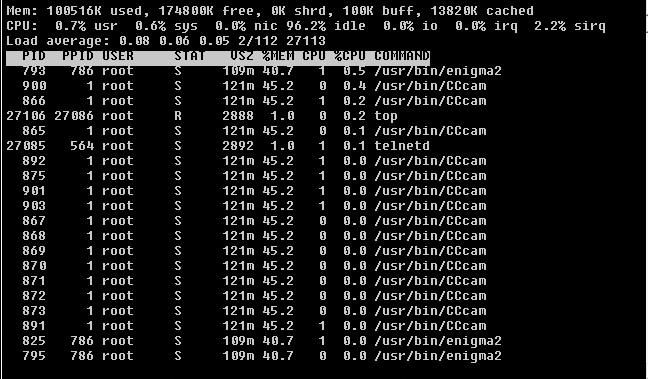
-
Id5815 - If you only want spanish channels then obviously you only need 19.2ºE + 30ºW D+ bouquets ...
As far as the DTT channels ,its best to scan as each province uses different frequencies..



