


whammy774 comes your .db from you wetek ??
Posts by snifferdsx
-
-
-
stevejo
Quotemy box including the lamedb file and ran ABM
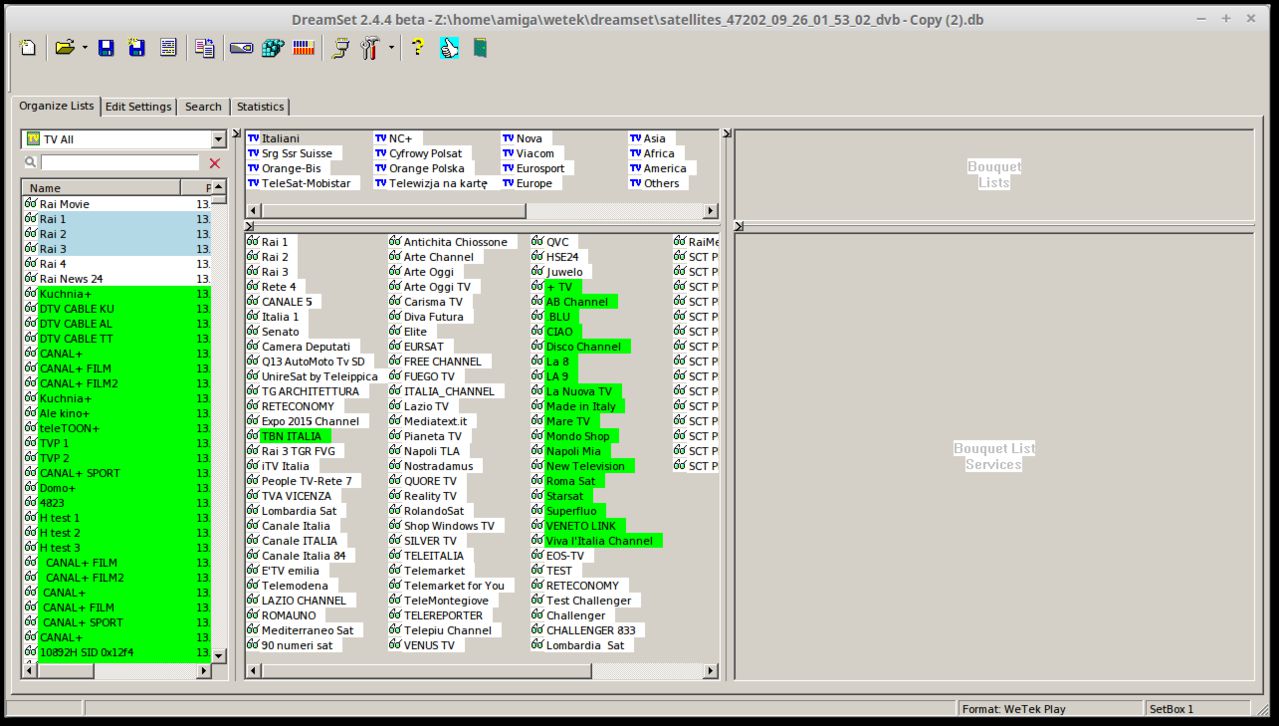
the copied etc/enigma 2 folder to my pc and started this toolyou can use dreambox edit it works on almost all enigma2 boxes if you the list on your pc then you have all the files you need for the converter
in the /etc/enigma2 folder there is more then only your list :) -

Changes
- fixed error
- Of lamedb if inly loaded
- Error 53
- add wait for zip file when prepare archive before send to wetek - on old pc need more time for this
tip:
Quotelist with max 50 fav,
ch list with max 10k ch
if you want to have acceptable wait time to load ch list , yes with 50 fav need 1-2 min to load
you can delete dubble channel and channel you never watch that make the list shorter and faster -
-
it look likes this -
that is why i under my pic said this is my pc not my wetek, the 5.0.7 is not yet for the wetek
if it was for the wetek i post it in the wetek section -
download page link works :) i fix it
-

The OpenELEC team is proud to announce OpenELEC 5.0.7.
OpenELEC-5.0 is the next stable release, which is a feature release and the successor of OpenELEC-4.2.
QuoteThe headline change is the update from XBMC 13 (Gotham) to Kodi 14.2 (Helix) and the big switch from XBMC to Kodi branding. Both project teams have conducted a major find/replace but if you spot residual mentions of XBMC anywhere please let us know. The name change affects more than the GUI; all references in code have been changed and in the OpenELEC filesystem /storage/.xbmc will be recreated as a symlink to /storage/.kodi to ensure hardcoded paths in addons or scripts continue to work. For information on Kodi 14 you can find on http://kodi.tv/kodi-14-0-helix-unwinds/.
QuoteDue to the potential for typo-bugs and breakage from Kodi renaming YOU ARE STRONGLY ADVISED TO MAKE A FULL BACKUP before performing a manual update and perform a “Reset System Settings to defaults (Soft Reset)” after the update if you update directly from OpenELEC-4.x or earlier.
QuotePlease note many addons and skins remain to be ported by their developers. This is out of our control and until this happens, they will either not work or be marked as broken by Kodi. If an addon or skin is essential to you, please confirm with its developer prior to upgrade if it is compatible with Kodi (Helix).
QuoteOther notable “under the hood” changes include a version bump from v3.16 to v3.17 Linux kernel, and a switch from OpenSSL to LibreSSL following the heartbleed disclosure. The LibreSSL package includes better licensing and allows OpenELEC to be simplified by removing support for other cryptographic libraries such as GnuTLS.
Updated core Components (summary) since OpenELEC 5.0.6
QuoteDisplay Moreupdate to bcm2835-bootloader-ffda51e
update to bcm2835-driver-ffda51e
update to linux-3.18.10 for RPi2
update to gdb-7.9
update to kodi-14-7cc53a9
update to nano-2.4.0
update to wireless-regdb-2015.03.13
update to kodi-addon-xvdr-39d66cd
update to libdrm-2.4.60
update to libva-intel-driver-1.5.1
update to libva-1.5.1
update to libXfont-1.5.1
update to openssh-6.8p1
update to libvdpau-1.1
update to vdpauinfo-1.0
update to libevdev-1.4
update to glib-2.42.2
update to dbus-glib-0.104
update to wpa_supplicant-2.4
update to libaacs-0.8.1
update to libevdev-1.3.2
update to libXxf86vm-1.1.4
update to randrproto-1.4.1
update to font-util-1.3.1
update to libX11-1.6.3
update to kodi-pvr-addons-4854fbe
projects/RPi*/patches/kodi: update RPi support patches
projects/imx6/patches/kodi: update imx6 patches
projects/imx6/patches/kodi: IMX - implement render capture (wolfgar)
projects/imx6/patches/linux: Add 352Mhz patch
add new package 'gpu-viv-g2d'
libva-driver-intel: VPP: Make sure the store buffer is allocated
linux-imx6: update to latest stable/linux-3.14.y - Linux 3.14.36
projects/imx6/linux: include some firmwares
libva-intel-driver: Fix Advanced deinterlacing on IVB SNB BYT
projects/Generic: Add rtl8180 kernel driver
Use neon-vfpv4 fpu on RPi2
Intel: Fix EDID overriding (makes audio work)
linux-imx6: fix m88ds3103 in the TT CT2 patch (DVBSky S960 & PCTV 461e)
For a full changelog on what's new, follow the link below:
https://github.com/OpenELEC/Op….tv/compare/5.0.6...5.0.7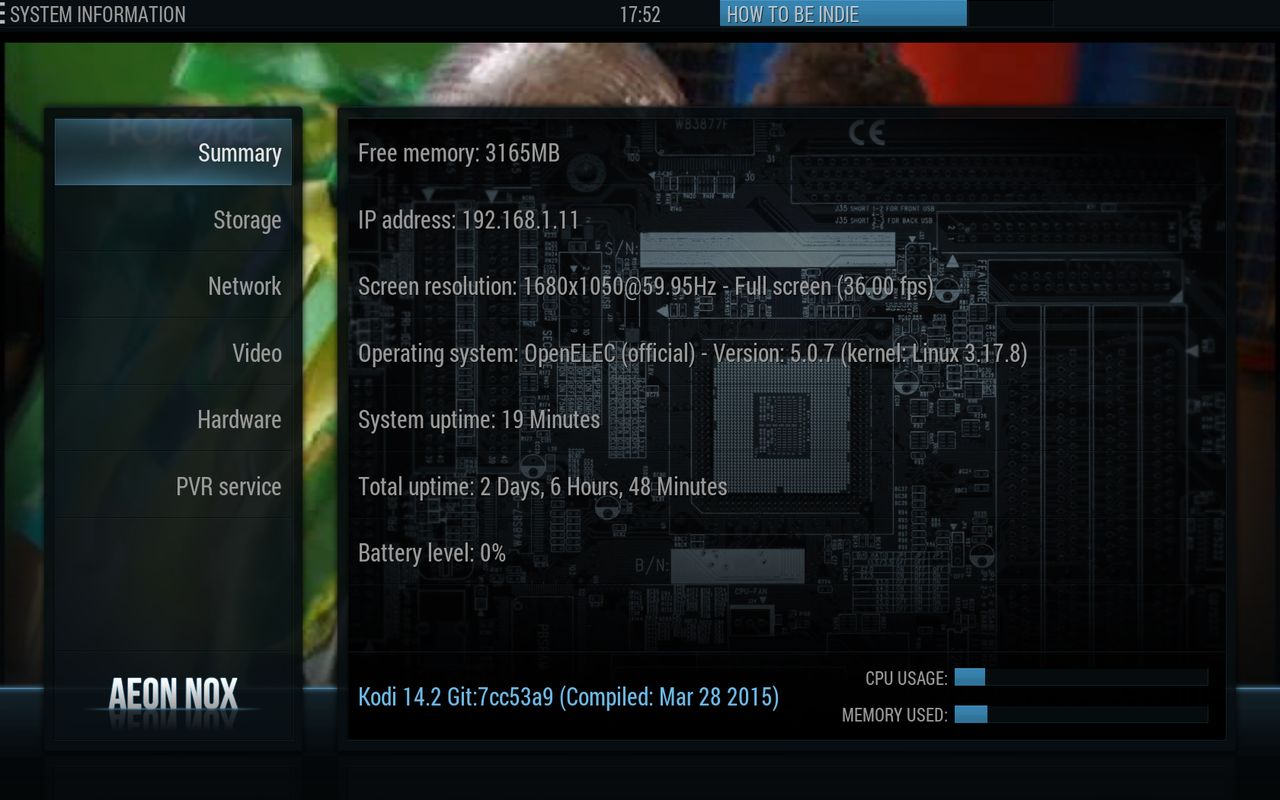
this is not my wetek but my pc :) -
if you click on the link it missing the &t=590#p3311 part
if you copy the link and past it on the browser it works fine http://wetekforums.com/viewtopic.php?f=9&t=590#p3311 -
what for os do you use monkified
-
oh you must do all the files from the list
because
phase1 is lamedb
phase2 is all other filesplease post the whole list
-
ok if you have error 53 the maker need the name of the list you use
- - - Updated - - -
please people who get error 53 post the link from the link so the maker can try the list and fix this problem
-
Lamedb ofcource that is what all e2 boxes and e2 editers use
-
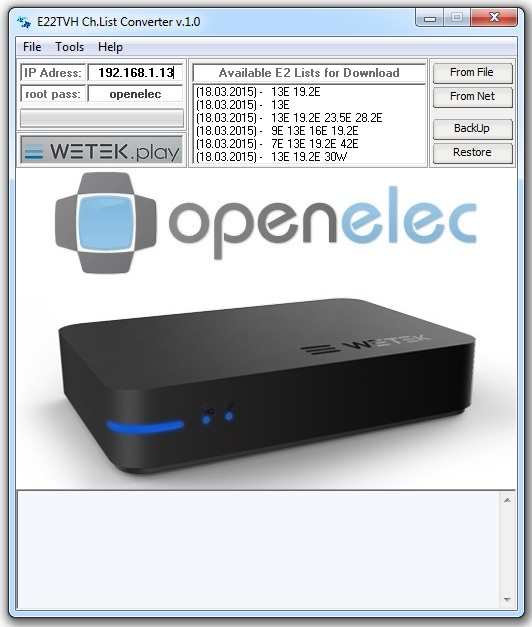
if you not have this tool look here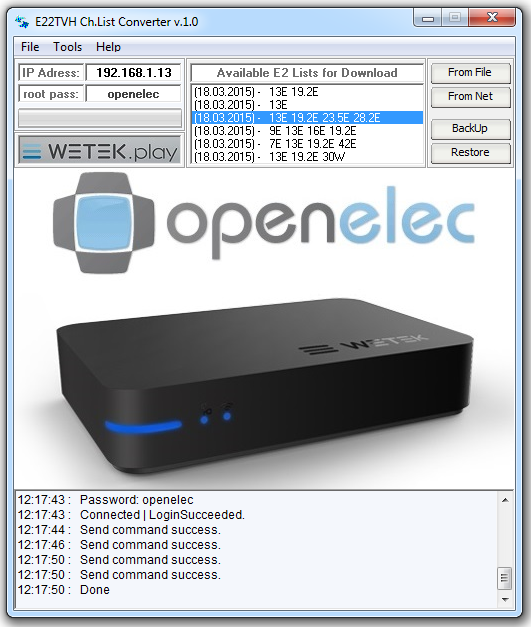
i have choose 1 list from net and i have click on [from net]what we must do first is diable live tv and reset the database
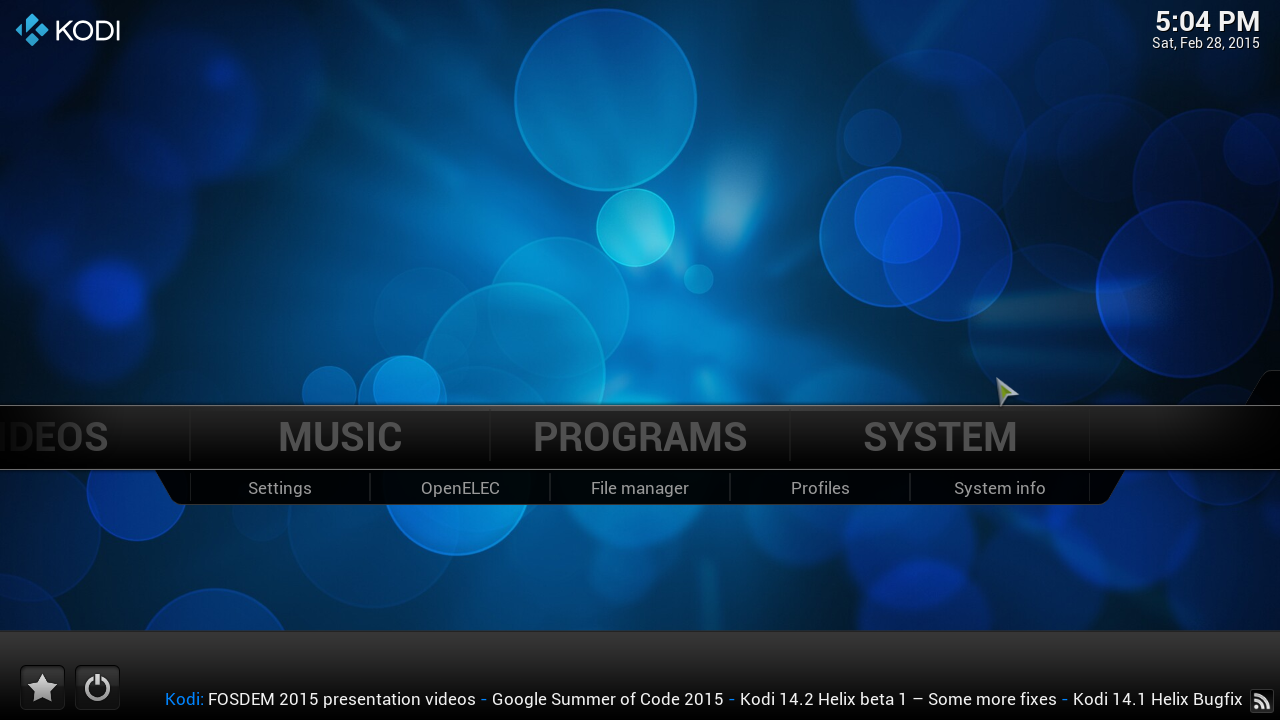
click on "system"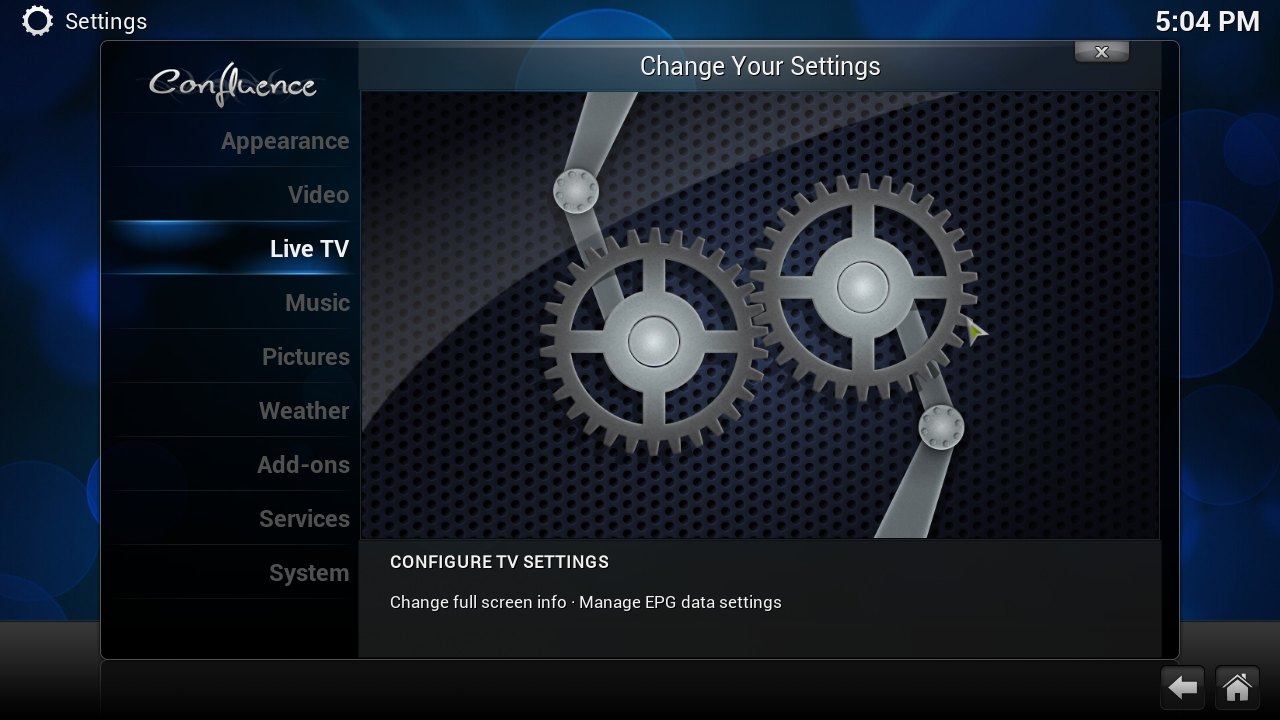
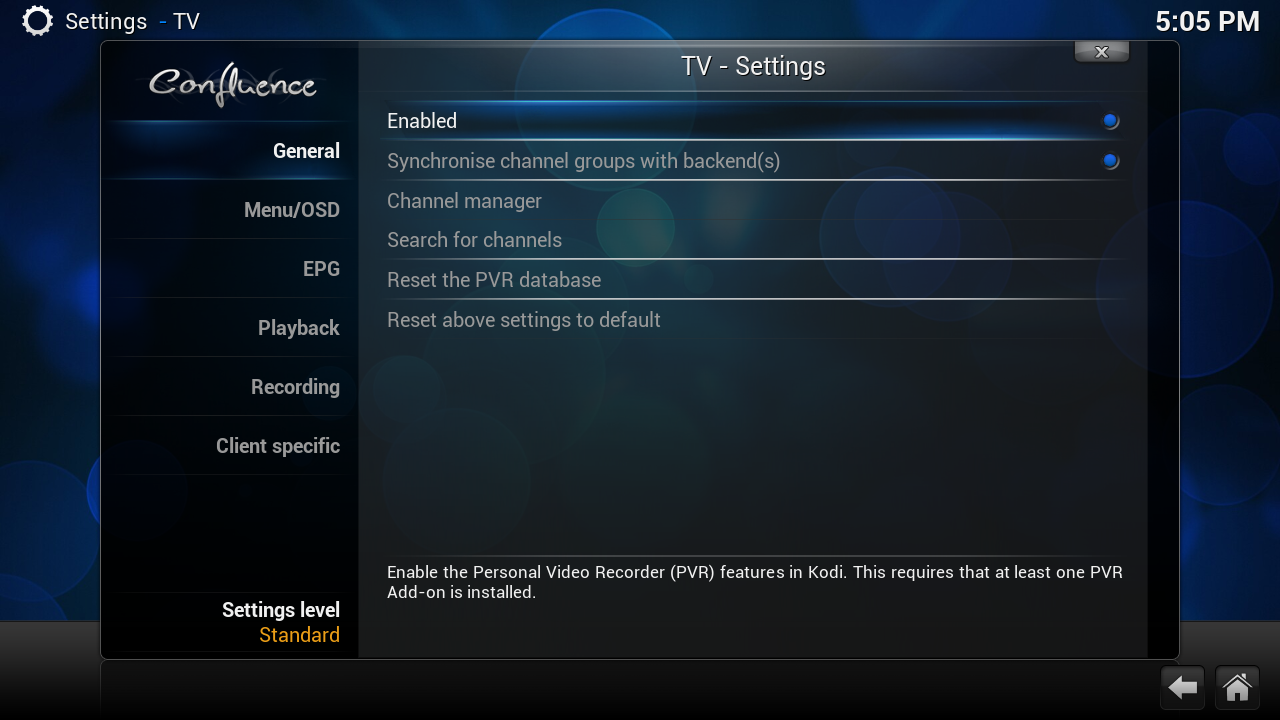
Click on Enable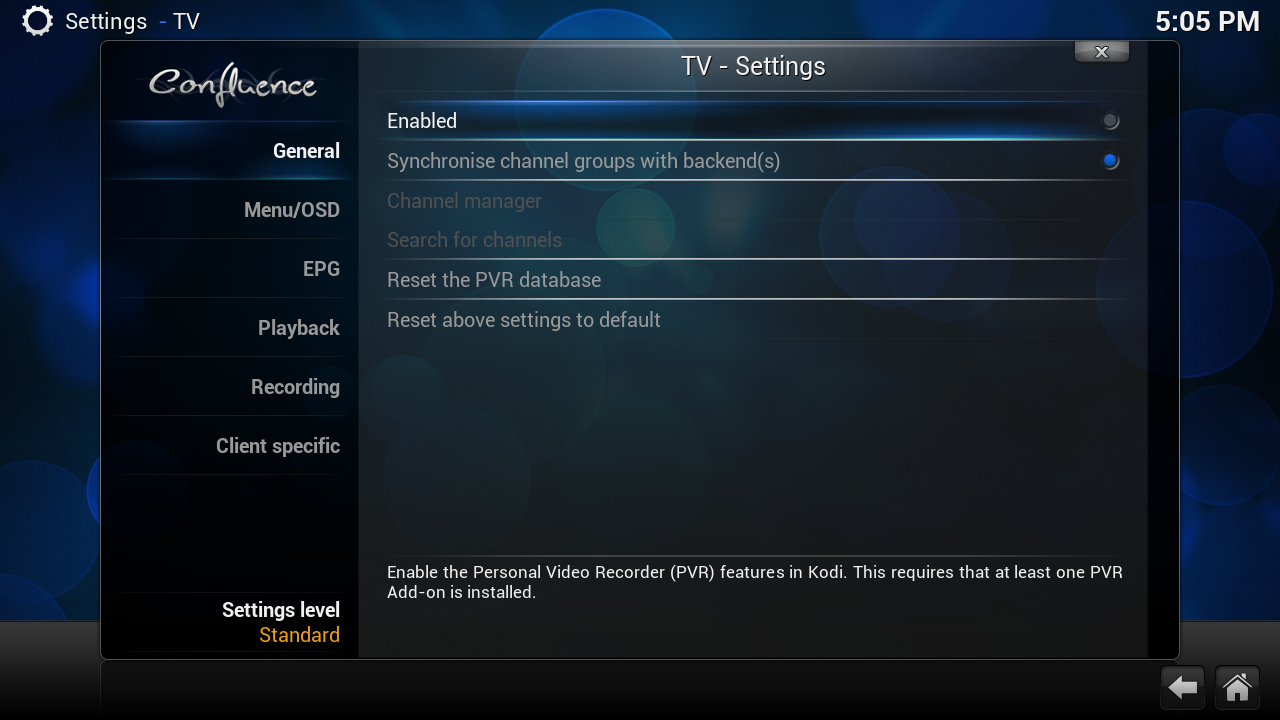
when you see this live tv is disable now we can clean the database[02] Erase Database
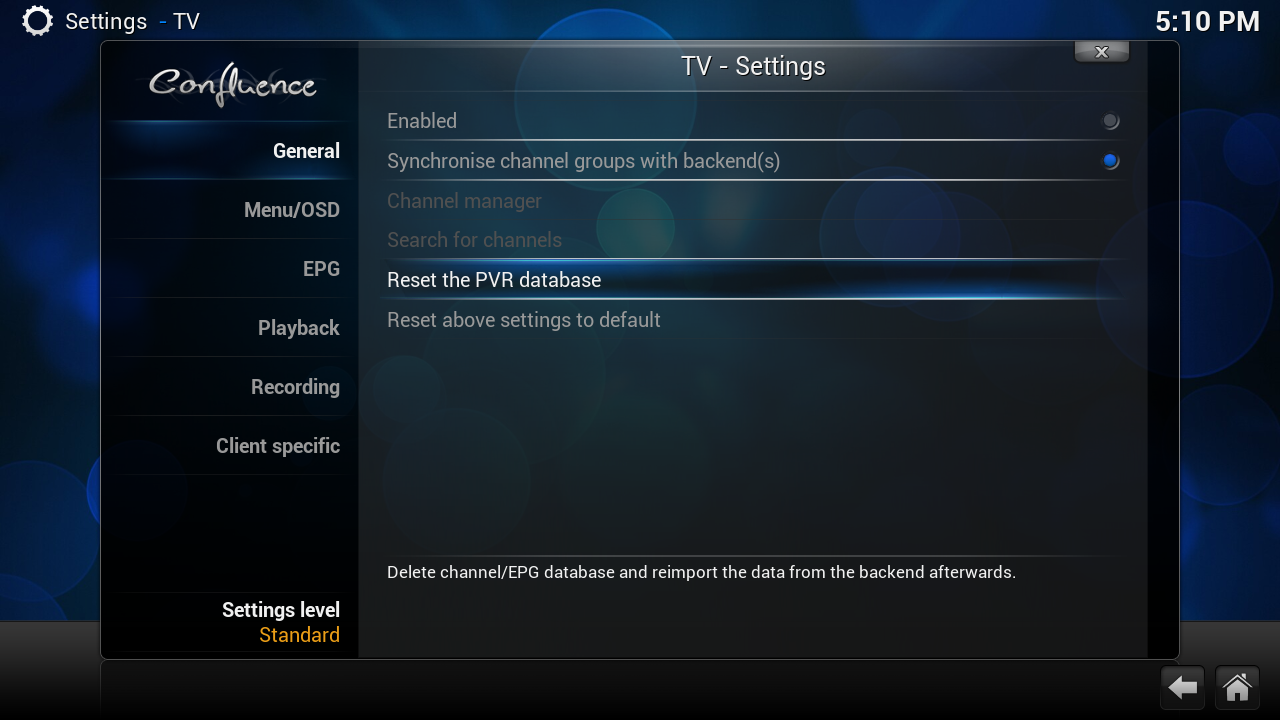
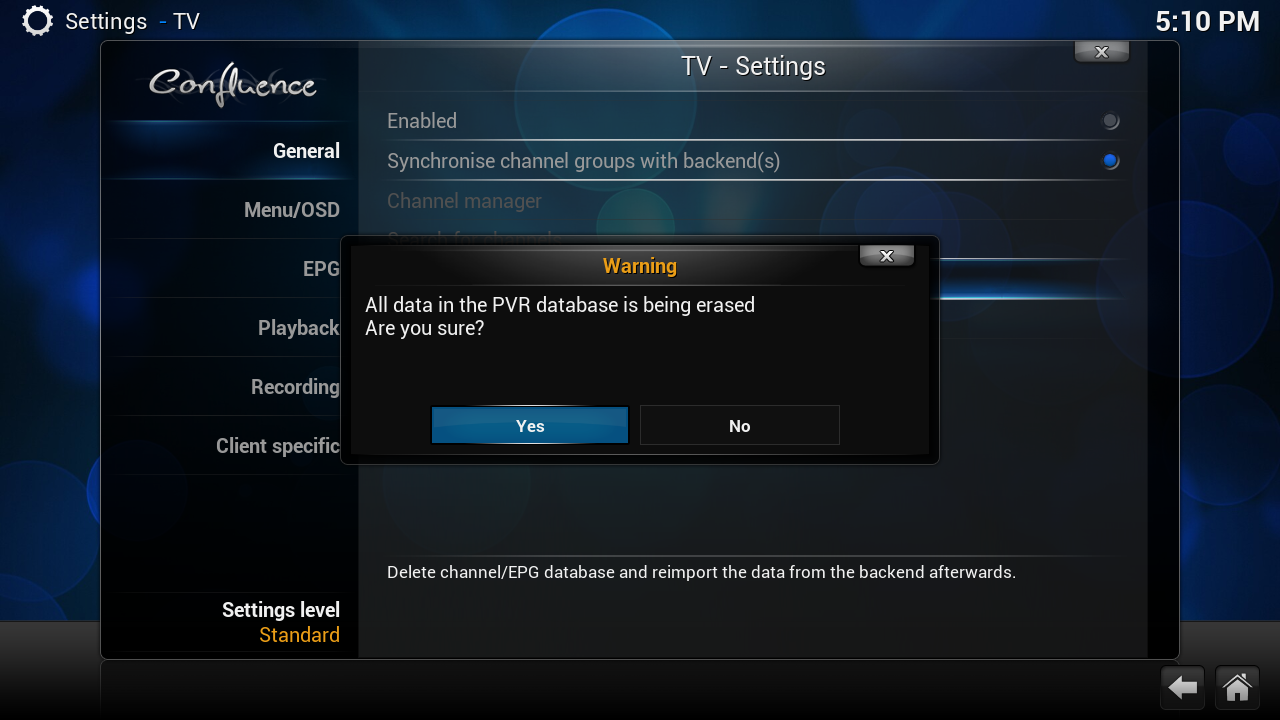
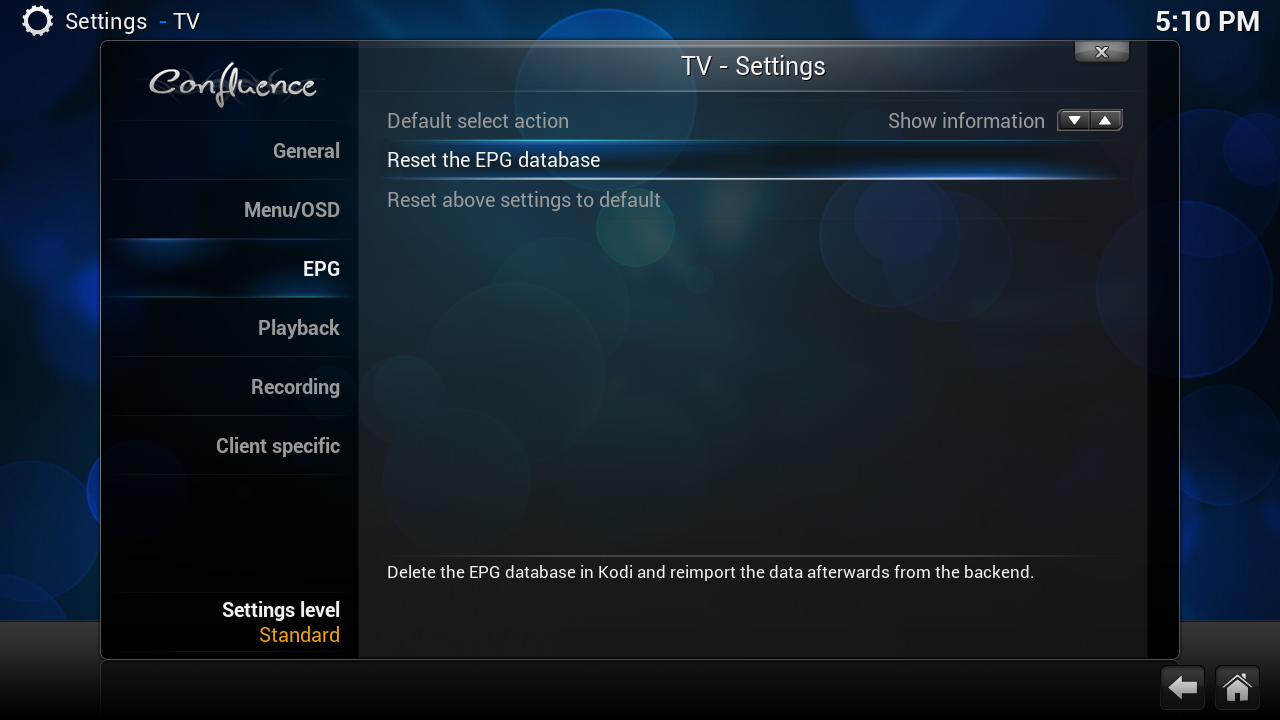
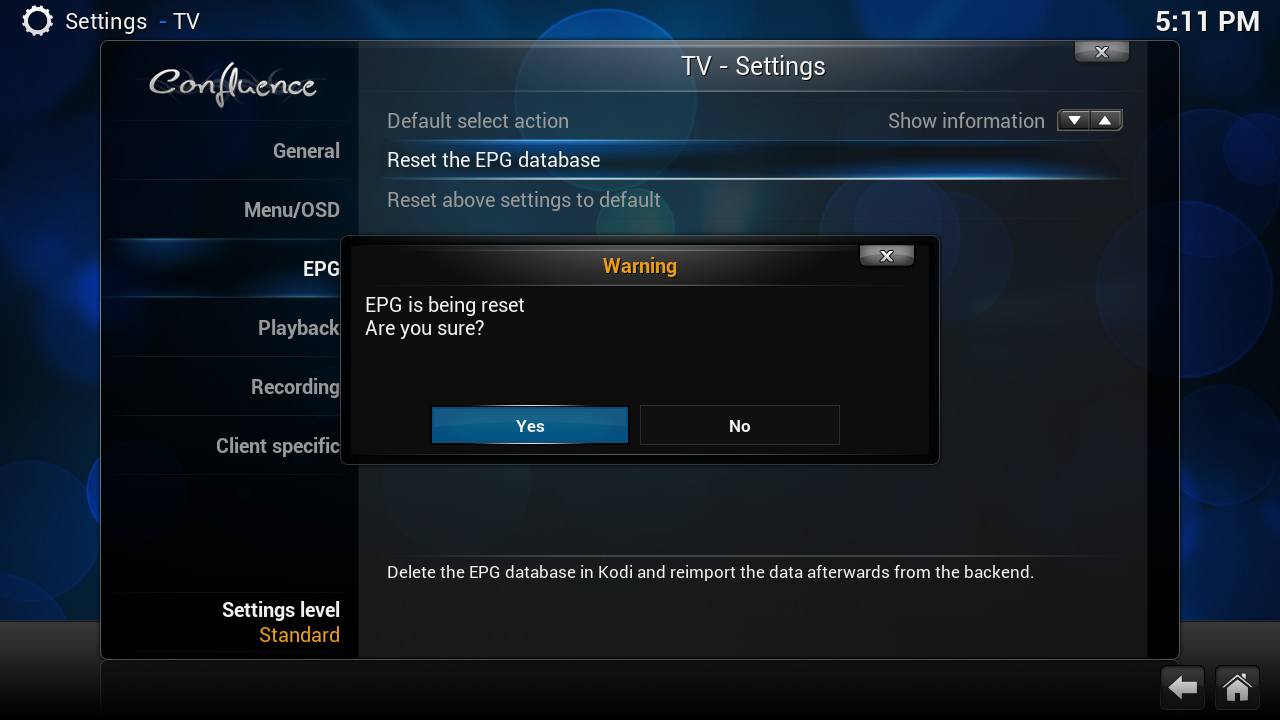
REBOOT your Wetekafter you use this tool you need the go to the webgui from tvheadend
replace my ip to your ip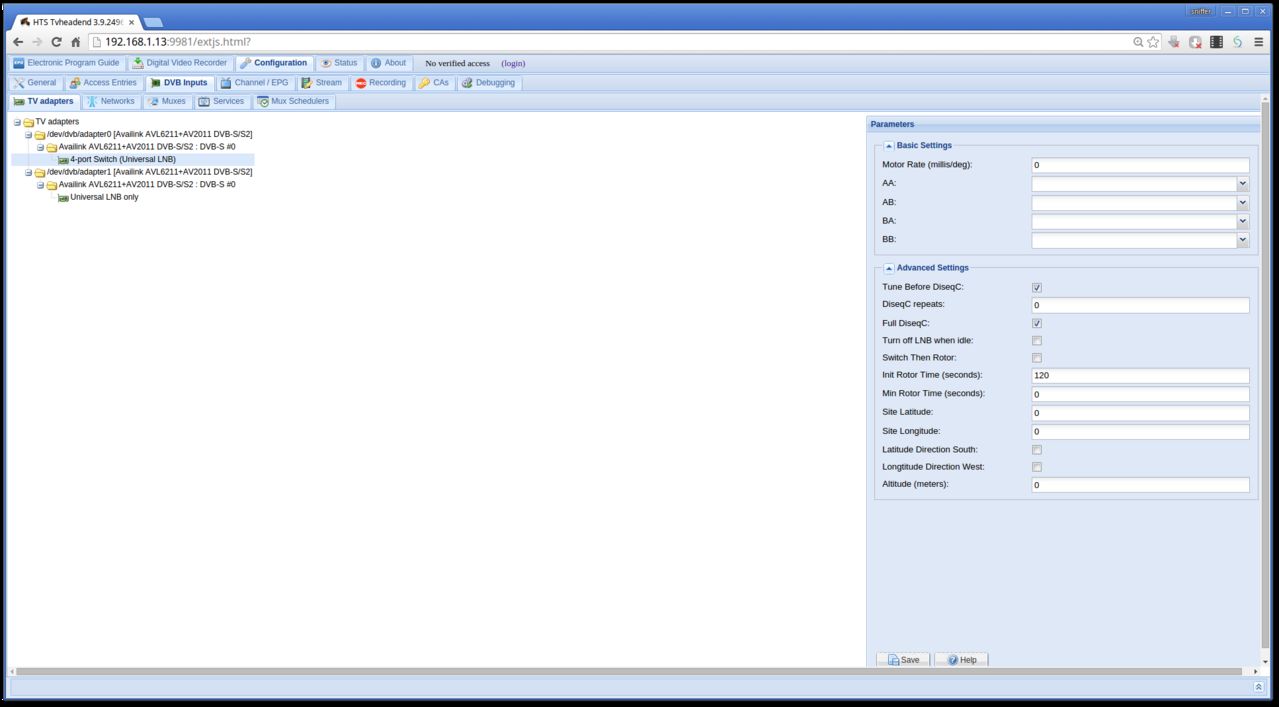
then Got Configuration > DVB Input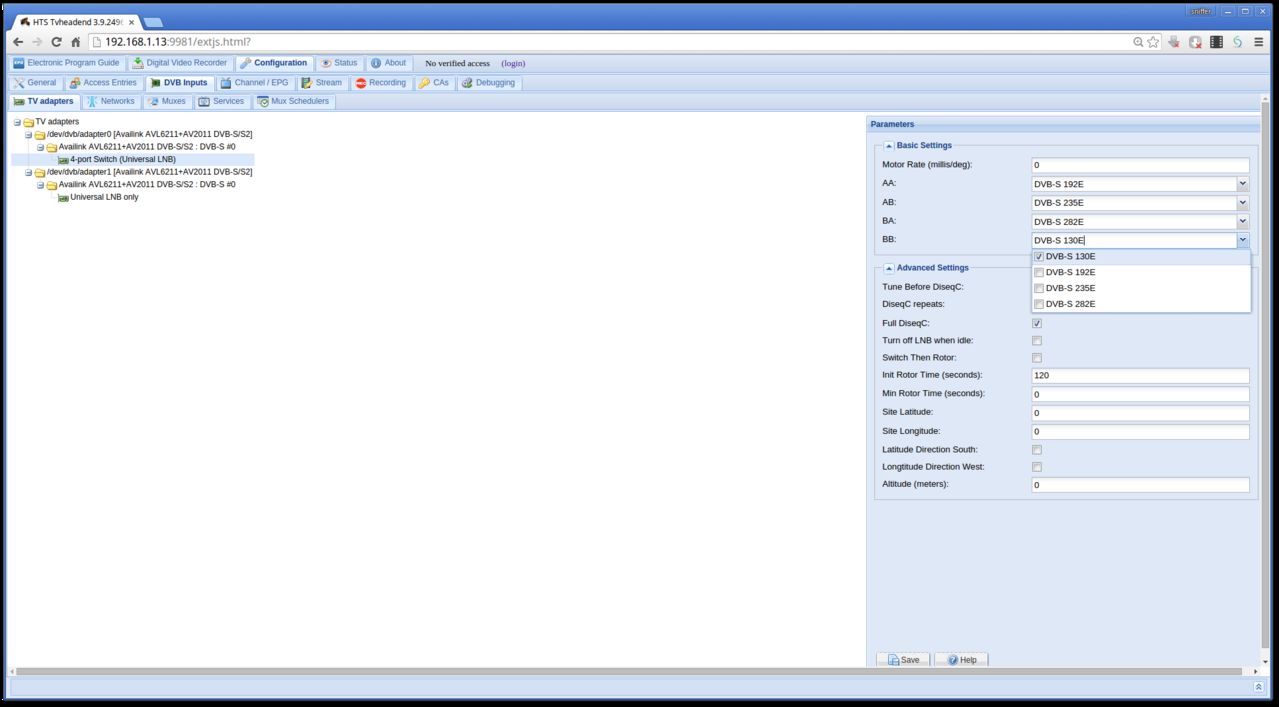
do you LNB on the good place and save itnow you can Enable your live tv and you have you enigma2 list
have fun with this :)
-
mmm ok i see i make today a tutorial
sorry i forgot somthing to do that :) -
epg dont work so you need only scan the sat 1x you dont need to muxes the channels
after you have done this the epg works -
Quote
with this tool can you convert a enigma2 list from file or you can download it from wetek server
you can make simple a backup from your tvheadend list and restore -
Hello,
In case You have problem, and need to send us dmesg log, you can make it very easy.
1. Connect by SSH to WeTek Play
2. Type this command:
Output of command will be something like this:
QuoteOpenELEC:/ # dmesg | pastebinit
http://sprunge.us/XXXXXKodi log
Output of command will be something like this:
QuoteOpenELEC:/ # cat /storage/.kodi/temp/kodi.log | pastebinit
http://sprunge.us/XXXXX3. All what You need to do is to send us this link :) http://www.wetekforums.com/viewforum.php?f=21
and tell your problem -
Display More
Yes done that
- - - Updated - - -
getting this error
comet failure [e=Cannot set property 'innerHTML' of undefined]
mmh dont know i think you can best ask the question here http://www.wetekforums.com/viewforum.php?f=21

