

Despite newer tools, I still prefer IPK Creator 3—it’s straightforward and reliable. Here’s a clear guide using my XStreamity plugin as an example.
1. Get IPK Creator 3
Download it from the original thread:
IPK Creator + IPK Feed Generator by Persian Prince
2. Prepare Your Folder Structure

Create a main folder (e.g., XStreamity_Build), and inside it, make two subfolders:
CONTROLXStreamity(or your plugin's name)
3. Create the control File
Inside the CONTROL folder, create a plain text file named control with the following content:
Package: enigma2-plugin-extensions-xstreamity
Version: 5.23-20260118
Section: misc
Priority: optional
Architecture: all
Maintainer: kiddac
Description: IPTV Xtream Codes/XUI One playlists player by KiddaC
Depends:
Source: https://www.linuxsat-support.com
4. Set Up the Plugin Folder
Inside your XStreamity folder, replicate the exact Enigma2 directory structure (case-sensitive):
XStreamity
└── usr
└── lib
└── enigma2
└── python
└── Plugins
└── Extensions
└── XStreamity
└── [all your plugin files here]
5. Generate the IPK
- Open IPK Creator 3
- Click the three dots (
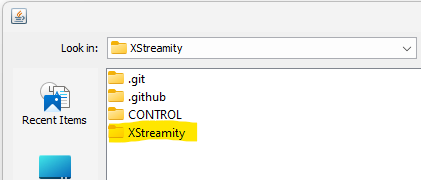
...) and select your main plugin folder (XStreamity) - The control file details should appear automatically
- Click Create IPK File and save the output
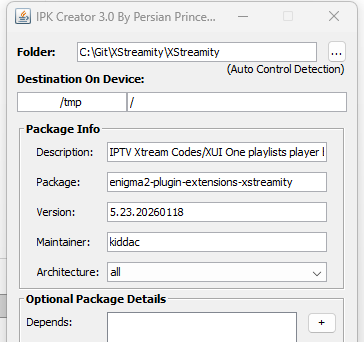
IPK Creator 3 interface after loading the folder
Successful IPK creation confirmation
Why IPK Creator 3?
It’s simple, fast, and works perfectly for Enigma2-based systems (OpenPLi, OpenATV, etc.). No complicated settings—just load your folder and create the package.
All credit to KiddaC
Original post here - RE: How to make a IPK file





