Octagon Sf8008 Supreme : How you can use the NVMe SSD M.2 device for multiboot locations ?

There are 26 replies in this Thread which was already clicked 10,912 times. The last Post () by najdine.

  • Hello,


    We can use the ssd drive for multiboot slots ?

    Yes we can.


    Finally, I managed to get openvix willo 6.4 to work on the nvme disk without passing by 'emmc'.


    https://www.mediafire.com/file…t-sf8008-supreme.rar/file

    We must urge the "Octagon firm" to modify the "recovery" so that the nvme disk accepts all images and not just openvix-willo-6.4.


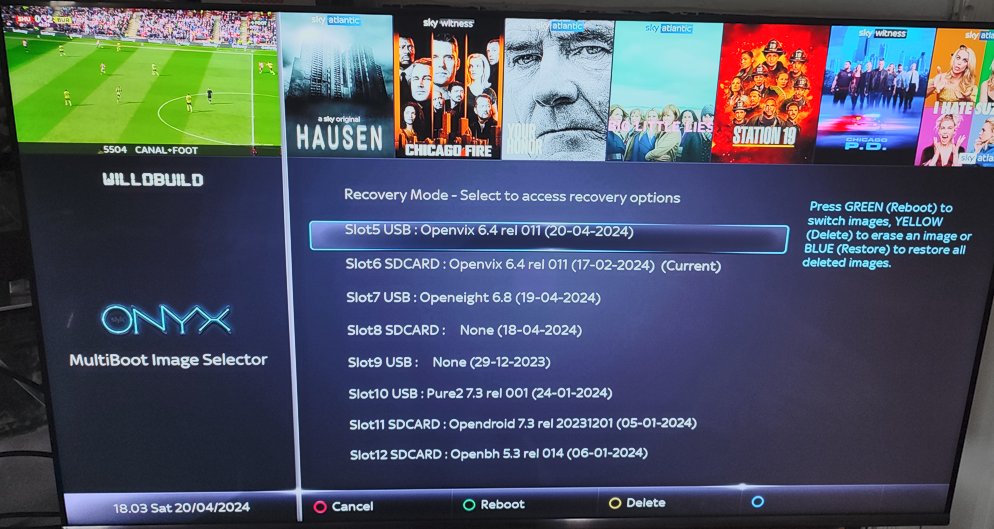
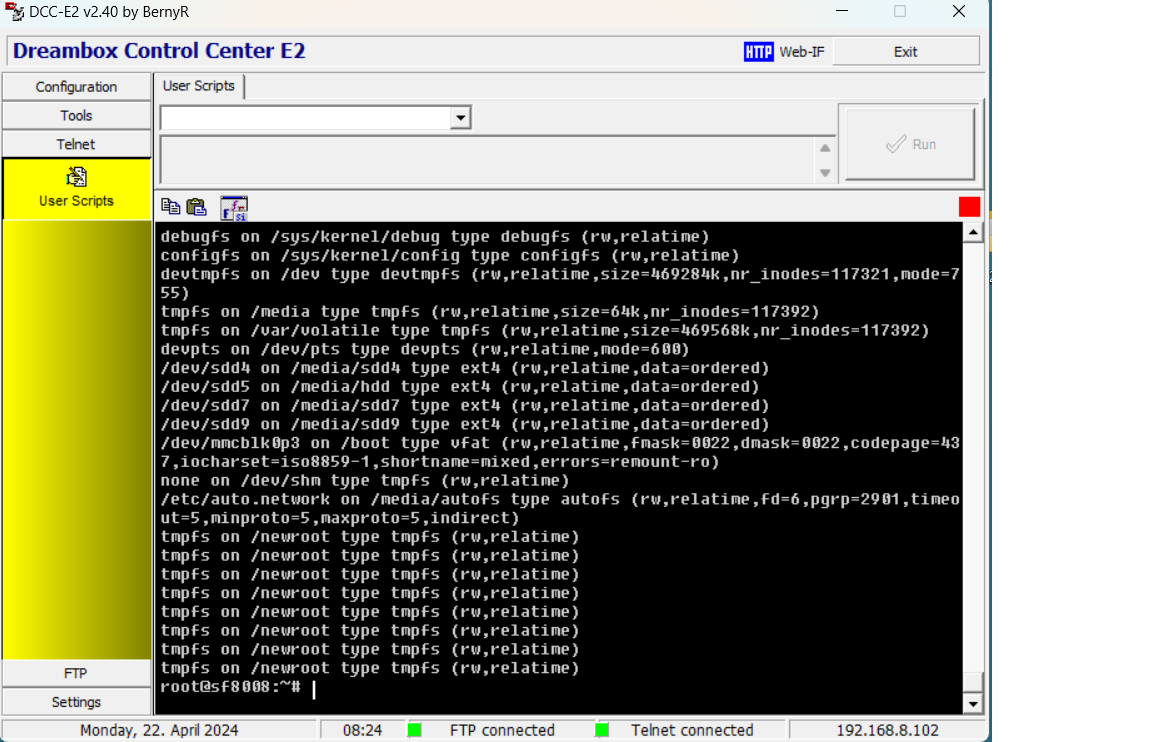
    openvix.6.4-willobuild.jpgtelnet-mount-openvix-6.4.jpg


    How to do it ?

    1- First, I installed openvix on my microsd card.

    2-Then, I copied the content of the two partition kernel 16MB (non fat) and rootfs 2GB (ext4) on my nvme disk

    3- I modified the line of STARTUP_5 "boot" option like that :

    boot hdd0.sdd2 'root=/ dev/sdd3 rootfstype=ext4 kernel=/dev/sdd2 rootwait blkdevparts=mmcblk0:1M(boot),1M(bootargs),1M(bootoptions),3M(baseparam),4M(pqparam), 4M(logo),4M(deviceinfo ),4M(softwareinfo),4M(loaderdb),32M(loader),8M(trustedcore),16M(linuxkernel1),16M(linuxkernel2),16M(linuxkernel3),16M(linuxkernel4), -(userdata)'

    That's all
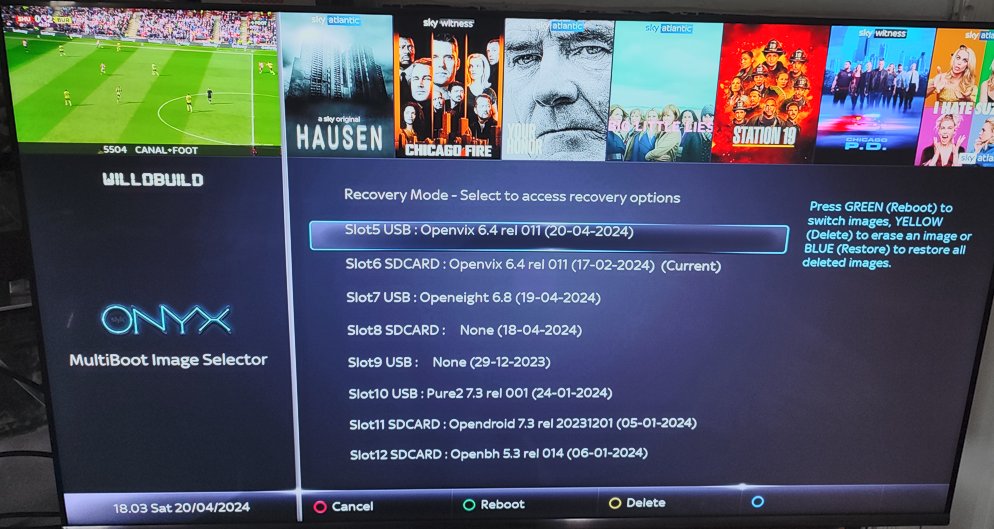

    openvix-6-4-willobuild.jpg


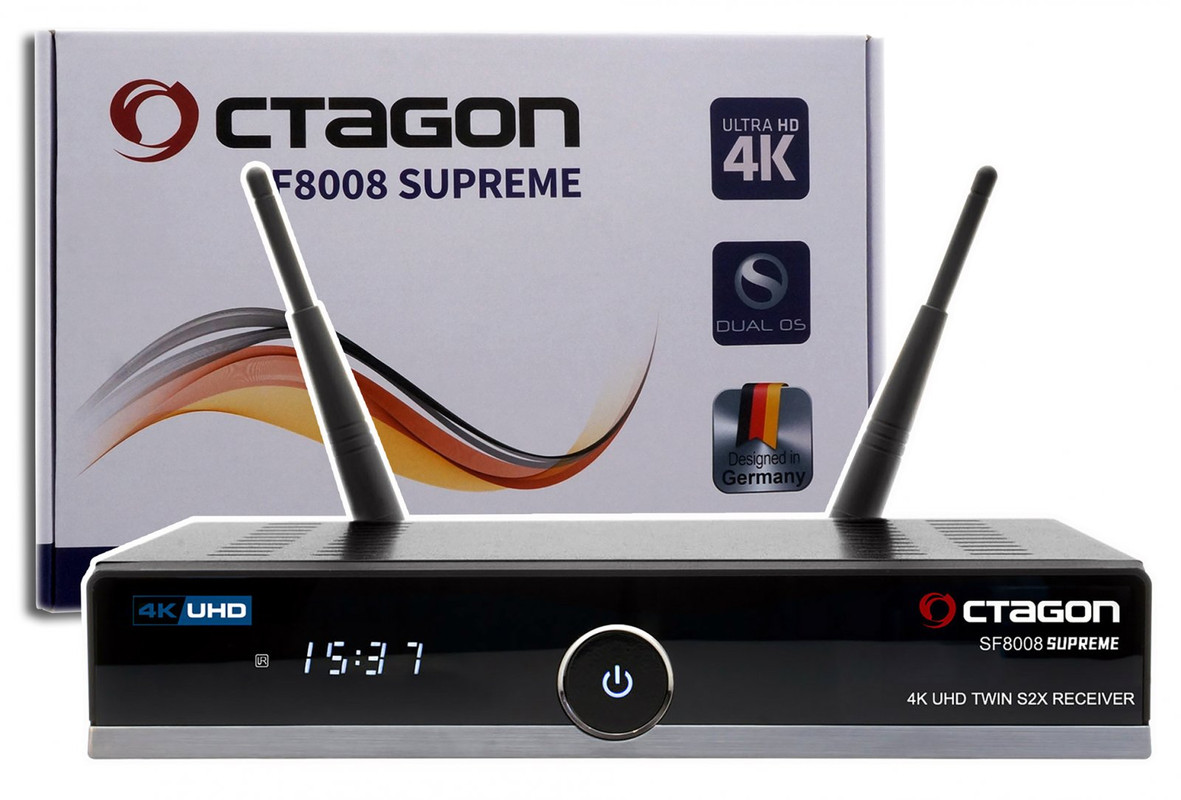
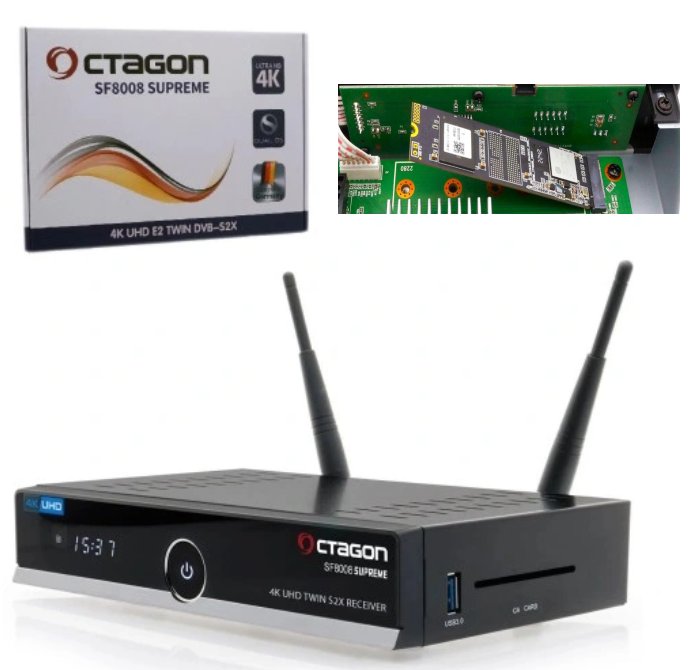
    sf8008-supreme-twin-allegro-miniatura.jpg

  • Hello friend, do you have an idea why with my octagon 8008 with multiboot on micro card, it is impossible to install the Openblackhole or Openvix images, I tried everything, the installation remains stuck at 49%??? ??Thank you for your job....

  • Hello,

    The advantage of using the NVMe SSD M.2 device for multiboot locations :


    is to benefit from the read/write high speed of the NVMe disk. Read/write speed : 2000/1500 MB/s.

    The combination of the NVMe protocol and the PCIe connection to an SSD


    allows you to achieve read and write speeds four times faster than those of a SATA SSD operating with the SCSI protocol.


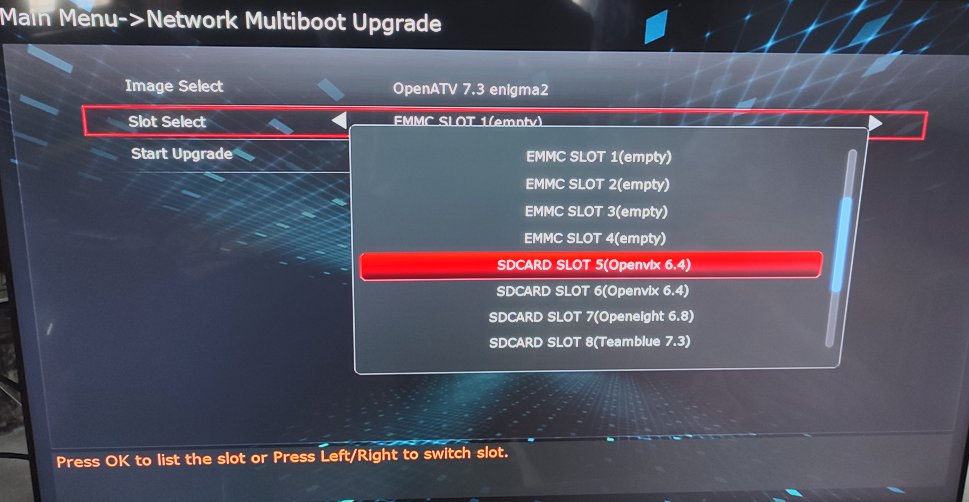
    From "recovery" I am unable to install E2 image to NVMe SSD location.

    The kernel is not recognized by recovery and of course it must be mounted by the system first to be accepted.

    So, I chose to manually copy the 2 partitions "kernel" (16 Mb) and "rootfs" (2GB)

    from the image already installed on my 128GB microsdcard.

    Perhaps, someone can help me, to solve this problem.


    openvix-6-4-willobuild.jpg


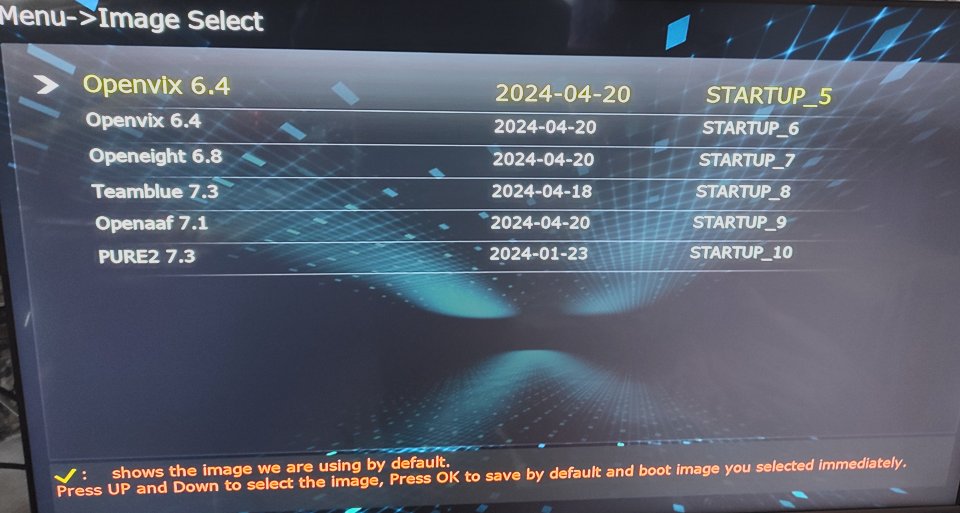
    recovery-sf8008-supreme.jpg


    recovery-sf8008-supreme-1.jpg


    sf8008supreme-telnet-sdd2.png


    Edited once, last by najdine ().

  • najdine

    Changed the title of the thread from “Multiboot on NVME hard drive of Octagon sf8008 Supreme, how to do it ?” to “Octagon Sf8008 Supreme : How you can use the NVMe SSD M.2 device for multiboot locations ?”.
  • After trying the Octagone sf8008 Supreme


    The stable E2 images that support multibooting from an SDD - NVMe hard drive :

    OpenBH 5.4, Openpli-9.0-release, Openvix-6.5-rel.003, NonSoloSat 32, Hyperion 9.3.


    But for the other E2 images,

    they crash and stop after booting, after 100% is displayed on the receiver screen :


    PurE2 7.4, OpenHDF 7.3, OpenATV 7.3, OpenATV 7.4, OpenATV 7.5-devel, OpenTR 11, OpenEight 6.8, OpenDroid 7.3, OpenSPA 8.3. 002, Egami-10.5


    SF8008-supreme-ssd-hp-ex900-plus-m2-512go-pcie30x4-nvme.jpg

    Edited once, last by najdine ().

  • I found another solution to use the NVMe sdd device as a source of multiboot location

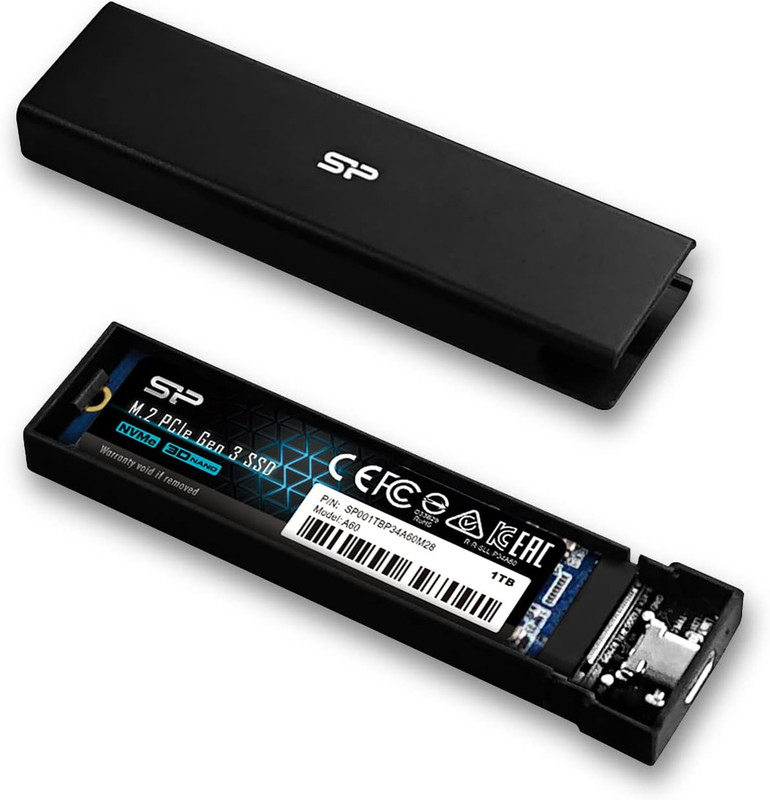
    Just use Silicon Power PD60 Enclosure USB-C Case M.2 PCIe NVMe SSD/M.2 SATA SSD

    PD60 Enclosure _Take Your M.2 SSD Further With The New PD60 Enclosure_Silicon Power

    And we use the USB 3.0 port of SF8008 Supreme

    with the STARTUP_2 multiboot configuration:

    boot usb0.sdc2 'root=/dev/sdc3 rootfstype=ext4 kernel=/dev/sdc2 rootwait blkdevparts=mmcblk0:1M(boot),1M(bootargs),1M(bootoptions),3M(baseparam),4M(pqparam), 4M(logo),4M(deviceinfo),4M(softwareinfo),4M(loaderdb),32M(loader),8M(trustedcore),16M(linuxkernel1),16M(linuxkernel2),16M(linuxkernel3),16M(linuxkernel4), -(userdata)'


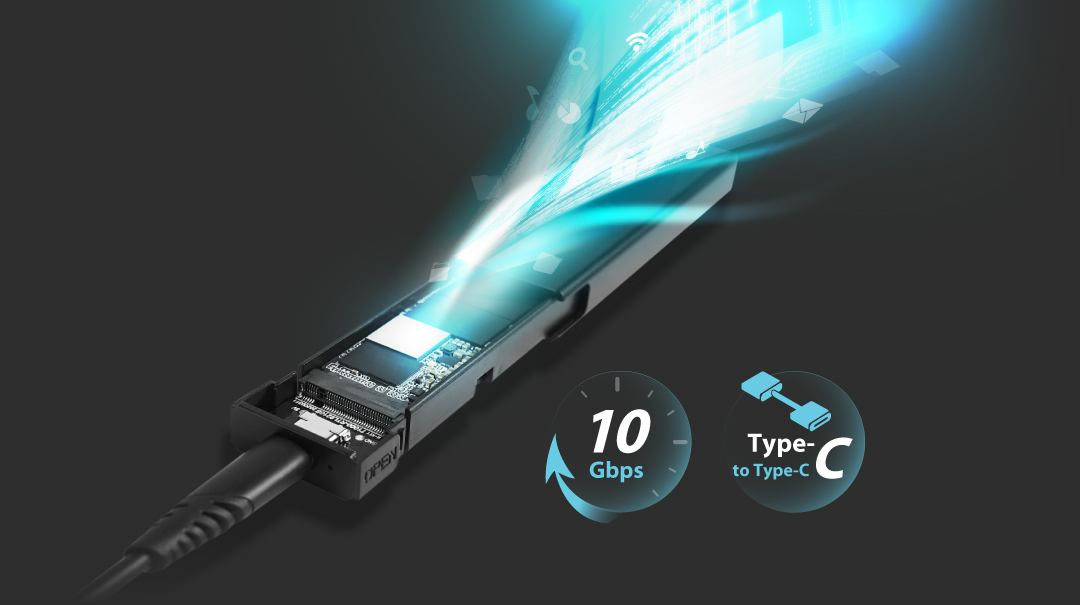
    PD60-Feature1.jpg


    Silicon-Power-PD60-Enclosure-USB-C-Case-M-2-PCIe-NVMe-SSD-M-2-SATA-SSD-SP000-HSPSDPD60-CK.jpg

  • Yes well done but I Don't get it , why pay for new model that takes internal M.2 PCIe NVMe SSD and then put it in external device,

    do older models not have usb 3 ports

    lets face it if needed it would only take a few minutes to restore image from backup to another slot

  • I can't format SD on my supreme :( maybe damaged slot (card is ok) anyway how to install image on SD card? I'll try....

  • I tried the same config on an my old sf8008twin and it worked on the same e2 images,

    so the problem of crashing at 100% boot is a problem due to the recovery file which blocks the sdc and sdd config and only accepts the sda config


    2.jpg 1.jpg

  • The disadvantage of the Octagon SF8008 Supreme device is

    that Octagon did not take into account that we install the images directly on the NVME hard drive

    without going through the plugin neoboot or the Egami Enigma2 image.


    Recovery of sf8008 supreme accepts STARTUP files from "sda" of microsd-card


    But recovery does not recognize STARTUP files coming from the NVMe "sdd"

    Or STARTUP files coming from the "sdc" of Flash USB 3.0


    But since I am stubborn, I was able to play some images directly from the NVMe hard drive or from the USB 3.0 port, and these images are:

    Openvix-6.5

    openpli-9.0-release

    openpli-develop

    Openbh 5.3 rel 014

    define-7.0

    Hyperion-9.3-sf8008

    nonsolosat32-py3-sf8008


    As for the rest of the images, they are suspended upon booting when they reach 100%.

  • Hi @najdine


    I think I found what's wrong and most images are stuck at 100%.


    I don't have the sf8008-Supreme, I have the sf8008-Combo, but I think the process is the same for both models.

    I did some experiments with a usb-drive in which I created 4 slots. I flashed the following images:


    Slot-51: SatDreamGr-10

    Slot-52: OpenATV-7.4

    Slot-53: OpenEight-6.8

    Slot-54: Egami-10.5


    When I have the sd-card and usb-drive connected at the same time, SatDreamGr and OpenATV boot normally, while OpenEight and Egami hang at 100%.

    But if I remove the card and leave only the usb-drive, everything opens normally. So we have a conflict between the two drives.


    The solution is to disconnect the sd-card and work only with the usb-drive or ssd-harddisk.


    Try this and good luck.

  • Usb-stick works normally but is really very slow. Better to use microSD card via usb card-reader. It's infinitely faster.


    Cardreader.jpg     Cardreader2.jpg


    There is no script, but the existing ones can be modified (sdc instead of sda).

    Although the partitions on the usb-stick will be created normally, you will have a problem with the STARTUP files that will not recognize the slots.

    You won't be able to flash an image because the system requires the kernel to be on sda partition and not on sdc one.

    You should flash an image using a Telnet command, and also must modify the STARTUP files a bit to show the slots in the image list.

    It's not hard, but it's a bit complicated for the first time.


    However, I never use scripts and Ι create partitions and STARTUP files manually.

    I also use a different structure than the scripts. I never liked having my data on partition #5 and I prefer partition #1 instead.

  • Although I am not interested in extra slots on a usb drive since I have them on a microSD card, I decided to get involved to satisfy my curiosity.


    I created 25 slots on a microsd-card and connected it to the usb port. I flashed my following backup images.

    Everything boots normally except OpenEight-6.8 which stuck on 100%. The same happens if I flash a clear image.


    In conclusion, it's not necessary to create slots on a usb drive unless the sd-card slot breaks.

  • Hello,

    Octagon sf8008 supreme


    After installing the update of openATV-7.4 - python: 3.12.4 - date: 24 june 2024

    as a recovery enigma2 image.

    openatv-7.4-sf8008-20240624_recovery_emmc.zip


    I was able to install important images over the NVMe hard drive (sdd) :


    After installation the update openatv-7.4-sf8008-20240624_recovery_emmc.zip, you must replace the "boot" folder files.


    boot sf8008 supreme

    https://www.mediafire.com/file/r8aw7cm41hb6tkn/boot-sf8008supreme.rar/file


    Slot hdd0 NVMe (sdd) - telnet code


    Slot 5 usb : STARTUP_5 openatv-7.4-sf8008-backup-20240625-py.3.12.4_usb

    ofgwrite -m0 -rsdd2 -ksdd1 /tmp/octagon/sf8008/


    Slot 6 usb : STARTUP_6 Define-7.0-sf8008-20240323-backup-20240419

    ofgwrite -m0 -rsdd4 -ksdd3 /tmp/octagon/sf8008/


    Slot 7 usb : STARTUP_7 hyperion-X-sf8008-20240323-git33201-svn4806-20240619_usb

    ofgwrite -m0 -rsdd7 -ksdd6 /tmp/octagon/sf8008/


    Slot 8 usb : STARTUP_8 openbh 5.3 rel 014 (09.12.2023)

    ofgwrite -m0 -rsdd9 -ksdd8 /tmp/octagon/sf8008/


    Slot 9 usb : STARTUP_9 openbh-5.4.1.002.release-sf8008-20240618-a37aa9d5_mmc

    ofgwrite -m0 -rsdd11 -ksdd10 /tmp/octagon/sf8008/


    Slot 10 usb : STARTUP_10 openvix-6.5-rel.003-willobuild-sf8008-20240430

    ofgwrite -m0 -rsdd13 -ksdd12 /tmp/octagon/sf8008/


    Slot 11 usb : STARTUP_11 openvix-6.6.003.release-sf8008-20240626_mmc

    ofgwrite -m0 -rsdd15 -ksdd14 /tmp/octagon/sf8008/


    Slot 12 usb : STARTUP_12 openpli-9.0-release-sf8008-20240624_multiboot

    ofgwrite -m0 -rsdd17 -ksdd16 /tmp/octagon/sf8008/


    Slot 13 usb : STARTUP_13 openpli-develop-sf8008-20240626_multiboot

    ofgwrite -m0 -rsdd19 -ksdd18 /tmp/octagon/sf8008/


    Slot 14 usb : STARTUP_14 nonsolosat-33-py3-sf8008-20240525_mmc

    ofgwrite -m0 -rsdd21 -ksdd20 /tmp/octagon/sf8008/


    Slot 15 usb : STARTUP_15 Hyperion-9.3-sf8008-backup-20240512_mmc

    ofgwrite -m0 -rsdd23 -ksdd22 /tmp/octagon/sf8008/


    Slot 16 usb : STARTUP_16

    ofgwrite -m0 -rsdd25 -ksdd24 /tmp/octagon/sf8008/


    Slot 17 usb : STARTUP_17

    ofgwrite -m0 -rsdd27 -ksdd26 /tmp/octagon/sf8008/


    Slot 18 usb : STARTUP_18

    ofgwrite -m0 -rsdd29 -ksdd28 /tmp/octagon/sf8008/


    Slot 19 usb : STARTUP_19

    ofgwrite -m0 -rsdd31 -ksdd30 /tmp/octagon/sf8008/


    Slot eMMc - telnet code


    Slot 1 eMMc : STARTUP_1 openatv-7.4-sf8008-20240624-py.3.12.4_ recovery

    ofgwrite -m1 -r -k /tmp/octagon/sf8008/


    Slot 2 eMMc : STARTUP_2 Define-7.0-sf8008-20240323-backup-20240419

    ofgwrite -m2 -r -k /tmp/octagon/sf8008/


    Slot 3 eMMc : STARTUP_3 hyperion-X-sf8008-20240323-git33201-svn4806-20240619_usb

    ofgwrite -m3 -r -k /tmp/octagon/sf8008/


    Slot 4 eMMc : STARTUP_4 openvix-6.6.003.release-sf8008-20240626_mmc

    ofgwrite -m4 -r -k /tmp/octagon/sf8008/


    But the others E2 images are stuck at 100% after installation :

    openeight-6.8-sf8008-backup-20240419

    openspa-8.3.005-sf8008-20240318

    sf8008-PurE2-7.4-20240627_mmc

    egami-10.5.r7-sf8008-20240618

    openhdf-7.3-sf8008-backup-20240525

    opendroid-7.3-sf8008-backup-20230827_by-JAKITAKI_mmc

    teamblue-7.3-sf8008-backup-20240525

  • I had problems installing images on SF8008 Supreme from OpenATV 7.4 too, expecially backups. It appears to be a OATV's bug known to the developers. They're working on it as far as I know.
    To me the solution has been to install from other images, try it untill they fix, it might work for you too.

    About the slots on SSD it is a good idea but to me is not so convenient as I find it more confortable to use the same SD card on different similar decoders just by moving it from one to the other if needed.

    20240621_012237.jpg

  • Octagon "sf8008supreme"

    Solution to the problem of Enigma 2 images crashing when opening the "multiboot" plugin


    Special codes to select and change the content of the "STARTUP" boot file using telnet


    1- Telnet code to choose to boot the device sf8008supreme on the working "STARTUP_5"


    cp /boot/STARTUP_5 /boot/STARTUP

    reboot


    2- Telnet code to boot the sf8008supreme device into the recovery "STARTUP_RECOVERY"


    cp /boot/STARTUP_RECOVERY /boot/STARTUP

    reboot

  • I noticed this issue a few days ago after upgrading OpenATV-7.4, on different boxes.


    Finally, this happens when there are extra slots on sd-card, hdd or usb.

    If you disconnect the above and leave only the internal slots, Multiboot Manager works normally.


    We are waiting for the new update to fix this problem.

  • Exactly, and I tell you more, if you start keeping pressed the front button during restart with the purpose of getting into the recovery menu if you have the SD card inserted, as you said, it goes to the UPdt state but doesn't go any further, if instead you remove the SD it moves to DECO and conseguently to the recovery screen as it should.
    Once you are in the recovery menu if you insert the SD you then can go to the multiboot from there but it's limited to the first 10 slots.

OCTAGON SF8008 * SUPREME 4K UHD Linux Enigma 2 2160p H.265 HEVC Dual Wifi Multi-Stream DVB-S2X & DVB-C/T2 Combo Receiver

Download OCTAGON SF8008 & SUPREME 4K UHD (DUAL OS) Images and Enigma2 Team Support from OpenATV - OpenBh - OpenPLi - Open Vision - PurE2

Participate now!

Don’t have an account yet? Register yourself now and be a part of our community!