Posts by ciefp

    Enter username, password, click connect, click grab screenshot, click save screenshot, right click save as.

    The image cannot be displayed immediately upon clicking grab screenshot but rather upon clicking save due to CORS (Cross-Origin Resource Sharing) restrictions.

    Can you add a function that automatically loads the information when the plugin starts, without having to press ‘Auto EPG every time

    I´ve integrated it for myself, useful If you start the plugin with hotkey, furthermore with CH+/CH- you can switch channels inside the plugin with automatically loading infornations you can start the plugin from channel selection menu as well (just press Menu key in channel selection), if ciefp doesn´t mind I can upload plugin.py, I just make suggestions, idea just occured to me, I don´t mean to belittle his work

    I have nothing against new ideas, of course we can add it to the next version. I do everything openly, all my plugins are open, I receive all suggestions that will improve the plugin.

    ciefp added a new version:

    ciefp added a new version:

    Yes, I thought about it. This is only the first version of the plugin, I still plan to work on this plugin.


    The plan is to add a player for subtitles, support for epg so that the plugin picks up the name of the movie or series from the current channel. The current focus is only on one source until I develop a fully functional plugin, so if I succeed in that, the next plan is to add support, maybe with subdl apikey, etc...


    I have already written many times that I am not a coder, I do everything via artificial intelligence, of course, the ideas are my own, I say what and how I want. This is the 30th plugin I've done in a year, so I still have ideas that I haven't realized. We'll see how the situation develops. Artificial has progressed with great strides in a year since I started working with plugins. I started working on this plugin yesterday, and today I already installed the first version. I've learned a lot, but these are still simple plugins.

    ciefp added a new file:

    ciefp added a new version:

    All openpli images and similar ones are impoverished, which means that they removed some things to make the image lighter. Unlike openatv and let's say pure2, these are already complete images that contain everything. I researched this problem a bit, but I didn't find a solution, and the problem is in the image because they removed some components binding to the network connection.


    Main cause:

    Missing packages for mount SMB/NFS

    For SMB/CIFS: Missing cifs-utils or samba-client package (which includes the mount.cifs command). Without this, mount -t cifs will not work and you will get an error like "mount: unknown filesystem type 'cifs'" or "command not found".

    For NFS: Missing nfs-common or nfs-client (for mount.nfs command). Similarly, "unknown filesystem type 'nfs'" error.

    OpenPLi often drops these packages from the base image because they are not essential for basic TV functionality, but are available in the online feed.


    Other possible causes:

    Kernel modules: If the OpenPLi kernel is not compiled with CIFS/NFS support (e.g. the cifs.ko or nfs.ko modules are not included), the mount will fail even with the packages. But this is rare, as most Enigma2 kernels have these modules.

    Busybox limitations: OpenPLi uses Busybox for many commands (to make it easier), but the Busybox mount version may not have full CIFS/NFS support. OpenATV/Pure2 use fuller versions of the tools.

    Dependencies on Samba or NFS server: If the laptop is Windows, check if SMBv1 is enabled (OpenPLi may not support older versions without packages). For Linux laptops, the NFS server must be configured with exports.


    Firewall or permissions:

    But this is not image specific - more for the laptop side.


    Solution for OpenPLi:

    Install missing packages via telnet/SSH or opkg:

    Connect to the box via telnet/SSH (e.g. telnet IP_ADDRESS_BOX, user: root, password: empty or default).

    Update feed: opkg update


    Install for SMB:

    opkg install cifs-utils or opkg install samba-client (if not available, check opkg list | grep cifs or opkg list | grep samba).


    Install for NFS:

    opkg install nfs-utils-client or opkg install nfs-common.

    Restart box: reboot

    If the packages are not in the feed, you can manually download them from the OpenPLi feed (e.g. from http://feeds.openpli.org/openpli-8/mips32el/) and install them via opkg install /tmp/paket.ipk.


    Alternative:

    Switch to OpenATV or Pure2

    📊 CiefpTMDBSearch 2.1

    New:

    Seasons and Episodes, the plugin can now display all seasons and their episodes for series.

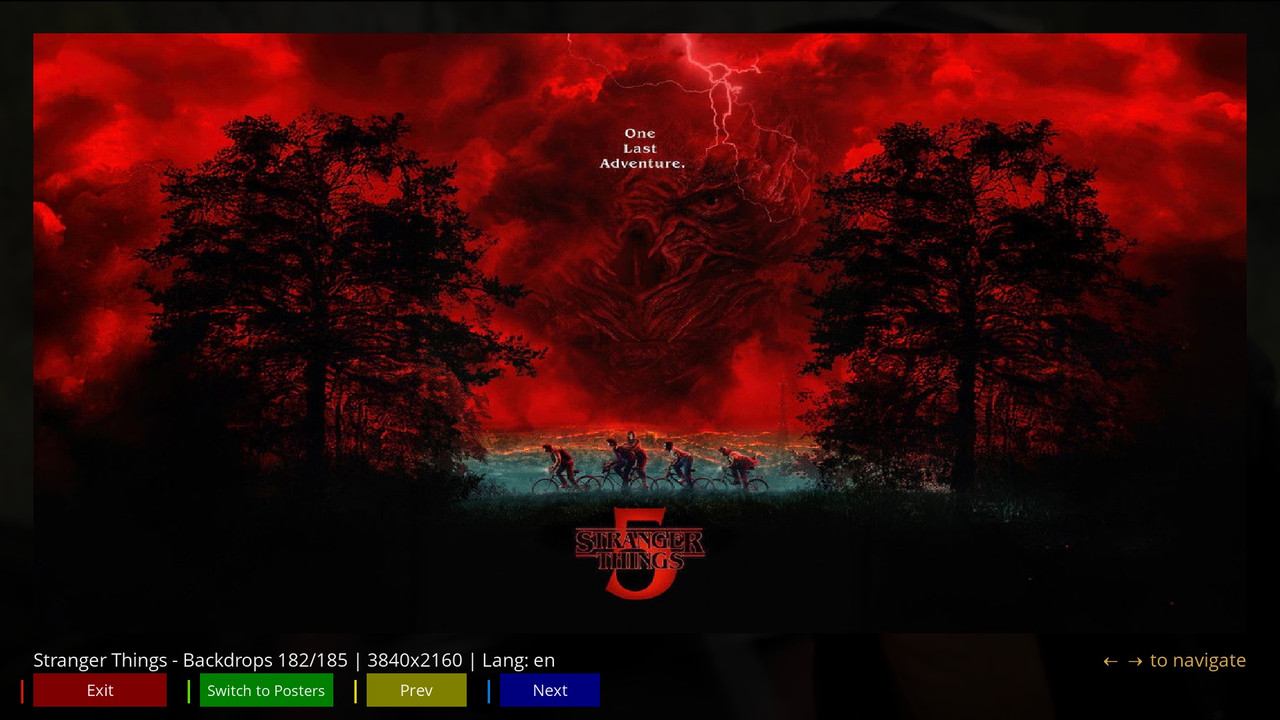
    The plugin now also has a gallery to display all available posters and backdrops images.


    The plugin now has:

    ✅ Auto EPG search - automatic recognition of the current program

    ✅ Advanced search - movies, series, actors, directors

    ✅ Popular/Trending lists - what is currently popular

    ✅ Cast Explorer - cast research

    ✅ Seasons and Episodes - detailed overview of TV series and episodes

    ✅ TMDB and IMDB ratings - additional information

    ✅ Backdrop Gallery - preview of background images

    ✅ Poster Gallery - preview of posters

    ✅ Settings - API keys, language, cache


    🖼️ Quick guide: How to use the poster and backdrop viewer

    The new gallery is easy to use. Here is a quick guide:


    Accessing the gallery:

    After loading the movie or series data, press the MENU button on your remote control.

    In the menu, select the 🖼️ Backdrop Gallery or 🎬 Poster Gallery option.


    Gallery navigation:

    Use the YELLOW and BLUE buttons (or the left/right arrows) to move through the images.


    The GREEN button takes you back to the home screen or switches between the backdrop and poster galleries (if available).

    The status bar at the top shows which image you are out of a total (e.g., "6/185").


    Close the gallery:

    Press the RED button or OK/Exit to return to the main plugin screen.


    💡 Tips and notes

    Caching: Images are automatically downloaded and saved to your chosen cache folder (set in Settings). This speeds up the display the next time you open them.

    Language settings: In Settings, you can change the language for the descriptions (language). This also affects the language of the data you get from the TMDB database.

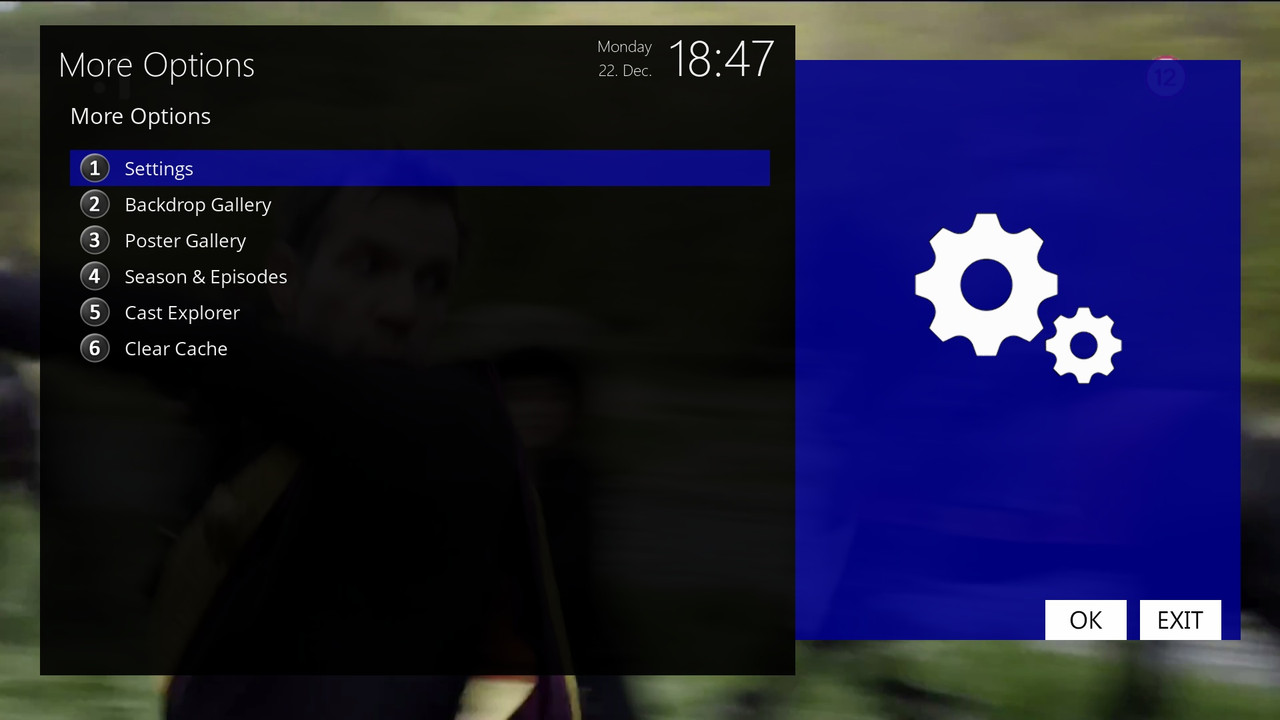
    Performance: If the plugin starts to work slowly due to a full cache, you can clear it via MENU > More Options > 🗑️ Clear Cache.

    The new gallery is a great addition that allows users to fully experience viewing the visual content of a movie or series.


    ..:: CiefpSettings ::..


    1-0-19-3F3-AF1-BB-E080000-0-0-0-20251222184729.jpg


    1-0-19-3F3-AF1-BB-E080000-0-0-0-20251222184744.jpg

    The header shouldn't be displayed now because I switched the skin to fullhd.

    The way it is now, it should be displayed. It's better like this in fullhd, many of you use various images and also various skins that are not the default on those images.

    I can't adjust the plugin for various skins. That should be done by those who make skins to adapt their skin to various plugins. My plugin is primarily intended to work with the default skin. I'm not saying it won't work with other skins, but I don't have time to test it.

    ..:: CiefpTMDBSearch ::..

    Two upgrades to the plugin


    What was added in 1.8


    Search Top Rated Movies – 20 best rated movies of all time

    Search Top Rated Series – 20 best rated series


    Now the plugin has all the key TMDB sections: Popular, Trending and Top Rated – a real TMDB browser in Enigma! 🔥


    What's new in version 1.9


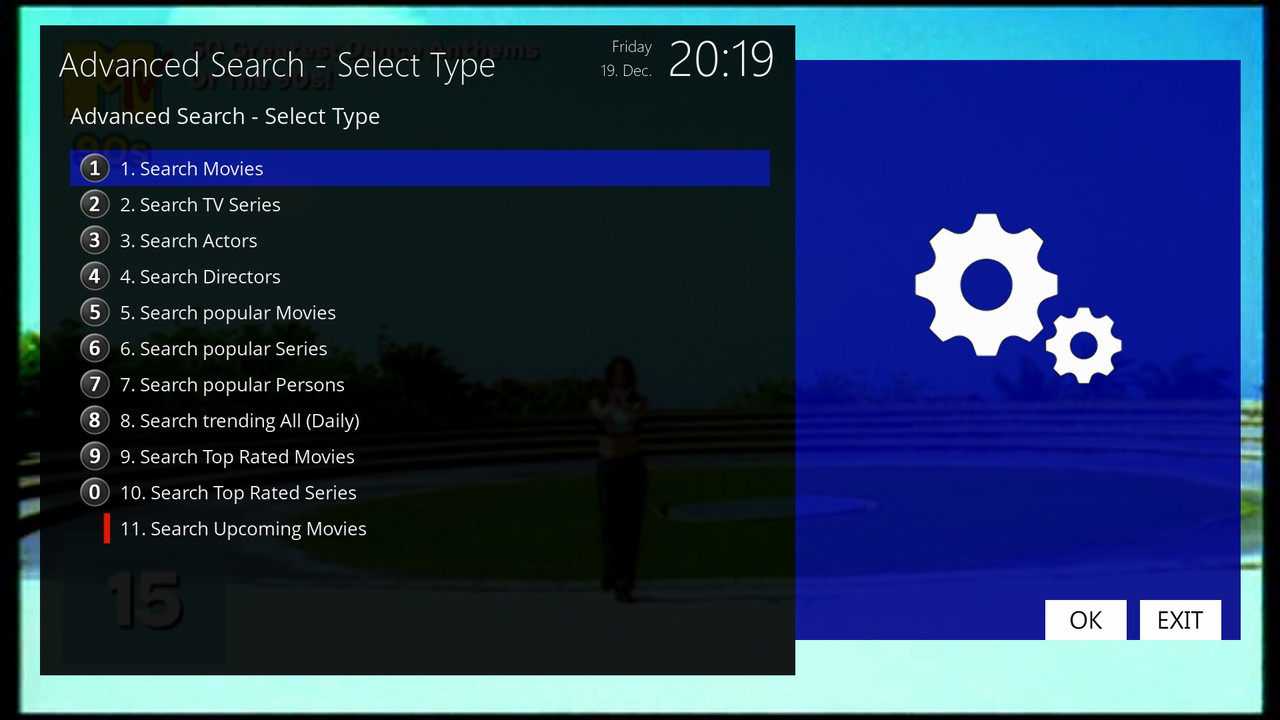
    11. Search Upcoming Movies

    – Shows 20 upcoming movies that will soon be released in cinemas or on streaming (sorted by release date – closest first).

    – Display in the list:

    [Upc] Movie title (19.12.2025) ★★★★☆ 7.5

    – The release date is formatted better (day.month.year).

    – Rating and stars (if it already exists based on votes/trailers).

    - Click to open the full view of the film (poster, description, actors, trailer if available).

    1-0-1-1FF-1B-2C0-E080000-0-0-0-20251219201901.jpg

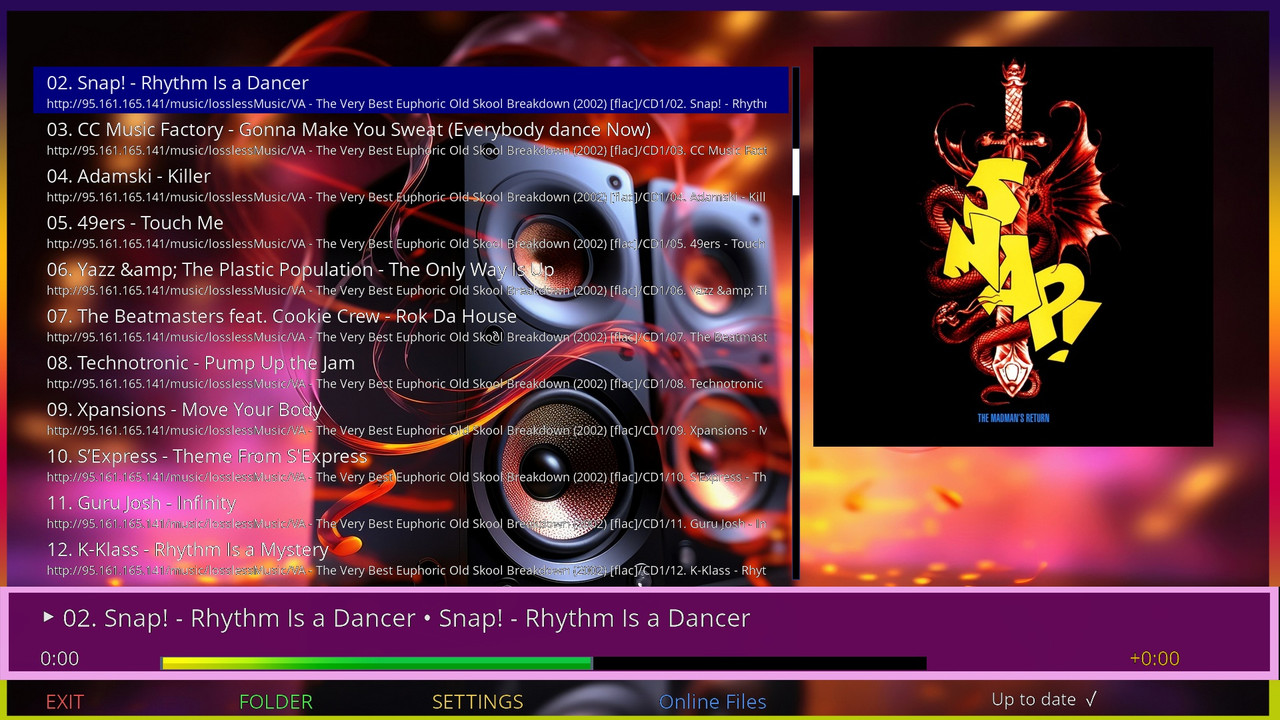
    ..:: CiefpVibes v1.5 ::..

    - Release Information -


    📢 The new version of CiefpVibes 1.5 is here!

    Version: 1.5 (enlarged version)

    Category: Enigma2 music plugin

    Platform: OpenATV, OpenPLi, PurE2 and other Enigma2 systems


    🎯 What's new in version 1.5?

    🆕 MAIN NEWSPAPERS:

    ✅ SMARTER AUDIO PLAYER

    The plugin now intelligently differentiates between local files and online radio streams

    Local files: stable poster, change limit = 3

    Online radio: dynamic changes, limit of changes = 10

    Improved poster lock - prevents unwanted flickers


    🎨 AUTOMATIC DETECTION OF LOCAL POSTERS

    NEW FUNCTION: The plugin automatically searches for cover.jpg, folder.jpg, front.jpg in the folder where the music is

    It works for MP3, FLAC, M4A and other audio formats

    It also supports parent folders (for albums with subfolders)

    Caching for faster access - doesn't scan constantly


    📻 IMPROVED ONLINE RADIO EXPERIENCE

    Automatic meta-data update every 5 seconds

    Force refresh system for more reliable information

    Smart title parsing (removes years, numbers, special formats)

    Tracking the history of changes - the last 5 titles


    🔧 ADVANCED TIMER SYSTEMS

    poster_search_timer - delayed search poster

    auto_title_update_timer - automatic title update

    force_refresh_timer - forcing refresh of meta-data

    lock_timer - controlled locking of posters


    🎵 SMART TITLE PARSING

    Removes ordinal numbers (001 -, 01., 1 -)

    Removes Years in Brackets (1993)

    Supports multiple separators: " - ", " • ", " | ", " / "

    Cleans "junk" like (Official Video), [Remix], etc.


    🔧 TECHNICAL IMPROVEMENTS:

    For the end user:

    Better stability - fewer crashes and freezes

    Smarter display - the plugin "knows" what is playing

    Automatic detection - no need for manual adjustments

    Improved debug - easier troubleshooting


    For developers:

    Code structure - better organized methods

    Added variables - metadata_history, last_displayed_title, folderCoverCache

    Improved status monitoring - is_current_stream_online, poster_locked

    More controls - max_poster_changes dynamically changes


    🐛 ERRORS FIXED (from previous versions):

    Poster flicker problem - excessive poster change solved

    Meta-data for online radio - improved tracking of changes

    Heading parsing - cleaner display of information

    Timer conflicts - better synchronization of events

    Local folders - now works with hierarchical structures


    📥 INSTALLATION AND UPGRADING:

    For new installations:

    Code
    wget -q --no-check-certificate https://raw.githubusercontent.com/ciefp/CiefpVibes/main/installer.sh -O - | /bin/sh


    For existing users (version 1.4 and below):

    The plugin will automatically detect the new version

    The notification "Update: v1.5" will appear

    Confirm the update - the plugin will restart


    Note: The configuration will be saved (backup/restore system)


    📞 SUPPORT AND ERROR REPORTING:

    GitHub Issues: https://github.com/ciefp/CiefpVibes/issues

    Facebook group: ciefpsettings

    Telegram group: ciefpsettings


    "The best music plugin for Enigma2 just gets better!"

    *CiefpSettings Team - Making Enigma2 Better, One Plugin at a Time!* 🎶

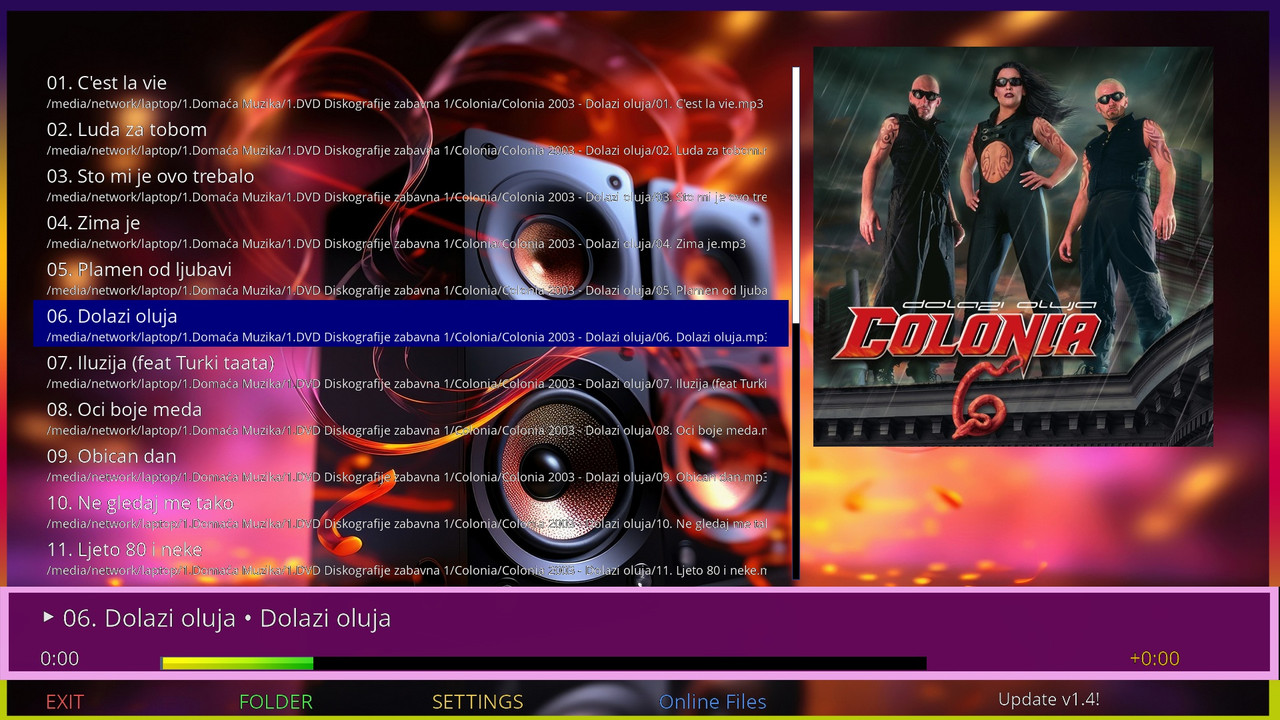
    4097-0-0-0-0-0-0-0-0-0-20251218220222.jpg

    It is possible, you have to install an new virtual keyboard, and you will be able to get a google suggestion.

    Code
    wget https://raw.githubusercontent.com/fairbird/NewVirtualKeyBoard/main/installer.sh -O - | /bin/sh

    ..:: CiefpTMDBSearch 1.7 ::..


    What's new in version 1.7

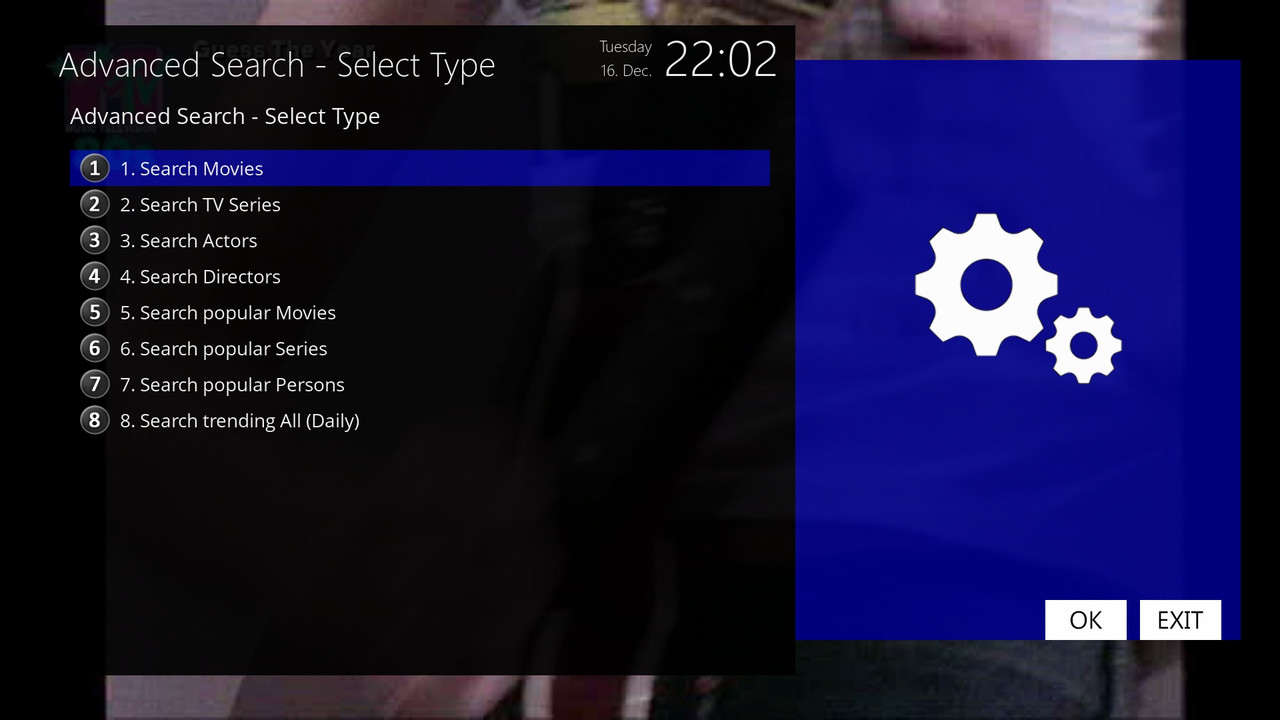
    Four new options have been added to the Advanced Search menu:


    Search popular Movies

    – Shows the 20 most popular movies currently on TMDB (long term popularity).

    – The list contains: movie name, year of release, TMDB rating and stars.

    - Clicking on the film opens a full view with the poster, description, actors, etc.

    Search popular Series

    – Shows the 20 most popular series currently on TMDB.

    – Display: name of series, year of start, rating and stars.

    – Selection opens a detailed view of the series.

    Search popular persons

    – Shows the 20 most popular people (actors, directors, etc.).

    – Display: person's name, field (eg Acting/Directing), short list of famous movies/series, popularity with stars.

    - Click to open the person's profile with biography, filmography and poster.

    Search trending All (Daily)

    – Shows the 20 most current titles and people per day (mixed – movies, series and people),

    just like the "Trending" section on the TMDB home page.

    - It is updated daily and shows what is currently most in focus (new hits, viral series, current actors).

    – Display:

    • Movies: [Mov] Title (year) ★★★★★ 7.8

    • Series: [Ser] Title (year) ★★★★★ 8.5

    • Persons: [Person] Name Surname • Acting ★★★★ 45.2

    – Selection opens the corresponding detailed view (movie/series/person profile).


    The rest


    All displays are limited to 20 results for speed and visibility (as on the TMDB site - first page).

    Ratings are shown with stars for faster viewing.

    Selection of description language is supported (via plugin settings).


    Online installation via plugin


    ..:: CiefpSettings ::..


    1-0-1-1FE-1B-2C0-E080000-0-0-0-20251216220214.jpg

    ciefp added a new version: