

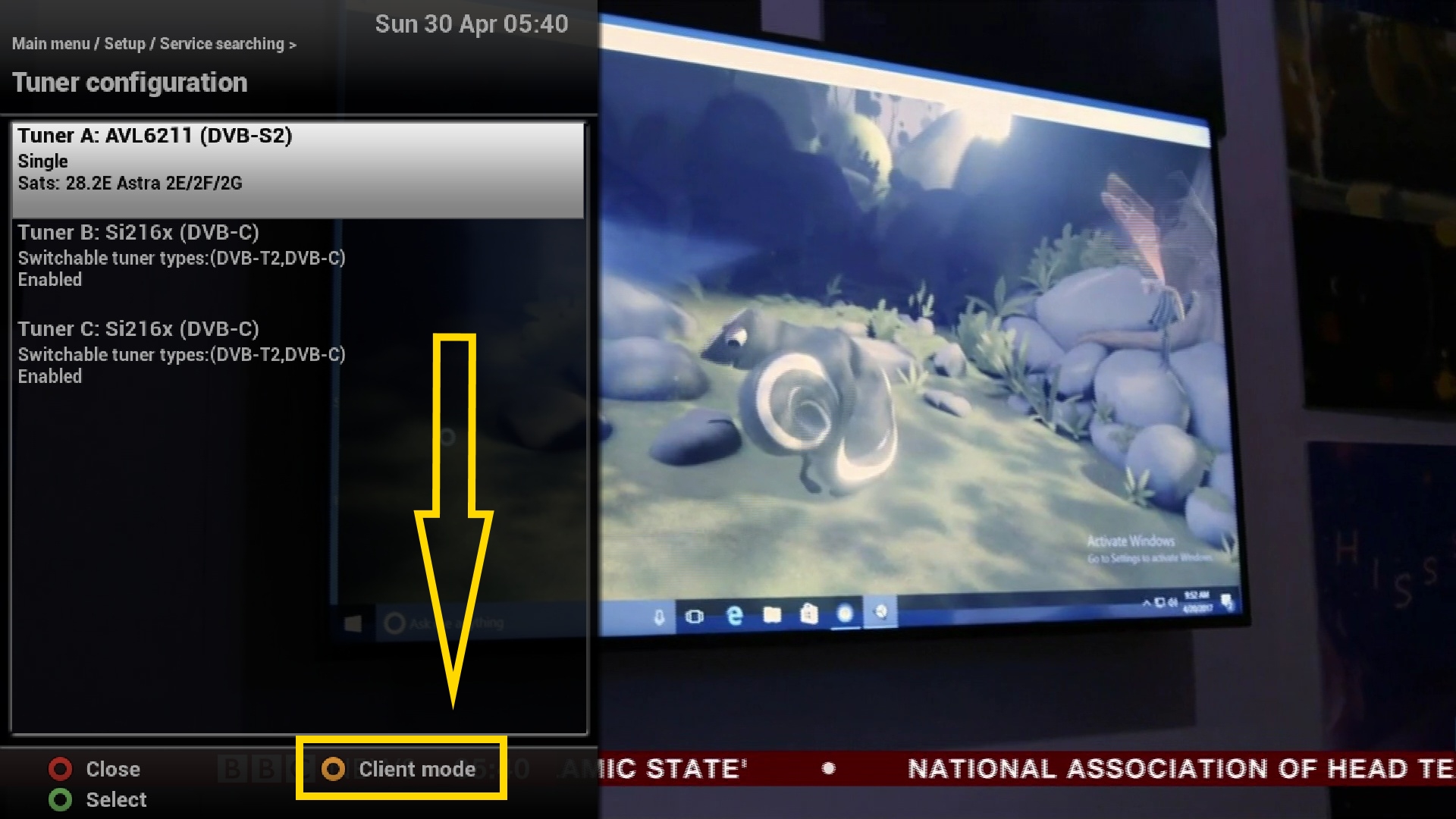
Client mode lets you run a client Enigma2 receiver over your existing network without any signal feeds — all channels and EPG data are imported from the main server receiver.
Setting up Client Mode
- Only certain skins currently show the Client Mode setup button. Switch to the default ViX Night HD skin to set it up (you can switch back to your preferred skin afterwards; switch back to ViX Night HD any time you need to re-access Client Mode setup).
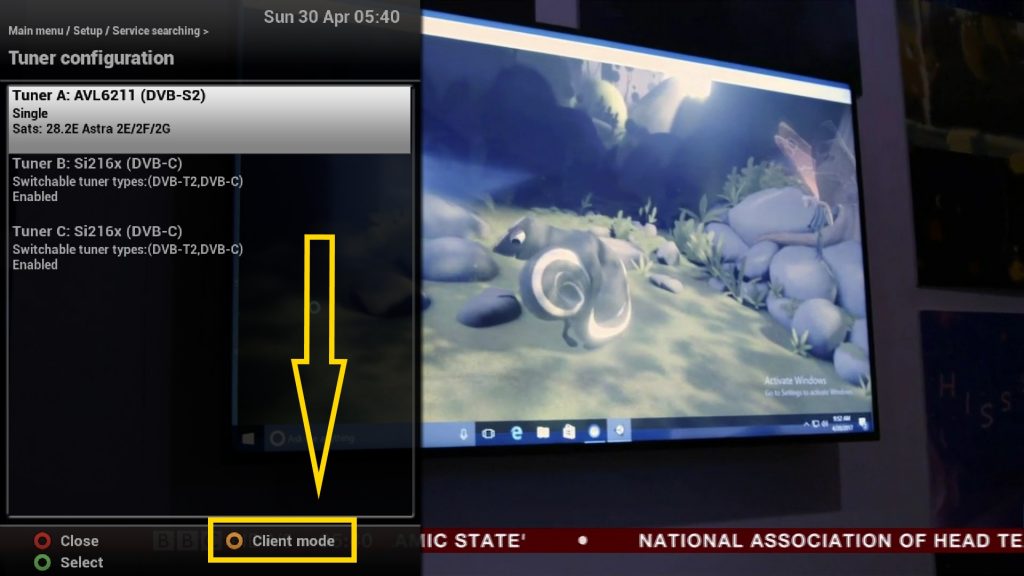
- Go to Menu → Setup → Service Searching → Tuner Configuration and look for the yellow Client Mode setup button. Press the YELLOW button to open the Client Mode setup screen.
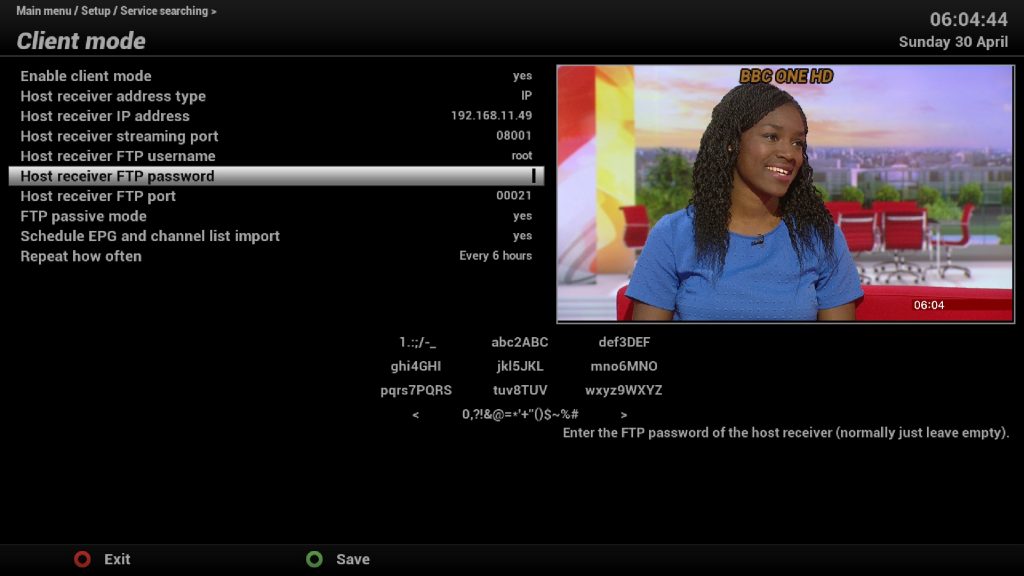
- Select the Enable client mode field and set it to yes with the left/right keys (sample settings in the screenshot).


Replies 6
D4ftpunk
All setup, but no bouquets / satellites / channels / anything has become available.
Network and credentials are fine and both boxes have reachability to each other. (both running OpenViX)
bellejt
just send your channel/bouquet list to slave box also. I use DBE for that
D4ftpunk
I tried copying the entire /etc/enigma2 directory, seemed to not make a difference....
You copy everything over with Client Mode still enabled right?
bellejt
you only need to copy your channellist with dbe to slave box .NOTHING else.Then restart box
D4ftpunk
ok, that seems to have worked! thanks. interestingly though my favourites are missing. I wonder if the problem was something up with that bouquet and the copy/transfer just cried.
bellejt
the list you have in DBE is the one that will be copied on box.Do it for all the boxers here who are in slave mode