

This guide shows how to configure the GT-Sat GT-dLNB1DY (also sold as GT-Sat GT-S3DCSS24, generic name dLNB Hello) Unicable LNB on an FBC-tuner receiver, using a single signal/coaxial wire with no splitters — giving you up to 8 independent tuners (A–H) from that one wire.
Before you start
- FBC and Unicable are two separate technologies. You can use a Unicable LNB with a non-FBC tuner (e.g. Dreambox 500, Vu+ Solo 2, Technomate Nano 3T Combo), and you can use an FBC tuner with a universal (normal) LNB. Combining FBC with Unicable gives you more tuners than either alone.
- ABM and CrossEPG need sole control of a tuner while they run, so expect brief blackouts on that tuner during a scan/EPG update.
- This guide wires the Unicable LNB's single signal/coaxial cable to Tuner A. You can use Tuner B instead if you prefer — it doesn't matter which one, as long as you're consistent about which tuner you select as the one physically connected.
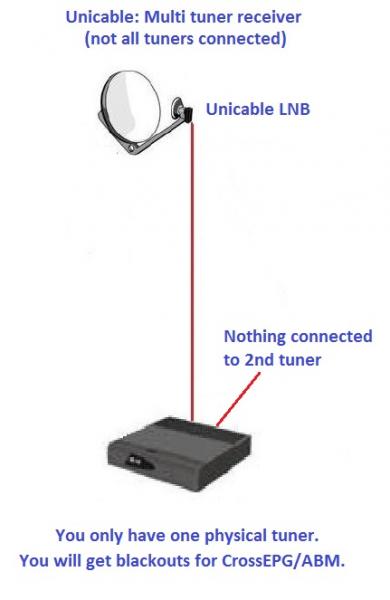
Tuner A — the physically-connected tuner
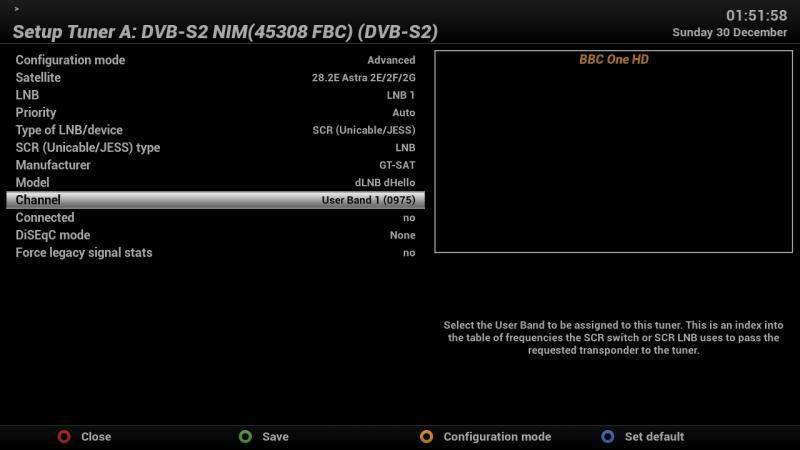
- Configuration mode: Advanced
- Satellite: 28.2E
- LNB: LNB 1
- Priority: Auto
- Type of LNB/Device: SCR (Unicable/Jess)
- SCR (Unicable/JESS) type: LNB
- Manufacturer: GT-Sat
- Model: dLNB dHello
- Channel: Userband 1 (0975)
- Connected: No
- DiSEqC mode: None
- Force legacy signal stats: No
Tuners B through H
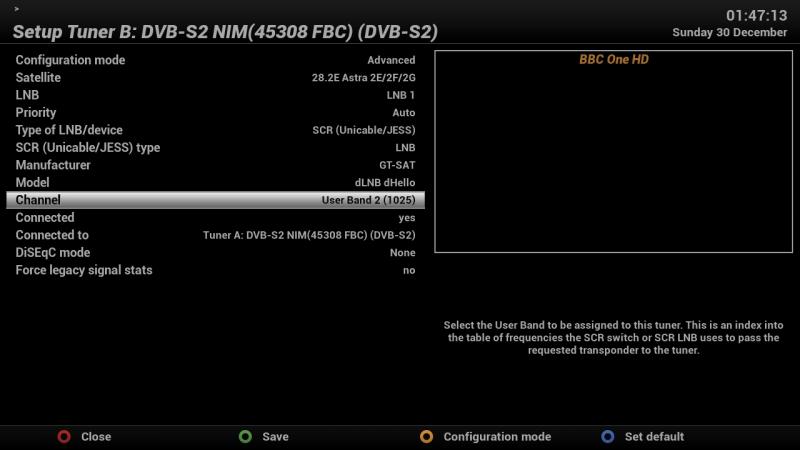
Every other tuner uses the same common settings as Tuner A (Configuration mode: Advanced, Satellite: 28.2E, LNB: LNB 1, Priority: Auto, Type of LNB/Device: SCR (Unicable/Jess), SCR type: LNB, Manufacturer: GT-Sat, Model: dLNB dHello, DiSEqC mode: None, Force legacy signal stats: No) — only the three settings below change per tuner:
"Connected to: Tuner A" means Tuner A is the one with the signal/coaxial wire physically attached to it.
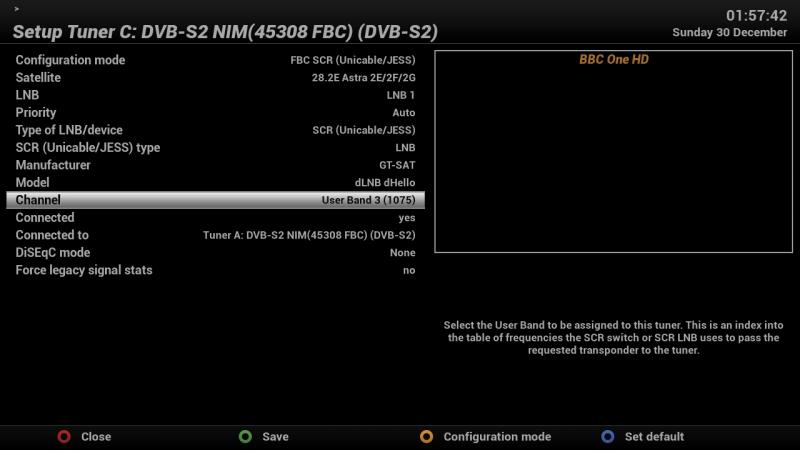
Important notes
- Every tuner on every device connected to the LNB must have its own, separate userband number — even across different receivers.
- This guide numbers userbands starting from 1. If you have more than one receiver sharing the LNB, start the second receiver's numbering from 9.
- If you run out of userbands, set some tuners to FBC automatic instead — this uses an enhanced loop-through mode.


