

How to install Sundtek USB tuners using Sundtek Control Center
- world-of-satellite.co.uk
- 5 Replies
- 2,058 Views
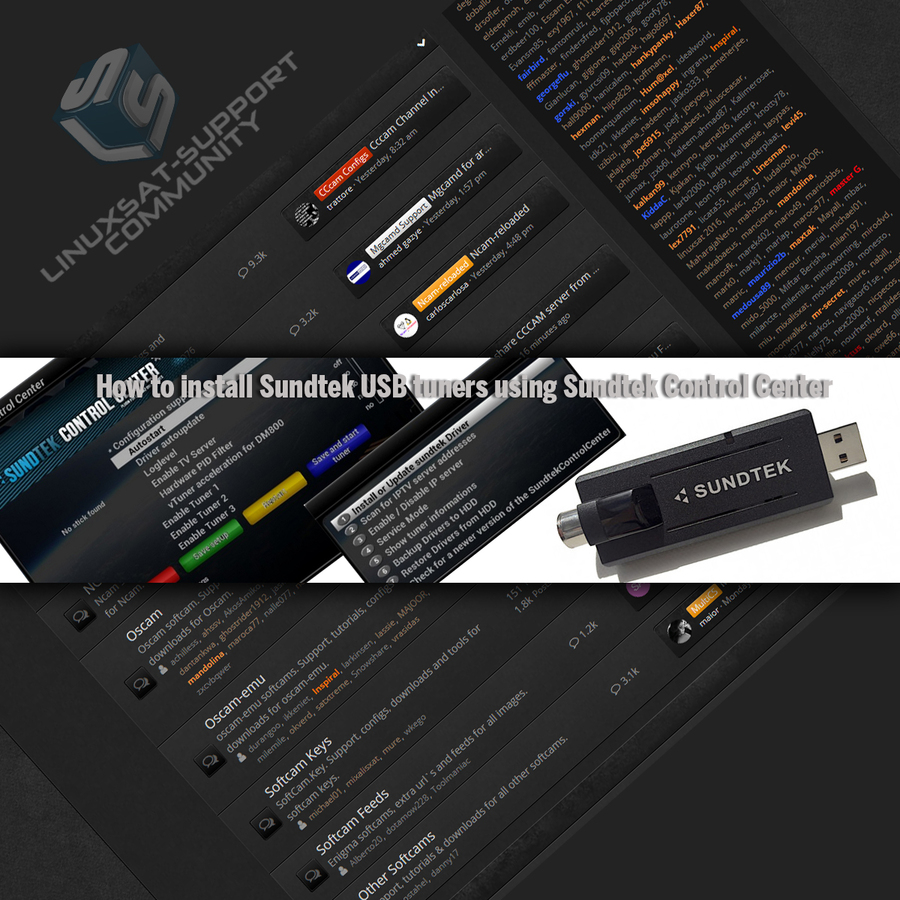
This guide (based on OpenViX images) installs a Sundtek USB tuner using the Sundtek Control Center.
Installing the tuner
- Power off your receiver.
- Connect your Sundtek tuner to a USB port and power the receiver on.
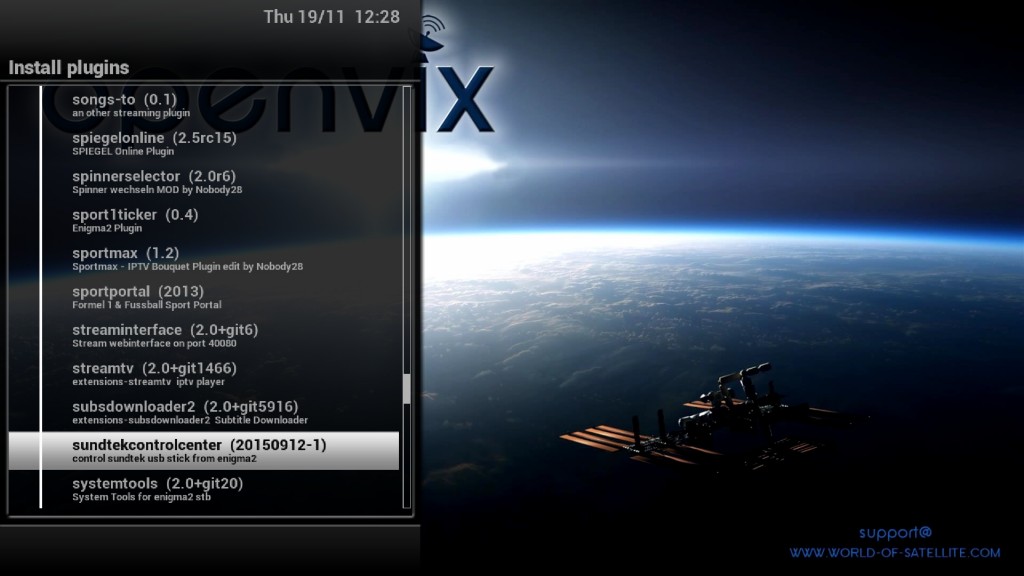
- Install the Sundtek Control Center from the OpenViX online plugin feeds: Menu → Plugins → press GREEN to download plugins → Extensions → OK → sundtekcontrolcenter → OK.
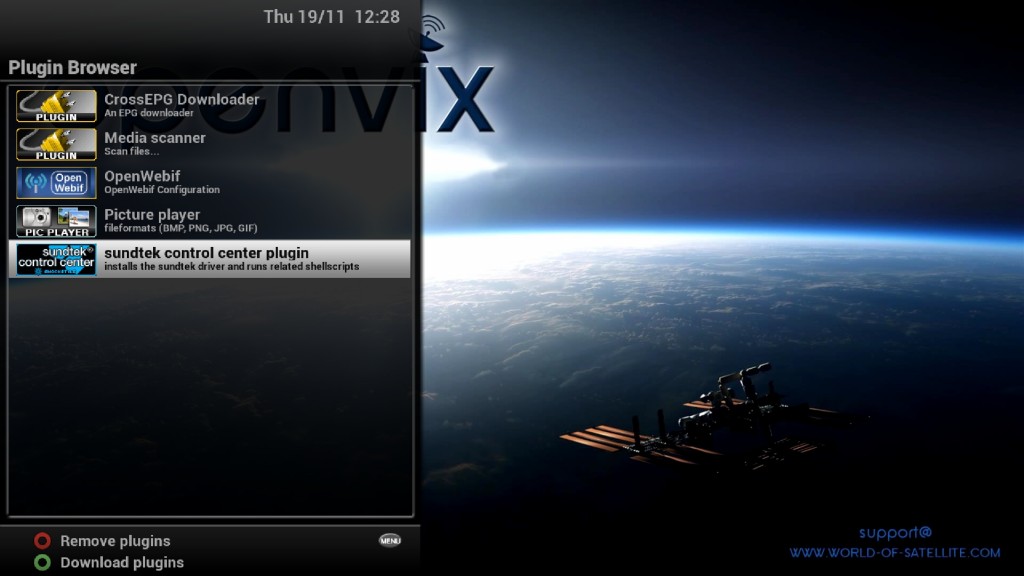
- Exit all screens, then go to Menu → Plugins → Sundtek Control Center → OK.
- Select Configuration Support and set it to YES with the left/right keys.
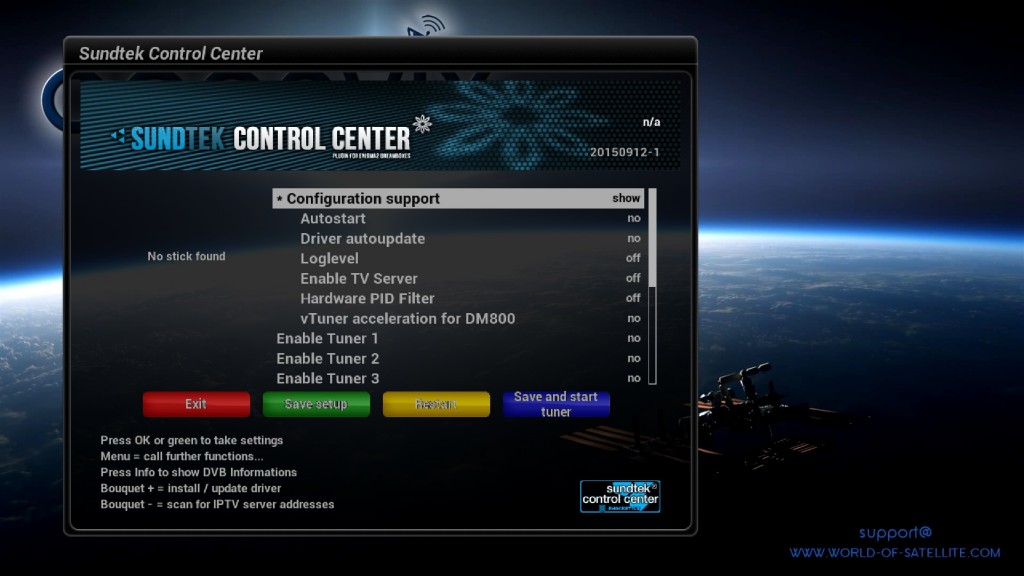
- Select Autostart and set it to YES.
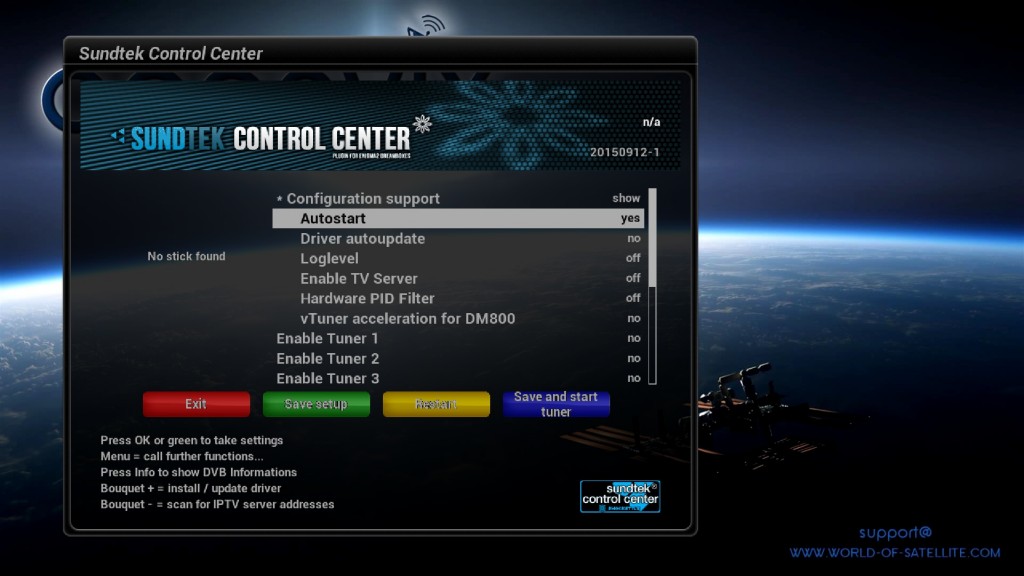
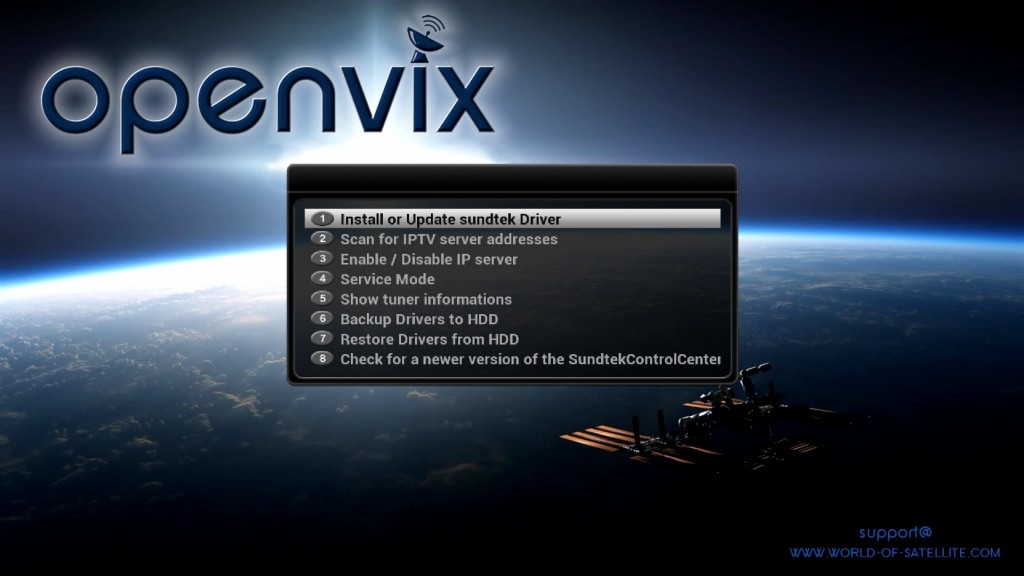
- Press MENU, choose Install or update sundtek driver, and when you see the "complete" message press OK.
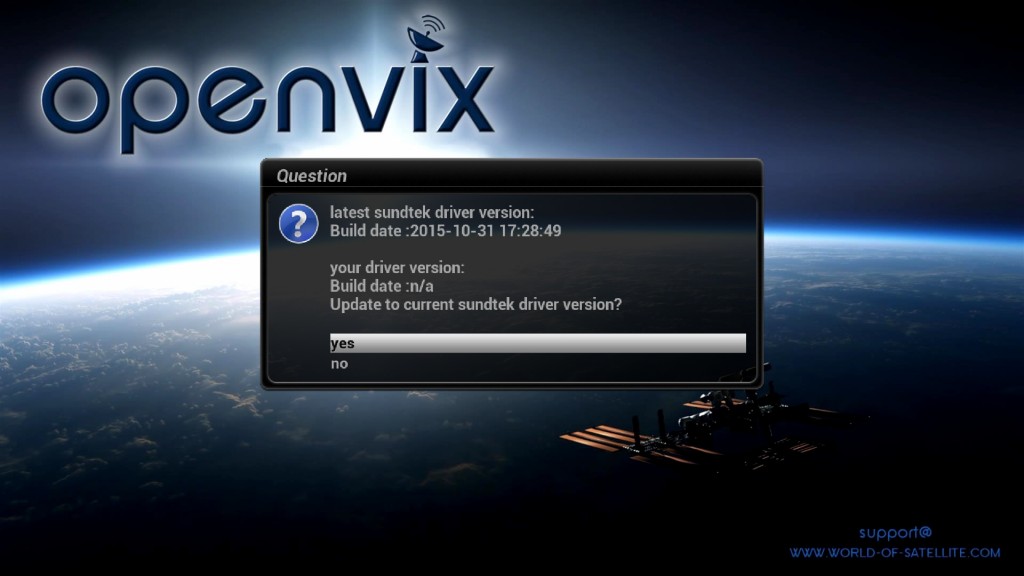
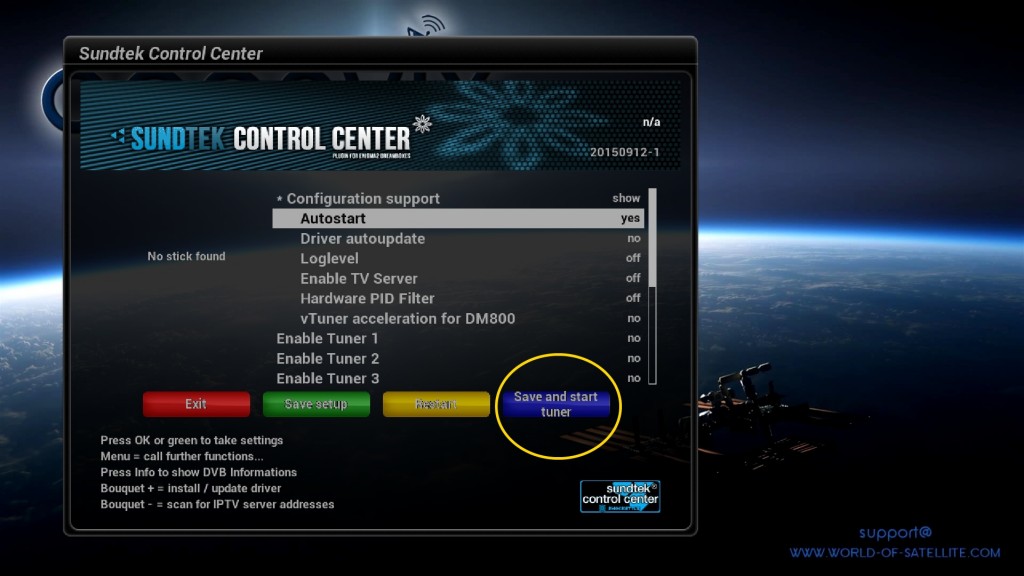
- The drivers are now installed. Press the BLUE button to save your setup and start the tuner — be patient and wait for Enigma2 to restart.
- Once Enigma2 has restarted, go to Menu → Setup → Service Searching → Tuner Configuration — you should now see the Sundtek tuner listed.
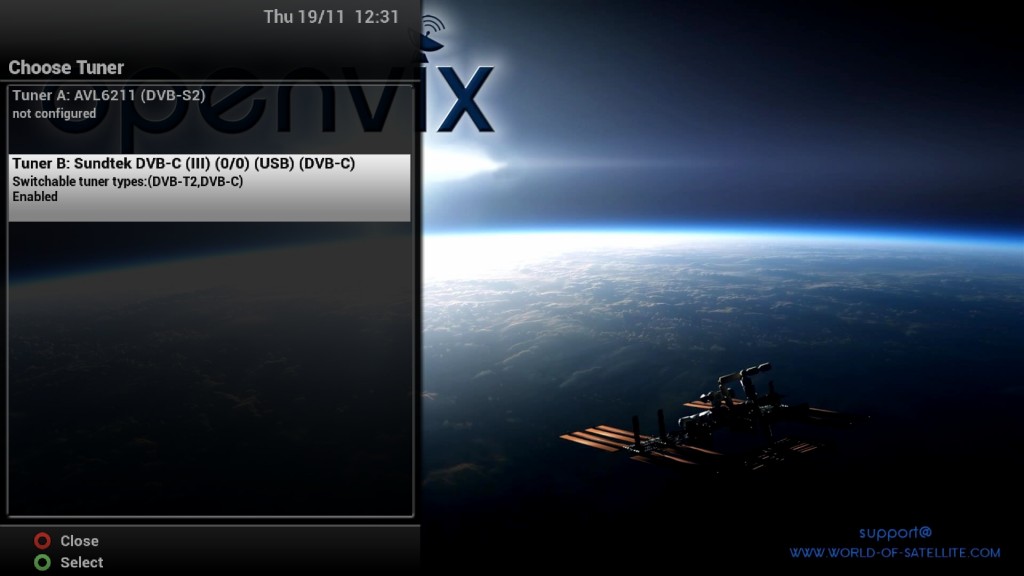
- Select the Sundtek tuner and press OK. Set your DVB type (e.g. DVB-C/T2) and any other tuner settings as required.
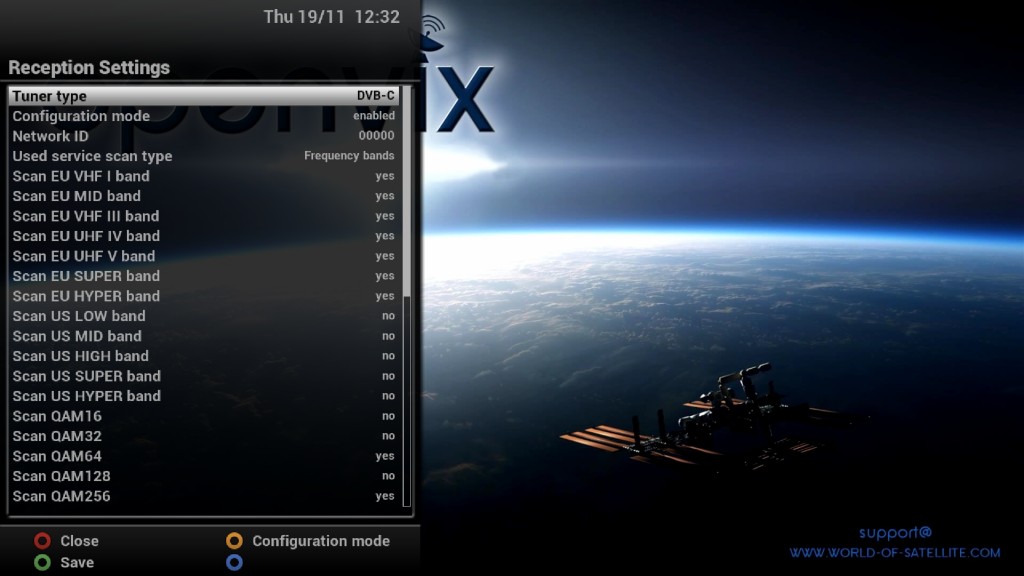
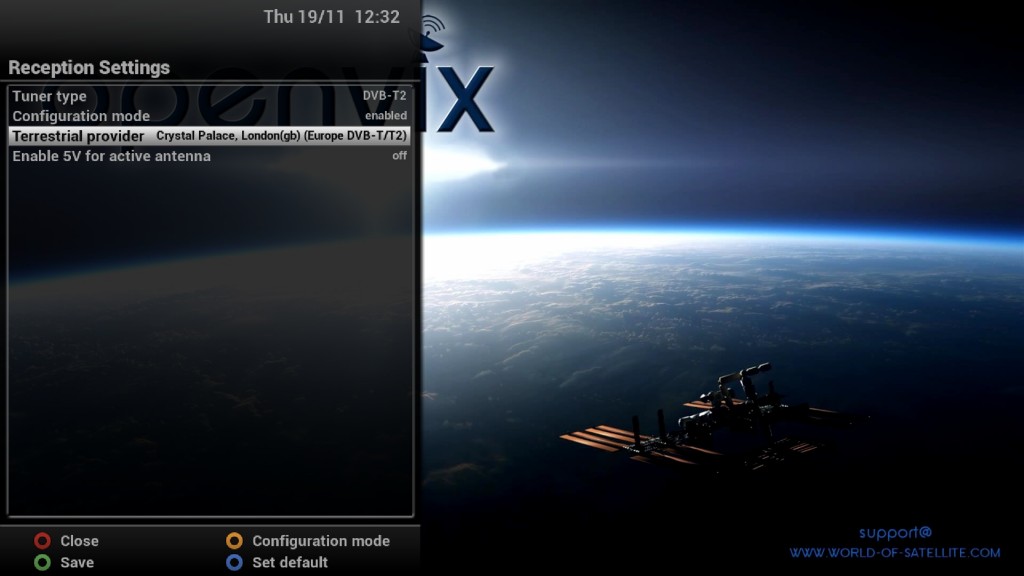
- Exit all screens and reboot: Menu → Standby/Restart → Restart.
- Once rebooted, the tuner should still be listed under Menu → Setup → Service Searching → Tuner Configuration.
That's it — a very easy setup. You can now scan, or simply use AutoBouquetsMaker. More information


Replies 5
satvogel
Just read this article. I have two problems regarding the sundtek DVB-T2 usb adapter. I'm not sure if I'm on the right place as I have a dreambox dm920 with OE2.5. Installing the adapter works as described above, but starting the tuner in DVB-T2 mode is impossible. Whatever I do, it always starts in DVB-C mode. I installed it in the Control Center in DVB-T2 mode, but when pressing the blue button to store and start the tuner the script says that the tuner is in DVB-C mode. I can watch DVB-T2 channels - with an error message in the middle of the screen, which won't appear as long as the tuner is working. And it's impossible to record. When serching for channels there is another mystery. It will be searched for DVB-T channels only, which naturally don't exist anymore.
The second problem is when installing virtual tuners the sundtek tuner is gone from the tuner list and from Control Center, doesn't matter whether I installed the sundtek before or after the virtual tuner. Has somebody any idea???
PaPs1
This ad is already 5 years old. Read!
satvogel
Sorry, but none of these reactions has anything to do with my questions.... and nothing is still solved...
bellejt
Is there a /etc/sundtek.conf file on the system?
initial_dvb_mode=DVBT
It depends on how old the tuner is, models from 2015 only support DVB-T2 v1.2.1, from around 2016 DVB-T2 v1.3.1 is supported.
The tuners also scan DVB-T2 channels in DVB-T mode.
satvogel
Yes there is one saying "initial_dvb_mode=DVBT2"
I have two of them and they are definitely bought in 2021, so should work. In OE2.0 images everything works fine, so it will be probably a diver/configuration problem on OE2.5. Normally while in operation the tuner status with a green marked letter signs that it's working fine. If in operation the Sundthek tuner works with an error message and the tuner letter is staying red. When I jump a few times from one DVBT2 channel to another then sometimes it could happen that the letter turns green and it will be possible to record, which is impossible while the letter is red. In the configuration tool both tuners are saying to be in DVBT2 mode.