

How to Connect Up to 32 Satellites Using Cascaded Diseqc Switches (4x1 & 8x1)
- -=S_SAJJAD=-
- 7 Replies
- 9,711 Views
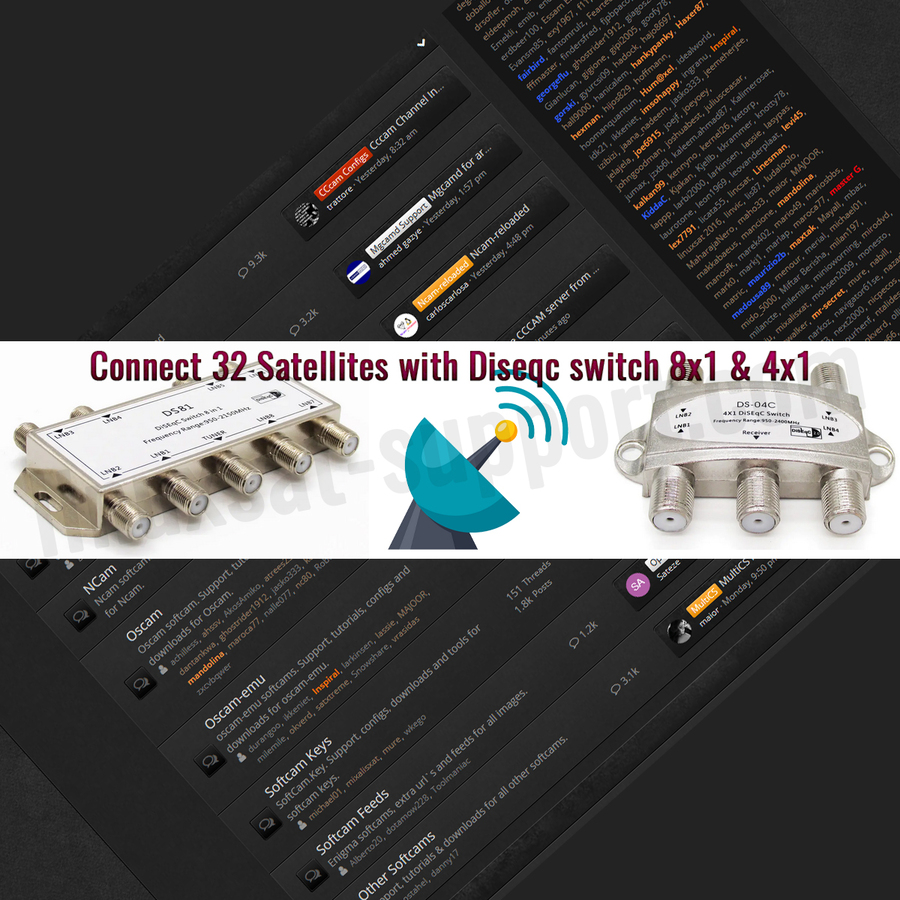
Overview & Theory
The core principle is to connect groups of four LNBs to individual 4x1 switches. The output of each 4x1 switch is then fed into a single port on a master 8x1 switch. Since the 8x1 switch can select from 8 inputs, and each input can be a 4x1 switch selecting from 4 LNBs, you can connect up to 8 × 4 = 32 satellites.
Equipment Needed
- DiSEqC 8x1 switch (master)
- DiSEqC 4x1 switches (up to 8)
- RG6 coaxial cables
- Satellite receiver (STB)
- Satellite LNBs
Connection Guide
Simple Method (For the First 4 Satellites)
This demonstrates the initial connection pattern for one group of 4 satellites.
- Connect your first LNB via RG6 cable to Port 1 of a 4x1 DiSEqC switch.
- Run a cable from the OUT port of this 4x1 switch to Port 1 on the 8x1 master switch.
- Connect the TUNER/OUT port of the 8x1 master switch to your satellite receiver (STB).
(Refer to the diagram and screenshot for visual guidance.)
Detailed Method (Scaling to 32 Satellites)
To expand the system fully, repeat the simple method for each group of 4 LNBs.
- Connect LNBs 1–4 to the four input ports of your first 4x1 switch.
- Connect LNBs 5–8 to a second 4x1 switch, and so on, until you have up to eight 4x1 switches.
- Connect the OUT port of each 4x1 switch to a corresponding input port (1 through 8) on the master 8x1 switch.
- Finally, connect the TUNER/OUT of the 8x1 switch to your STB.
(Refer to Diagram 2 for the full connection layout.)
Receiver Configuration
- On your STB, navigate to Menu → Setup → Tuners & Scanning → Tuner Configuration.
- Configure the DiSEqC settings:
- Set the DiSEqC Mode to 1.1 for the 8x1 master switch.
- For satellites connected via the first 4x1 switch (e.g. Port 1 on the 8x1), select the corresponding 8x1 input port (e.g. AA). Then use the DiSEqC 1.0 sub-setting to choose the specific LNB (1–4) on that 4x1 switch.
- Repeat this configuration for all ports. The pattern is consistent: select the master 8x1 port (1.1), then the individual 4x1 port (1.0) for each satellite.
(Refer to the configuration screenshots for exact menu settings.)
Summary
Once you successfully configure the first master switch port (e.g. Port AA for the first 4x1 switch), you can apply the same logic to the remaining ports (AB, BA, BB, etc.). This cascading design allows you to manage 32 unique satellite connections from a single tuner input.





Replies 7
georgeflu
excellent article, just a detail...
not all the 8x1 diseq switces do this job
the 8x1 DiSEqC switch must support only uncomitted commands, and not combined uncomitted + commited commands (or support selection from dip switch).
for example the one below (which is my personal, created by emp and renamed/sold by another company) can't work in combination with other switches
-=S_SAJJAD=-
@georgeflu
That's very informative, Thank you.
I didn't have to face such troubles & I've tried 2-4 different 8x1 diseqc switches, they worked fine.
But I've noticed 1 thing that it can delay signals sometimes transmitting from 1.0 to 1.1 to STB.
yearning_5
Hello can any one help us make this happen in enigma2 ( has been tested on other receivers )
how to set on other receivers
SkullFace
Is the theoretical maximum 32 or 64?
What does the new Diseqc 3 add to the table?
EnoSat
16 (1.1) x 4 (1.0) = 64 LNB
SkullFace
and if we add tone burst A/B do we get 128?
SkullFace
it may be possible to have 128 if you add a tone burst switch A/B as the screenshot says "command order DISEQC 1.0 DISEQC 1.1 toneburst"
so (1x tone-burst 2ports- 2x DISEQC 1.1 16ports - 16x DISEQC 1.0 4 ports) or the other way around
(DISEQC 1.0 4 ports - 4x DISEQC 1.1 16ports - 64x toneburst 2ports)
also I think 4x sats multiswitches can be used in place of DISEQC 1.0, each STB will use a DISEQC 1.1 to connect to up to 16 4x sats multiswitch ports (64 Sats)